Text Formatter missing Option
Status: Closed · Asked by mije on · 0 views
I am using the text formatter and has been great so far, but there's a problem.
There's no way for me to delete all those blank spaces, I attached a picture showing the output of the text with a lot of blank spaces.
I'm sending the message to slack and the screenshot is how it appears inside slack. Any help is appreciated.
Attachments

Hey @hcarreon
You can use the "Replace Text " Endpoint in Text Formatter to replace the extra line.
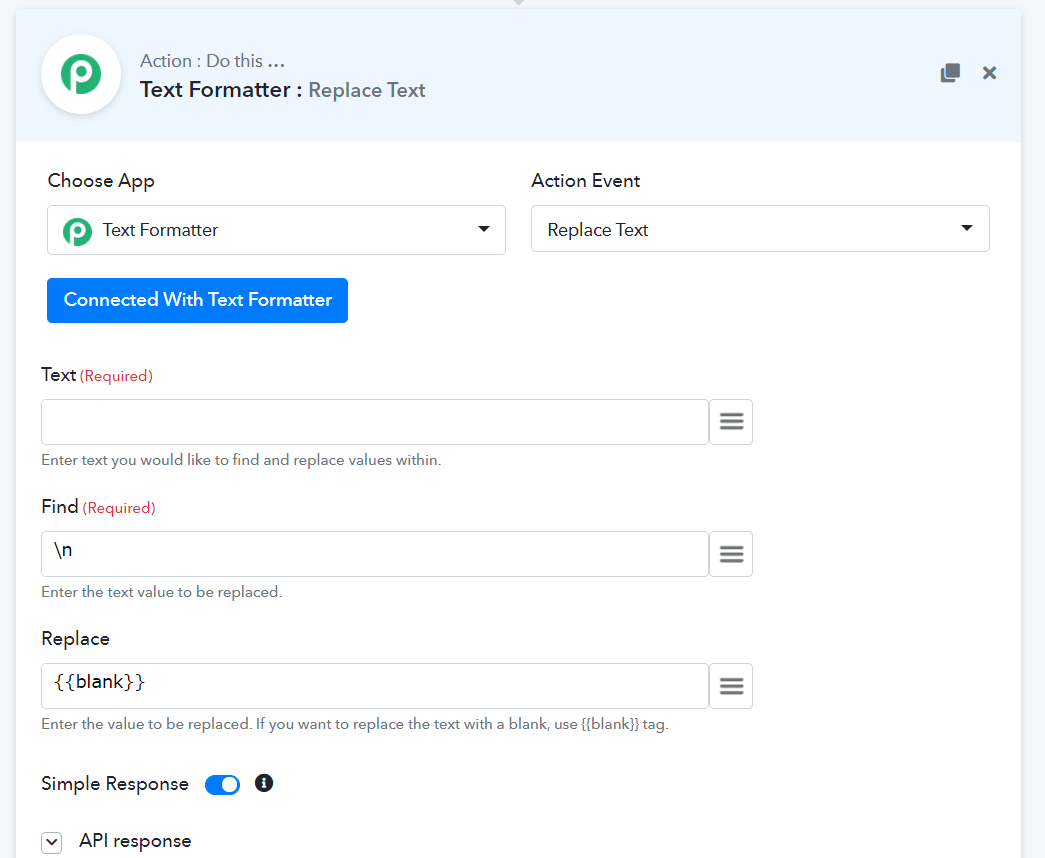
Please try this at your end and let us know of that works for you.
Thanks! Great Idea. I actually had to create various to be able to format text the way I wanted. It looks closer now to what I needed.
I actually added \n\n and replaced with \n for several empty lines, this way I converted to just 1 space.