Text formatting issue with Trello Card Description
Status: Closed · Asked by GauravBR on · 0 views
I use trello to create my store's new order into trello cards.
I want to use quote option in Trello card description to differentiate information type which I can use by using > in first character of a line.
Other command is - for list and ### for Heading 3
I do pass value like > - ### Customer First and Last Name
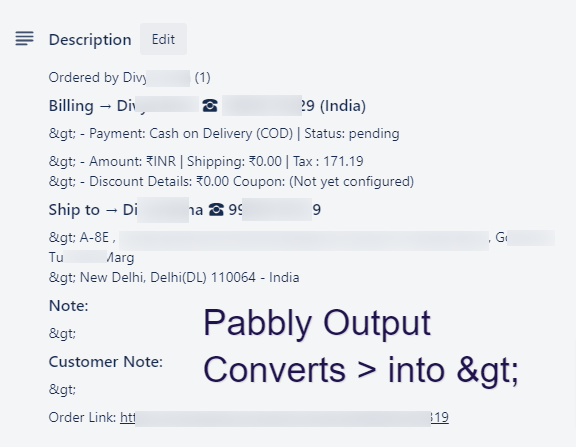
it should be Heading 3 List within a quote/comment in trello description but it's not functioning because pabbly converts > character into >
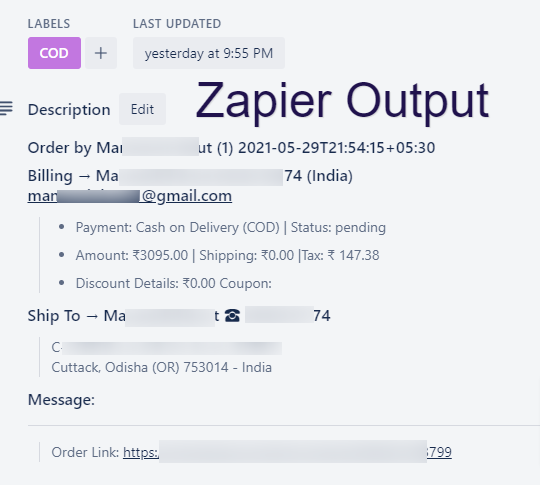
Attached screenshot - One from Zapier & Another one from Pabbly.
Attachments
Hey @GauravBR
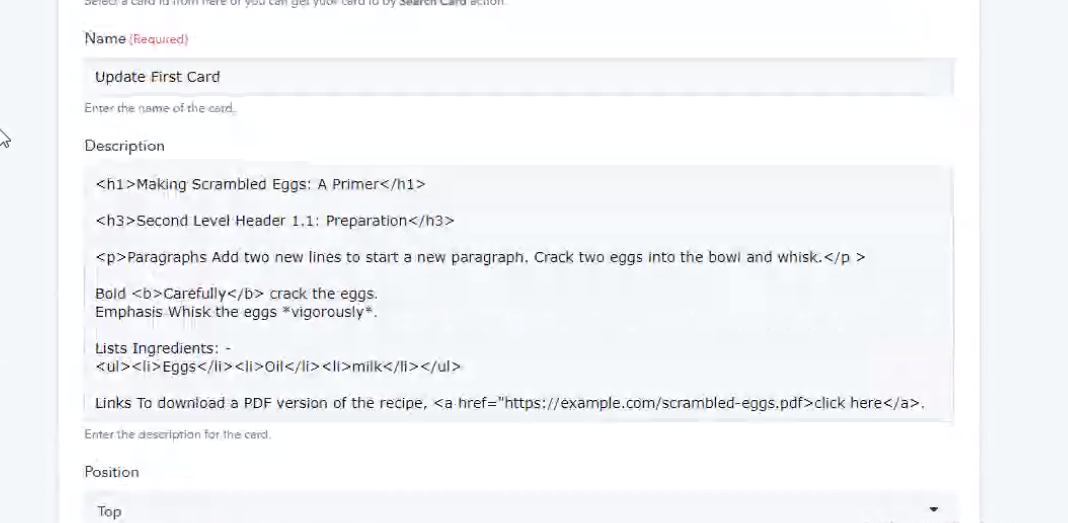
Sorry for the inconvenience. We have checked over your concern and the solution is to use such character in Trello, you might have to use it inside the HTML tags.
Because Trello allows us to write the content and the special characters in HTML only.
For example -
Sample Content inside the HTML tags.
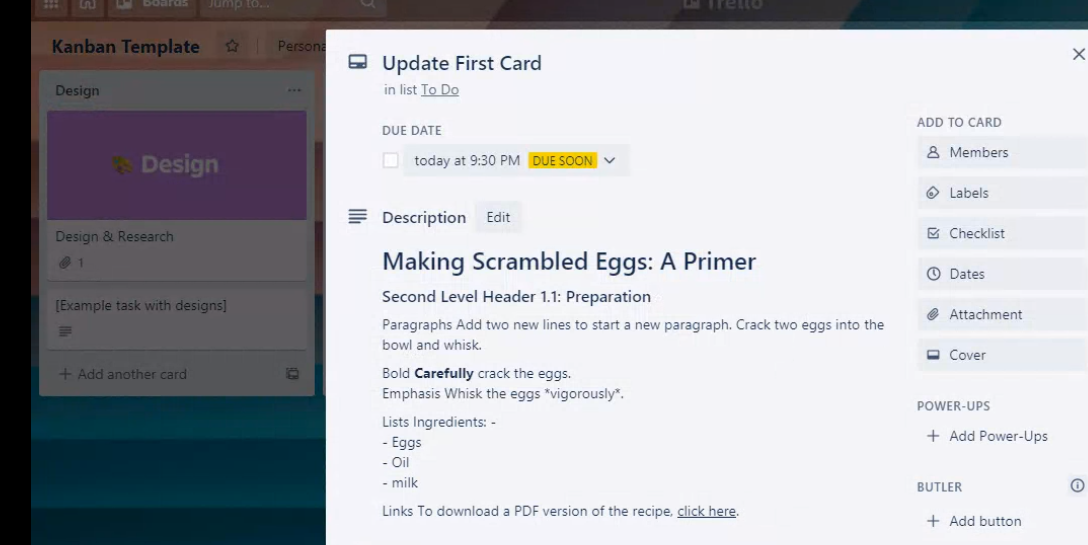
Trello Card -
You can also take help of plain text to HTML text converter here - https://wordtohtml.net/
Please try this at your end and let us know if that works for you.
That's strange. I am using Zapier and Trello Description uses Markdown format https://help.trello.com/article/821-using-markdown-in-trello )
Moreover, Passing information in html seems bit different and difficult to me compared to trello's native format. I need frequent editing in information trello card and when I supply description in html (I haven't tried though) it may cause a lot of errors.
Here's simple way I use to format my card description
Heading
# Heading 1
## Heading 2
### Heading 3
#### Heading 4
** Bold **
~ Code ~
> Quote
- List
Zapier simply allows this format to pass and surprisingly Trello also accepts same. I guess it has something to do with unicode?
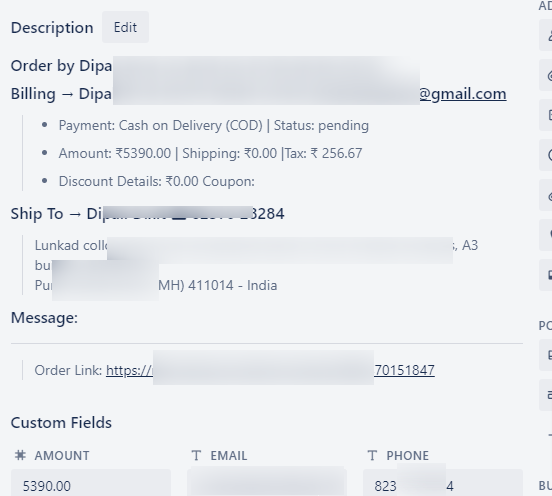
Attachments
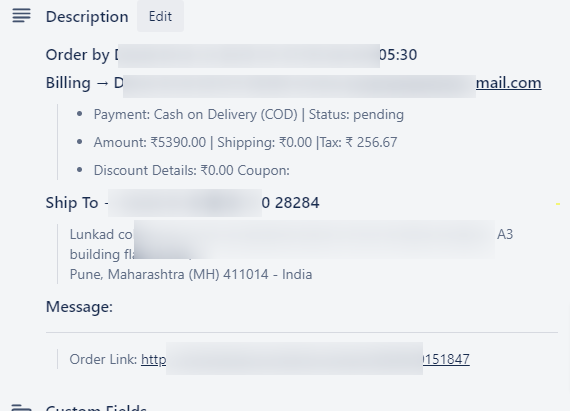
Hey @GauravBR
That's strange. I am using Zapier and Trello Description uses Markdown format https://help.trello.com/article/821-using-markdown-in-trello )Moreover, Passing information in html seems bit different and difficult to me compared to trello's native format. I need frequent editing in information trello card and when I supply description in html (I haven't tried though) it may cause a lot of errors.
Here's simple way I use to format my card description
Heading
# Heading 1
## Heading 2
### Heading 3
#### Heading 4** Bold **
~ Code ~
> Quote
- ListZapier simply allows this format to pass and surprisingly Trello also accepts same. I guess it has something to do with unicode?
[IMG alt="1622547390031.png"]https://forum.pabbly.com/attachments/1622547390031-png.1279/[/IMG]
[IMG alt="1622547452203.png"]https://forum.pabbly.com/attachments/1622547452203-png.1280/[/IMG]
We completely understand your concern, but as of now we can only provide you formatting in HTML to use such characters -(",{} etc) and new lines without grabbing the "
" tags. Using Markdown and HTML both might cause the distortion in creating hassle-free descriptions in cards.
Although we are in contact with Trello to upgrade such features on our platform for better integrations. Thanks for your understanding!