Text parser returning the whole email parser body
Status: Closed · Asked by Prashanth D on · 0 views
Hi,
In my workflow, I am using the email parser and then using text parser (from text formatter) to extract a specific text. If the "after" and "before" text are not found in the mail body, the text parser is returning the entire email body as output, instead of this can we setup something like the task should not execute if the required text is not found in the email body?
Please let me know
Hi,
In my workflow, I am using the email parser and then using text parser (from text formatter) to extract a specific text. If the "after" and "before" text are not found in the mail body, the text parser is returning the entire email body as output, instead of this can we setup something like the task should not execute if the required text is not found in the email body?
Please let me know
In my workflow, I am using the email parser and then using text parser (from text formatter) to extract a specific text. If the "after" and "before" text are not found in the mail body, the text parser is returning the entire email body as output, instead of this can we setup something like the task should not execute if the required text is not found in the email body?
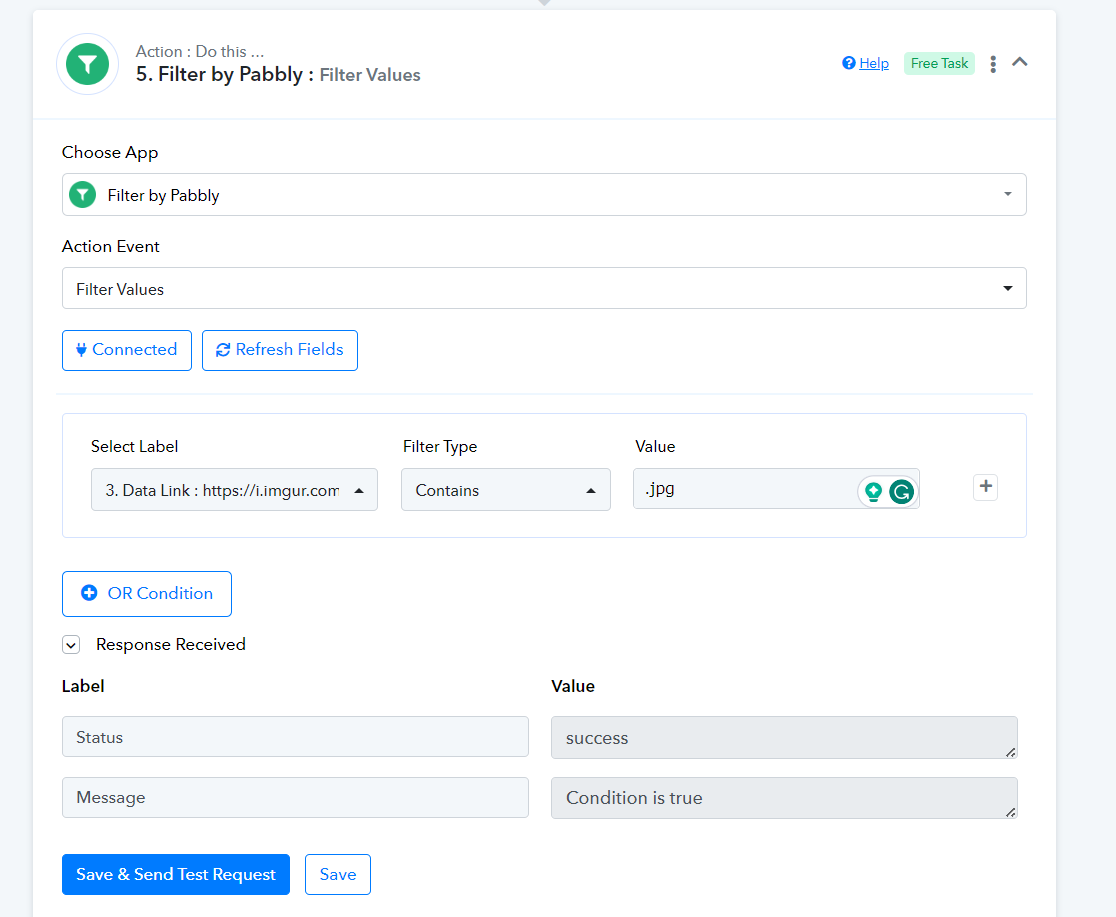
You can add a Filter action step afterward where you can use the Filter type "Contains" which will only process the automation of the selected values present in the content.