the automation stops for some reason
Status: Open · Asked by Alaa Bebar on · 0 views
hello arshil, can you have a look at why the automation doesn't proceed to the Gmail part, I've changed passwords on all my business accounts and reconnected all the connections, yet the automation doesn't proceed correctly
here is the workflow history link:https://connect.pabbly.com/task/history?filter_status=applied&filter_by_workflow_id=IjU3NjUwNTY4MDYzMTA0MzQ1MjY0NTUzMjUxMzMi_pc
here's a screenshot of what the problem is : @ArshilAhmad 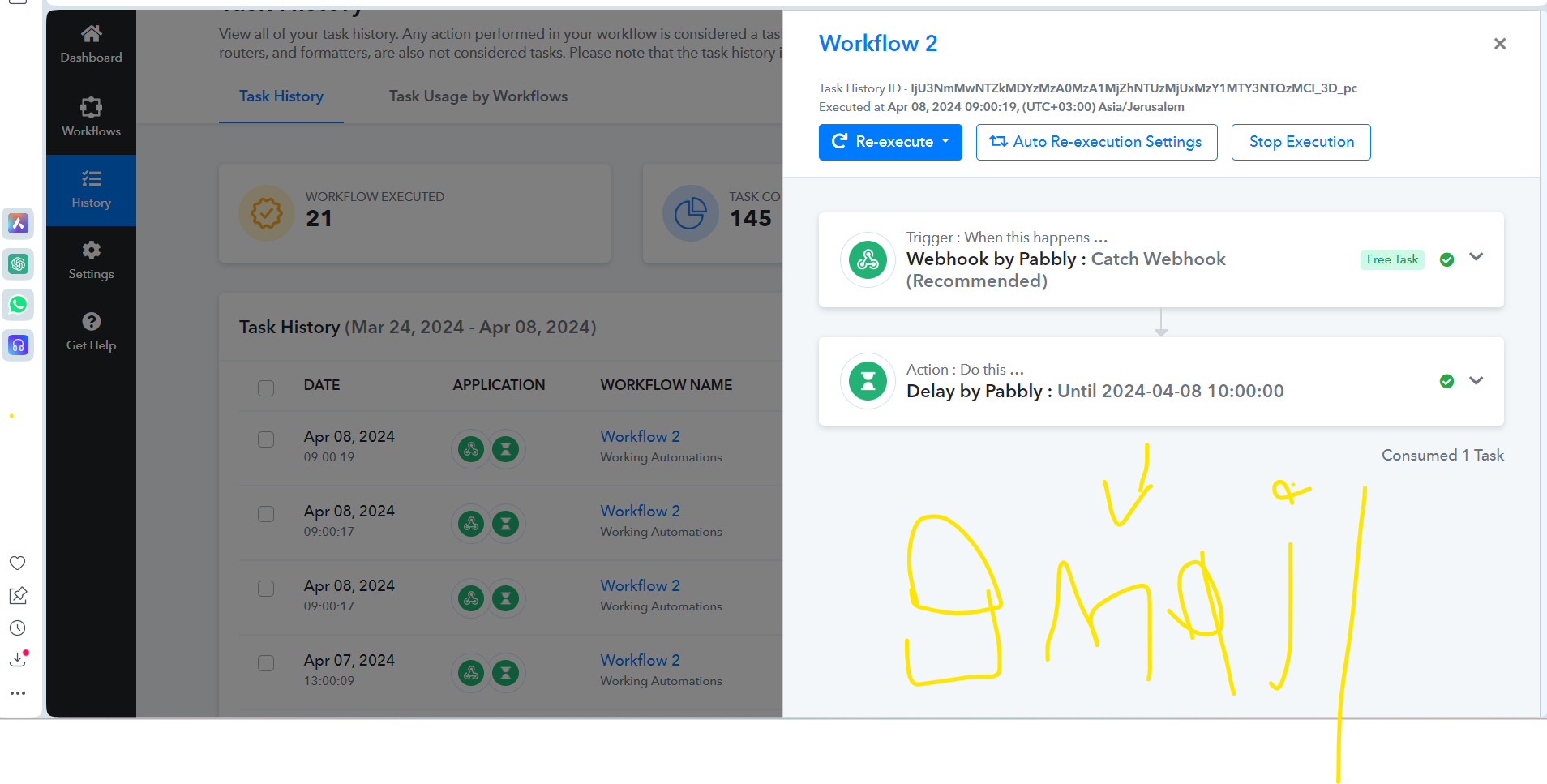
Hey @alaa bebar
Regarding the Delay Until Action step, it's essential to input the date and time in UTC format using the Date Time Formatter action step. In your specific scenario, the date and time you're supplying in the Delay Until action step should be in UTC.
hello, the time formatting is just fine i prefer that @ArshilAhmad help me the issue is not related to timing.
I had an issue with changing the password with OAuth, I reconnected all connections relating to the Gmail action part.
arshil will relate he helped me in the past with this specific automation.
Hey @alaa bebar
It appears that the Execution time has passed by the Delay until the date time in UTC your workflow hasn't been processed further.
I adjusted the timing in workflow 1: https://connect.pabbly.com/workflow/mapping/IjU3NjUwNTY4MDYzMTA0MzQ1MjY0NTUzMTUxMzMi_pc
and workflow 2: https://connect.pabbly.com/workflow/mapping/IjU3NjUwNTY4MDYzMTA0MzQ1MjY0NTUzMjUxMzMi_pc
ill test it for tomorrow and see if the automation triggers and ill keep you updated @Supreme
hello arshil , I tried to test the automation for today it seems it stops at step 2 after I checked the Gmail connections I reconnected all connections relating to the Gmail action part.
I have set a new test for tomorrow please can you explain to try to see if something else is stopping the workflow, I reconnected the Gmail tokens.
here's the workflow history: https://connect.pabbly.com/task/history?filter_status=applied&filter_by_workflow_id=IjU3NjUwNTY4MDYzMTA0MzQ1MjY0NTUzMjUxMzMi_pc
@ArshilAhmad @Supreme
The second step is delayed by 18 seconds, which caused the subsequent action step to fail. Could you please try adjusting the timing to match the time of the webhook response you sent earlier?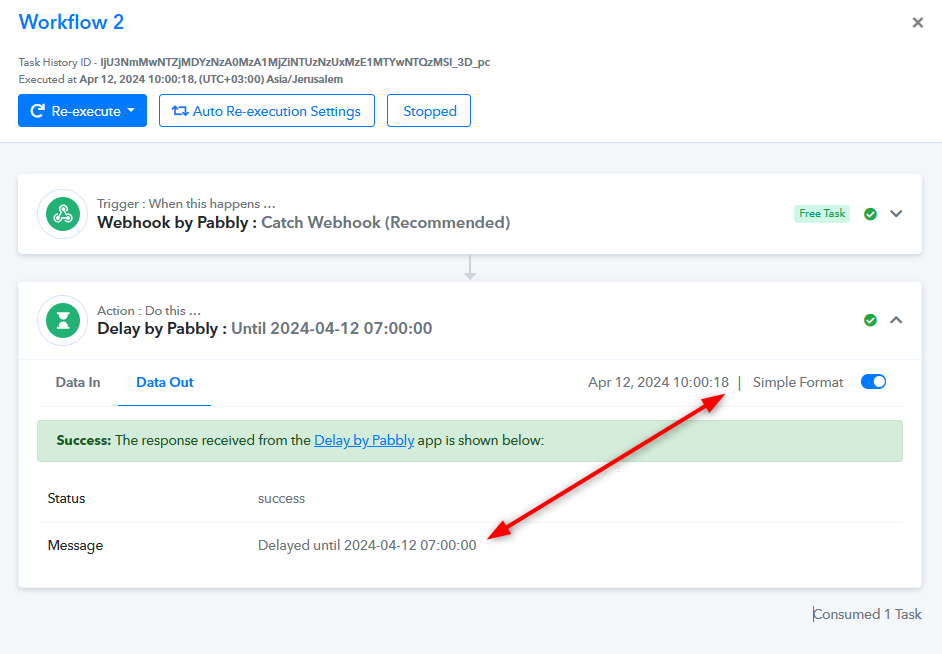
hello supreme, how are you doing today, what should I do I didn't understand what you're trying to explain, should I change the timing in workflow 1 and 2 by the 18-second difference?
what should I change the schedule in workflow 1: https://connect.pabbly.com/workflow/mapping/IjU3NjUwNTY4MDYzMTA0MzQ1MjY0NTUzMTUxMzMi_pc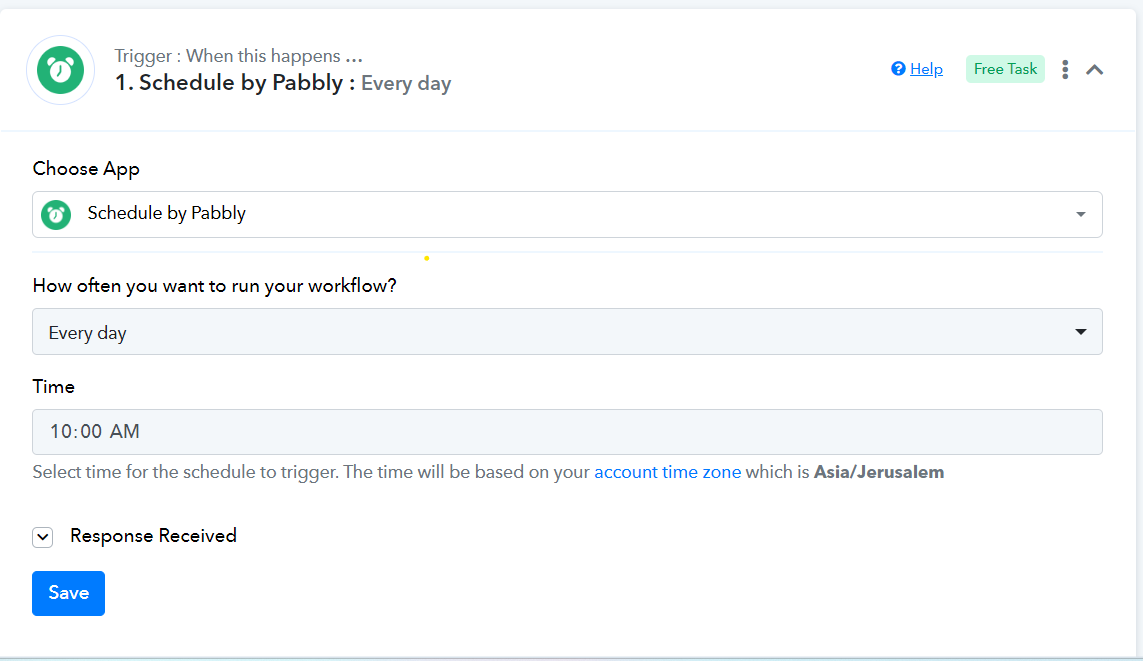
or the timing in workflow 2: https://connect.pabbly.com/workflow/mapping/IjU3NjUwNTY4MDYzMTA0MzQ1MjY0NTUzMjUxMzMi_pc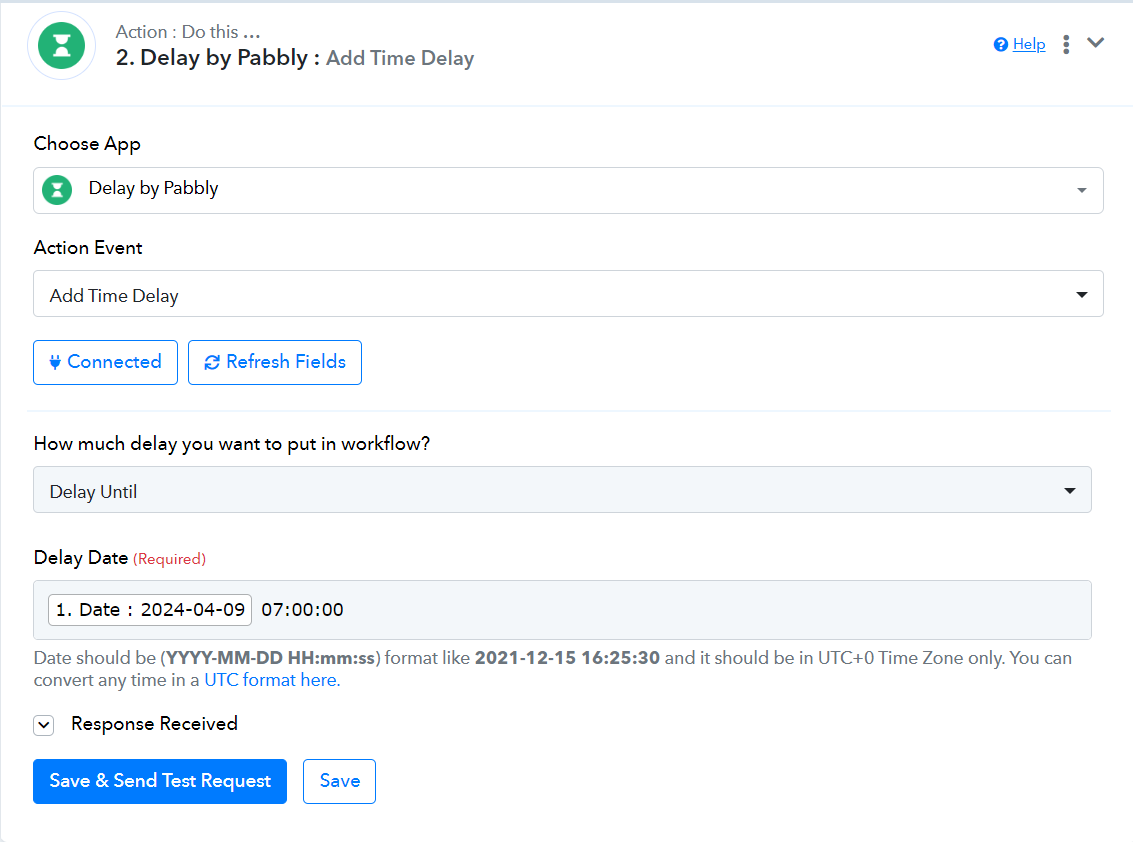
confirm, please if this would do it please. @Supreme
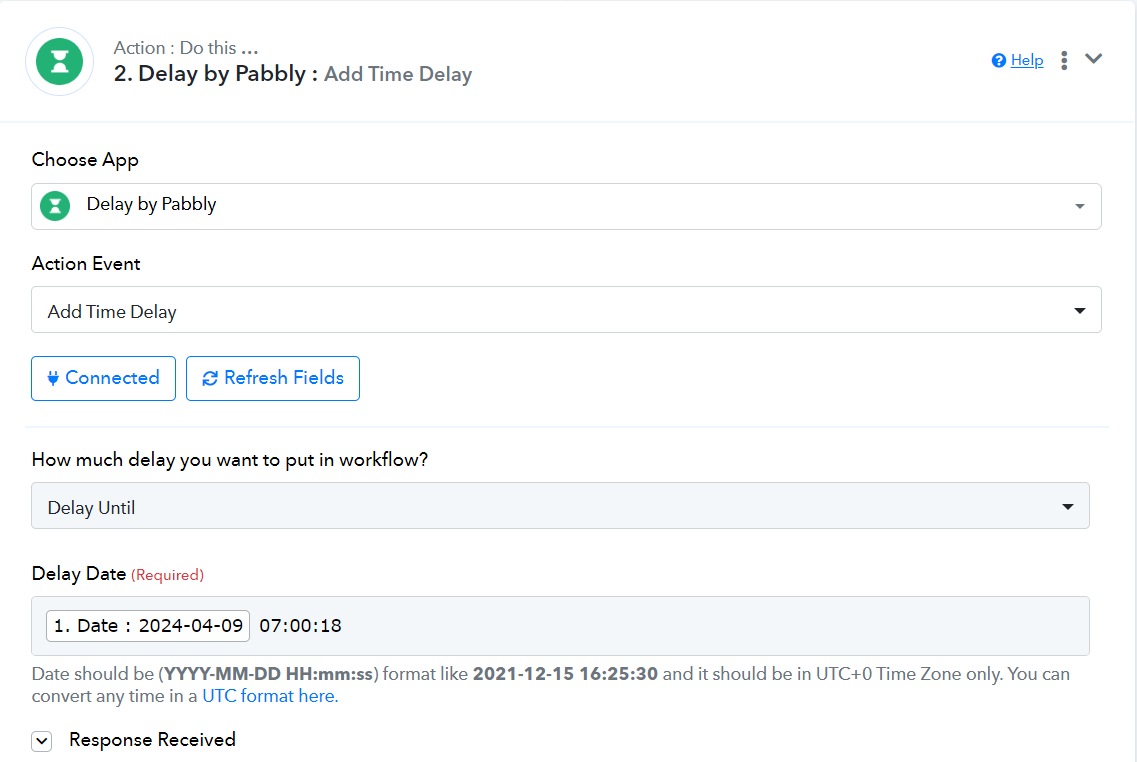
confirm, please if this would do it please. @Supreme
Yes, please give it a try.
ill test the workflow for tomorrow and ill keep you updated thanks supreme.
im still having the same problem @Supreme , the automation doesn't proceed, @ArshilAhmad if you have a look at I'm almost a month trying to sort this issue out could you please have a closer look at why the automation doesn't proceed?
Here's the error I got in workflow 1. I adjusted the mapping part workflow should work correctly.
here's the history of the test in workflow 1: https://connect.pabbly.com/task/history?filter_status=applied&filter_by_workflow_id=IjU3NjUwNTY4MDYzMTA0MzQ1MjY0NTUzMTUxMzMi_pc
regarding workflow 2 can you confirm, that workflow 1 is working properly can you please see if workflow flow 2 has any possible placements or connections that aren't settled properly, I have tested the workflow various times with no success.
please look into it closely I'm getting frustrated til this point thanks @ArshilAhmad @Supreme
workflow 2 : https://connect.pabbly.com/task/history/1?filter_status=applied&filter_by_workflow_id=IjU3NjUwNTY4MDYzMTA0MzQ1MjY0NTUzMjUxMzMi_pc
Please allow us some time, we are looking into it.
@alaa bebar, I have changed the time in trigger step of your Workflow 1. This should fix the Delay related issue you are encountering in Workflow 2.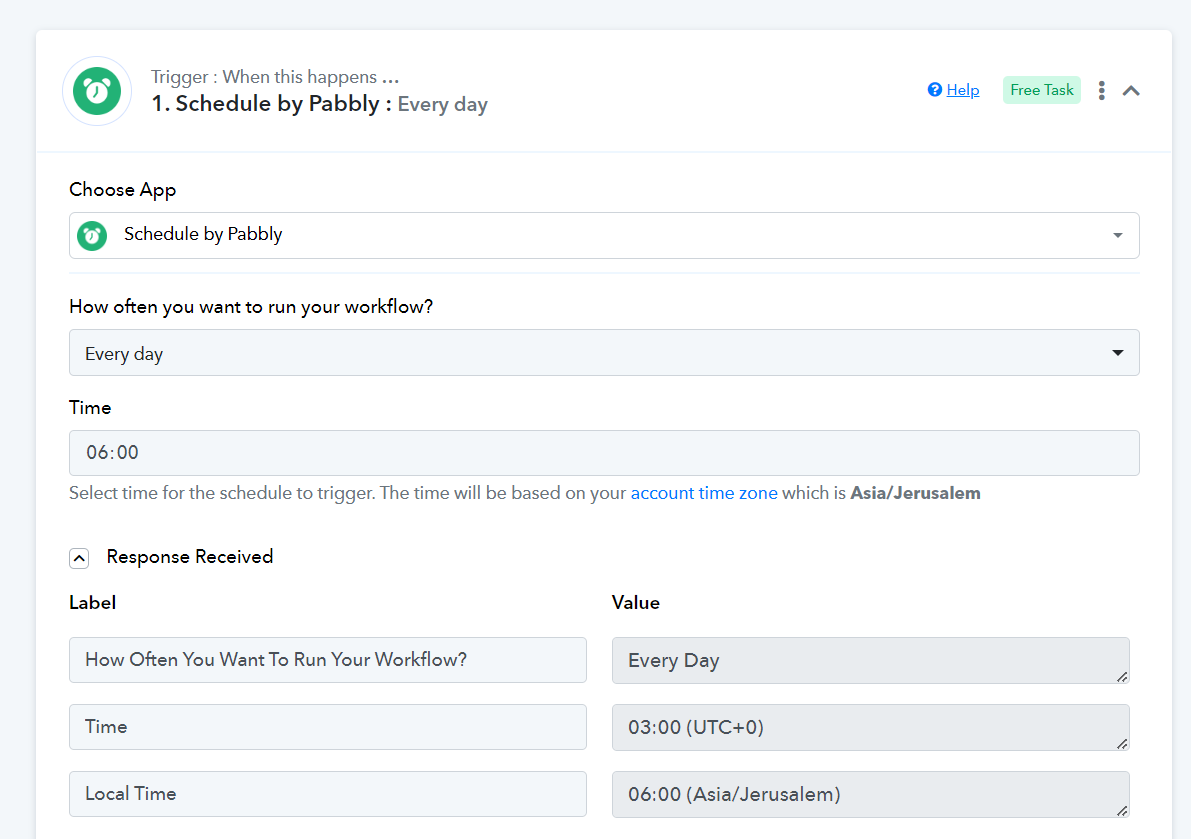
Please change the date to 14/04/2024 in your Google Sheets and wait until 10 AM Jerusalem time on 14/04/2024 for testing.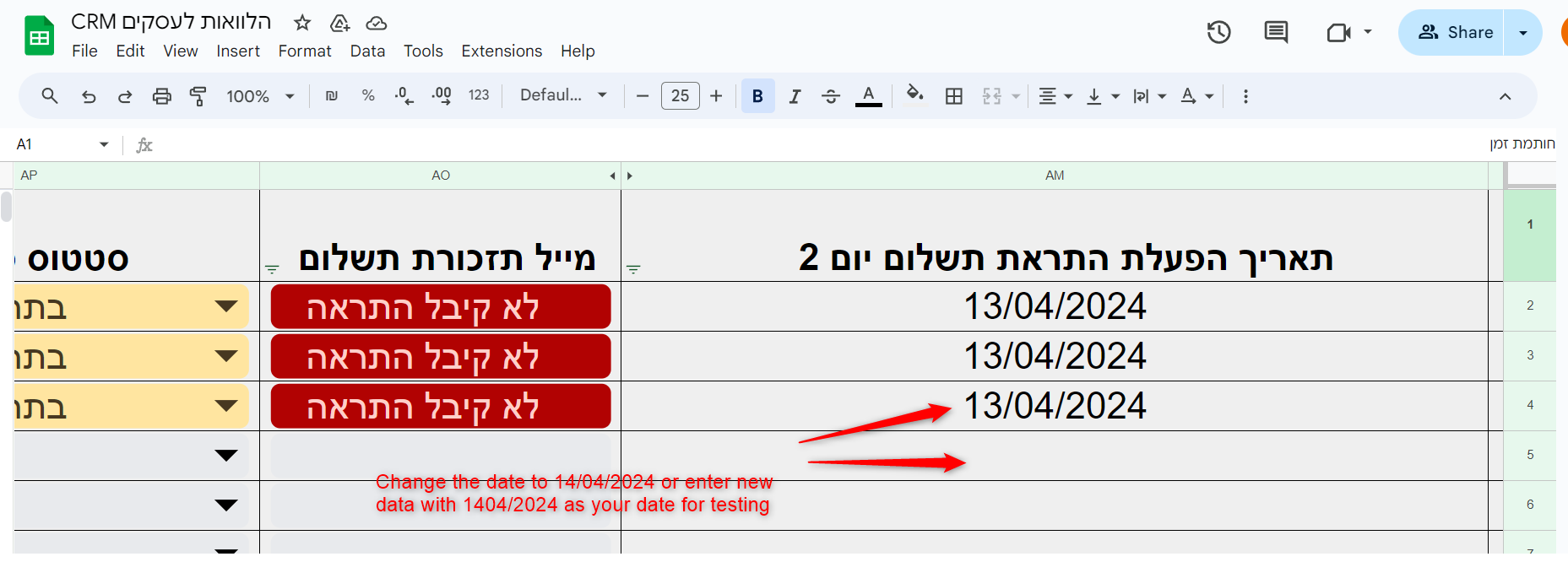
Do not make any changes to your workflow. If the issue persists, let me know.
thanks a lot arshil ill keep you updated