There is no Issue data on Jira webhook worklog event
Status: Closed · Asked by Anh Le on · 0 views
In the worklog event of Jira webhook, there isn't any data about the Jira issue which this event triggers.
Step:
- User log a time in a Jira issue to trigger worklog_created event.
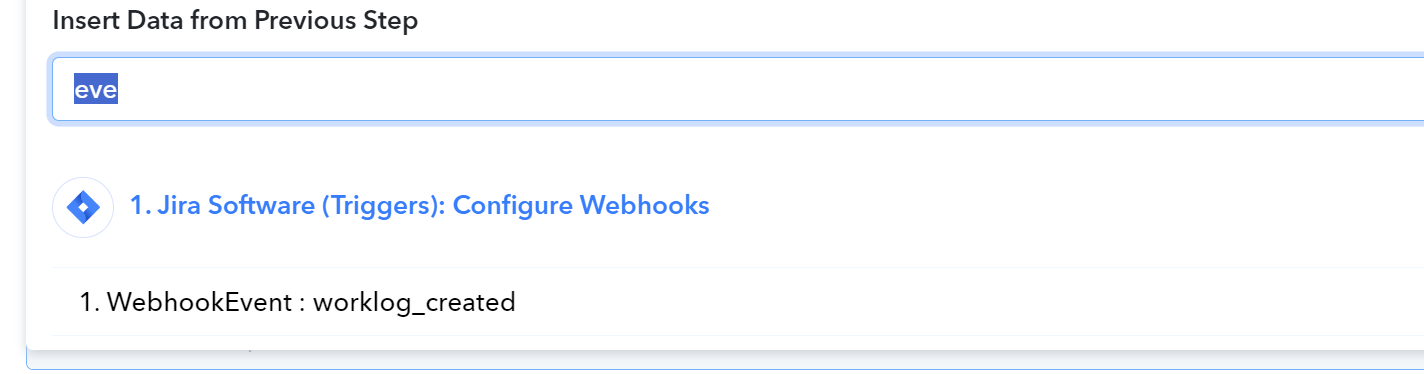
- In the Data of the event in Pabbly Connect, there isn't any data about the issue such as Issue type, Issue key, etc.
There should be these data. Make.com has it.
Hey @JOY
Kindly provide us the workflow name in which you are getting issues.
So we can check on it and guide you further.
Hey @JOYKindly provide us the workflow name in which you are getting issues.
So we can check on it and guide you further.
https://connect.pabbly.com/workflow/mapping/IjU3NjUwNTY5MDYzNzA0MzY1MjZiNTUzMjUxM2Ei_pc
Jira > Discord OverSpell
From my examination of your workflow, everything appears to be functioning correctly, and you are successfully receiving the issue key and issue name from the Jira application.
Can you please confirm whether your issues have been resolved or not?
From my examination of your workflow, everything appears to be functioning correctly, and you are successfully receiving the issue key and issue name from the Jira application.Can you please confirm whether your issues have been resolved or not?
No it is not.
When a user logs a worklog there isn't any data about the issue such as Issue type, Issue key, etc.
I repeat, when a user logs a worklog.
Can you help me with the task history where the issue key or issue type is not listed? This will enable me to investigate from our end and provide you with assistance.
Yes. Example of worklog: IjU3NjIwNTY4MDYzNzA0MzU1MjY4NTUzZDUxM2I1MTY2NTQzNCI_3D_pc
We have reviewed the workflow history along with the task history you provided, and it appears that the event is related to work logs.
In this case, I recommend creating a new workflow specifically for the event work logs.
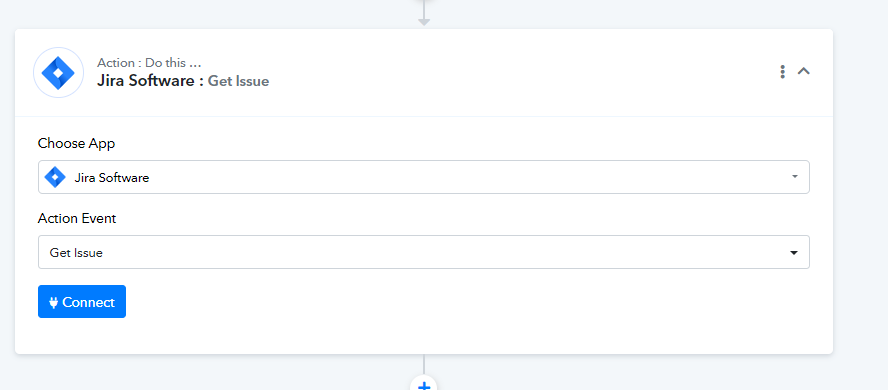
Once you have created a workflow for the particular event you will receive the issue ID in the response, and based on this issue ID, you can add a Jira action step to retrieve the issue details.
By using the issue ID, you will obtain the issue key and issue type as well.
Sorry but we shouldn't do that. You can see that I have many routers in my workflow. If I split the worklog event, I will end up with duplicated or even multiply the workload to create the workflow, and also increase the task consumption.
So please solve the issue from your side. Zapier and Make.com both provide the issue data in worklog event.
In this scenario, there is no workaround available as Jira Software has a descriptive webhook.
Furthermore, I would like to clarify that if you create a workflow specifically for the worklog event, it will not increase your task consumption.
In another workflow, if you receive the trigger response, you can add a filter step below it, ensuring that it only runs based on certain filter conditions.
As I mentioned, Make.com and Zapier have all the issue data on worklog event so it is not the problem of Jira.
I have forwarded your request to our integration team, and they are currently investigating it.
Additionally, it would be helpful if you could provide us with the account credentials for Jira Software at support@pabbly.com, enabling us to check and assist you further.
I invited [EMAIL]support@pabbly.com[/EMAIL] to my project.
Thank you for inviting us. Please allow me time to check with my team, I will get back to you soon.