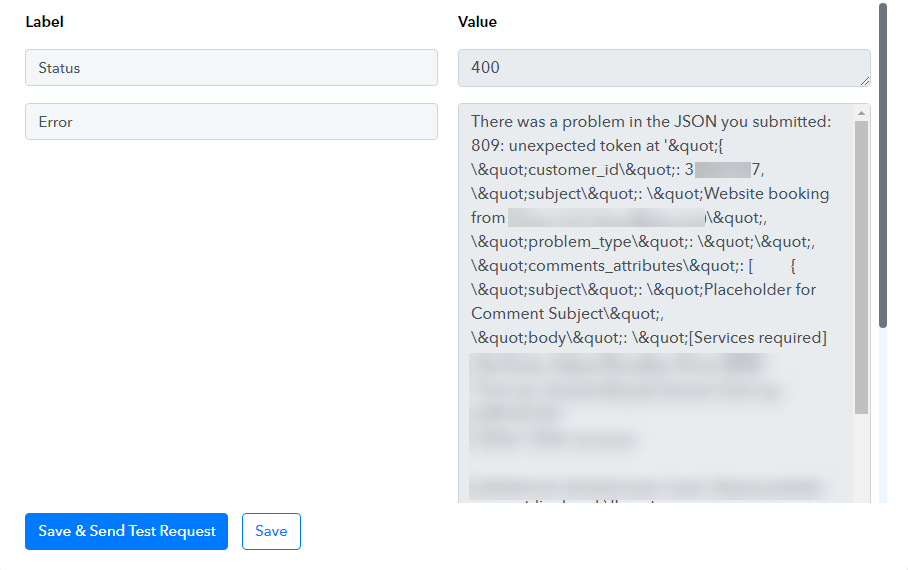
There was a problem in the JSON you submitted: 809: unexpected token
Status: Closed · Asked by deanloh on · 0 views
I'm seriously considering getting the lifetime plan. But before I do, I wanted to make sure it will serve what I needed, so I set up an actual workflow that I'm currently using Zapier for. While I tested the step I ran into this error (see attached). I'm not sure how should I troubleshoot this?
Attachments
Hey @deanloh
Can you please share the workflow URL, so that we can look into it and assist you accordingly with the error?
It's ok for me the post the URL here? I suppose it's secure? Anyway the URL is https://connect.pabbly.com/workflow/mapping/IjU3NjUwNTY1MDYzNTA0M2Q1MjY1NTUzZDUxMzci_pc
Appreciate your help!
Hey @deanloh
Kindly remove the double quotes from all the mapped data from the API response in the Post field of RepairShopr and then try again.
I wasn't sure if I understood you correctly, but as I tested the flow again and it worked. I couldn't find any double quotes in there, or did you remove them for me already? But thanks anyway ?
We have removed the double quotes for you, and it appears to be functioning properly. Please confirm if this resolves the issue.
Thank you for removing the quotes for me. I had to modify the flow to add in router step, then I had to create the RepairShopr step again and the same problem came back. I looked everywhere but couldn't find any double quotes. Maybe it will help if you can show me a screenshot so I know where to look and how I can stop this from happening again.
I really want to switch to Pabbly but all these funny challenges making me want to just stay with Zapier ?
Please choose 'No' in the following field if you do not wish to use them.
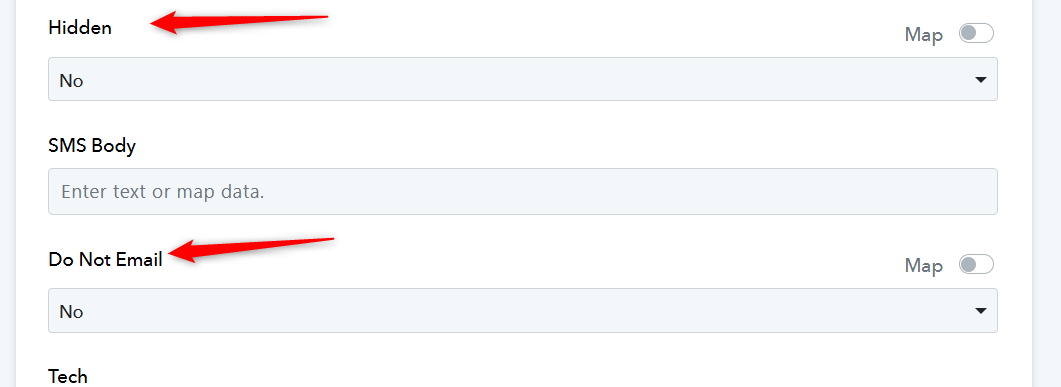
Thanks. I managed to solve the "double quotes" problem. Then I ran into a new challenge!
I have spent too much time trying to make things work, to the point it no longer makes sense. Before I throw in the towel, may I know if you offer help with setting up workflow? Else I'll just go back to Zapier. At least I was able to get it to work—in one attempt!
Our support is limited to resolving errors and bugs for all our customers. We are unable to assist with setting up workflows from scratch, but if any issues arise in that regard, we will investigate and address them.