Thinkific auto enroll not working
Status: Closed · Asked by ParkerPhoto on · 0 views
I've setup a 3 step workflow as follows: Thrivecart purchase > Create User in Thinkific > Enroll User in Thinkific
The user is created. However, enrollment in the course is not completed. Here is the workflow...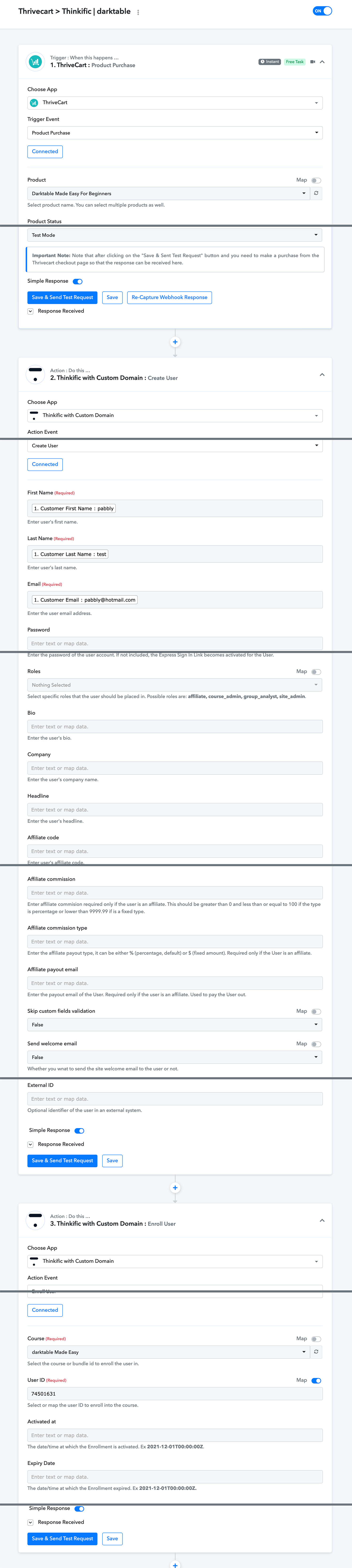
Why isn't it working?
Thanks,
Chris
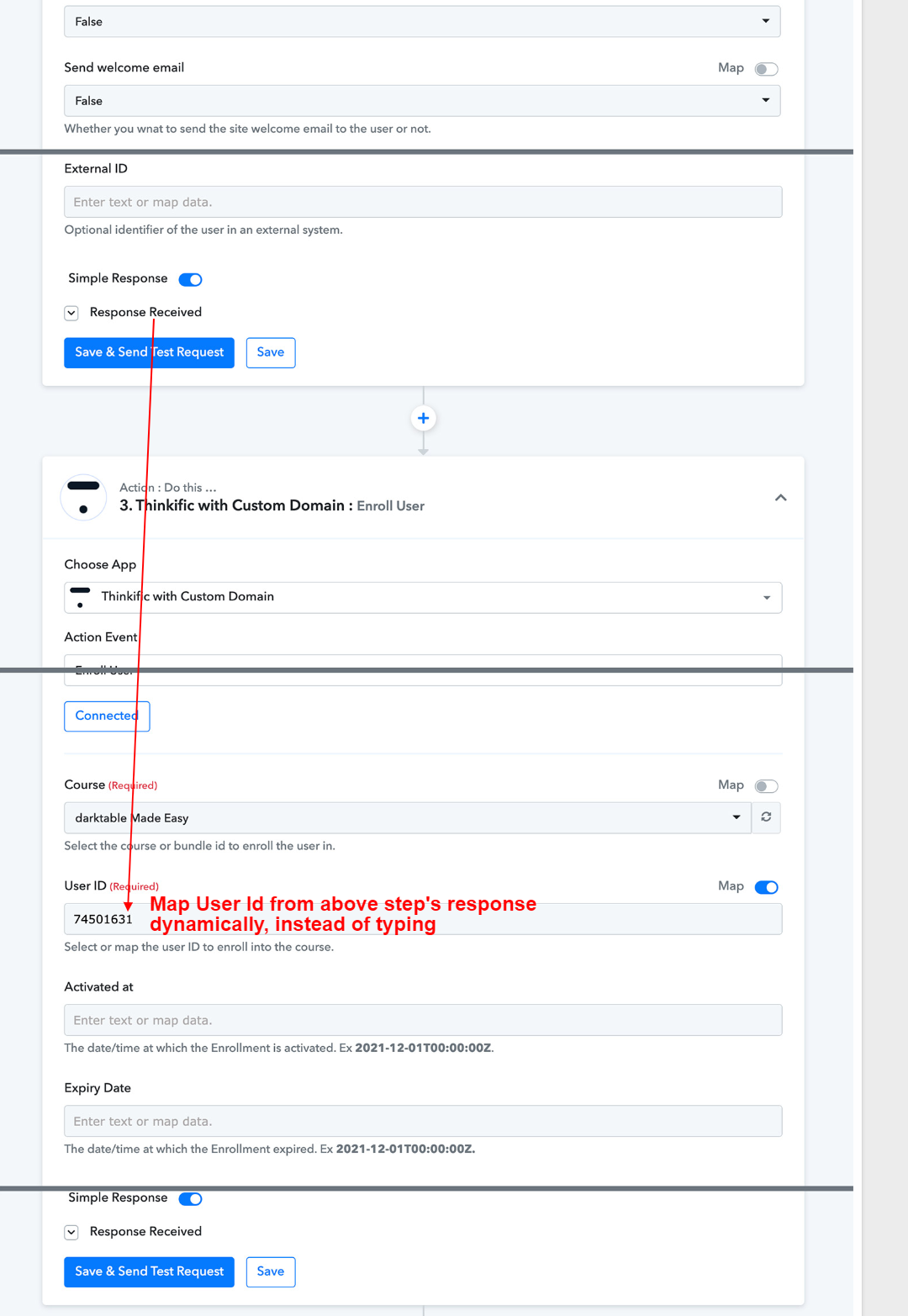
Thanks for the quick response. I did as you suggested. However, it still didn't enroll user into Thinkific.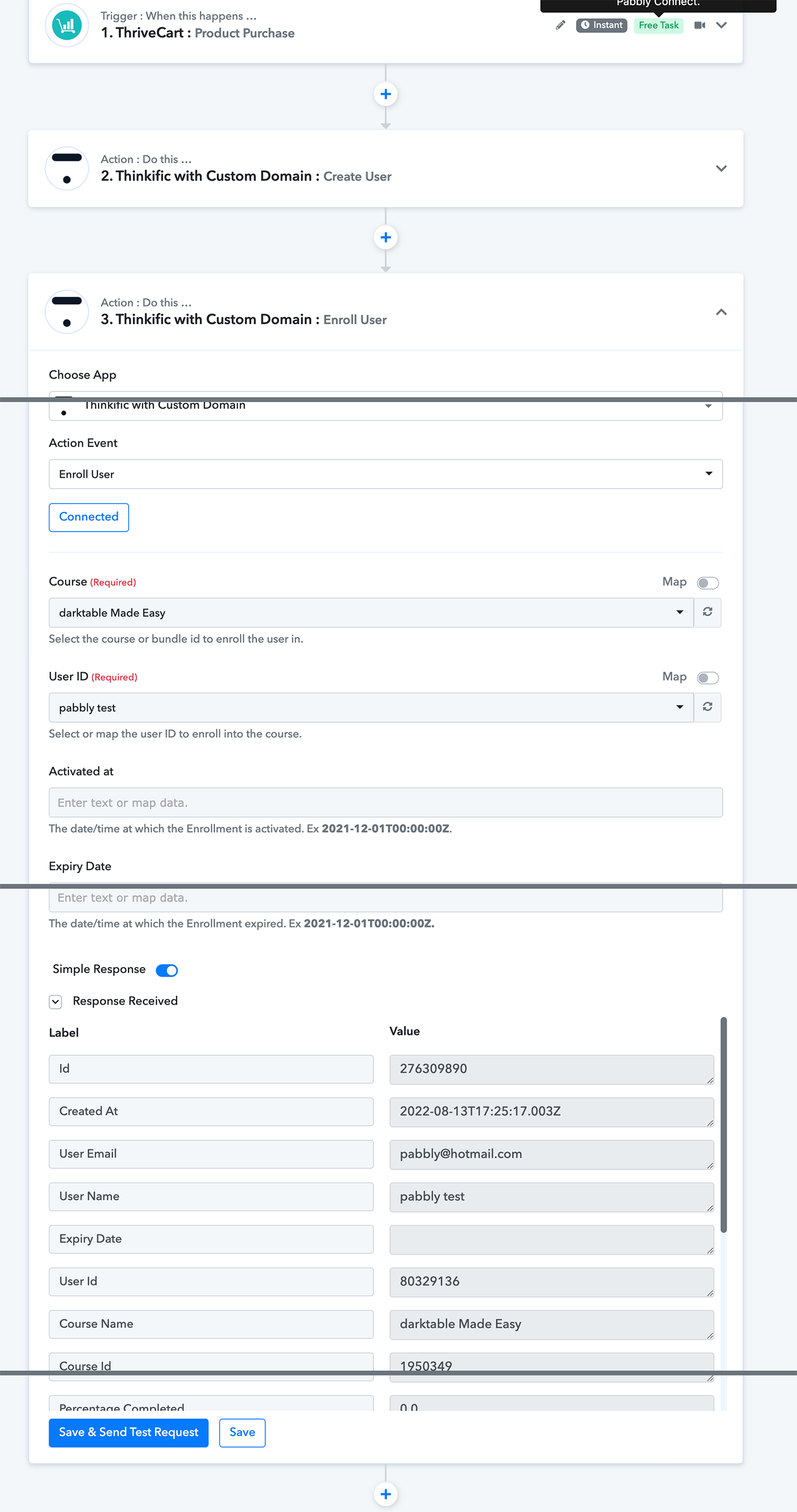
NM. I figured it out!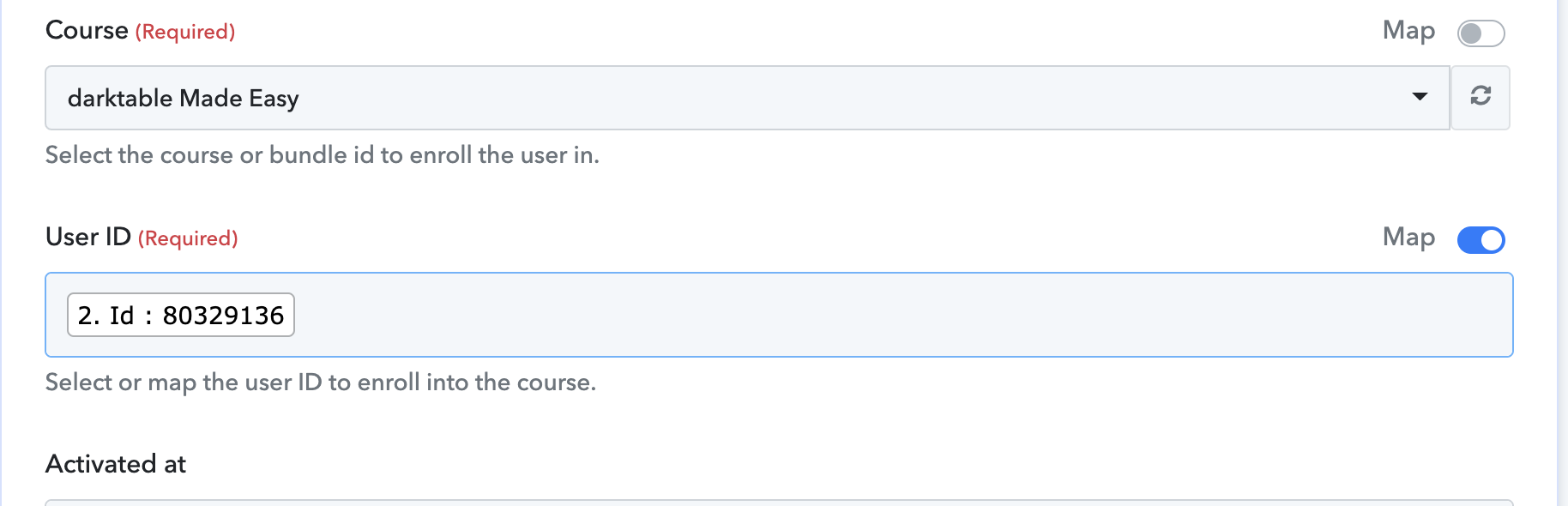
I jumped the gun! Although I was able to "enroll" it's for a free preview and not the full "paid" course. I did a test transaction with Thrivecart. Why didn't it grant full access?
Do I need to create 2 separate workflows? One to create the user after purchase and another to enroll the user?
Why is it showing as a "free trial"? How do I remove the trial?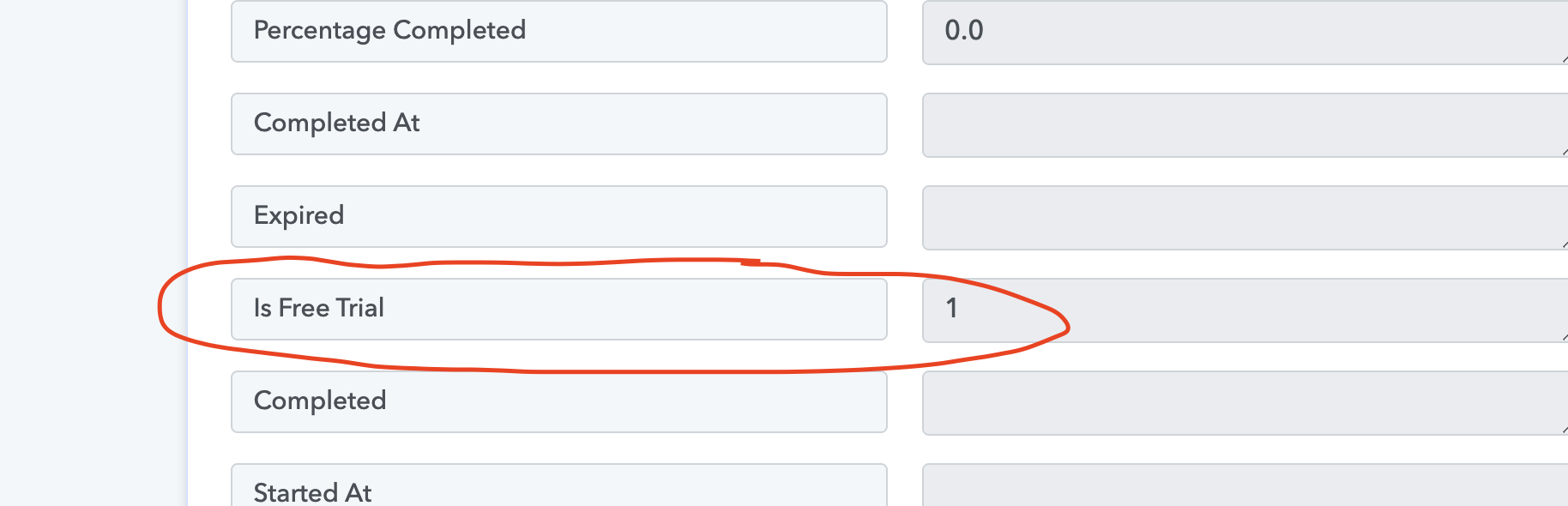
You can continue with current setup, no need to setup 2 workflows. But for Trial issue let me tag pabbly team here, @Pabbly @Supreme
Any updates; @Pabbly and @Supreme
Hey @ParkerPhoto !
Thanks for waiting.
You did not enter the "activated at" field inside your "Thinkific Enroll User" step-
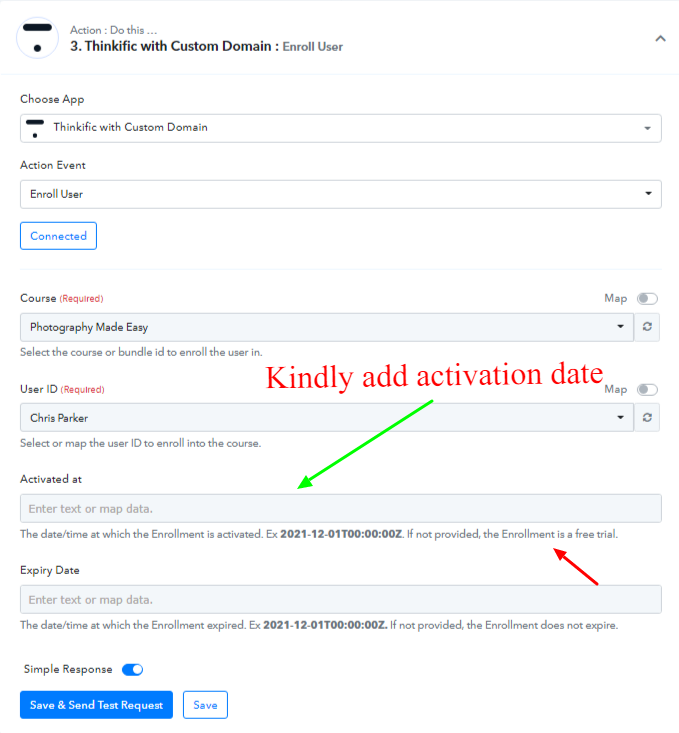
As per the API Docs of Thinkific, you need to add the "activated date" in order to avoid the free trial-
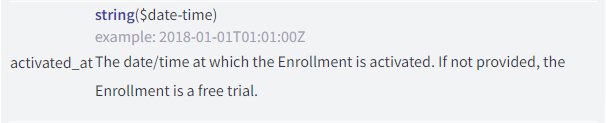
So, kindly add a date in the "activated at" field and then click on "Save & Send Test Request".
It will work for you.
@Subin , after adding the "activated at" date/time, the user is not created nor enrolled.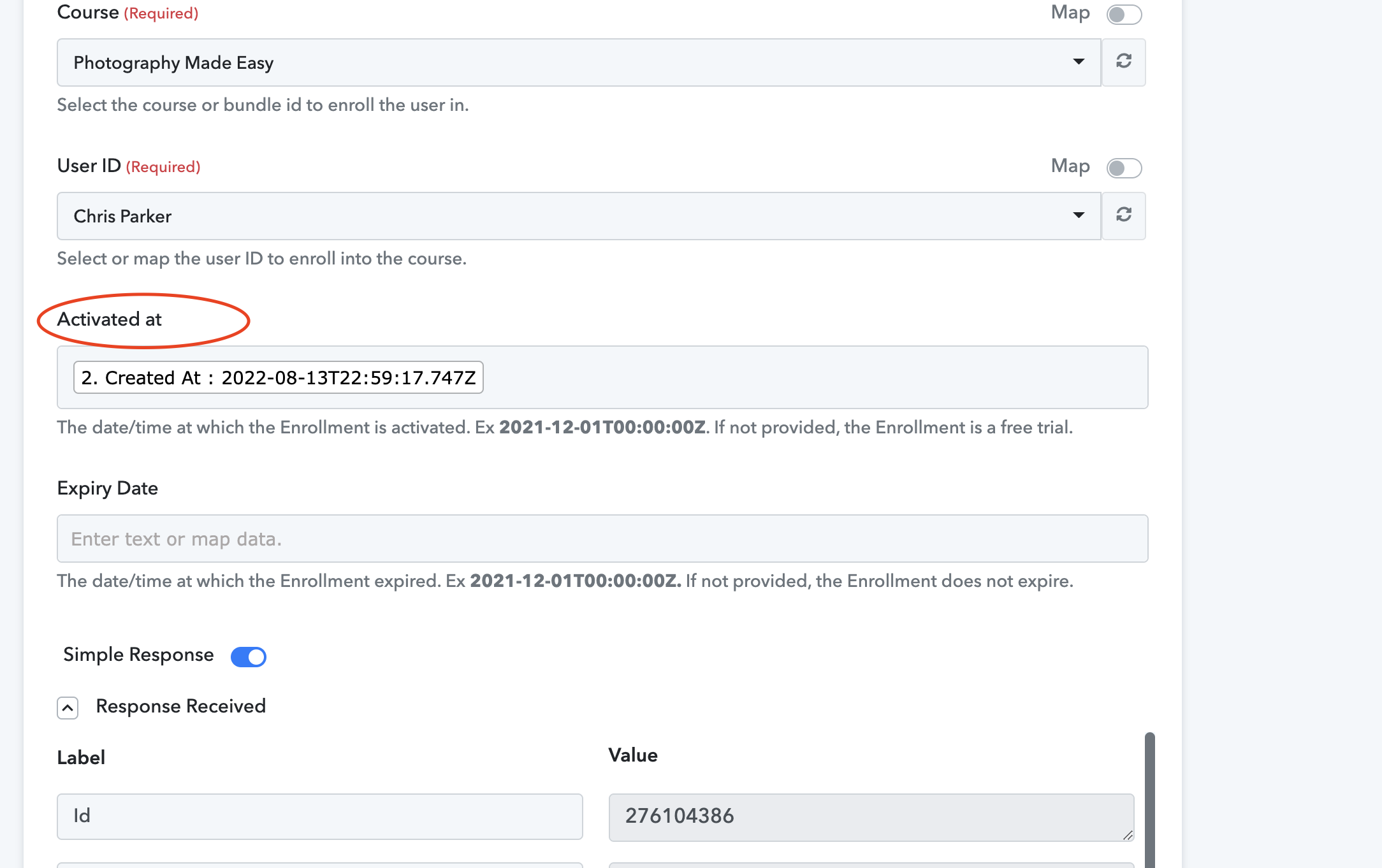
Hey @ParkerPhoto !
On checking upon your workflow history, we can see that the users are not getting added, because you are trying to pass already existing users again and again-
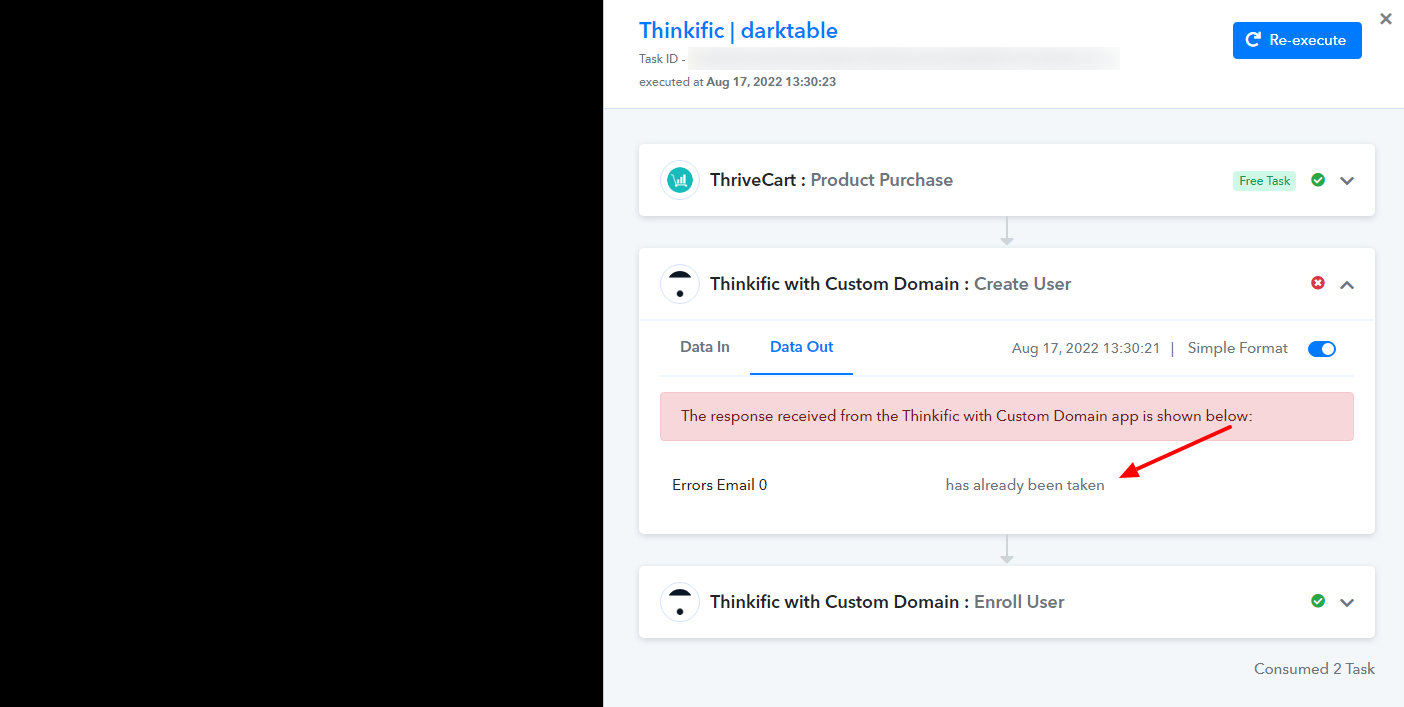
On checking further, we can see that the workflow is setup correctly, kindly do a test submission with a new email address that is not existing in your Thinkific account.
It will work for you.
Do check and let us know if this works for you now.
Hello @Subin , I tried a new email address, and it does not work. Instead of adding a new user with the name and email I used, it's adding the user listed in the first action: chris parker, [email hidden]. It will not add a user with the name and email I use during checkout.
Hey @ParkerPhoto !
We have updated your workflow, kindly do a test submission now with a new data, it will create and enroll the user for you now.
Hello @Subin
User added. However, enrollment did not work...
Hey @ParkerPhoto !
Kindly check on the image below-
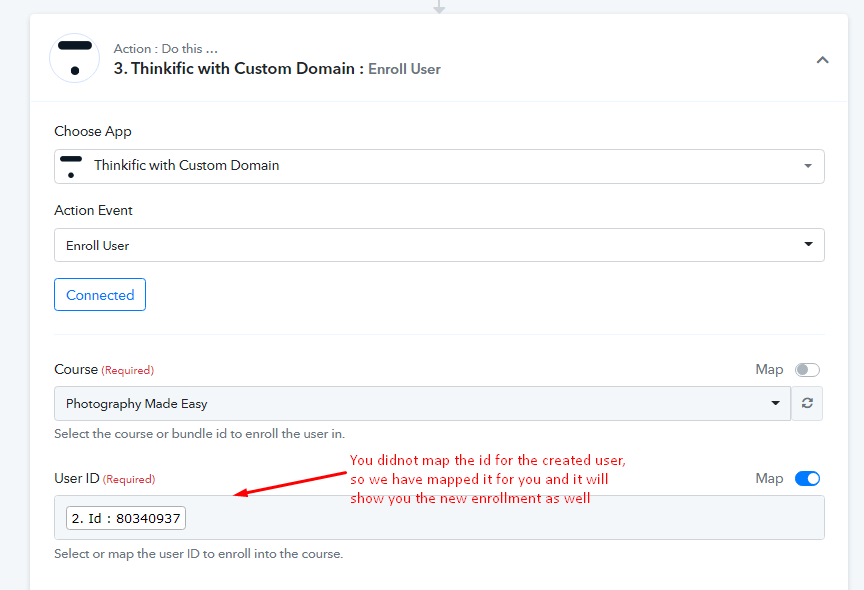
Kindly do a test submission now, it should work for you.
It's working now! Thank you!
Hi
I'll be enrolling users into ThinkIFIC using custom domain as well
Surely I'll go through similar challenges
Possible to share the workflow so I don't go through the same issues?
It will save a lot of time for Pabbly & would appreciate if Parker wouldn't mind
Thanks @ParkerPhoto