Thinkific enroll after delay » no start/end date error
Status: Closed · Asked by Tom Yes on · 0 views
Dear Support,
We are looking to switch to Pabbly from Zapier because of the 30 day delay limit Zapier has.
I created the workflow we’d need, where
- Student enrolls to a course
- if filter = specific course
- wait 90 days (3 mo)
- enroll user to bundle
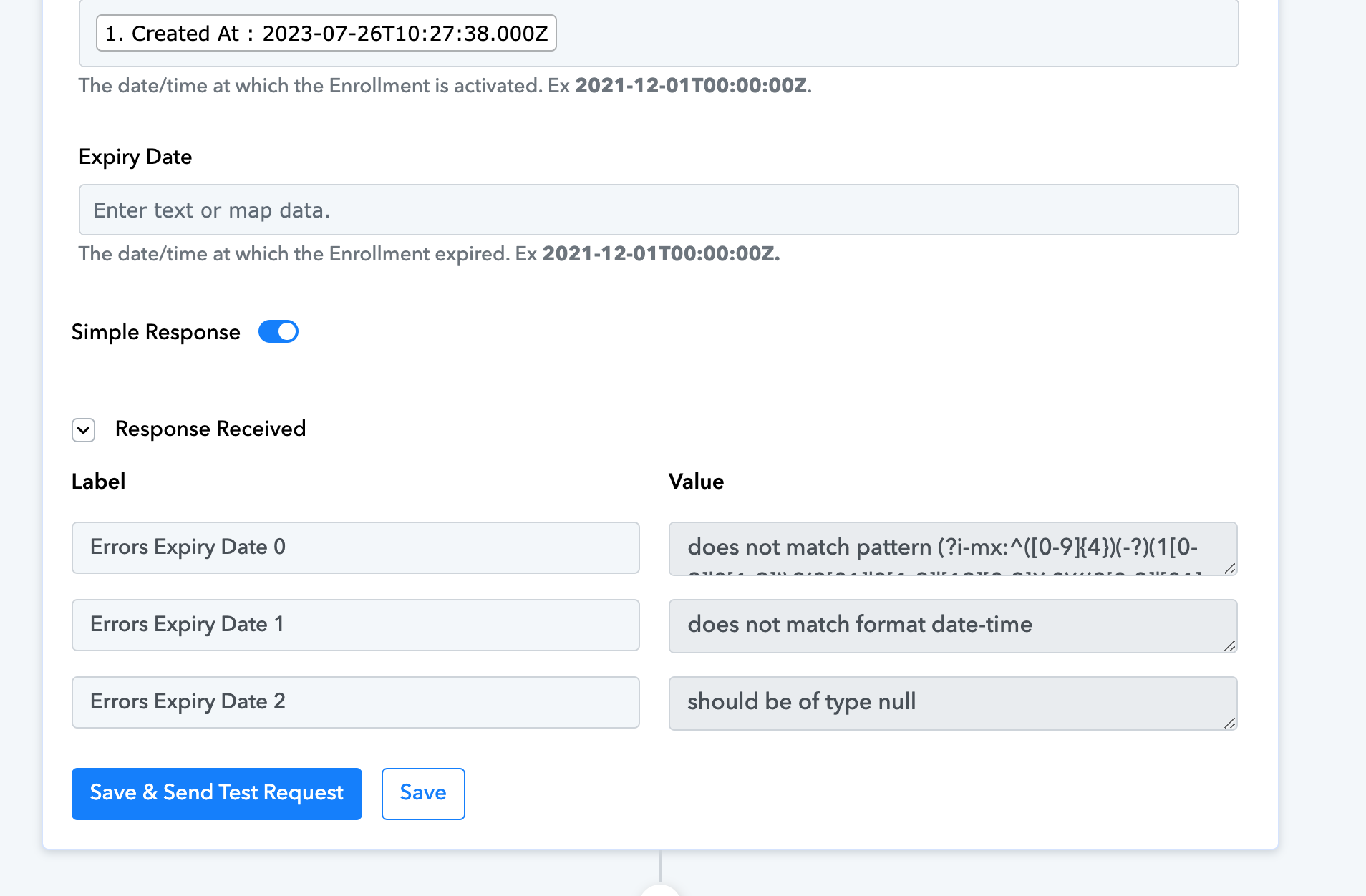
Step 4 in italic doesn’t work. The error message states that the activated date and expiry date were not filled out - although theoretically these are not required.
I tried to
- turn on the ignore errors for the rule >> still not working
- activated date error is solved by mapping the enrollment date - although it's not correct, since 90 days have passed
- I can’t add a dynamic enrollment date + 90days for the activated at field, can I?
- there is no expiry. I tried to add 2099 as a date, still shows error.
What could be the problem?
We only want to enroll after the delay with no expiry.
Thank you for your kind help!
Tom
PS: Please see the attached screenshot for the error message.
Attachments
Hey @Tom Yes
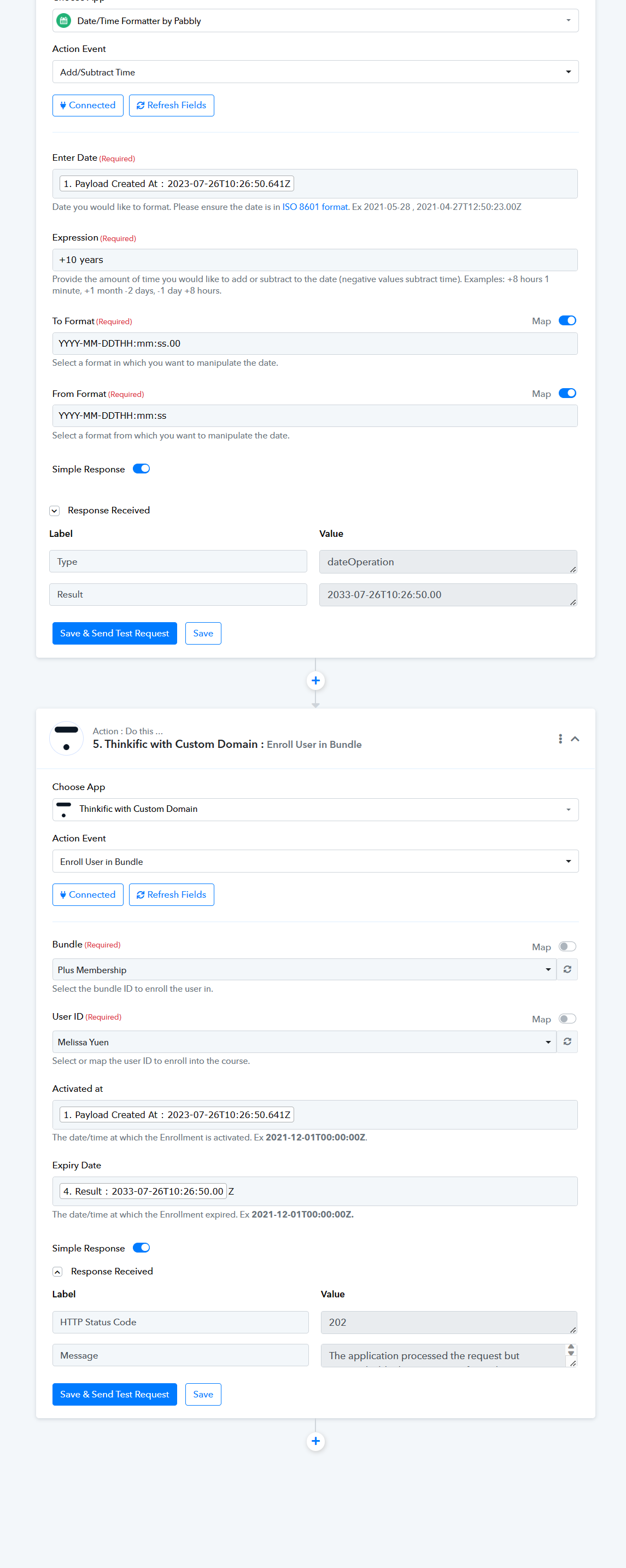
You need to pass the Expiry date of the course in which you want to enroll to a user whereas you can make use of the DateTime Formatter to add time according to your requirement.
Though we have already implemented that in your workflow and it should work now.
Oh so there has to be an expiry, I see.
Thank you for creating that for me, you are fantastic!
Tom