Thrive Cart to MailerLite
Status: Closed · Asked by Jay on · 0 views
Hi,
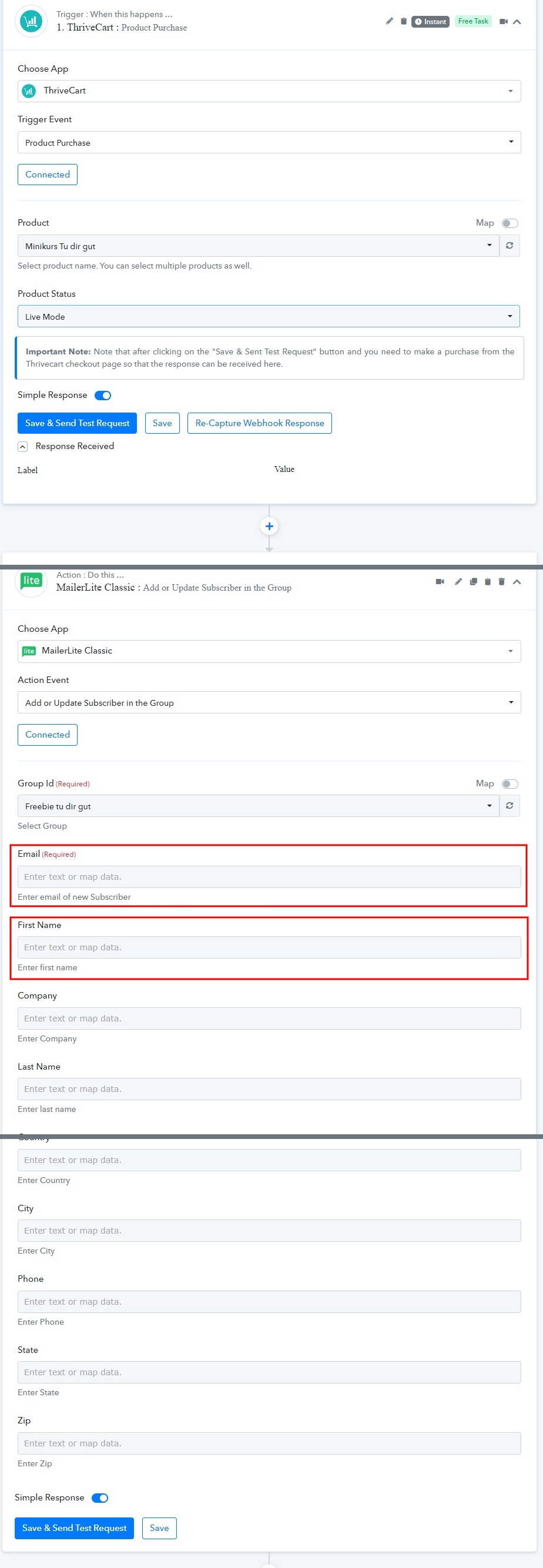
I´d like to connect ThriveCart (when purchase is made) to MailerLite Classic : Add or Update Subscriber in the Group.
Pabbly connected to ThriveCart as well as to MailerLite Classic and the right group shows up but I don´t know what to fill in the other fields that show up down there.
Just the name and the email address needs to be transferred because this product is a freebie. But what do I need to insert in the MailerLite Email and Name section? I need to insert something in these fields to save this workflow.
Thank you for your help!
Jay
This is a somewhat similar video, make sure you follow it from the start bcoz you haven't captured the data from thrivecart to map in the next step -
Thank you Fagun!
I watched the video and know what you mean and now I do get data as well but a new error occurred. As you can see in the screenshot at the end of the action in the Label section error messages show up.
The ThriveCart product is in test mode but that should be fine I guess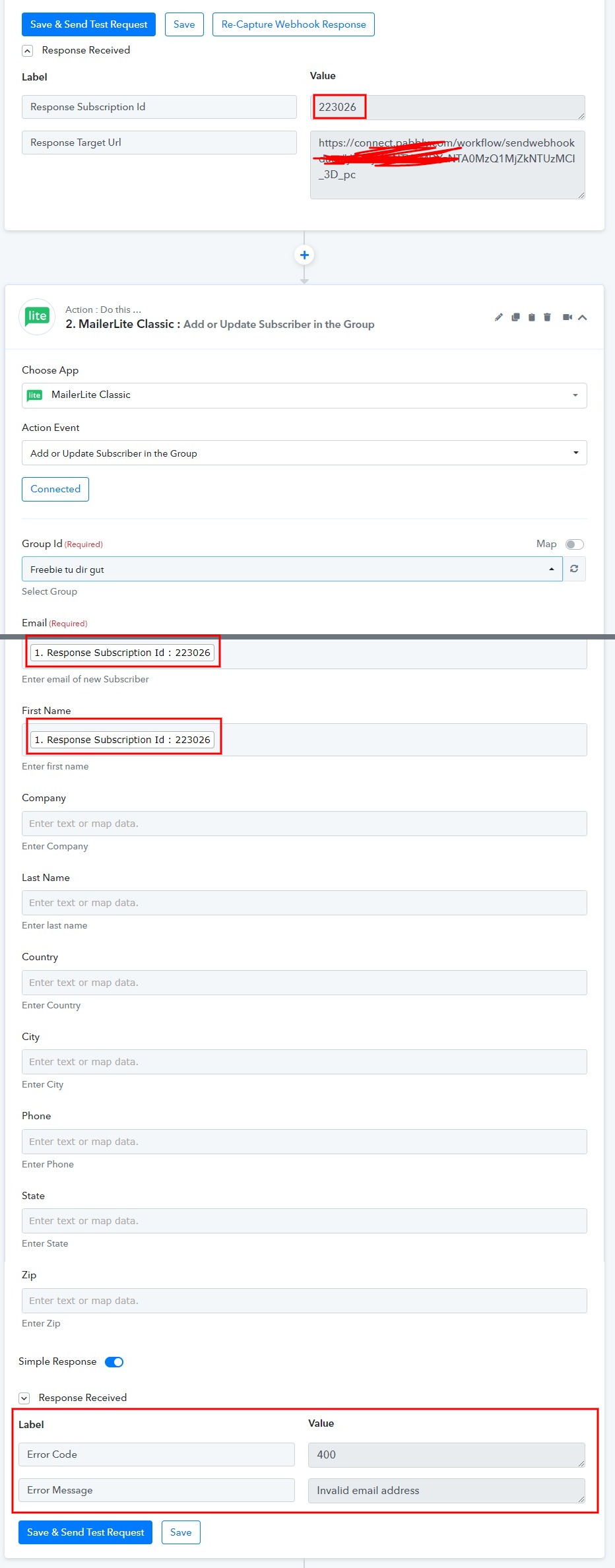
@Supreme please check this
Thanks for raising this query. We will check it and let you know by tomorrow.
Hey @Jay
Could you please share the workflow's name and the registered email address in which you have tried the same? So that we can look into it.