Thrive Themes Webhook problem
Status: Closed · Asked by Daegeon on · 0 views
Hello.
I tried to send 'phone number' with webhook.
The Thrive Themes team told me:
1.) I wanted to make sure if you are passing the correct Field names. Because, at the moment, you are the passing form fields below:
- Phone
- Phone2
Some instances, the fields might work if they're in the lowercase. But that depends on the third-party platform. Could you ask Pabbly if you are passing the correct fields to their system?
Should I write lowercase? or different file name for user's phone number?
Hey @Daegeon
Could you please briefly elaborate on your concern about where and how you are facing such an issue along with the name of the workflow in which you are trying?
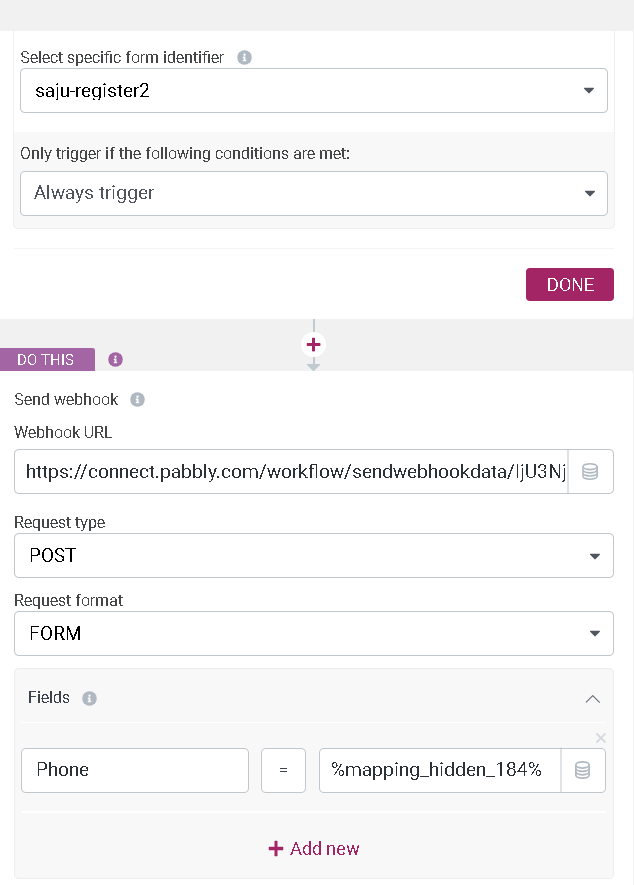
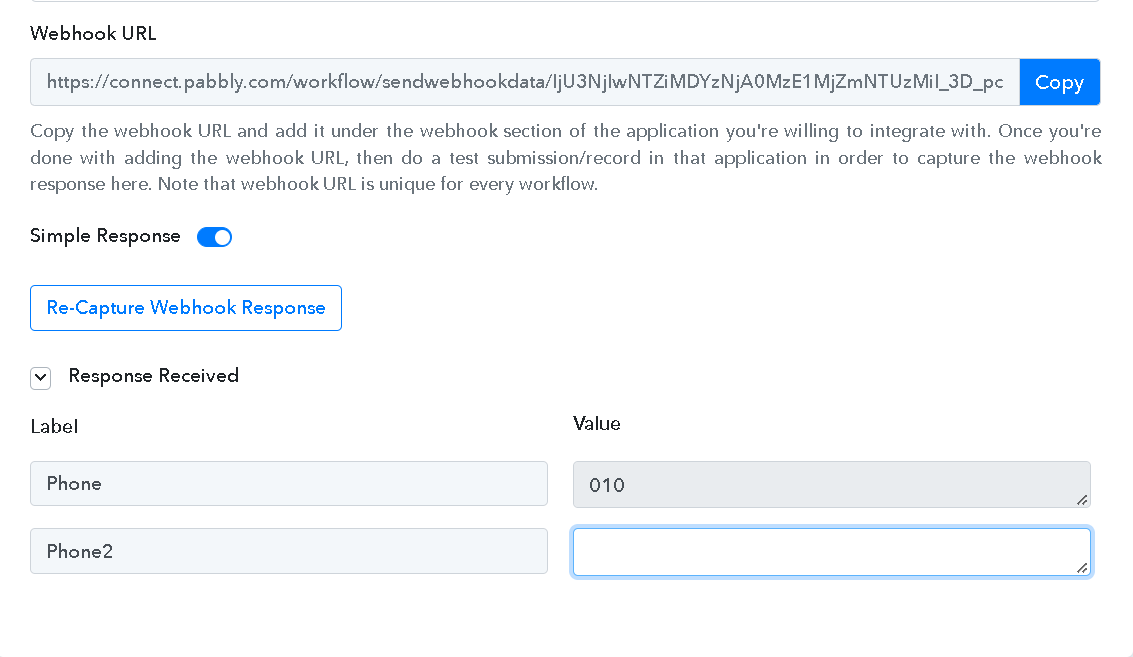
I am trying to send User's phone data : phone_number or billing_phone
so I used webhook to send it to Pabbly.com
But it didn't pass
I am also checking this issue with Thrive themes.
I want to know if Pabbly.com webhook doesn't accept Capital P
so, not 'Phone' but 'phone'
Hey @Daegeon
Regarding your concern, we would suggest you contact Thrive Theme support team. Perhaps they might help you in configuring the webhook data and its label accordingly.
As we can understand from your screenshot, you are using the Webhook by Pabbly trigger event which is a webhook-based trigger event, so it only captures the data once send by the application.
Further, did you try to send the webhooks on Webhook.site to see if they are coming on Webhook.site? If they are coming over on Webhook.site, it should come on Pabbly as well. Just try it out and update it here.