ThriveCart cancellation stuck waiting for response
Status: Closed · Asked by Keith Dream on · 0 views
Hello. I have good workflow that connects ThriveCart to Wordpress when someone purchases a subscription.
They are given a custom user role, depending on the payment plan they purchased.
Now I need to create a new Workflow that will remove the custom role if the customer cancels the membership through ThriveCart.
Here is a Loom video of my workflows and what is happening:
https://www.loom.com/share/5cde6ec5310e4e008032ea803c5db591
I did to a webhook test here and see the cancellation:
https://webhook.site/#!/a27ea8fd-c0bb-4228-b82f-def3a913fad3/06e6cc6e-1ff1-42eb-ac89-b3f09f39c670/1
Thank you!
Keith
https://keithdream.tech
Hey @Keith Dream
We looked over your concern and it seems like you might need to use the "Subscription Cancelled" Trigger Event of Thrivecart.
Please try this event to capture the canceled memberships of yours. Moreover, let us know if that works for you.
Thanks!
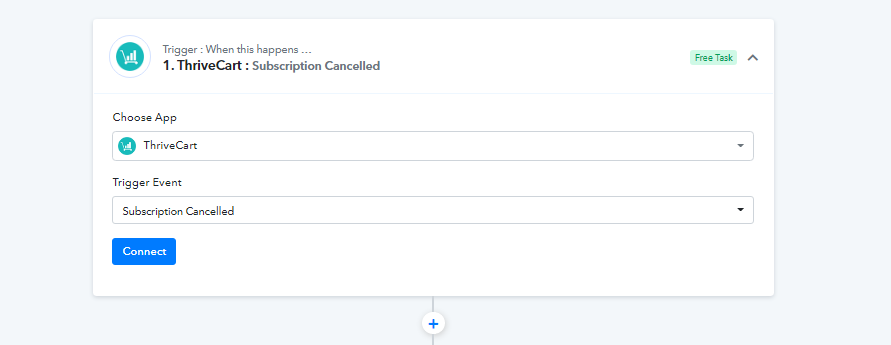
Oh, so simple! I don't know how I missed it, but that worked! Thank you.
My next step is to get change that user's role in Wordpress so we can revoke their access at the end of their subscription.
I tried an action of "Update User", but it doesn't give me the chance to use the email address from ThriveCart. I have to use a current Wordpress user. Of course we don't know the user's name until they cancel.
Here's a Loom of my setup:
https://www.loom.com/share/7ac4e5798da540c1823cb6f8385c9801
Thank you!
https://keithdream.tech
My Ideal end-goal is:
Once they cancel their subscription in ThriveCart, we remove their Wordpress user account at the end of their subscription period. ThriveCart does send the subscription end date, but I don't know if Pabbly can delay an action, can it Any ideas for that
As a workaround, this is my plan:
I have Uncanny Automator Pro installed on the site, which does have delays, so my workaround solution is:
Pabbly: ADD a user role of "Cancelled" to the user. They keep their current role, which gives them access to site content.
Automator: Detects that the role of "Cancel" was added and sets a delay to remove their account on that date.
Is there a way to pass the cancellation date we got from ThriveCart and set it somewhere in the user profile
Subscription Billing Period End:
billing_period_end: 1633505332
Subscription Billing Period End Iso8601
billing_period_end_iso8601: 2021-10-06T07:28:52+00:00
Thanks again,
Keith
https://keithdream.tech
Oh, so simple! I don't know how I missed it, but that worked! Thank you.My next step is to get change that user's role in Wordpress so we can revoke their access at the end of their subscription.
I tried an action of "Update User", but it doesn't give me the chance to use the email address from ThriveCart. I have to use a current Wordpress user. Of course we don't know the user's name until they cancel.
Here's a Loom of my setup:
https://www.loom.com/share/7ac4e5798da540c1823cb6f8385c9801Thank you!
Ok, simple mistake again. I found out how to map the email address. :)
I was able to set the email address and pass the subscription end date in the "Description" field, which I believe is the user's profile. So it isn't ideal, but might work for starters.
I would love to hear any ideas and I'm loving Pabbly!
Here's my flow:
https://connect.pabbly.com/workflow/share/XBRRY1AXVX8ASVUvBk0DYVpOAzoHTVIEUDdTQQ##
https://keithdream.tech
Hey @Keith Dream
We looked into your workflow and you might need to map the User Id of that particular user with the help of the Search Contact User. And as of now, you have to pass the end of the subscription in the description field.
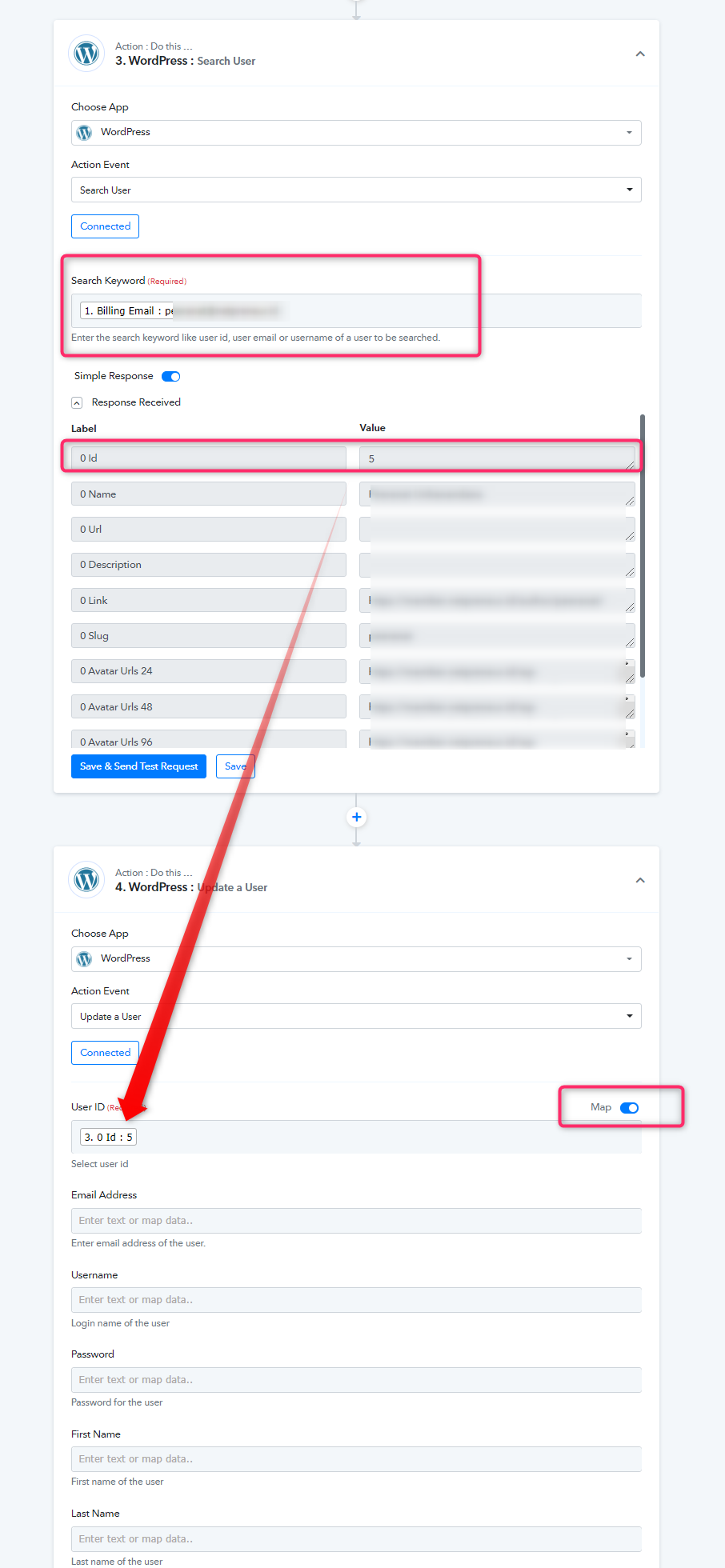
Thanks for the follow up. Do I have to do the User Search action first. It seemed like I could skip that step and use the email address in the "Update a User" action.
And thanks for the advice on the subscription end date. It will be nice to have that option in the future, but at least I have a way to do it now.
https://keithdream.tech
Hey @Keith Dream
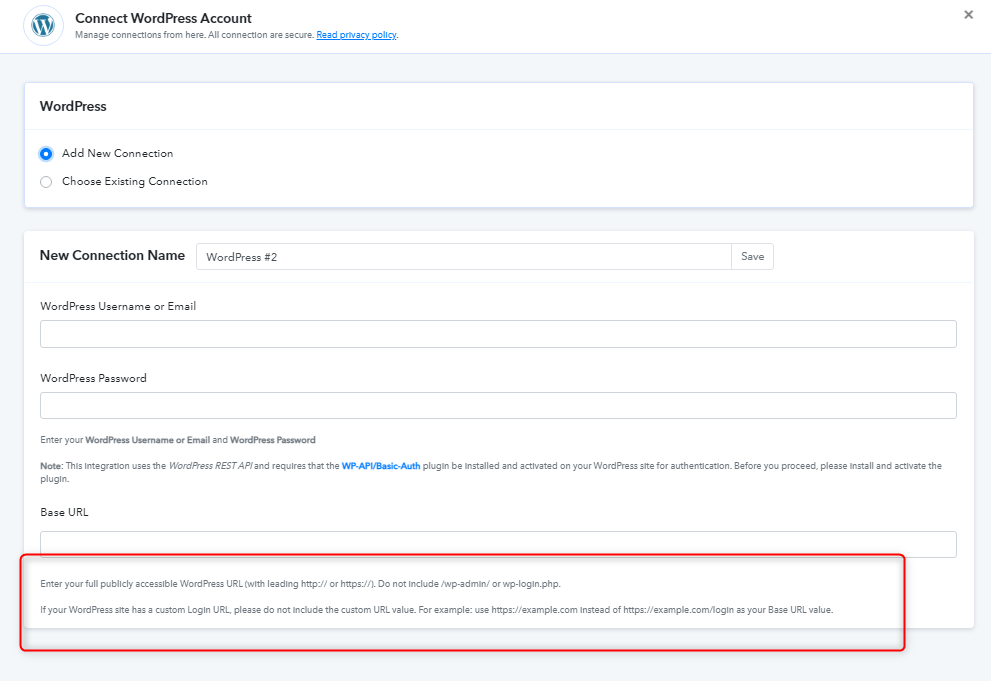
When you update the user in WordPress you might need to pass the user Id in the Update User action event. Further, while testing your use case on your account it seems like you might have inputted wring credentials or maybe you passed the domain URL with a trailing slash.
Also, could you please confirm that have you installed the Basic-Auth-master.zip plugin in your WordPress account?
If not, kindly check this out - https://forum.pabbly.com/threads/wordpress-error-rest_cannot_create_user-sorry-you-are-not-allowed-to-create-new-users-401.813/