ThriveCart -> MemberPress
Status: Closed · Asked by StevenDub on · 0 views
I am having a few issues with creating a new Subscription in MemberPress after the purchase has been made in ThriveCart.
Here is the flow so far: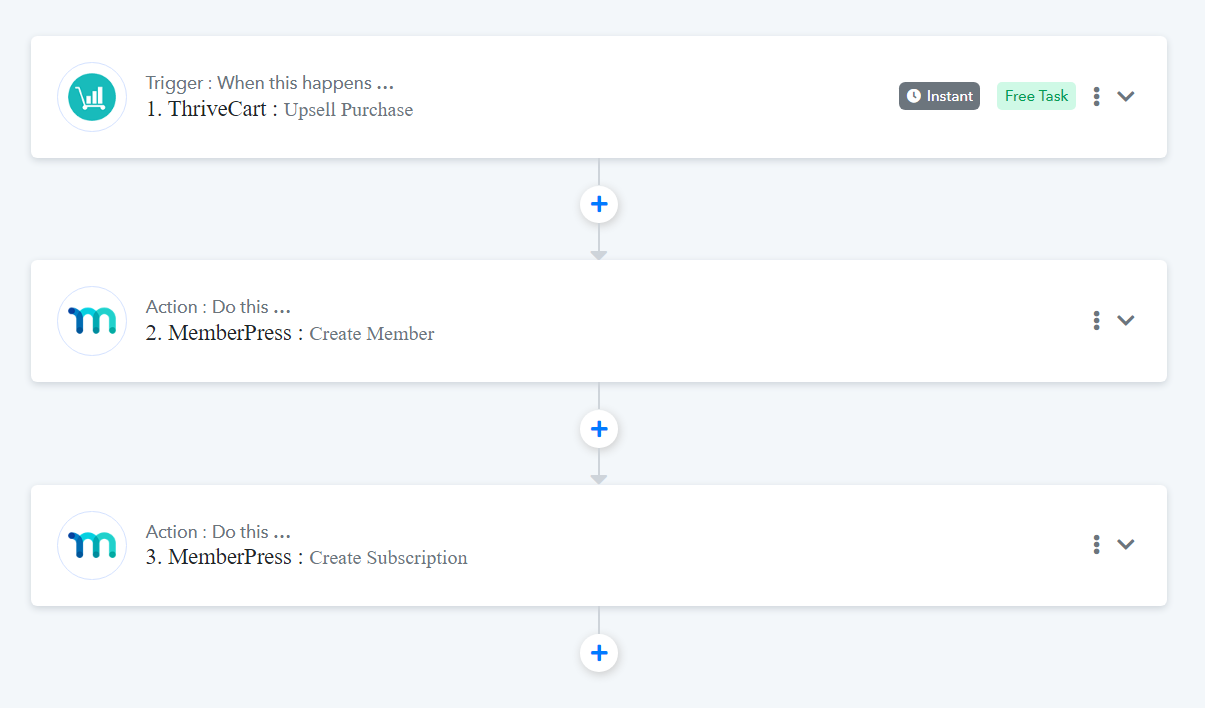
However, once I ran the test on Step 3, the new member didn't get updated with an active subscription. The status says "None":
When I click on the "1 Enabled" it does show everything correct except the "Active" is set to "No." I did enable it as active in Pabbly though:
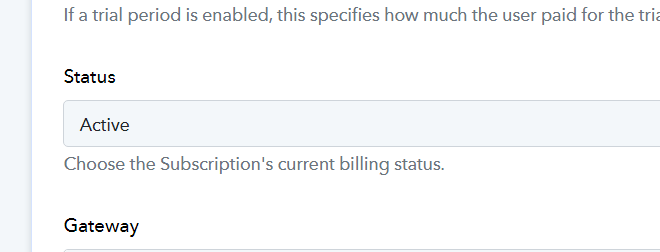
Does anyone know why the MemberPress subscription status isn't Active and how to fix it?
Hi @StevenDub,
Could you please record and share a short video showing the exact issue so that we can gain a better understanding of it?
Hi @StevenDub,Could you please record and share a short video showing the exact issue so that we can gain a better understanding of it?
Yes, thank you for your reply. Here is a video:
https://nimb.ws/hJOtZy
Thank you for sharing the video. I have made a note of your concern. Please allow me some time to look into this issue. I will get back to you with an update soon.
Thank you
Thank you for sharing the video. I have made a note of your concern. Please allow me some time to look into this issue. I will get back to you with an update soon.
Any help on this?
Hey @StevenDub
You need to do transactions with the help of the "Create Transaction" action step which is related to a specific subscription ID then only the status will get changed to Active as yes.
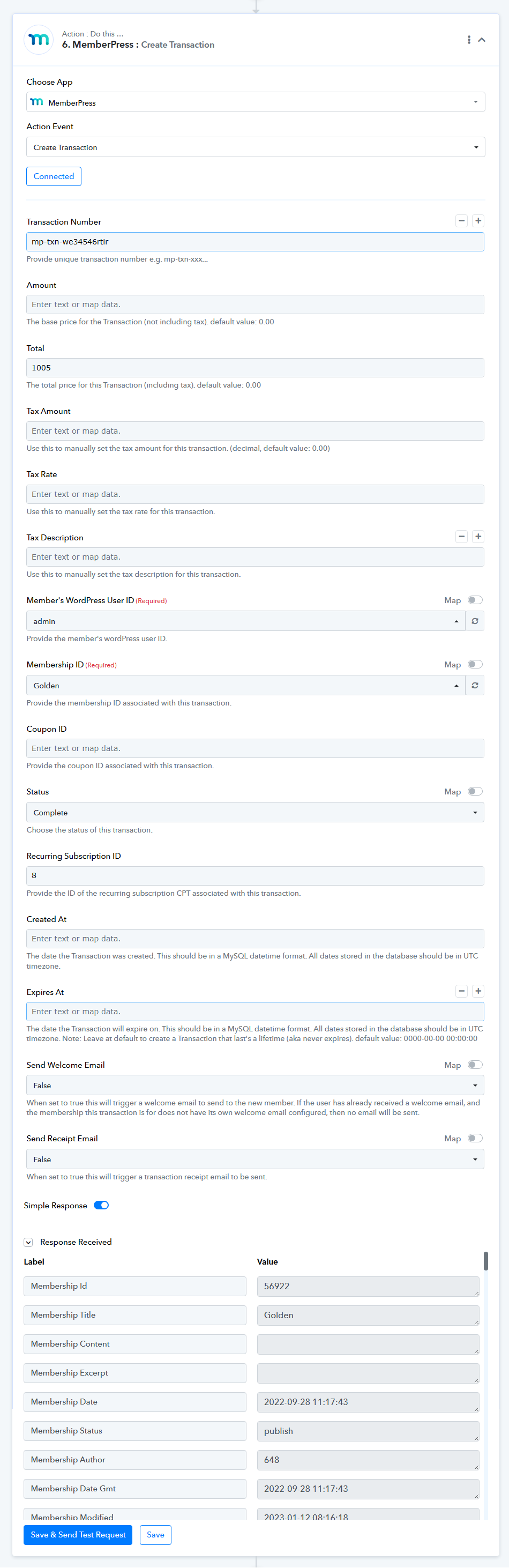
Hey @StevenDubYou need to do transactions with the help of the "Create Transaction" action step which is related to a specific subscription ID then only the status will get changed to Active as yes.
Thank you, I'll give it a go!
That made the member status active, but the subscription is still showing "No" in the "Active" column.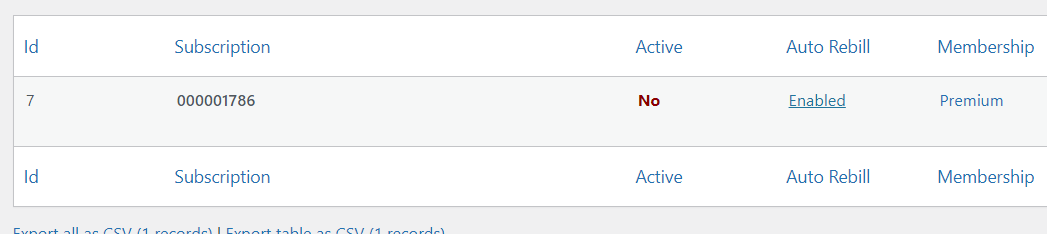
I may have found a bug?
https://nimb.ws/BWctQq
Can anyone help with this? I'm not sure if it's a bug or what?
Hey @StevenDubYou need to do transactions with the help of the "Create Transaction" action step which is related to a specific subscription ID then only the status will get changed to Active as yes.
Can you please review the changes? I think there is a bug possibly
Can you please review the changes? I think there is a bug possibly
As we can see from your workflow you are mapping the wrong subscription ID in create transaction action.
https://www.screenpresso.com/cloud/CLtwc/

As we can see from your workflow you are mapping the wrong subscription ID in create transaction action.https://www.screenpresso.com/cloud/CLtwc/
Awesome! Thank you so much for the help. It worked :)