ThriveCart - Pabbly - Add Order in WordPress - Working Faulty
Status: Closed · Asked by Ecp on · 0 views
Hello
We have problems with the connection between Thrivecart and Pabbly and my site.
Some workflows don't run successfully, but when we re-run with the exact same data and settings, they run successfully. This used to work fine until recently, but lately we found that we have a new problem. For some orders, the workflow is not running at all. I mean we have a workflow that's doing something when the user is buying from thrivecart. For this workflow, we have orders that are processed by Pabbly and some aren't.
Example:
Workflow id: IjU3NjcwNTZhMDYzNjA0MzE1MjY1NTUzNSI_3D_pc
Thrivecart last order from [email hidden] - Alex Test (09/08/22)
The automation is supposed to create new users in my site and assign them access to the products they purchased.
This is the flow: https://connect.pabbly.com/workflow/mapping/IjU3NjcwNTZhMDYzNjA0MzE1MjY1NTUzNSI_3D_pc
Thank you
Hey @Eugen
Kindly share the specific task history Id of from your workflow in which you are facing such jumbled orders from the trigger and action step.
Hello
I dont know which one that is....
I gave you the exact flow where I am having these problems...
Right now, I am losing hundreds of dollars and getting angry customers because they cannot get access to their purchases :(
I gave you the exact flow where this is happening...
Here is a google sheet link with the purchases up to date and you can see that many of the did not even show up in the history..
https://docs.google.com/spreadsheets/d/1Xs95sdVRiUVeNWNWS_aLyrGptFIHTEGunE7KDYBECmo
When you request access to it, I will grant it.
Basically, People are purchasing in Thrivecart but they don't show up in pabbly at all... even though I did not touch the flows or the webhooks or anything else for that matter.
You can make a test purchase on this page:
https://sales.eugenpopa.com/2022hypno-upgrade/
and use this coupon for 100% discount: pabbly
I am looking forward to a fast resolution for this...
Hey @Eugen
We have tested the same at our end from your payment page and it is now creating order in your WooCommerce correctly, kindly check from your end and let us know if the plan is still not being granted.
The product was being granted to the user -
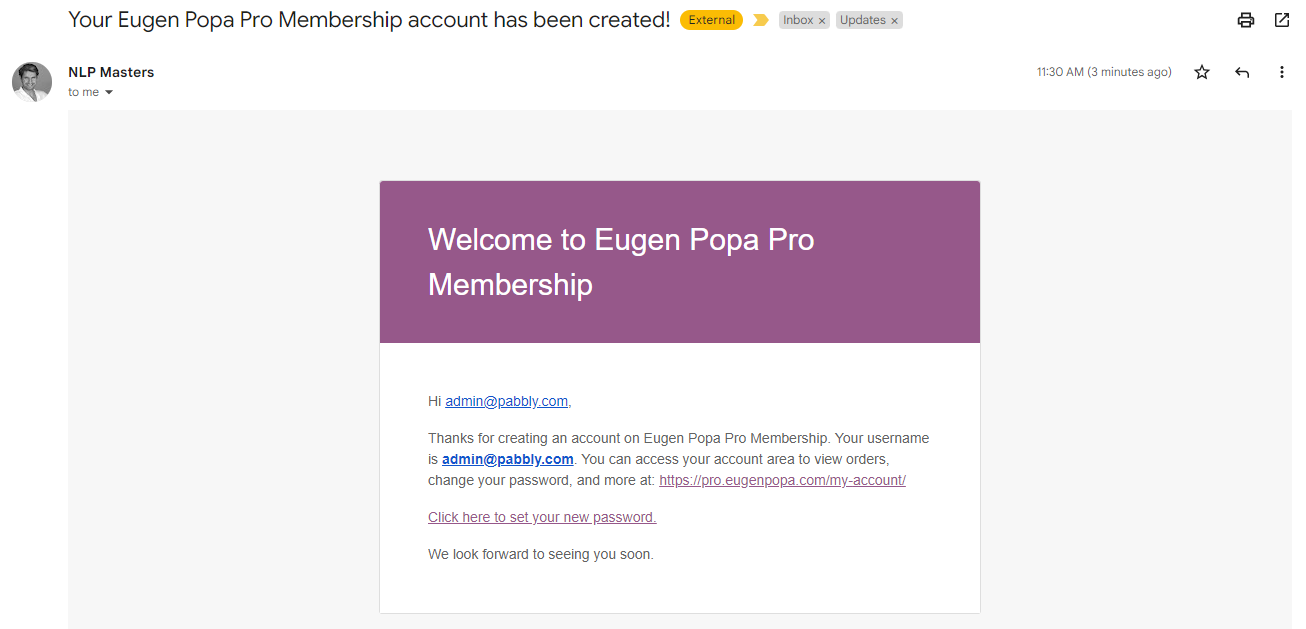
In the live automation -
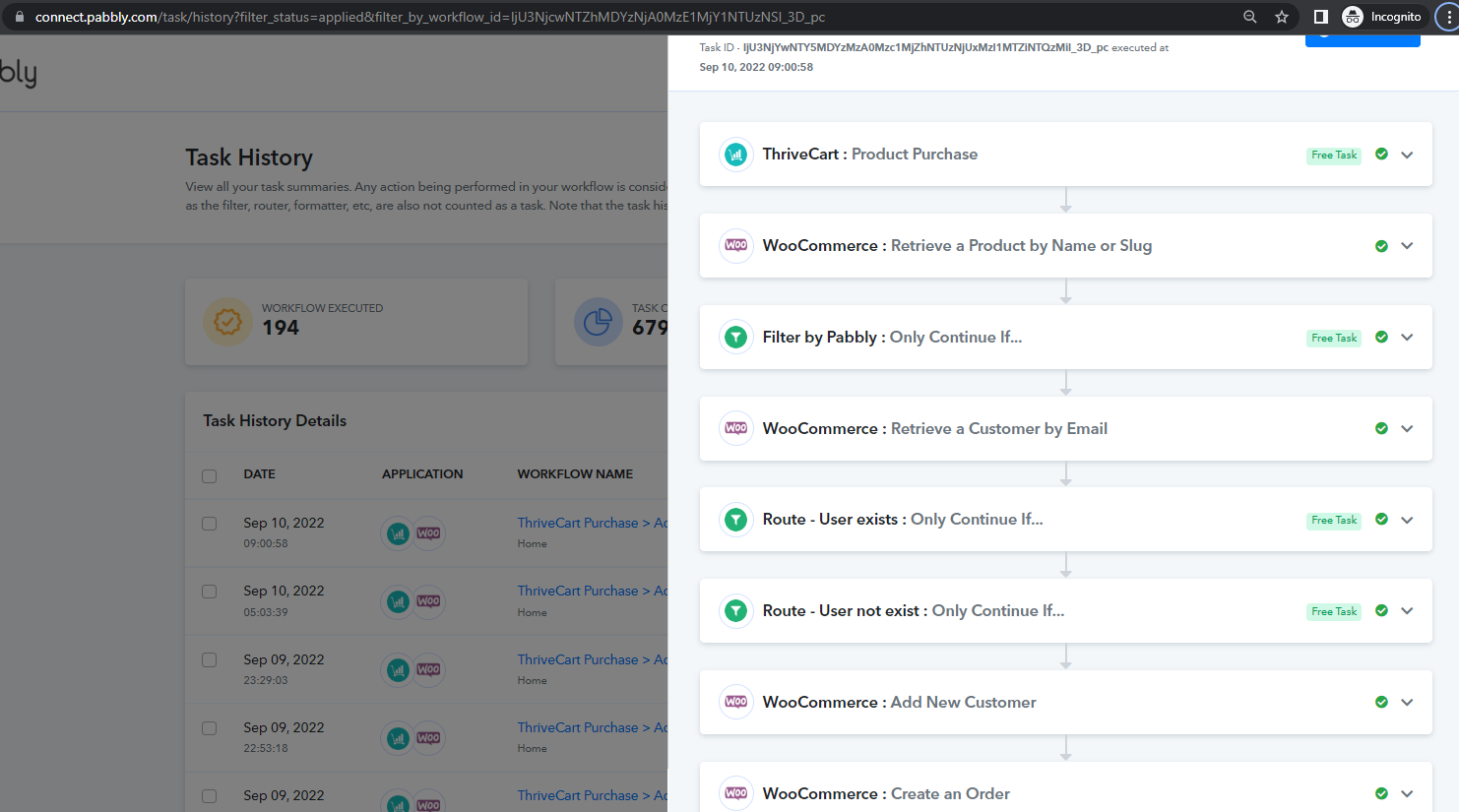
Hello
I can see the order and the account.
I will post an update here after we have a few more orders to see how it goes
Hello
Someone just made a payment now, but the account was not created so I had to make it manually
[EMAIL][email hidden][/EMAIL]
How can we make it happen so that it works every time...
It has been misfiring so badly that I actually have to go and manually check each single purchase....
Sometimes, the user is NOT getting created, other times, the user already has an account on my site but the product purchased is Not being added to their account...
Here is another client, who purchased a main product and an upsell.
In his account, he could only see the upsell, but not the main product... I had to add his main order manually, in woocomerce in my site.
Attachments
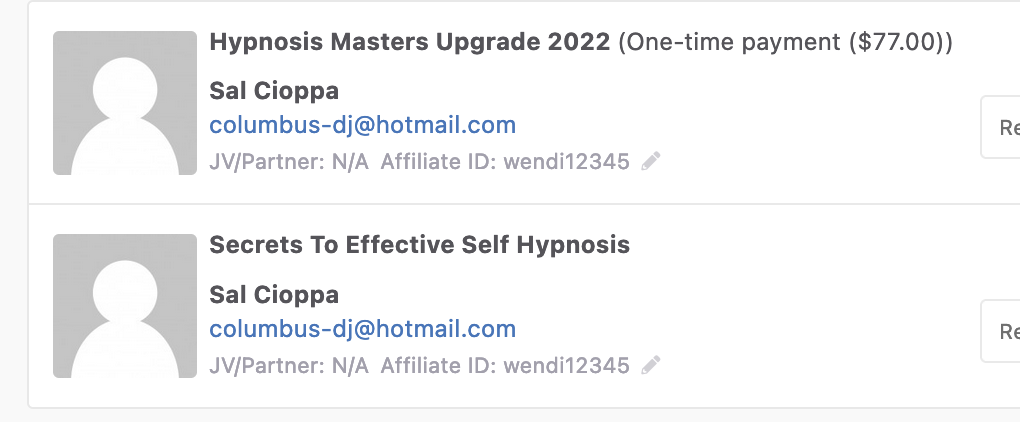

More clients who purchased but thier accounts were not created :(....
Two more today...
Hey @Eugen
Seems like some of your products are not listed in your respected WooCommerce account and because of that in your live execution the users are not getting created in your account.
Kindly check whether all your products are mentioned in your WooCommerce or not.
Hello
They are there
I am creating the orders manually so, yes, the products exist in my site.
Hey @Eugen
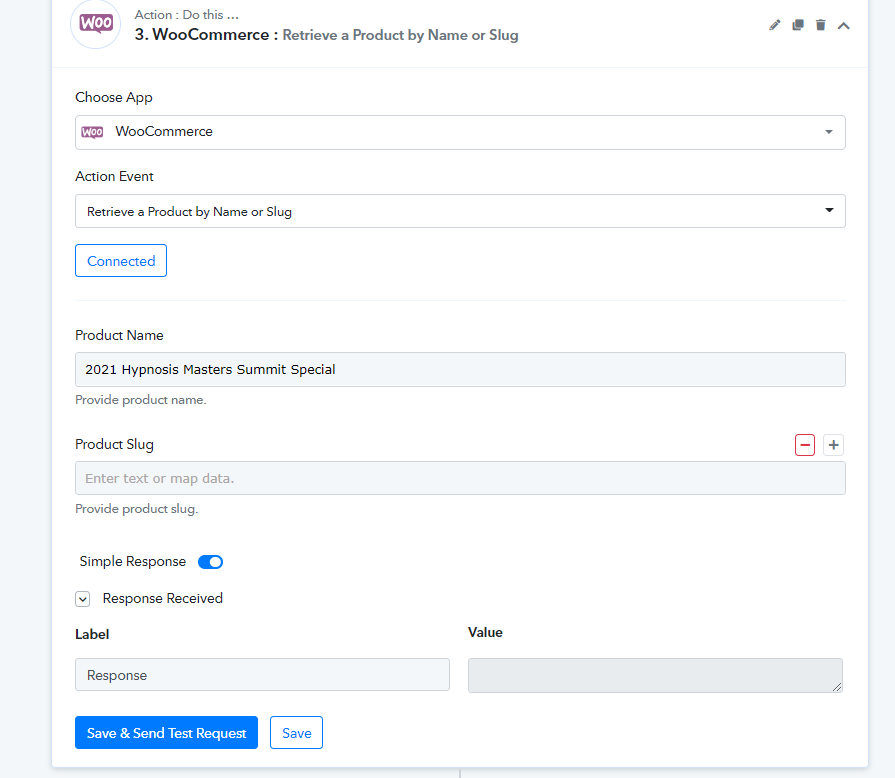
As we can manually try to search the missing product via "WooCommerce : Retrieve a Customer by Email" action step, we are unable to search the product and thats why in live execution you WooCommerce is unable to create these users.
Hello
You are looking at the wrong product.
We have the 2022 Hypnosis Masters Summit and THAT has worked fine until a couple of weeks ago, when it started to misfire...
Our problem is NOT that the workflows are getting errors between steps. The problem is that the workflows are not run at all. I mean that if I go in pabbly connect to the workflow history I find only some orders, not all. This means that the pabbly connect sometimes is working and sometimes is not working. The bad thing is that we have plenty of orders that pabbly connect didn't process at all.
If the product name would've been the problem, pabbly should save this in history so we can see it. But this isn't happening because right now pabbly seems to have a problem/bug.
Can you help us with this issue?
Hey @Eugen
Could you please check whether your data is not being processed by Thrivecart or wasn't being created on WooCommerce?
Hey
The orders ARE created and processed in Thrivecart. Some people are already existing clients and have purchased before, others, are New clients.
For existing clients, the order does not get passed from Thrivecart into woocommerce and my client dont have access to the products in their account.
For NEW clients, their account is NOT being created in my site and of course no order is added....
THIS is the problem I kept telling you about from the beginning.... ANd this problem starte about 2 weeks ago...
Is there ANY way to get help with this??????
I am losing clients AND money hand over fist!!!
Practically; NO order is being transfered from TC to my website!
The "support" here is TOO SLOWWWWW
Hey @Eugen
We have tested your workflow again with your respective product and it has worked fine.
You can check your recent task hisotyr id with this email address admin101455@pabbly.com
Further, we try to provide our assistance to all our users, so if we get back to them in a little while then we expect their patience for a better experience.
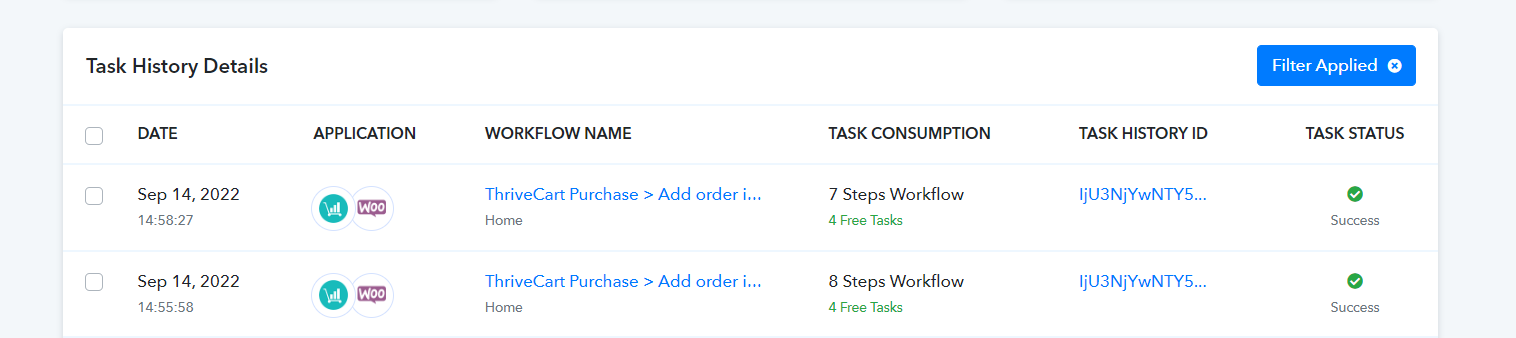
Yes
I see that.
But that STILL does not solve my problem!
I dont ger any help if it works For You!
I can show you dozens of purchases that it did not work for and it is causing me priblems!!!
I feel like I am talking in an echo chamber…
Lets go on a zoom call and get to the bottom of this
Going back and forth in the forum is Obviously a waste of time
Please make a purchase for the Premium Product
Click here: https://sales.eugenpopa.com/2022hypno-premium
Use coupon: pabbly2
Maybe THAT is the problem....
I can see you have made an order now.
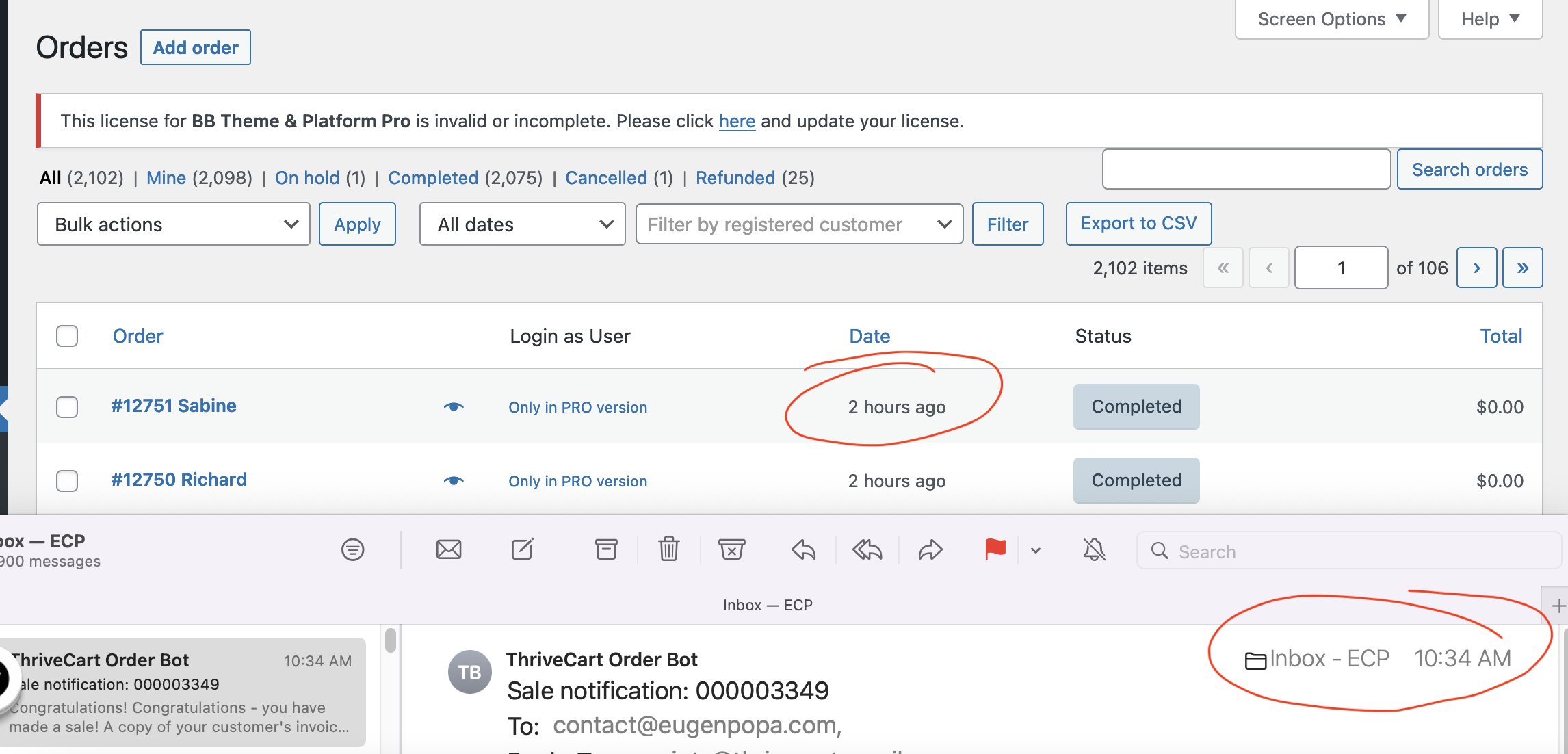
The order was made in Thrivecart but did NOT get added in woocomerce
See the screenshot below.
THe last order that came in was 2 hours ago. I took that screenshot exactly when you made the test order...
So, yours did not get added in woocommerce
Attachments
Hey @Eugen
Yes, have made some test purchases. Could you please recapture the webhook response again from your Thrive cart account?
Moreover, could you please check whether have you selected the certain products correctly.
Hello
It now seems to be working...
AT LAST!!
I will let you know if we encounter any further issues.....
I really hope NOT
Thank you