ThriveCart - Wordpress - LearnDash
Status: Closed · Asked by Ecp on · 0 views
Hello
There is a video on YT about this connection but the steps shown there are no longer valid.
Can you please help me connect these tools?
Right now, I cannot get it to create a new user in wordpress when someone purchases via thrivecart.
Also, I cannot select my course in Learndash. It wont show up...
Thank you
Hey @Eugen
We looked into your account and the WordPress action step and found that you may have filled in the wrong credentials for it. Kindly fill in the correct credentials for it and then try again.
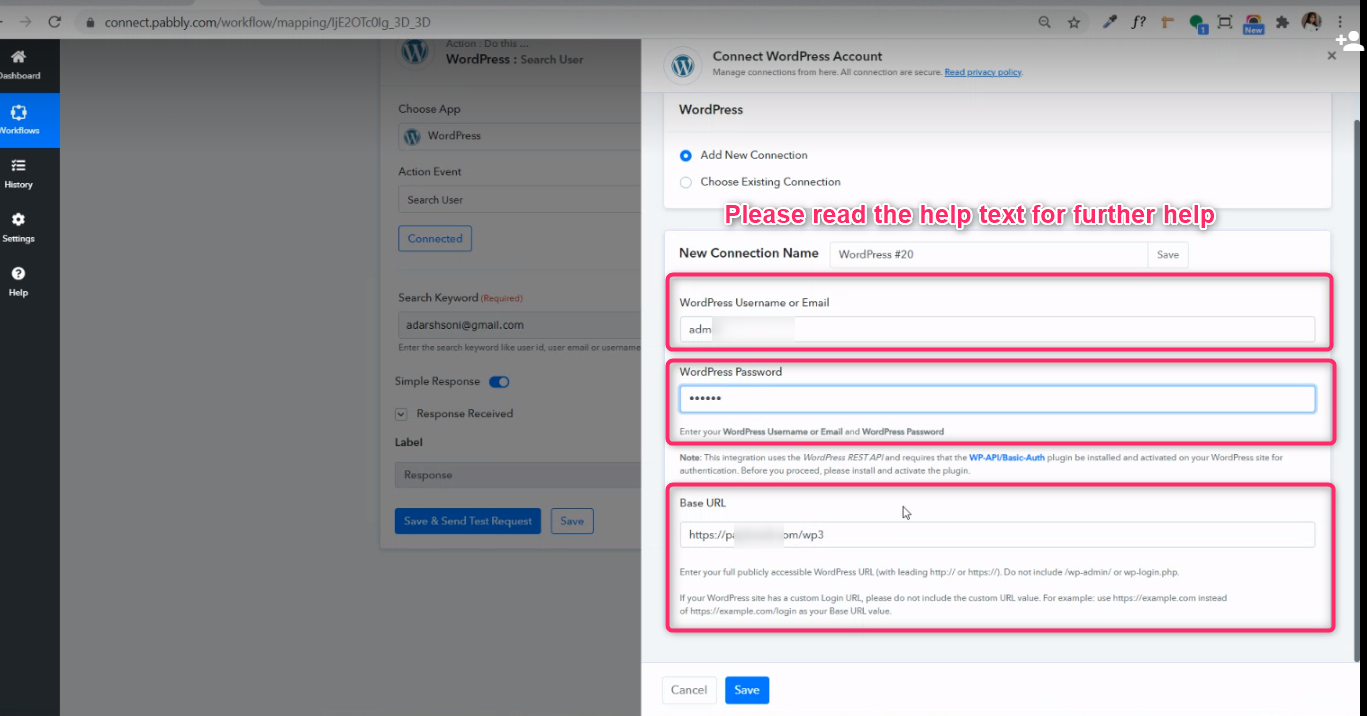
Further, could you please confirm that you have enabled the Basic authentication in your WordPress account?

Hey
THank you for the reply
Hhow do I enable Basic authentication?
I have not seen this information before..
Hello
I followed the steps exactly as in the video.
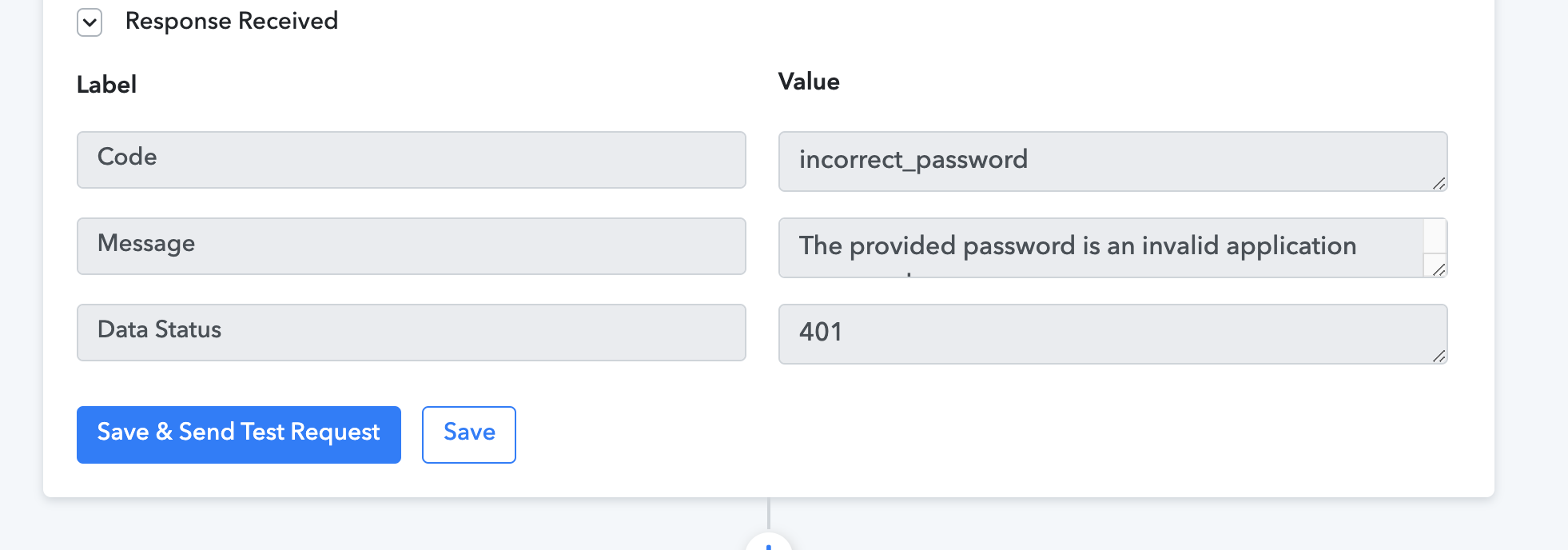
When I want to test the wordpress connection I get this error.
The password error is for the dummy account I wanted to create....
Hey @Eugen
Please check the plugins in your WordPress account and then create the new plugins then add the JSON basic authentication and activate it.
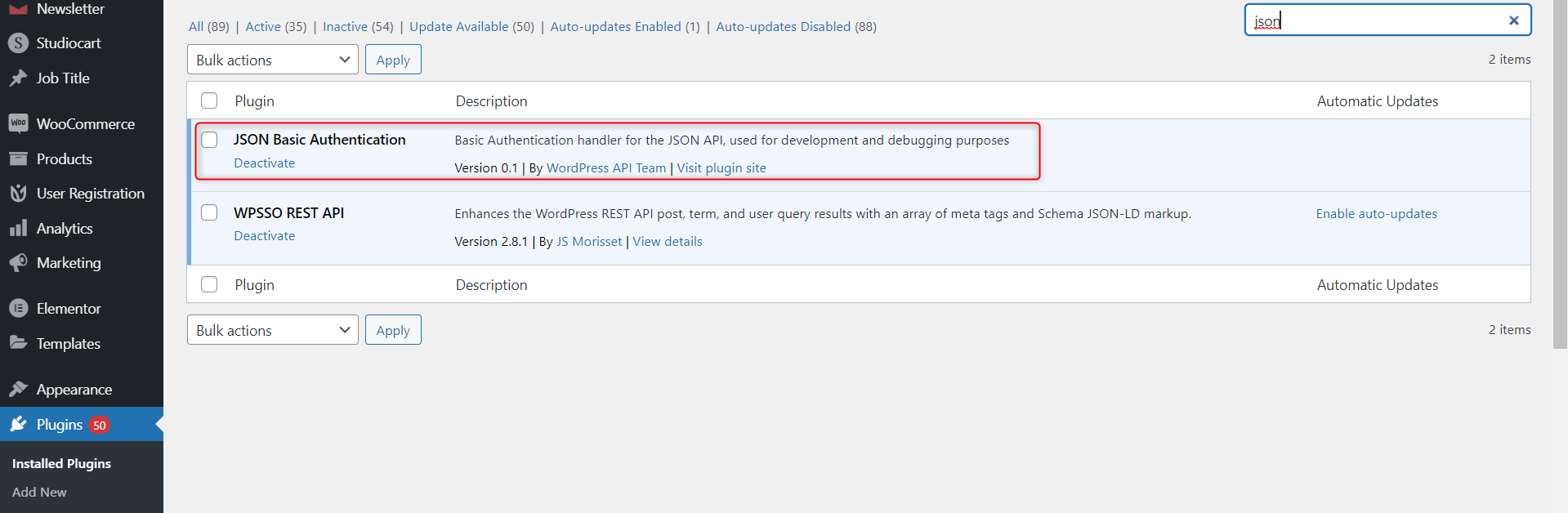
I did not find that plugin in Wordpress.....
ALso, there is no mention of that plugin in the video on youtube. Is it?
Thank you
Why not put links here, directly to the plugin??
And also in the dscription of the video?
Hey @Eugen
Please check this thread for better understanding - https://forum.pabbly.com/threads/learndash-permission-forbidden-issue.73/
So much back and forth... when you could just make the information more CLEAR from the start....
Also, You could have just put the DIRECT Link to download the file... Im SURE many people DON'T Know how to download a file from Github!
Be helpful...
Hey @Eugen
Sorry for the delay, we would definitely try to add the instructions in the WordPress action step and I hope you have successfully added the WordPress plugin.
Thanks!!