TimeZone setting not working correctly
Status: Closed · Asked by markprom on · 0 views
Hello, I have both Timezone settings in Pabbly and in Infinity set to Europe/Prague, but there is unwanted difference between time that is set in Infinity Item, that is sent out from Infinity via Pabbly. Yesterday the shift was one hour. When I set beginning of Event to 17:00, Pabbly showed me that the beginning is 16:00
Today the difference increased and now is 2 hours instead of 1. So when I set the Infinity's Attribute to 17:00, Pabbly is reading it as 15:00.
Anyone has similar experience? Thank you
Update:
One part of a problem is this: we have Winter/Summer time. And when today, during Winter-time (in my Timezone) I set date and time for event, that will be next week /still a Winter time), the difference between Infinity and PAbbly time is 1 hour.
But If I set event date to let's say June (Summer time here), the difference is 2 hours.
But I need the dates and Times to be accurate, as I am sending data from Infinity to legal contracts.
What am I doing wrong please? Thank you
Update 2, a solution:
While I do not understand why there is a difference 1 hour between Pabbly and Infinity – as they are set to the same Timezone, I found out, that if I add Date/Time formatter, and change From etc/GMT Timezone to Europe/Prague, the time is converted to the right value/s) even for dates that are out of my todays Winter time.
I wonder if I will have to change it after the time will change to Summer in my Time Zone...
Hey @markprom
Please use the "Date/Time Formatter" in your action step and select "Format time zone only" as an action event to change the time zone in your workflow from etc/GMT to Europe/Prague.
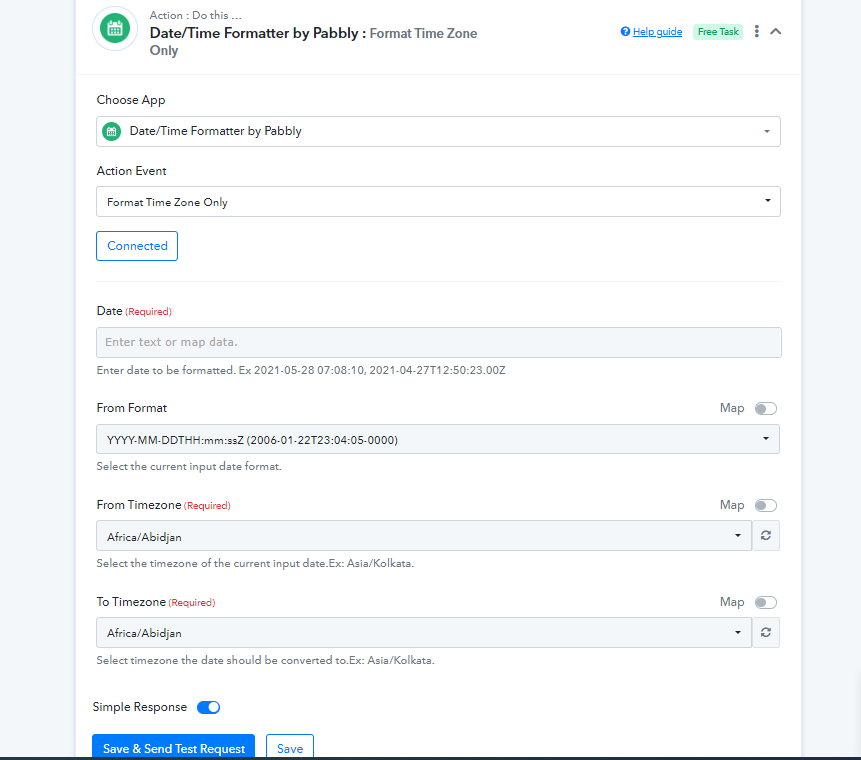
Please refer to the following videos for a better understanding:
youtube.com/watch?v=XpRkxwytOOg
youtube.com/watch?v=NVc9Y1ZCBUI
I wonder if I will have to change it after the time will change to Summer in my Time Zone...
In this case, you have to change the time manually to summer.