Trafft to Sessions connection issues
Status: Closed · Asked by TXL Websolutions on · 0 views
Hi everyone,
I've been testing the workflow Trafft booking appointment to Sessions create booking. Sessions is a new Pabbly connection, just released.
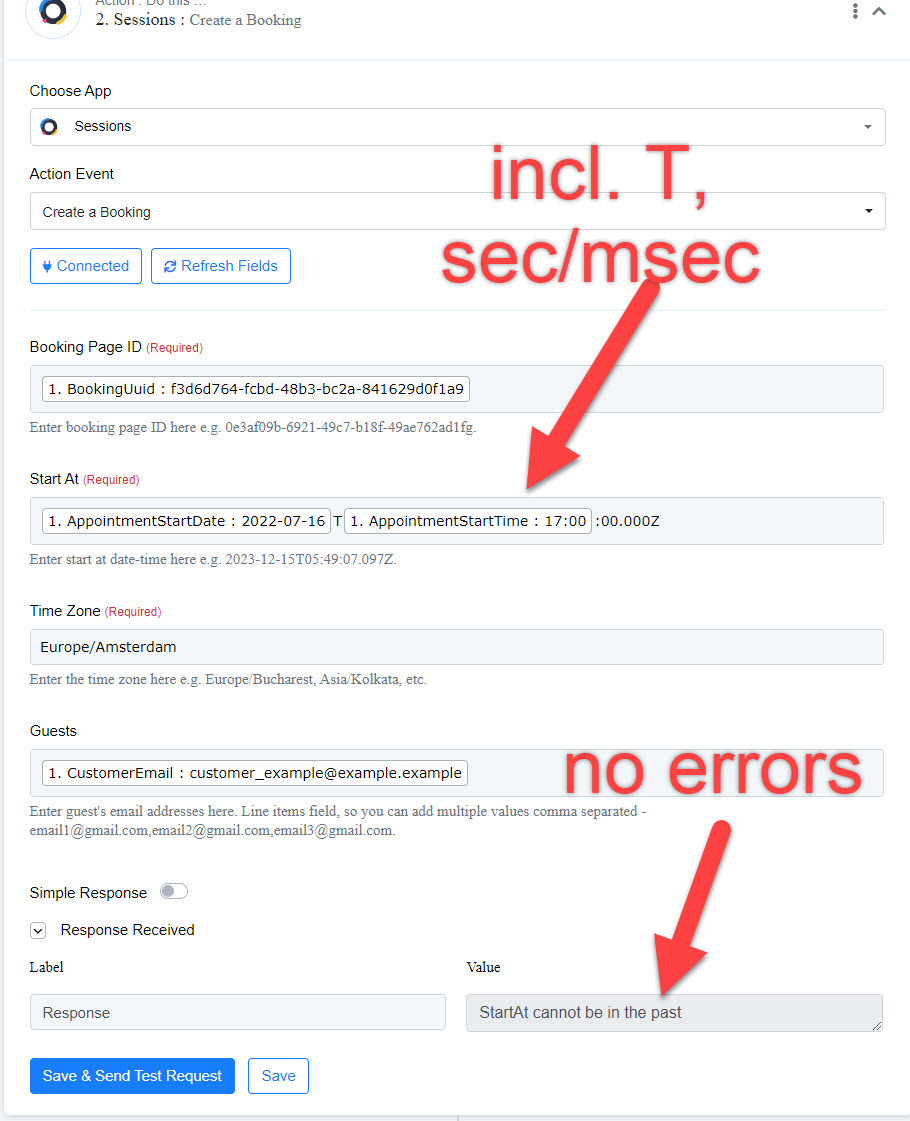
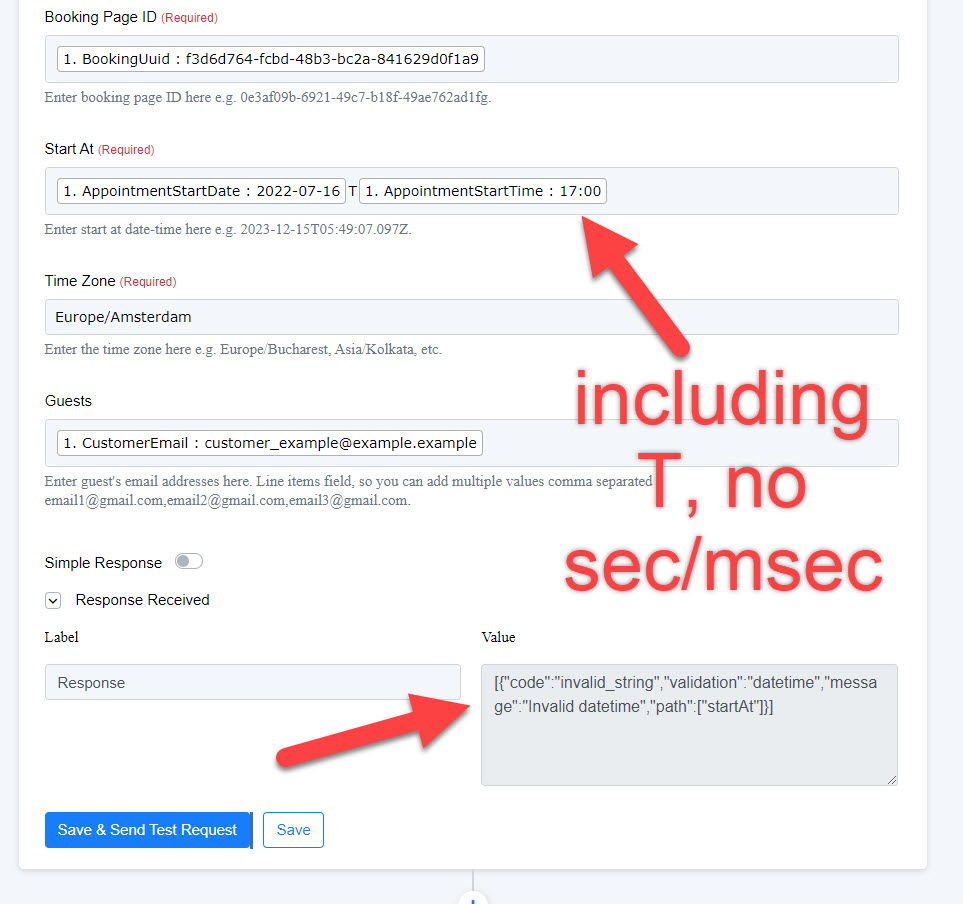
The Trafft booking input is read without issues, but when I want to use the booking startdate/time, I have to use T:00.000Z (thats the time notation Sessions is using. So I have to add T and seconds/miliseconds.
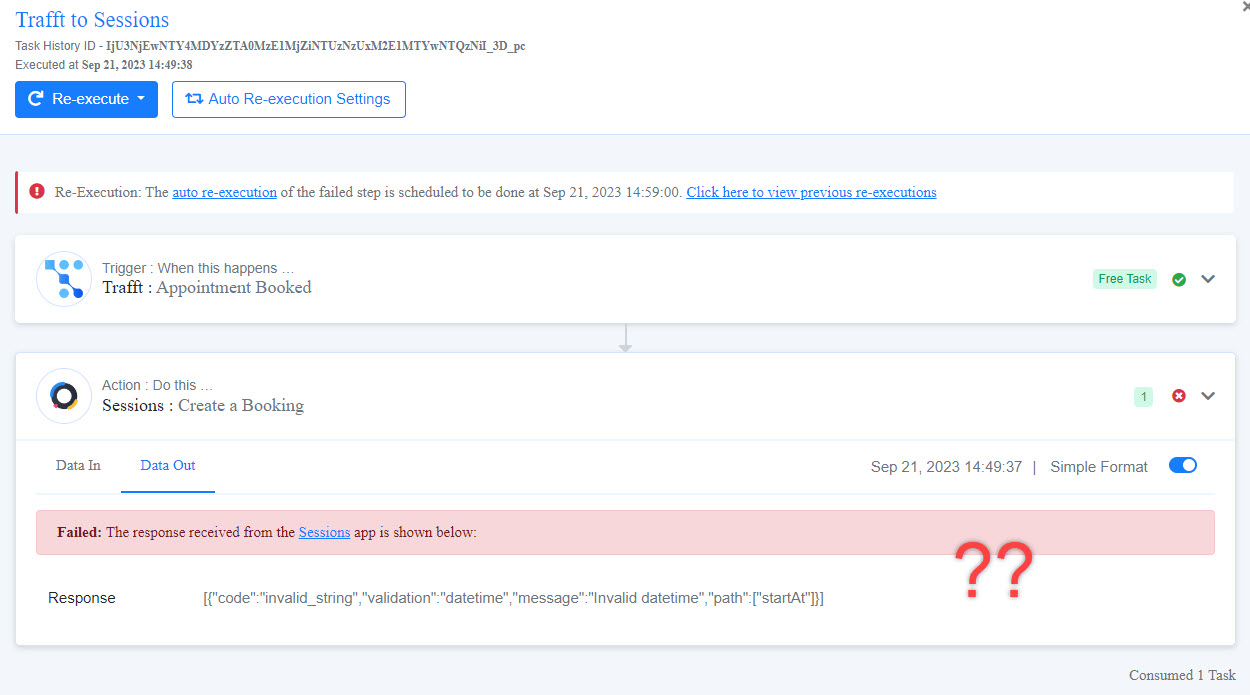
When I test the flow it only reports date can't be in the past, but that's a Trafft parameter in the test, the rest of the flow is correct, no errors. When I activate the flow and do a test booking, there is an error for invalid date/time. See the screenshots.
Is this a Pabbly app issue, or is it something for the Sessions team?
Victor
Attachments
Hi @TXL Websolutions,
https://connect.pabbly.com/workflow/mapping/IjU3NjUwNTZmMDYzNTA0M2M1MjZjNTUzNzUxMzEi_pc
It seems like you are using a different action event now.
I have made some changes to your workflow. Please book a test appointment on Trafft, ensuring that the date is in this exact format and that the appointment is scheduled for a future date.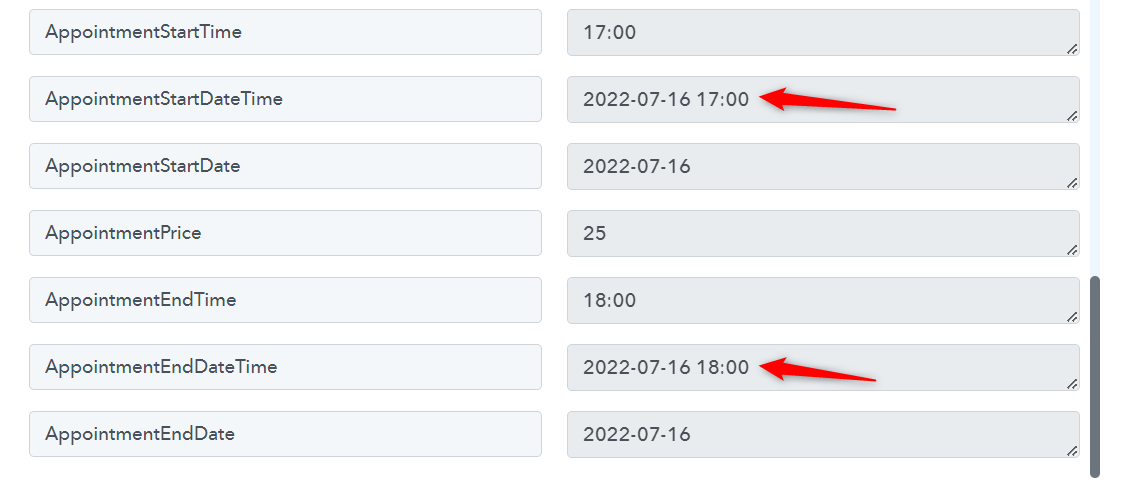
If the issue persists, please don't make any changes to the workflow setup; instead, let me know.
Hi @TXL Websolutions,https://connect.pabbly.com/workflow/mapping/IjU3NjUwNTZmMDYzNTA0M2M1MjZjNTUzNzUxMzEi_pc
It seems like you are using a different action event now.I have made some changes to your workflow. Please book a test appointment on Trafft, ensuring that the date is in this exact format and that the appointment is scheduled for a future date.
If the issue persists, please don't make any changes to the workflow setup; instead, let me know.
Hi @ArshilAhmad , didn't realize you would check my workflow in my account, so I had been playing with it ;-) The new setup works! Thanks a lot, now I can copy and create some more.