Trafft to Text Magic Bad Request Error 400
Status: Closed · Asked by candy007 on · 0 views
I've followed all the on-screen instructions, I think, but I keep getting the above error when trying to connect Trafft to Text Magic. I want to create a new contact whenever a new appointment is booked and that number is not in my Text Magic contacts.
Attachments
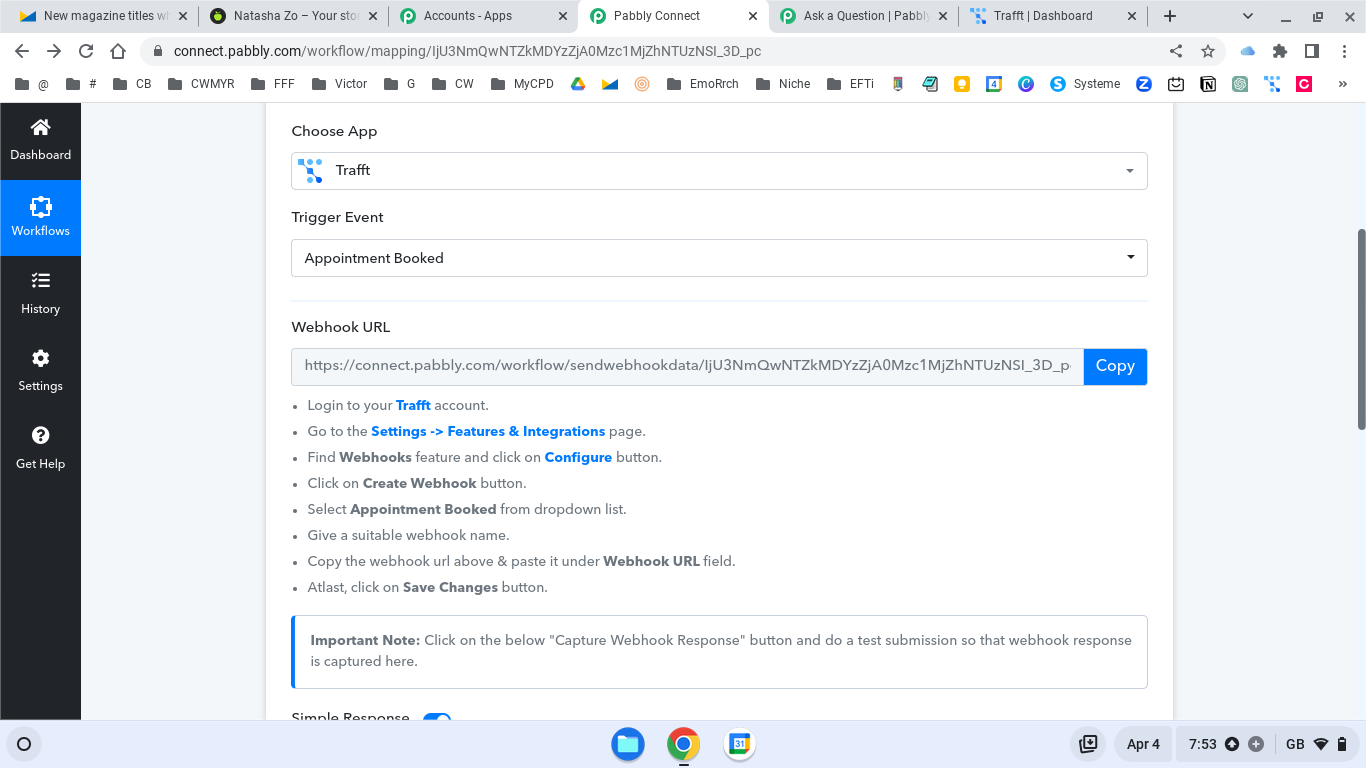
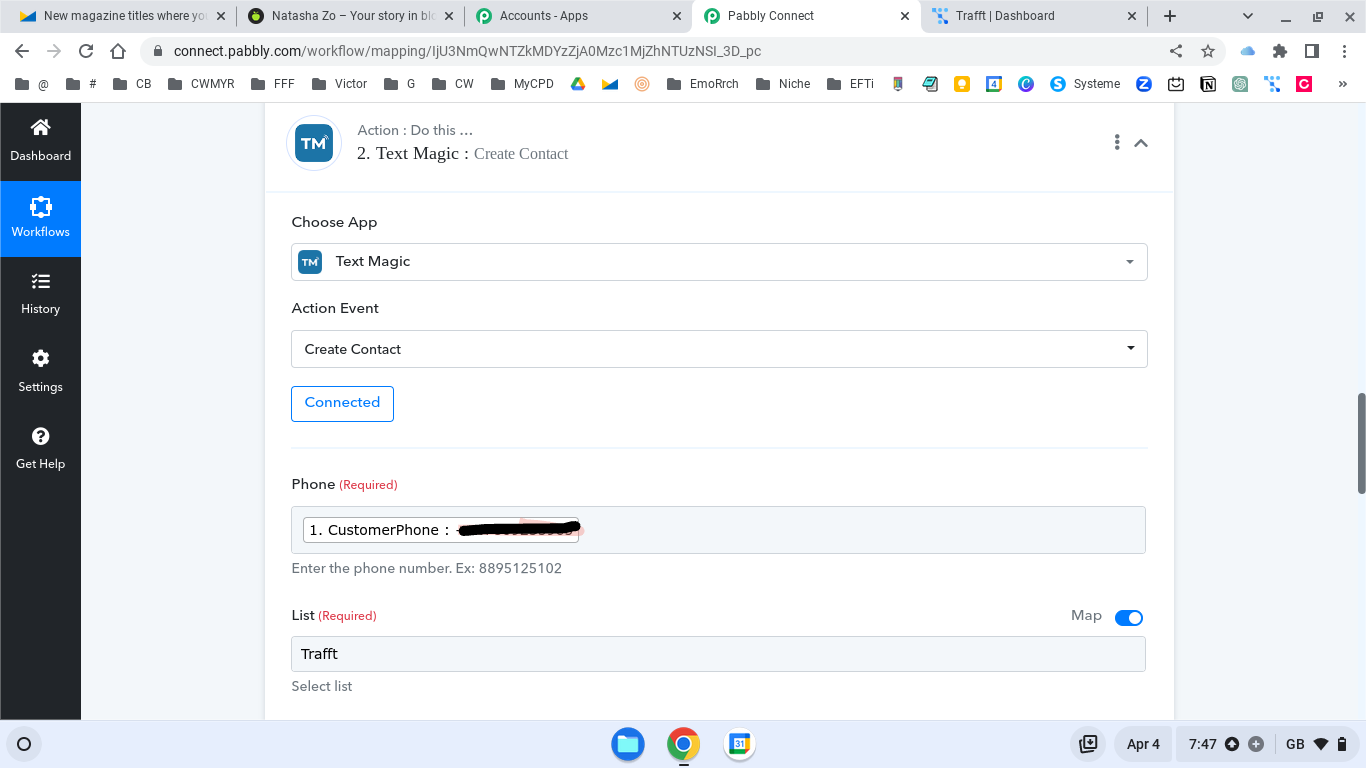
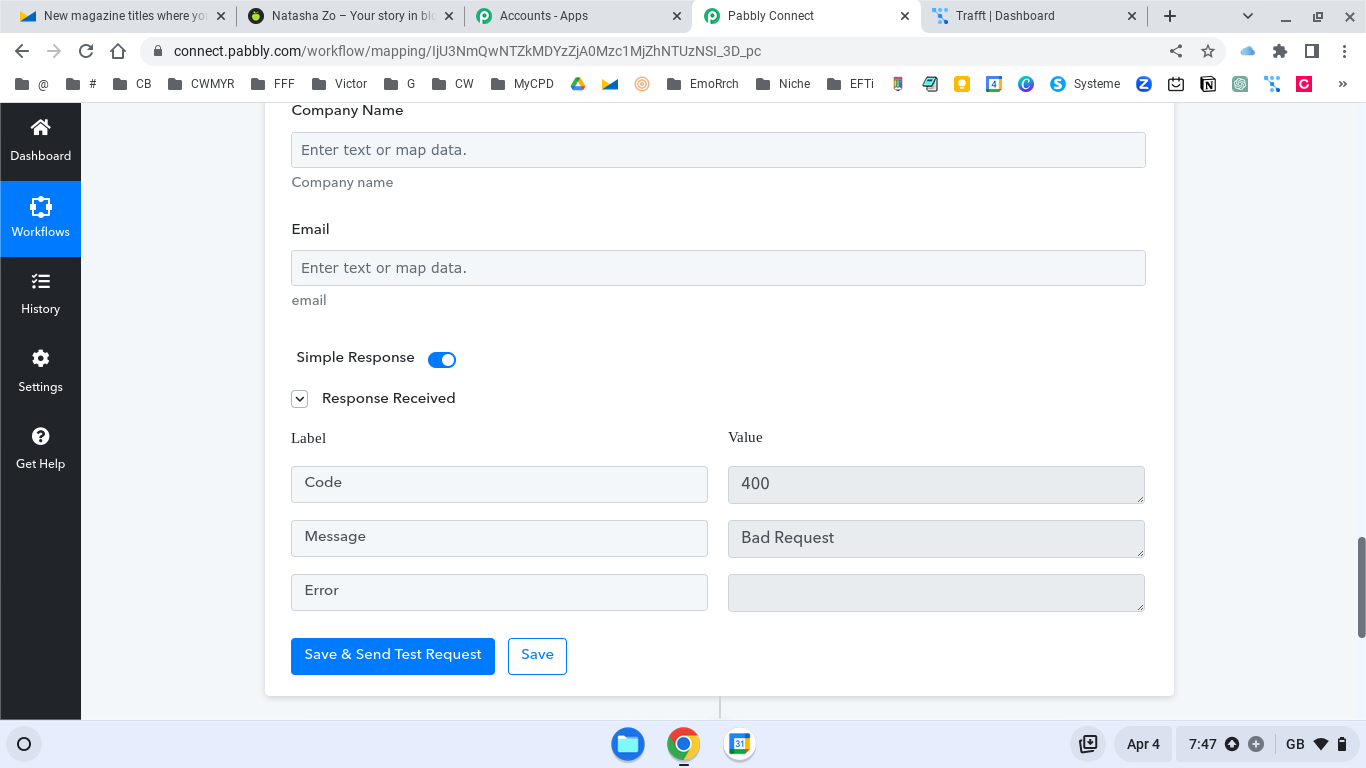
Hey @candy007
As per my observation, it seems that you have mapped the customer contact number in an incorrect format. It should be noted that the phone number must not contain any "+" sign.

To remove the "+" symbol from your phone number, you need to add a "Text Formatter" step followed by the "Replace Text" option in your action step. I have made the necessary changes to your workflow. Kindly reconnect with the "Test magic" account and try to recapture the response to see if the changes have been successfully implemented.
Screenshot for your reference: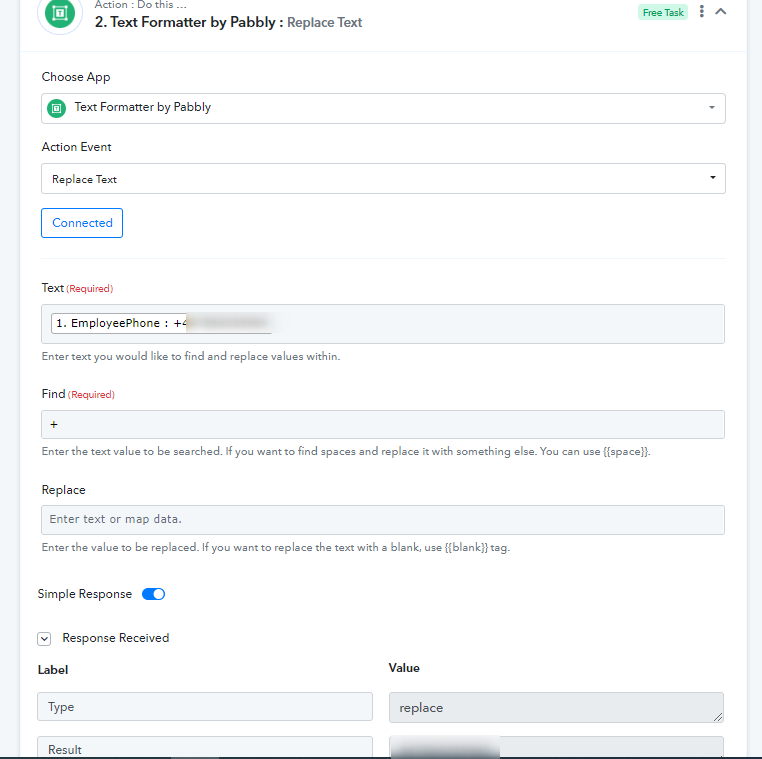
Please let me know if you are still facing the same issue.
Hey @candy007As per my observation, it seems that you have mapped the customer contact number in an incorrect format. It should be noted that the phone number must not contain any "+" sign.
To remove the "+" symbol from your phone number, you need to add a "Text Formatter" step followed by the "Replace Text" option in your action step. I have made the necessary changes to your workflow. Kindly reconnect with the "Test magic" account and try to recapture the response to see if the changes have been successfully implemented.Screenshot for your reference:
Please let me know if you are still facing the same issue.
Hello. I have tried the exact same process by add the formatter and without. The phone number is set up correctly without the + and still a bad connection. Suggestions please? Here is the pabbly connect url: https://connect.pabbly.com/workflow/mapping/IjU3NjUwNTY1MDYzMDA0MzI1MjY5NTUzYzUxMzAi_pc
Attachments
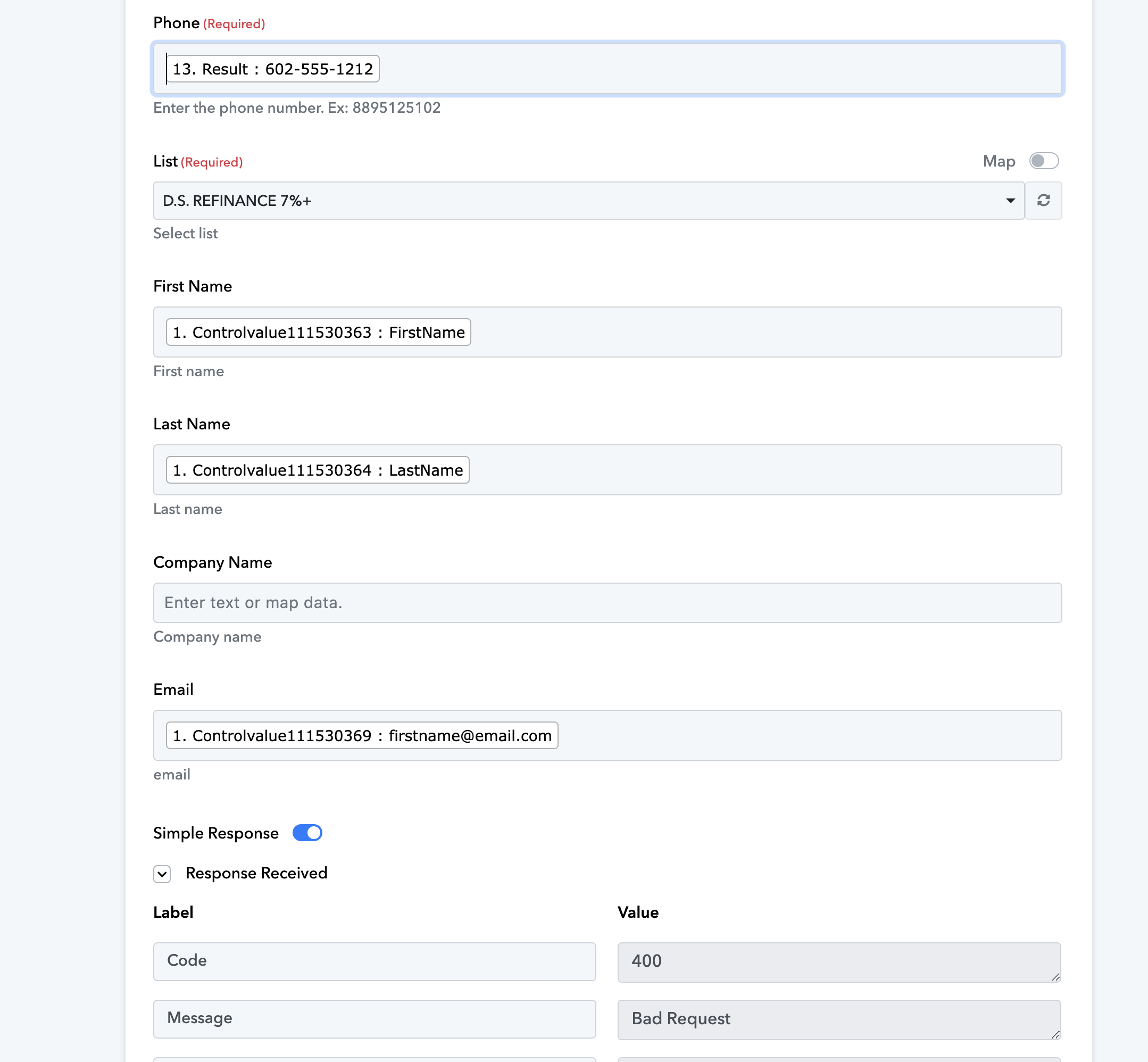

Hello. I have tried the exact same process by add the formatter and without. The phone number is set up correctly without the + and still a bad connection. Suggestions please? Here is the pabbly connect url: https://connect.pabbly.com/workflow/mapping/IjU3NjUwNTY1MDYzMDA0MzI1MjY5NTUzYzUxMzAi_pc
Please allow us some time, we are checking on it.
Hey @DocApply
Kindly remove the "+" sign before the phone number, and ensure the phone number field is set to accept only numeric values. If the phone number already exists with a "+", remove the "+" to avoid errors. Updating entries to exclude the "+" sign will resolve the issue.
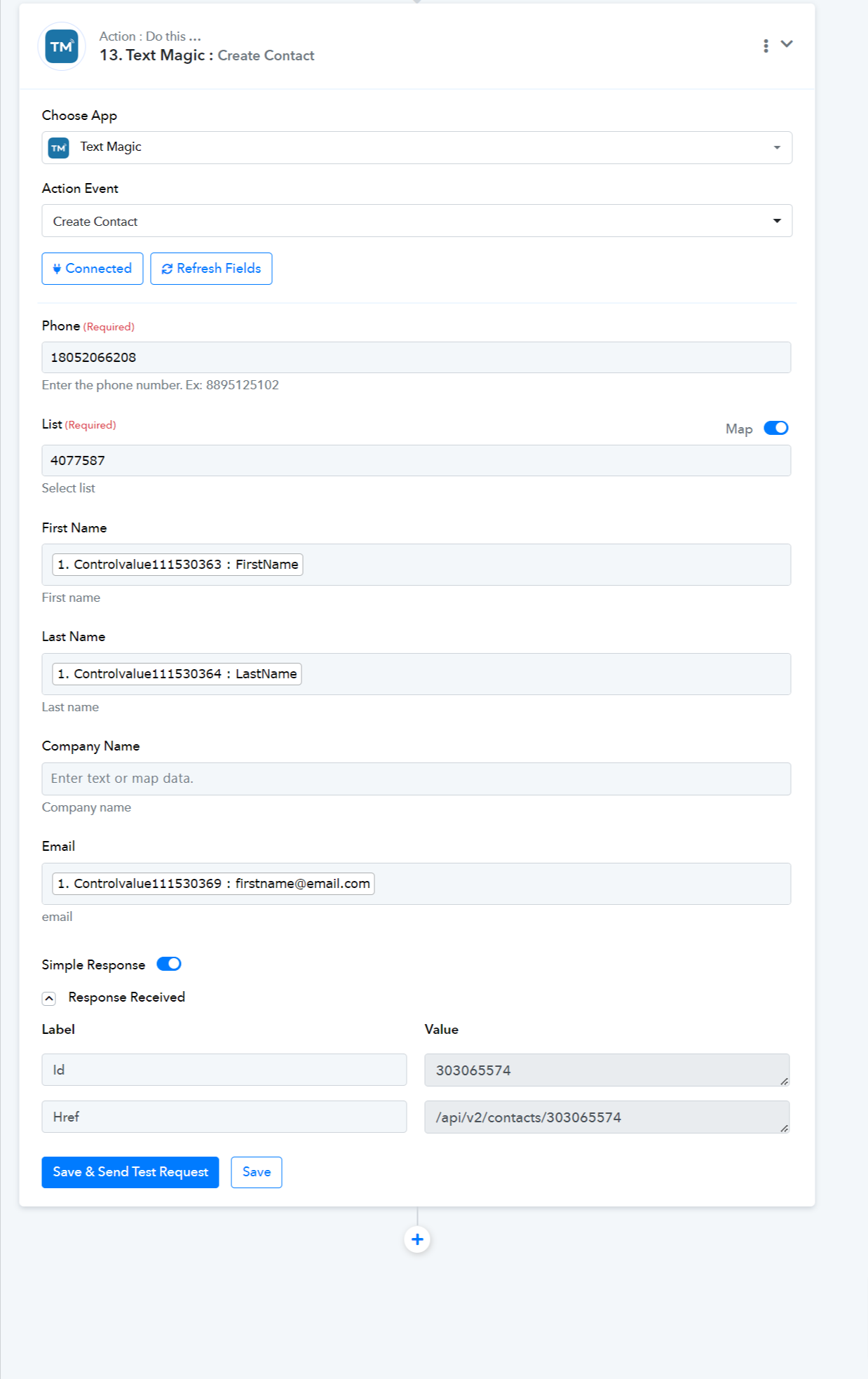
Hey @DocApplyKindly remove the "+" sign before the phone number, and ensure the phone number field is set to accept only numeric values. If the phone number already exists with a "+", remove the "+" to avoid errors. Updating entries to exclude the "+" sign will resolve the issue.
Hello. Any update on this?
Hey @DocApply
Hello. Any update on this?
The action step is functioning correctly, but please remove the "+" sign before the phone number and ensure that the phone number field accepts only numeric values. If a phone number already includes a "+", remove it to avoid errors. Updating the entries to exclude the "+" sign will resolve the issue.