Transforming data from Elementor to ClickUp
Status: Closed · Asked by Liron on · 0 views
Hi, wondering if anyone knows how to integrate a specific workflow - from Elementor form - ‘a mailing list acceptance check box’ - to ClickUp dropdown field - as “accept” or “reject” options? (depend if it the checkbox was tick or not).
Many thanks!
Hi @Liron,
https://connect.pabbly.com/workflow/mapping/IjU3NjUwNTY1MDYzMzA0MzI1MjZiNTUzMTUxMzAi_pc
I assume your use case is related to this workflow.
Please specify the checkbox response and dropdown field in ClickUp you are referring to by sharing a screenshot of the same.
Hi @Liron,https://connect.pabbly.com/workflow/mapping/IjU3NjUwNTY1MDYzMzA0MzI1MjZiNTUzMTUxMzAi_pc
I assume your use case is related to this workflow.Please specify the checkbox response and dropdown field in ClickUp you are referring to by sharing a screenshot of the same.
Is it very simple and common usecase. here are the screenshots of the checkbox in Elementor form and Clickup dropdown. if "check" it should be green option, if "not checked" it should be red option. thanks
Attachments
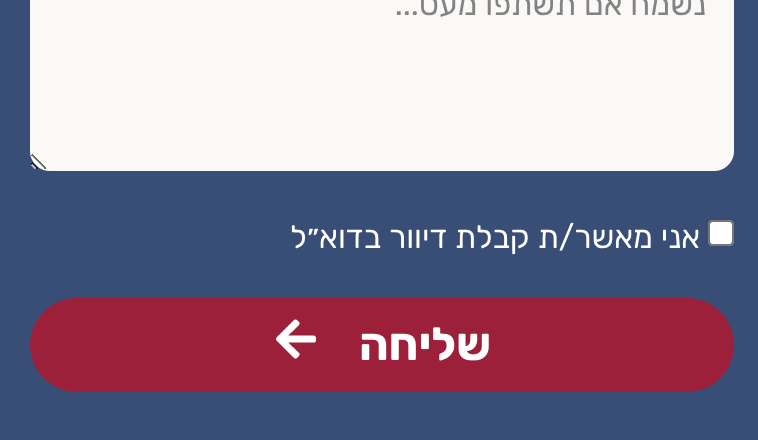
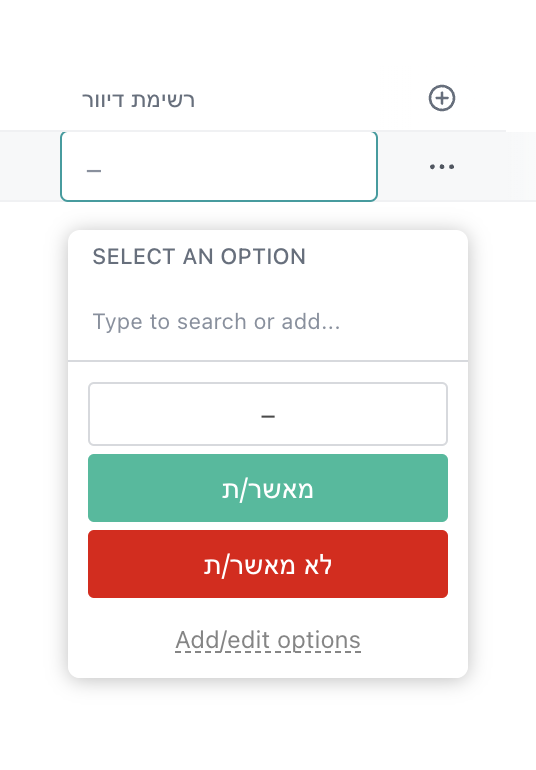
Can you please record a short video on the same, so that we can look into it?
It is very simple question. Let me make even more simple, in a similar usecase: lets say you have a form with 2 fields - "name" and "gender". the name is a text field (moving to CRM software easy - as it is). the "gender" field is, however, a dropdown field - giving 2 options: male or female. Now, lets say in the CRM software (I use Clickup) there is also a dropdown field with the to options. how do I set paddly connect so the dropdown in the CRM will set to "male" when the information from the form is "male" and to "female" when the information from the form is "female"?
Hope this is clear.
Please check out the following recorded video where we have explained to you how you can map the option of the dropdown with the help of LookUp Table. Since the ClickUp doesn't take direct values(text) instead it takes Ids of the option of the dropdown which can be handled with the help of the LookupTable action step.
https://drive.google.com/file/d/1aA46QSthGIXfL3POLNs1uiXCzGGEFnAj/view?usp=sharing
Many thanks for this video, Im all good. ?