Trello Api Key
Status: Open · Asked by Quentin GRUN Prostart on · 0 views
Hello,
Few days ago, I talked to a channel called "Trello API Key" as me an other guys had trouble to connect their Trello account with Pabbly connect.
I didn't hear about you in a few days so I checked and the discussion on the forum has simply been removed ...
I am facing issue with my Pabbly Connect to link my trello account.
Your lastest video is different than what it is in real and I don't know how to move forward ...
This is important for me and hope you will be able to find a way to solve this issue for all new users with Trello / Atlassan account
Regards,
Hi @koentinProstart,
In the previous thread, you shared a video that contained sensitive information regarding your API Key, and to protect your information, I moved the thread to Private Discussion. Please find below the solution I wrote for your issue. My apologies for any inconvenience caused.
=============================================================================================
Please generate a new Token and paste that into the Token field instead of the Secret.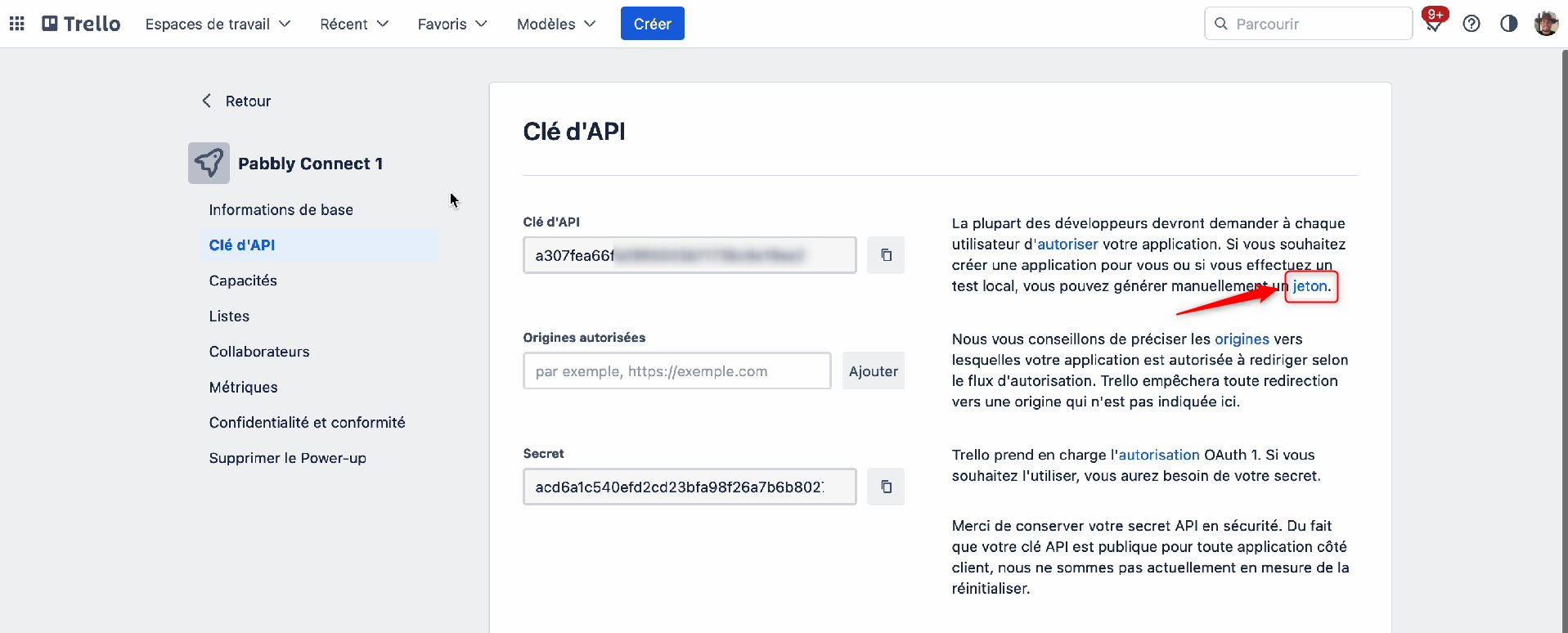
Hello! Thank you very much ! I succced to connect ! Thank you !
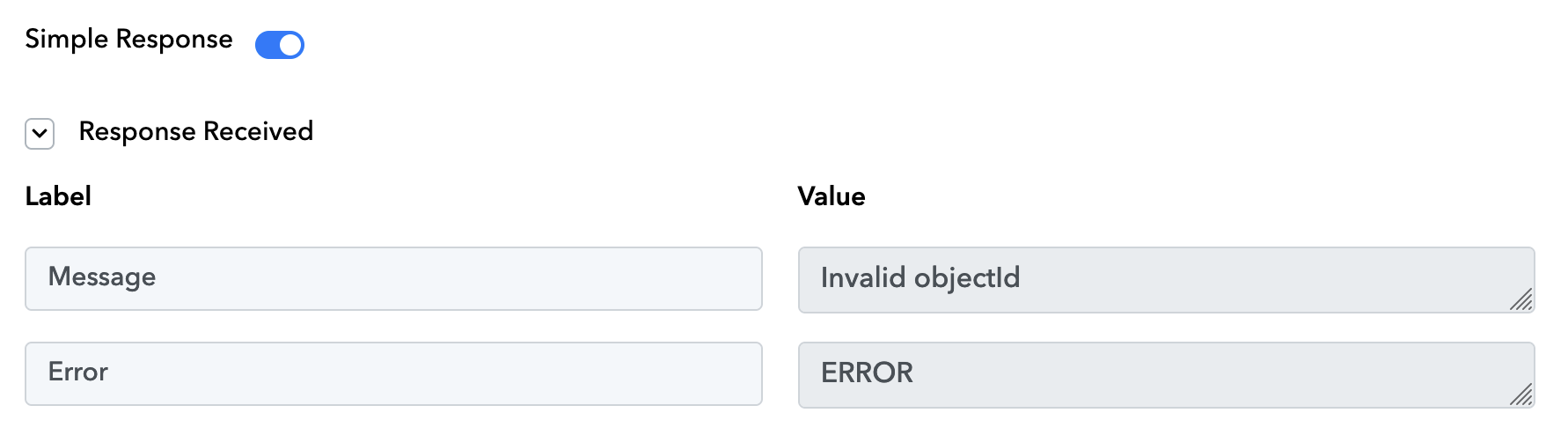
I am still facing issue with error when I completed everything. See the screenshot attached.
Still the same workflow : https://connect.pabbly.com/workflow/share/DEQFNwRTUDNSGAZrAFdUcwEVBgIEXVY2V04IGlZZAHhVG1I5DUwIYgxAVD5XGAZnURhXPVIODTYLHwEFUwVVJlNKVlMEG1MOATIFQFcICiAMbg##
Label
Message > Invalid objectId
Error > ERROR
Could you help me on that also please ?
Thank you very much. Regards,
Attachments
Hey @koentinProstart
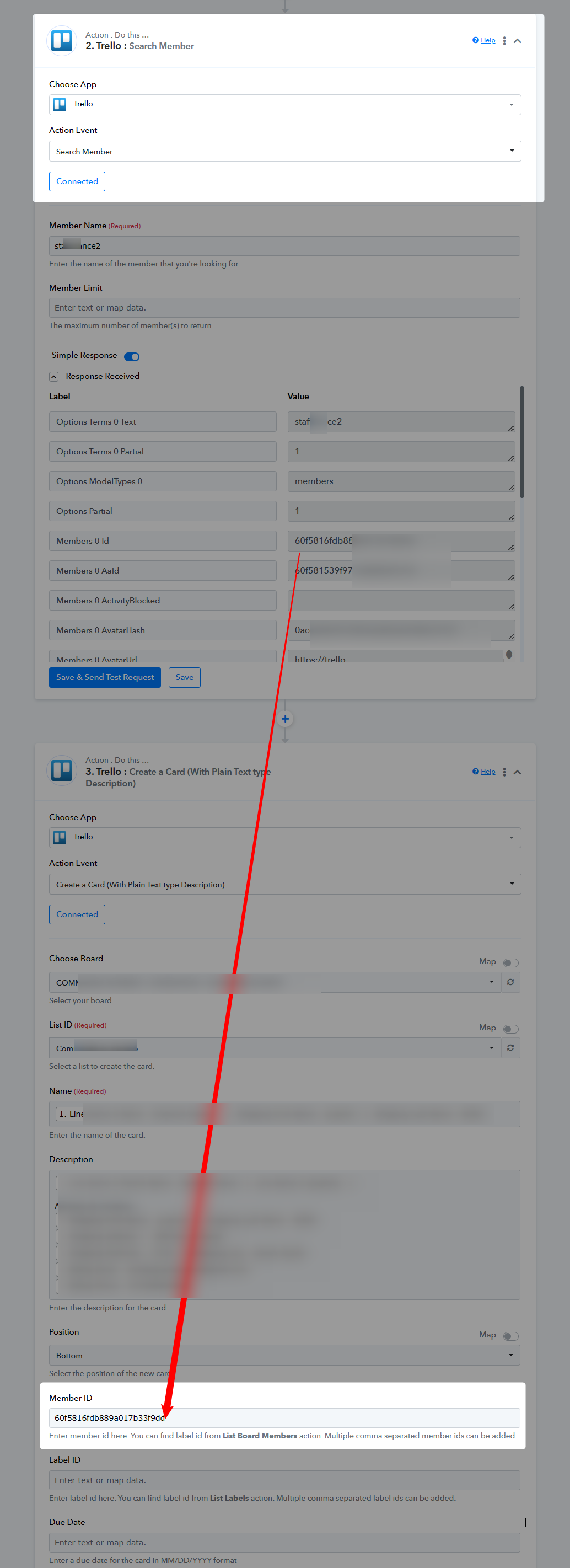
Please check the Member Id field in the " Trello: Create a Card (With Plain Text type Description)" action step where you need to pass the Member's Id instead of the Member's name which you can pass with the help of the "Search Member" action step.
Kindly refer to the following screenshot for your basic understanding.
It's perfect thank you very much ! It works !
One other question : If a customer order several products in the same time, how to show all the products and quantities bought ?
Because I think right now, I will display only the First product with the quantity. But not Second, Third, etc if there are more articles...
Do you understand my question ? Hope you can help.
Thank you!
May I ask which application you intend to use for capturing the order details?
I am using Woocommerce.
But I just don't know how to show on Trello all the different products (if a customer is ordering 10 different products by example)
I think right now it will only show the first product.
Thanks for your help Ahmad
This video demonstrates how you can capture multiple orders from WooCommerce.
Hello. Thank you. I will check that in a couple of days. Regards