Trello Custom Field Values
Status: Closed · Asked by creative6 on · 0 views
I have a kind of complex connection that I need assistance with.
I am going to use the AE Sales Workflow - Create VLA Cards workflow for this example since this is the only one I've created so far.
The goal is - 1) when a card is moved to a specific list in a board in trello -> 2) filter this card to see if a specific custom field exists -> if so, 3) create a card on a different board and input that custom field value into a specific custom field on the new card.
The problem is - on the original board/card, we have over 20 custom fields, and different cards will have different custom fields inputted. for example, notice the different fields that are filled in the example cards below:
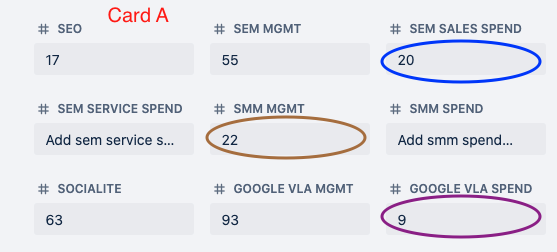
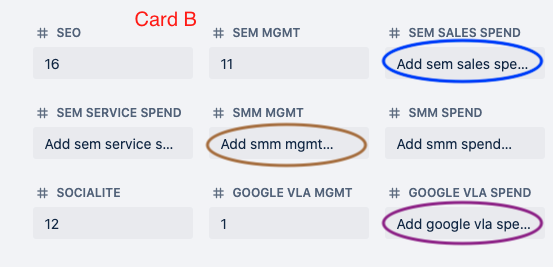
When I use the "Get a card" step to get the custom field IDs to create the filter step (2) and to get the custom field values to input that specific value into a custom field on the new card (3) it appears the "CustomFieldItems { } Value Number" will change depending on which custom field on the trigger card is filled, therefore the field information is not transferred over correctly.
For this example I used "CustomFieldItems 9 Value Number" -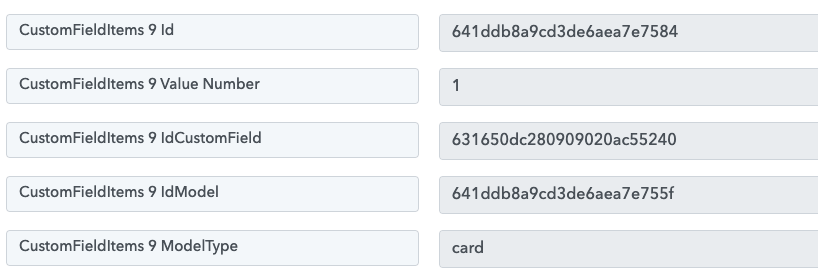
(2)Filter step I have set up - only continue if the field value exists.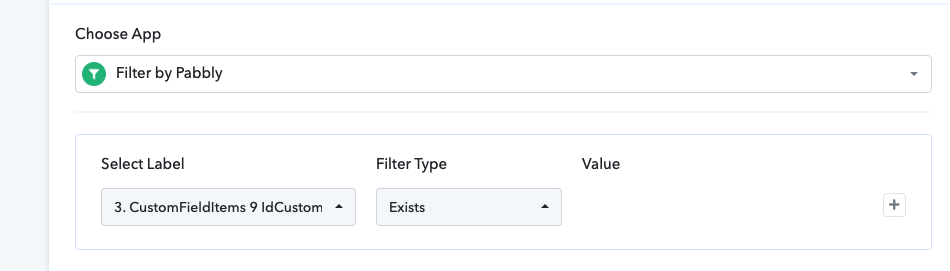
(3) step to update update the Google VLA mgmt fee field on the new card in the different board (note that i already have a step before this to create the new card):
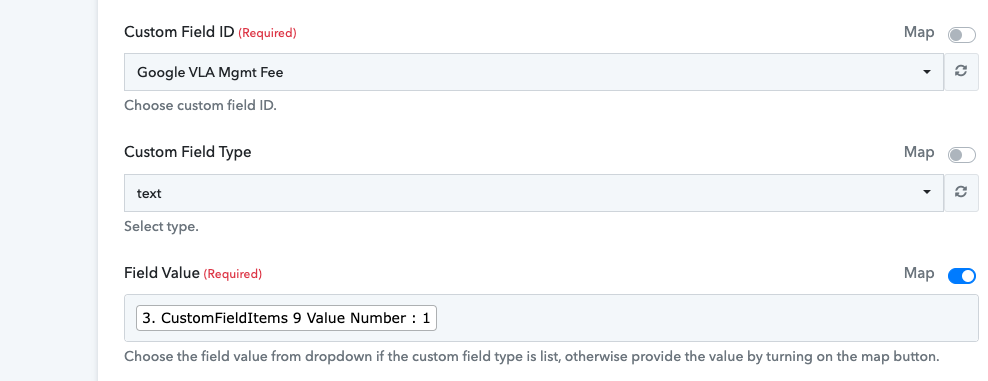
This all works perfectly with the webhook test response card that I set this up with.
But if i were to complete this process with Card A or Card B, it doesn't work the same way, the Google VLA Mgmt "CustomFieldItems 9 Value Number" changes because on these different trigger cards, different fields exist. Hypothetically speaking, "CustomFieldItems 9 Value Number" might be the SEO custom field instead on Card A and it might be the Socialite custom field instead on Card B.
Is there something I am doing incorrectly, or will these "CustomFieldItems { } Value Number" always change depending on what the custom fields the trigger card has inputted ?
I have attached a screen record of myself doing this live also, and the copied card doesn't even show up for this one because the filter step field value "CustomFieldItems 9 Value Number" is again different on this new trigger card.
Hey @creative6
We have forwarded your concern to our technical team and will try to look into the jumbled customer field label placed in the Get Card API response.
Hey @creative6
We have made some changes in the Trello: Get a Card action step and you will get the custom field labels in the "CustomField Result(idCustomField:id value..)" format which you can use to map the desired fields.
So, kindly try mapping such fields for your work and let us know if that works for you.
Hello, this custom field worked, but now I have another issue with the same workflow. My trigger is "when a card is moved to a specific list" to create a new card in another board, but for some reason when I move that trigger card out of that specified list, it also creates another card.
It seems to trigger when a card is moved back & forth between the original list the card was in and the trigger list that the card gets moved into. It does not trigger if I then move it away from the trigger list into a different list.
This is my trigger event: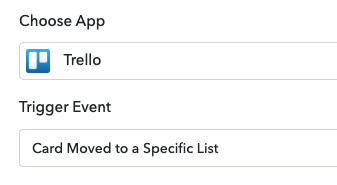
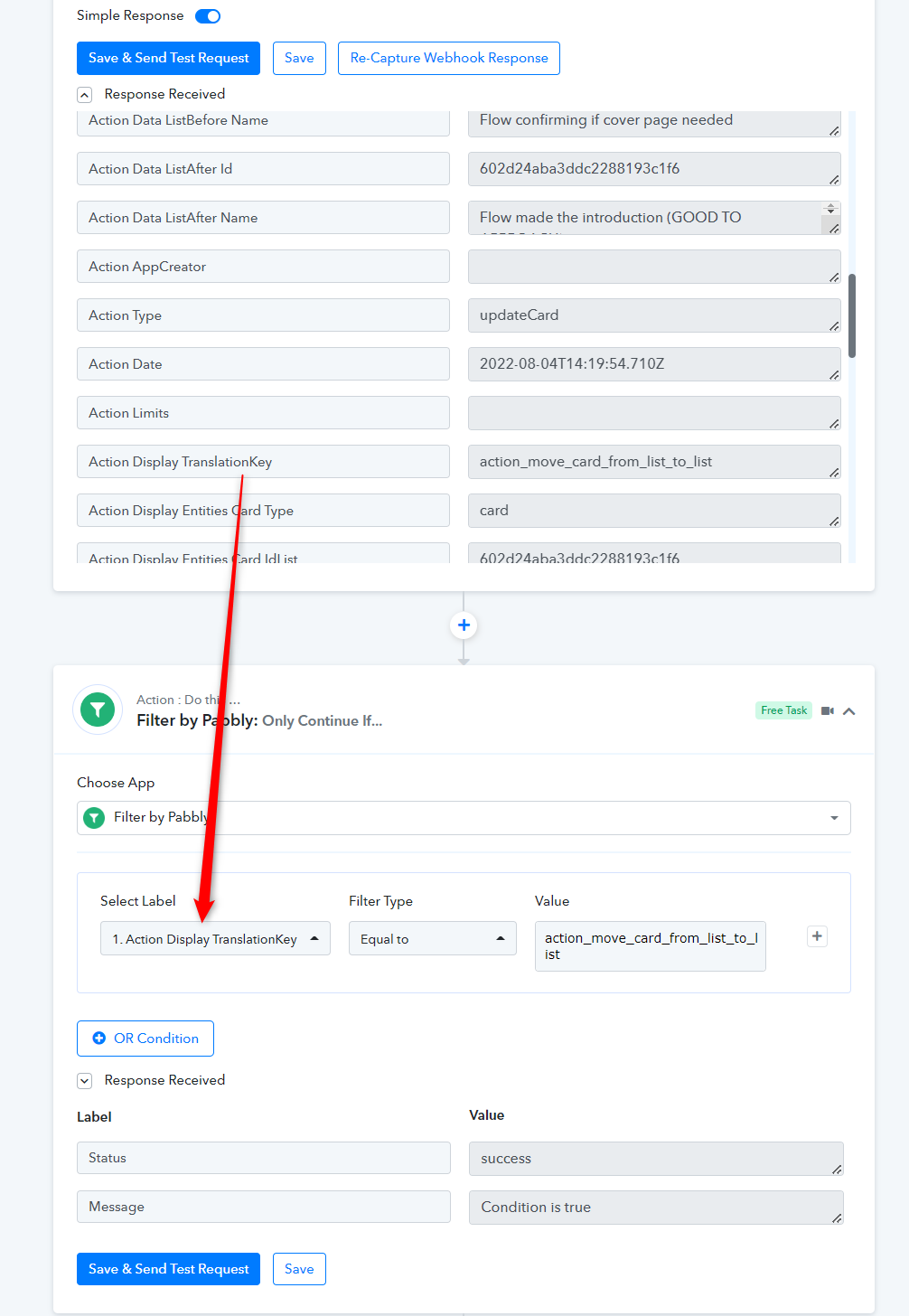
And I also added this filter feature as it says to:
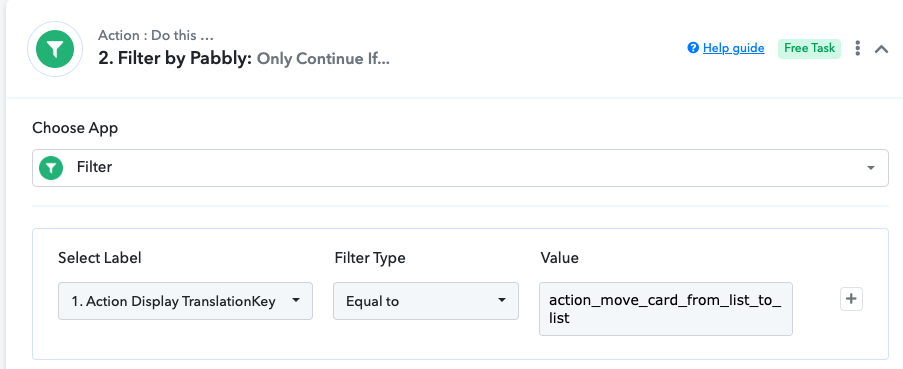
Is there any reason why it would also create a card when moving the card away from that specified list back into the original list?
Edit to add - I added this extra filter after the "Display TranslationKey" filter to confirm that it should only trigger when moved to that trigger list and this seems to work. but will I have to add this step to all of them? This is no problem, but want to just confirm that I am not doing something wrong with the triggers.

Edit to add - I added this extra filter after the "Display TranslationKey" filter to confirm that it should only trigger when moved to that trigger list and this seems to work. but will I have to add this step to all of them? This is no problem, but want to just confirm that I am not doing something wrong with the triggers.
Because the Trello API sends the same card event type for different events, a response is triggered. As a workaround, we recommend using the Filter action step with the label "Action Display TranslationKey."
If you use the filter action step in any of your workflows, you must use it for the same trigger event.