trigger API for every result in next step
Status: Closed · Asked by Deepak Dhingra on · 0 views
I am using the text formatter function in Pabbly to split text using a comma separator. How can I configure it up to trigger the API for each resulting value, accommodating cases where there could be 2 to 9 values?
i.e. if we got 3 results then in the next step, Api will be triggered 3 times- once with each value, and if we got 5 results then in the next step, Api will be triggered 5 times- once with each value
Hi @deepak9780097800,
Please share the Workflow URL in which you have this use case.
In Route ---> Step named "Customer details available" ---> I wish to get number details in the step named "Get Number Details" for each number that I received in the previous step named "Get Numbers."
and need to set all further steps accordingly
Note: In the step "Get numbers," I could receive a different quantity of numbers every time
I am using the text formatter function in Pabbly to split text using a comma separator. How can I configure it up to trigger the API for each resulting value, accommodating cases where there could be 2 to 9 values?
i.e. if we got 3 results then in the next step, Api will be triggered 3 times- once with each value, and if we got 5 results then in the next step, Api will be triggered 5 times- once with each value
For this use case you will have to setup API module action step 9 times, in case it receives less then 9 values some of your steps which didn't receive the value from previous step will fail. Please note that this is a workaround, and your exact use case is not possible. Also, this workaround will work for a maximum of 9 numbers.
https://connect.pabbly.com/workflow/mapping/IjU3NjIwNTY1MDYzMzA0MzU1MjY4NTUzNCI_3D_pcIn Route ---> Step named "Customer details available" ---> I wish to get number details in the step named "Get Number Details" for each number that I received in the previous step named "Get Numbers."
and need to set all further steps accordingly
Note: In the step "Get numbers," I could receive a different quantity of numbers every time
For this, you can disable the Simple Response for 'Get Numbers' to capture the numbers in array format. Then, add an Iterator to your workflow. The Iterator will execute the next step of your workflow (GET Number details) as per the quantity of numbers. For example, if there are 5 numbers, the Iterator will execute the "GET Number details" action step 5 times.
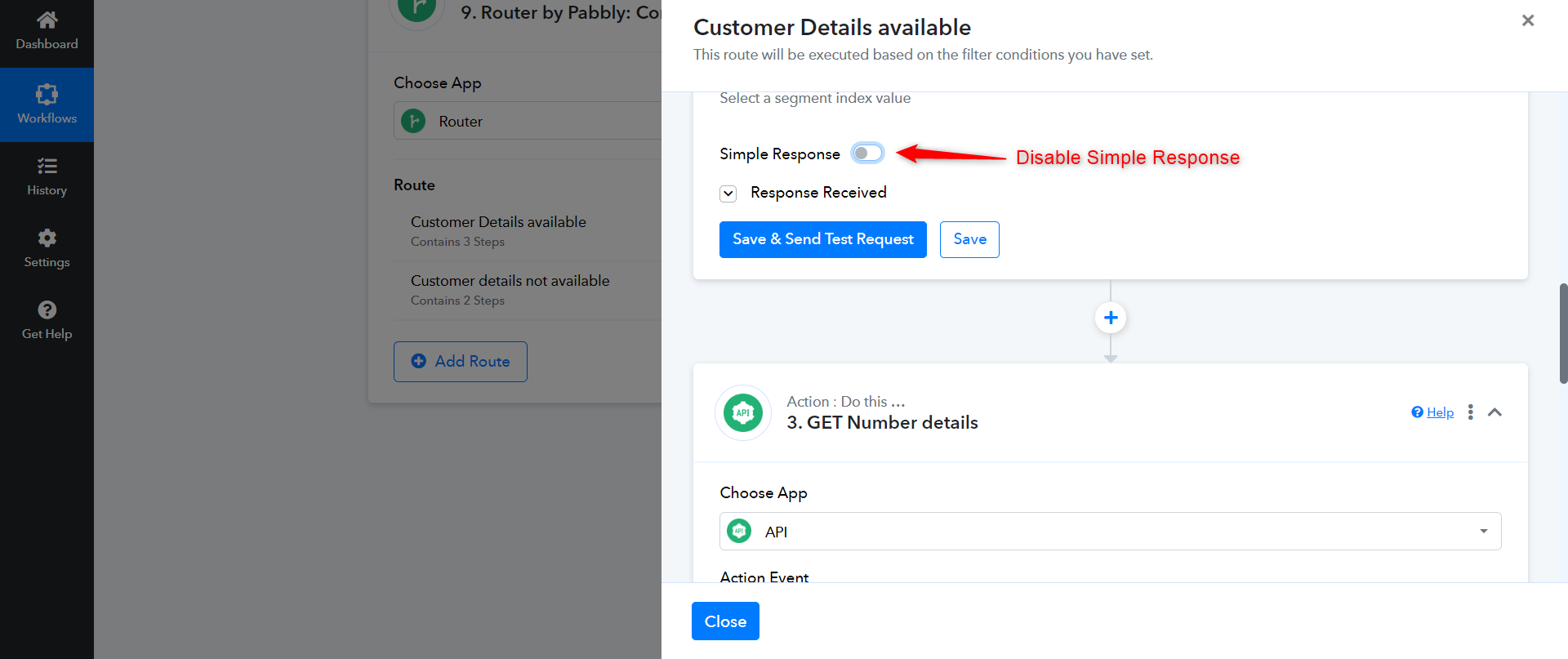
Please watch the video attached below to understand the concept of Iterator. Ignore the use case of the shared video.
Thanks