Trigger Times
Status: Closed · Asked by hello@turnerdigitalmarket on · 0 views
Hi I am new to Pabbly, just creating my first automation
New Customer - Quickbooks Online
To Google Sheet for client details
The Trigger is 8hrs!
How do I adjust this? I have clicked on the 8hrs but nothing happened, please tell me I am missing a setting, 8hrs isnt ideal.
Thanks
Hey @hello@turnerdigitalmarket !
Sure, we have reduced the time for you at 10mins-
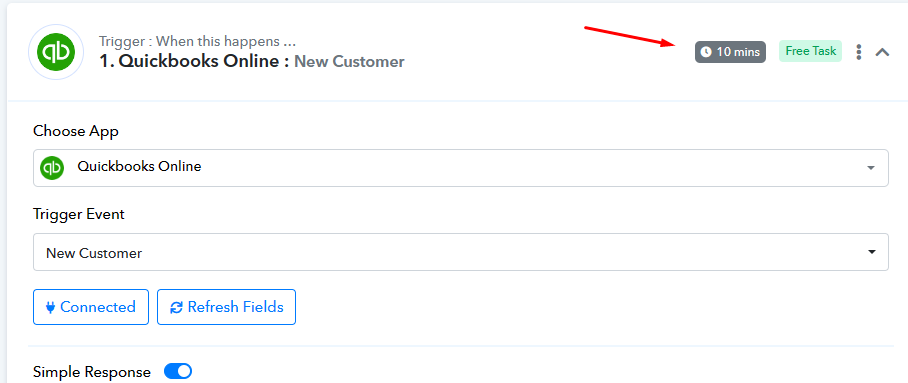
Further in some applications user would be required to provide us with the workflow URL in order to reduce the update time for them.
Hope, this works for you.
Thank you, is the default 8hrs? Do I need you to change it everytime?
Can it be less than 10 minutes? Zapier have an 2 minute turnaround, which is what I would expect from this flow. Much appreciated
I have tested this at 10mins and its not working. Can someone help Thanks
Could you take a moment to review the initial segment of the video lesson? It demonstrates a simple way to capture the response from QBO for new customer information using webhooks.