Trigger zoho crm workflows
Status: Closed · Asked by Ivan Ayala on · 0 views
I started using pabbly last week and I notice that when a lead is created in my zoho crm by pabbly it does not trigger any of my Workflows or Assignment Rules, is there an option to fix this?
I started using pabbly last week and I notice that when a lead is created in my zoho crm by pabbly it does not trigger any of my Workflows or Assignment Rules, is there an option to fix this?
Can you please share the workflow name?
Further, as we checked your account, we cannot find any workflow where you have been using the Zoho CRM as a trigger method.
Oh sorry I think I explained myself wrong.
The thing is, I have right now 4 workflows to push leads from Facebook to Zoho crm, I created workflows in Zoho crm to auto asign those leads on creation but it's not working right now, I had a chat with a Zoho support agent and I was told that your API is not triggering my workflows when the leads are created, that I have to talk with someone here to "fix" that issue.
Hey @Ivan Ayala
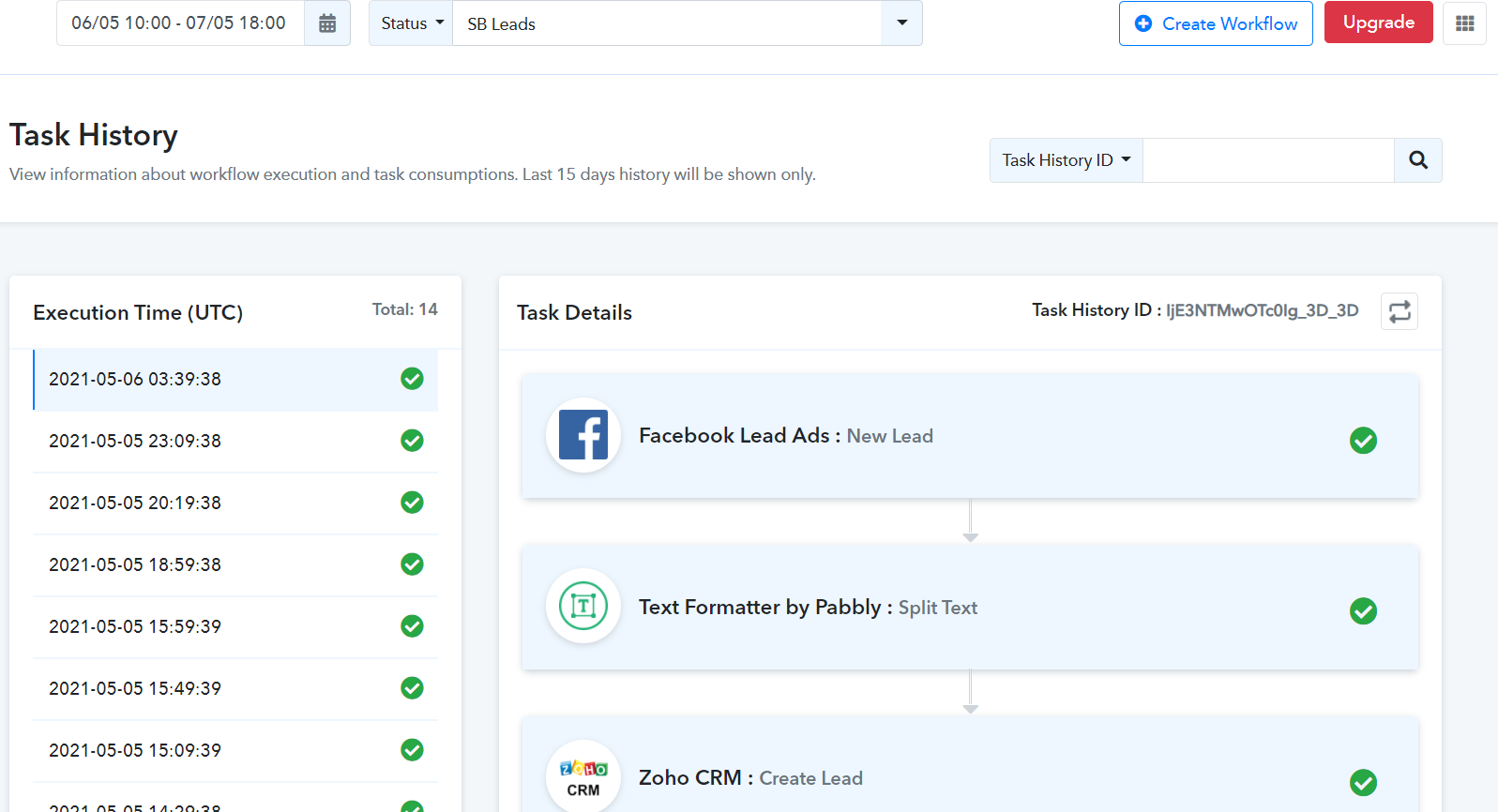
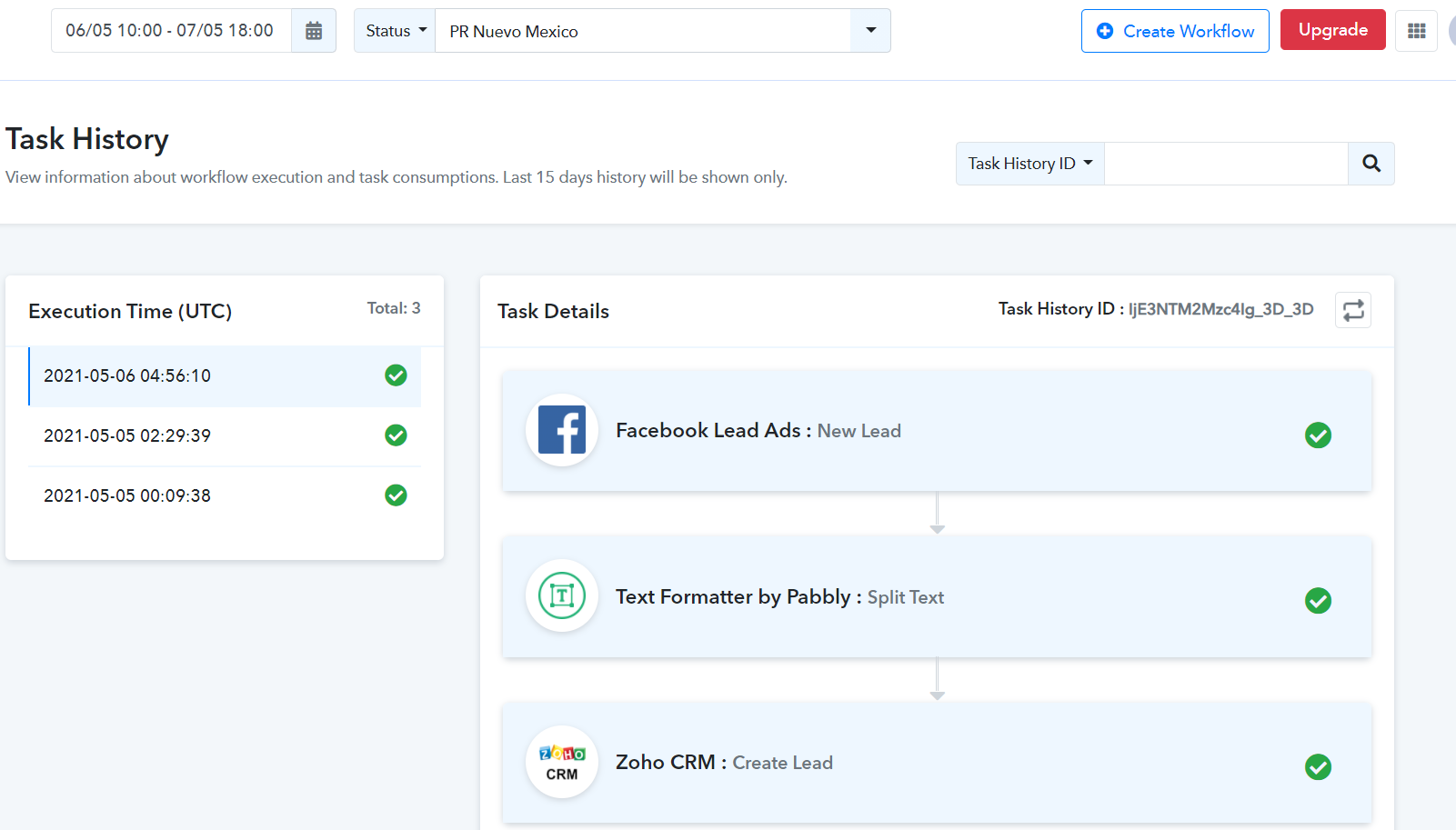
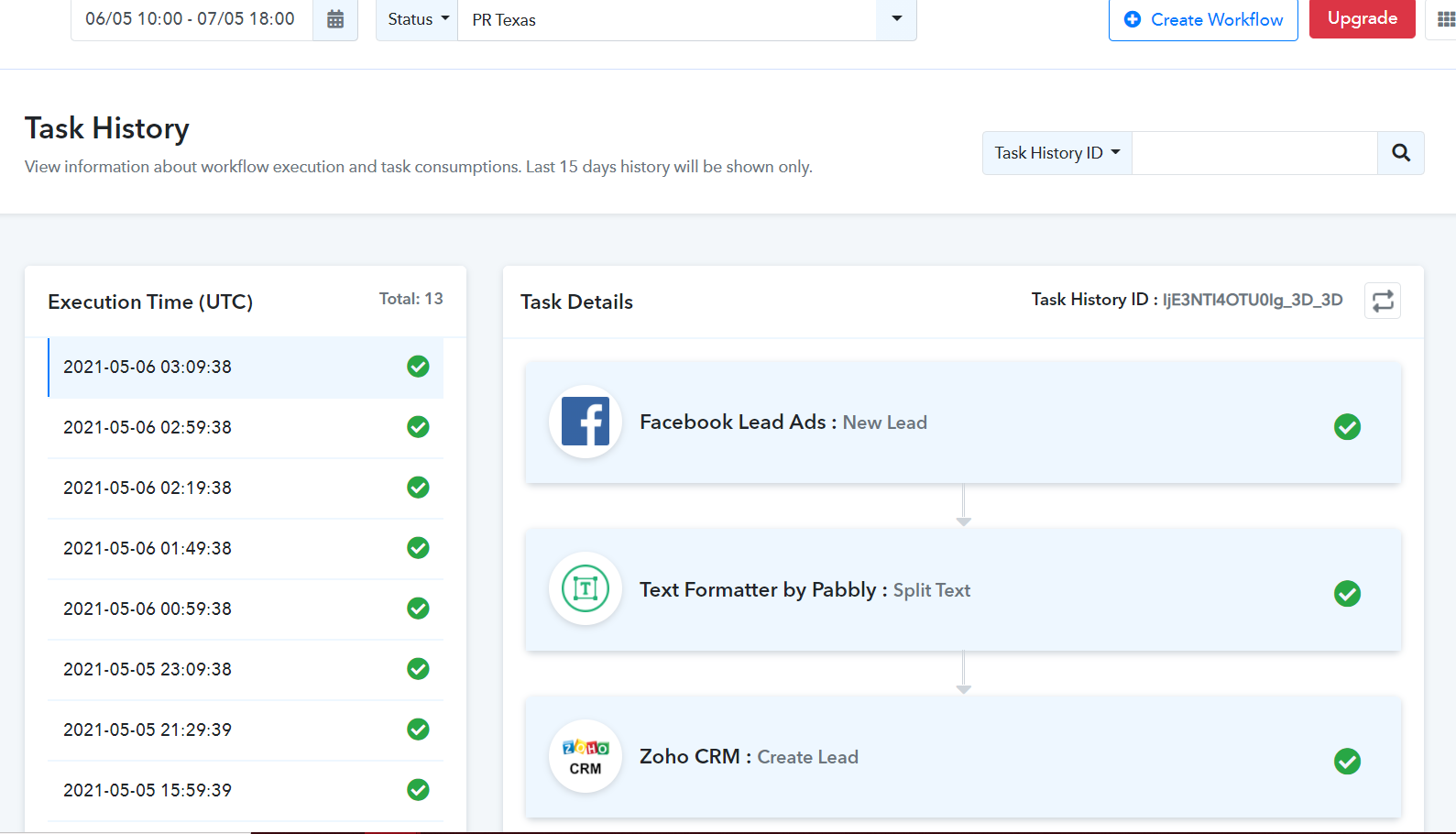
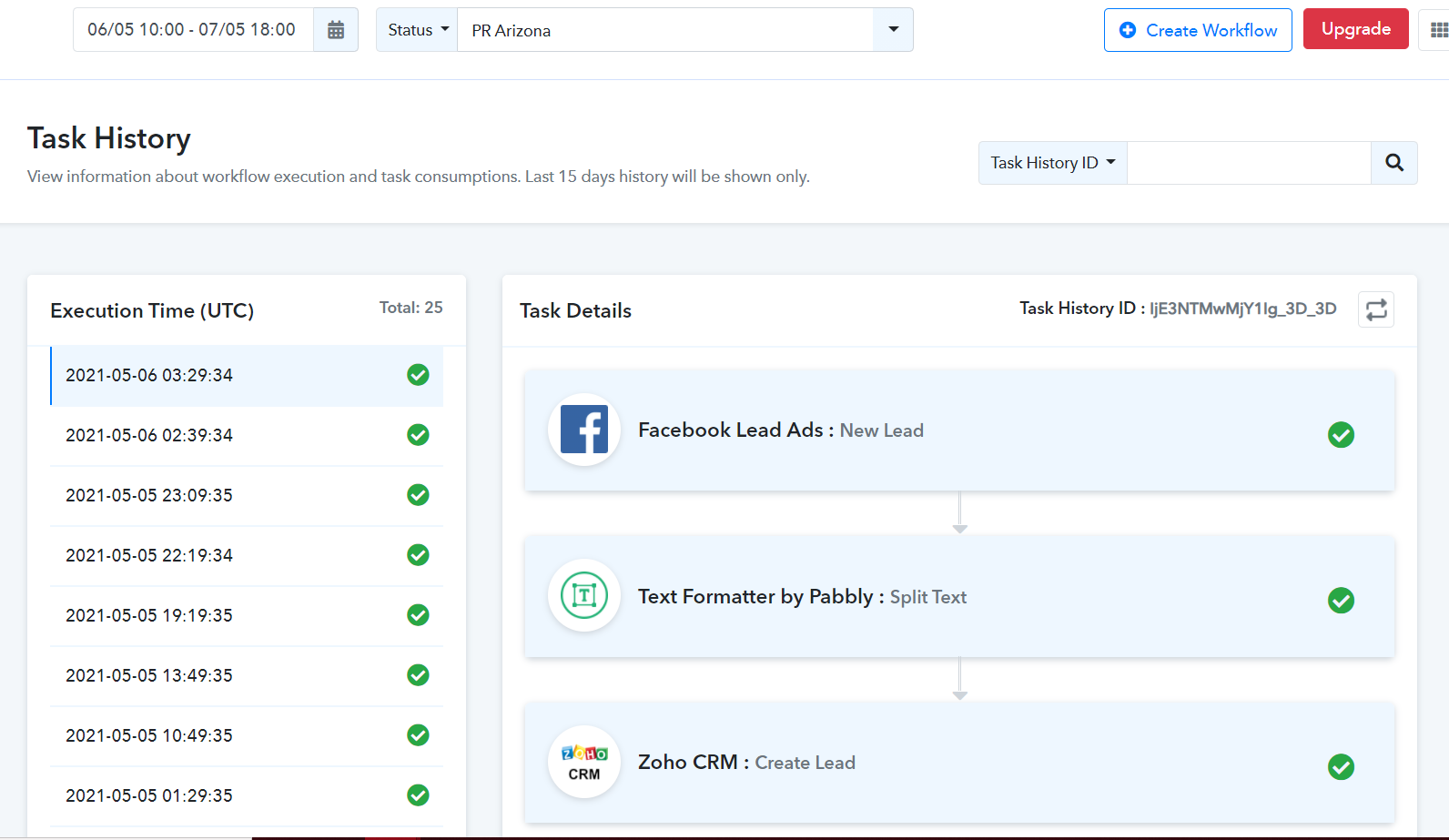
As we checked all 4 workflows and their history logs respectively, seems everything is working fine.
SB leads-
PR Nueovo Mexio-
PR Texas-
PR Arizona -
If you are still facing any other issue regarding your Pabbly Connect's workflow, please elaborate with a short video or with a screenshot.
That is the thing, My problem is the following:
1.- I created a workflow in Zoho crm called Assign PRA leads. This workflow says "Every time a lead is created with Lead source = PRA Facebook, assign that lead to user X on the crm"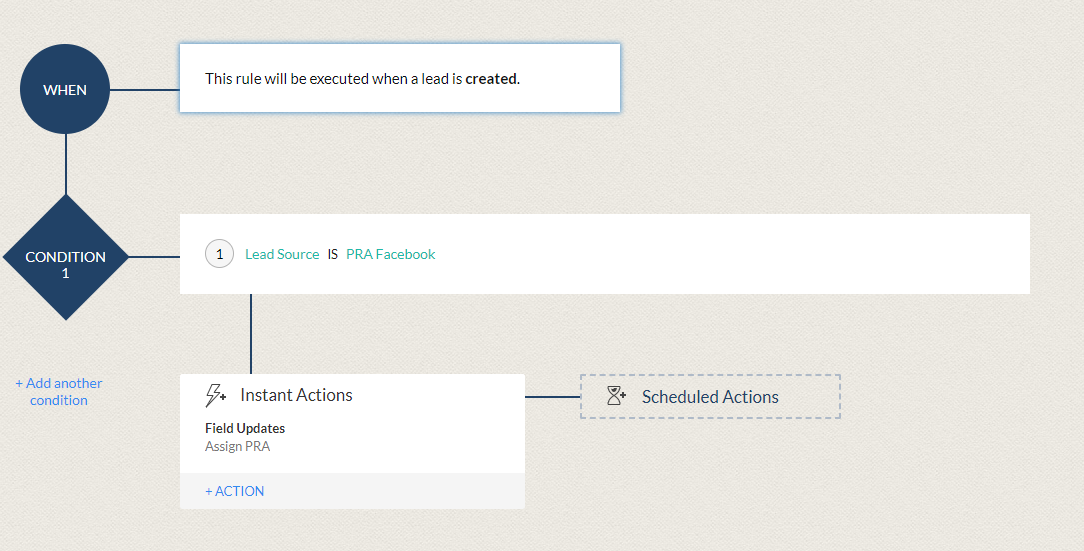
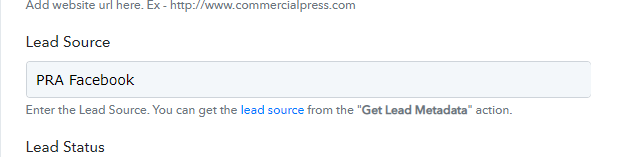
2.- PRA Facebook is the value that I gave to the Lead source field on my pabbly workflow. (This is the PR Arizona workflow)
3.- If I create a lead manually in Zoho crm with "Lead source = PRA Facebook" the Assign PRA leads workflow on Zoho works perfectly.
4.- Every time a lead is created by pabbly in Zoho crm with "Lead source = PRA Facebook" the Assign PRA leads workflow on Zoho does not work.
5.- Yes I know all the plabbly workflows are working fine because all the leads are created in time. That is pretty awesome.
6.- But when I asked Zoho why is my "Assign PRA leads workflow" not working when pabbly creates the leads, they told my this: "These third-party applications use API calls to send leads to ZOHO CRM. So they will have to use an API call to trigger the workflow rule from their end. For you to activate the workflow in CRM."
7.- That is why I am making this post. Thanks a lot for the help.
Hey @Ivan Ayala
We have checked the issue and tried the workflow in a similar manner at our end.
And it is working as the Lead source is being manually typed and the lead is created in our ZOHO CRM.
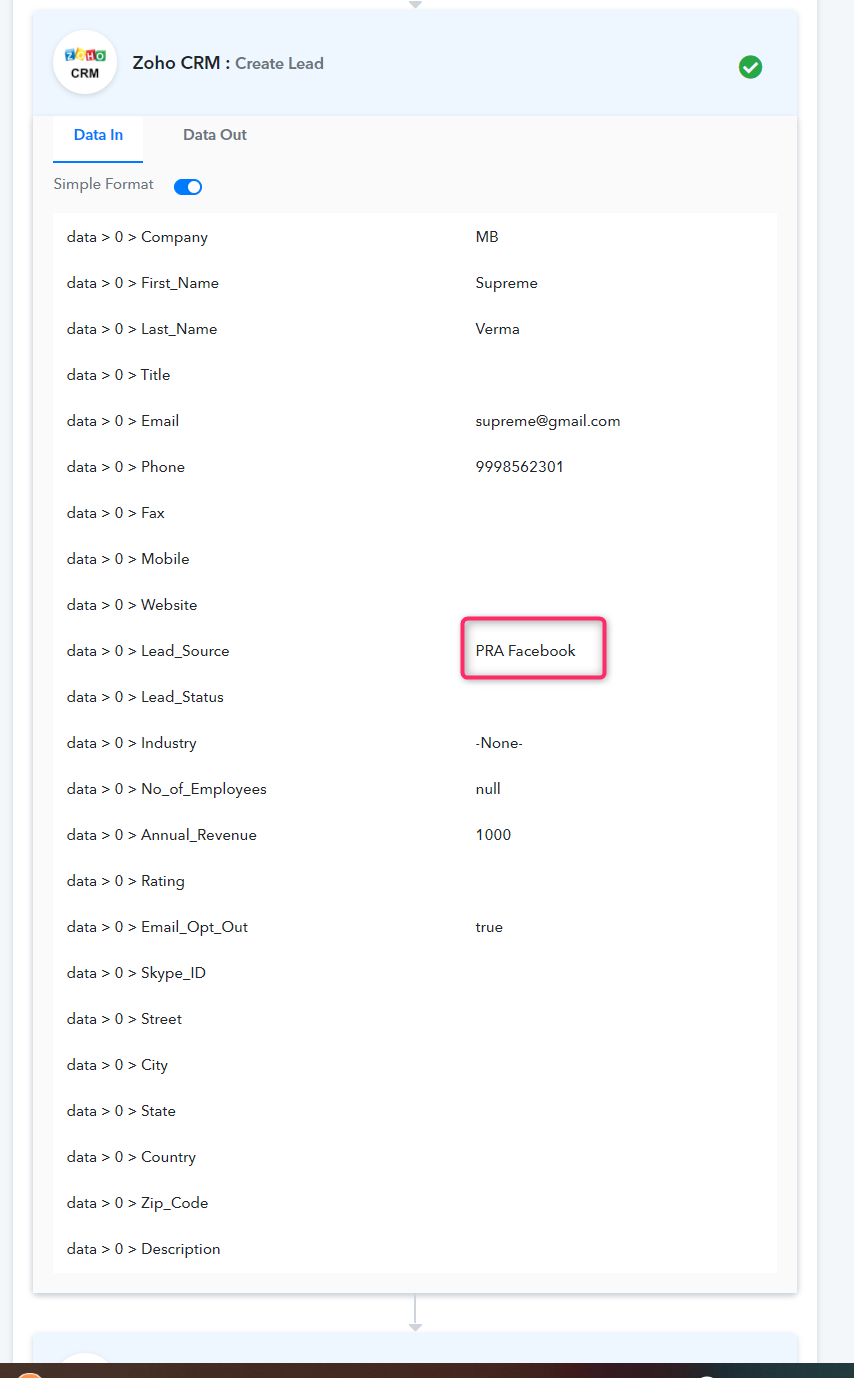
**Though in Data Out the Lead Source wouldn't be visible.
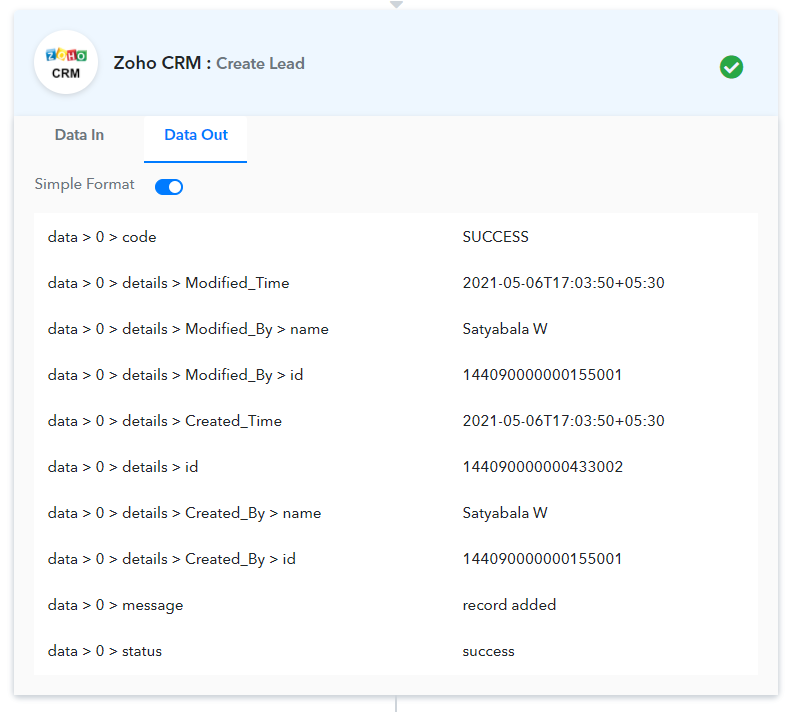
In our ZOHO CRM -
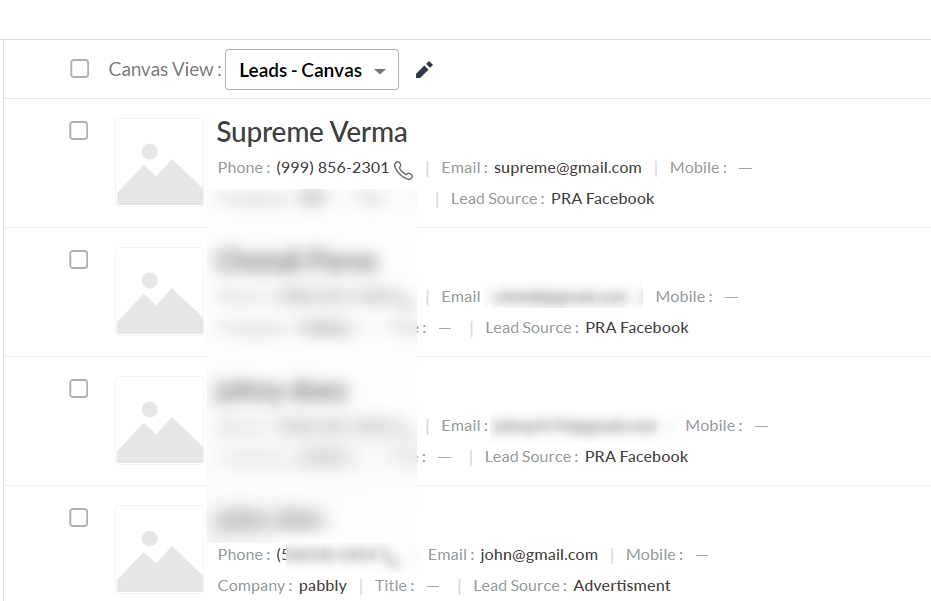
So the workflow seems fine and the leads are also generating, please check the leads in your CRM.
Please try again at your end.
But did you tried to make the auto assign on zoho crm after the lead is created with your pabbly workflow? Because, again, the problem is not about the leads not being created, is about the auto assign after the creation, all other leads that we create are being auto assigned on creation, just the ones coming from any of our 4 pabbly workflows are the ones not being auto assigned.
Here is a video explaining the problem.
Attachments
Now here is a video with a lead created from pabbly.
Attachments
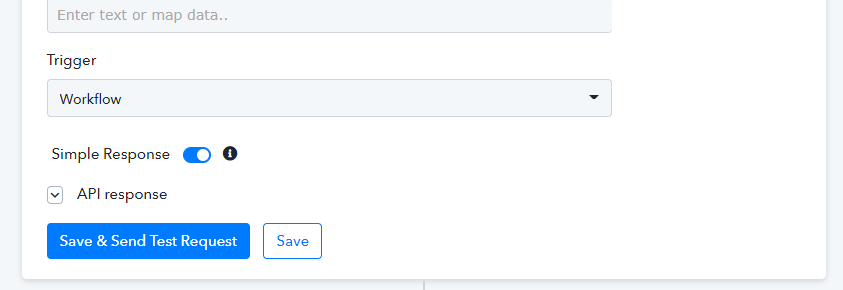
For the test on the videos I used the SB Leads workflow and I did a double check on the trigger part at the end to make sure it was set on workflow.
Thanks for the video. We will get back to you in a while.
Thanks.
Here is a video explaining the problem.
Hey @Ivan Ayala
Looks like the API of Zoho CRM is not working correctly. Please contact the Zoho CRM team and send this video "Example 1" to them. Di inform them that the lead owner is getting changed automatically while saving it.
Meanwhile, we have also contacted them regarding the same since their API is also responding in a similar manner. Rather than updating the actual lead owner, it's assigning the default lead owner.
Thanks, I'll let you know as soon as Zoho replies to me.
Hi again, unfortunately Zoho is telling me that you guys have to contact them in order to fix this issue, since this is a problem between the APIs, so I don't know how mucho that will take?
Hey @Ivan Ayala
We have contacted the Zoho Team regarding your issue. They asked us to ask the customer to record the timeline as per the below screenshot and let us know how the owner was updated (Detailed short video).
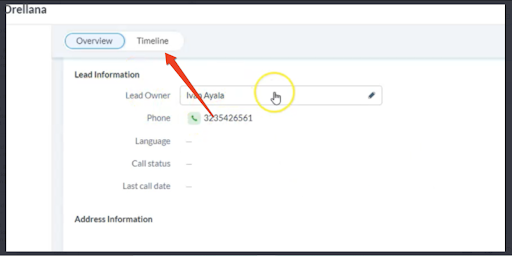
Kindly send us a short video for the same so that we forward it to the Zoho CRM team.
No problem, here is the video creating a manual lead.
Attachments
and here is a video with a lead created by pabbly.
And here is the history id of the pabbly workflow so you guys can check that the "Trigger workflow" option was turned on.
IjE3ODY0MzYxIg_3D_3D
Attachments
Hey @Ivan Ayala
Thanks for the video. We have forwarded this to the ZOHO CRM team and will update you accordingly.
Hi, how do I trigger from a Zoho CRM event - I dont seem to be able to see it on the trigger list .. only action..
Hi, how do I trigger from a Zoho CRM event - I dont seem to be able to see it on the trigger list .. only action..
As of now, we don't have trigger events for Zoho CRM.
If you want to request for updating any existing integrations with triggers or action, please send us the request here and upvote it - https://pabbly.hellonext.co/b/Update-Existing-Application
and here is a video with a lead created by pabbly.And here is the history id of the pabbly workflow so you guys can check that the "Trigger workflow" option was turned on.
IjE3ODY0MzYxIg_3D_3D
@Ivan Ayala
Please try now. We have made some changes as suggested by the Zoho CRM team.
Let us know how it goes.
Thanks, I'll let run for today to see what happens.
As of now, we don't have trigger events for Zoho CRM.If you want to request for updating any existing integrations with triggers or action, please send us the request here and upvote it - https://pabbly.hellonext.co/b/Update-Existing-Application
Why do you not have a two way integration? Can I trigger from ZohoCRM via webhooks or some other means in the meanwhile? When will this feature be added?
Hey @jigarcshah
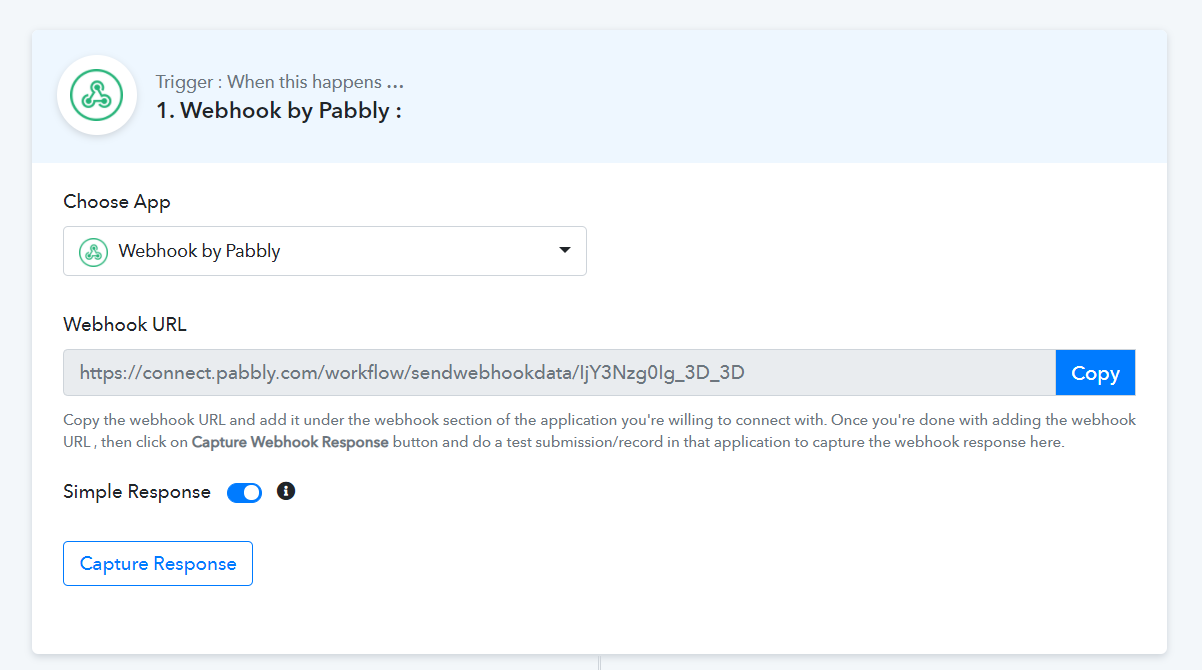
Currently, we don't have a trigger of ZOHO CRM, but if they support integration with webhooks, you can integrate with them using "Webhook by Pabbly" as shown below -
ZOHO CRM's documentation on webhook -https://help.zoho.com/portal/en/kb/crm/automate-business-processes/actions/articles/webhooks-workflow#Set_Up_Webhooks
Hey @jigarcshahCurrently, we don't have a trigger of ZOHO CRM, but if they support integration with webhooks, you can integrate with them using "Webhook by Pabbly" as shown below -
ZOHO CRM's documentation on webhook -https://help.zoho.com/portal/en/kb/crm/automate-business-processes/actions/articles/webhooks-workflow#Set_Up_Web
is there a video on how to set thi sup? i dont understand
Also on the Flowlu Side - you only have options to create a record? but not to be able to change the value if the value changes in ZOHO?
Hey @jigarcshah
is there a video on how to set thi sup? i dont understand
Yes, you can use Webhook as a trigger for ZOHO by following steps -
1) Pick Webhook by Pabbly as a trigger.
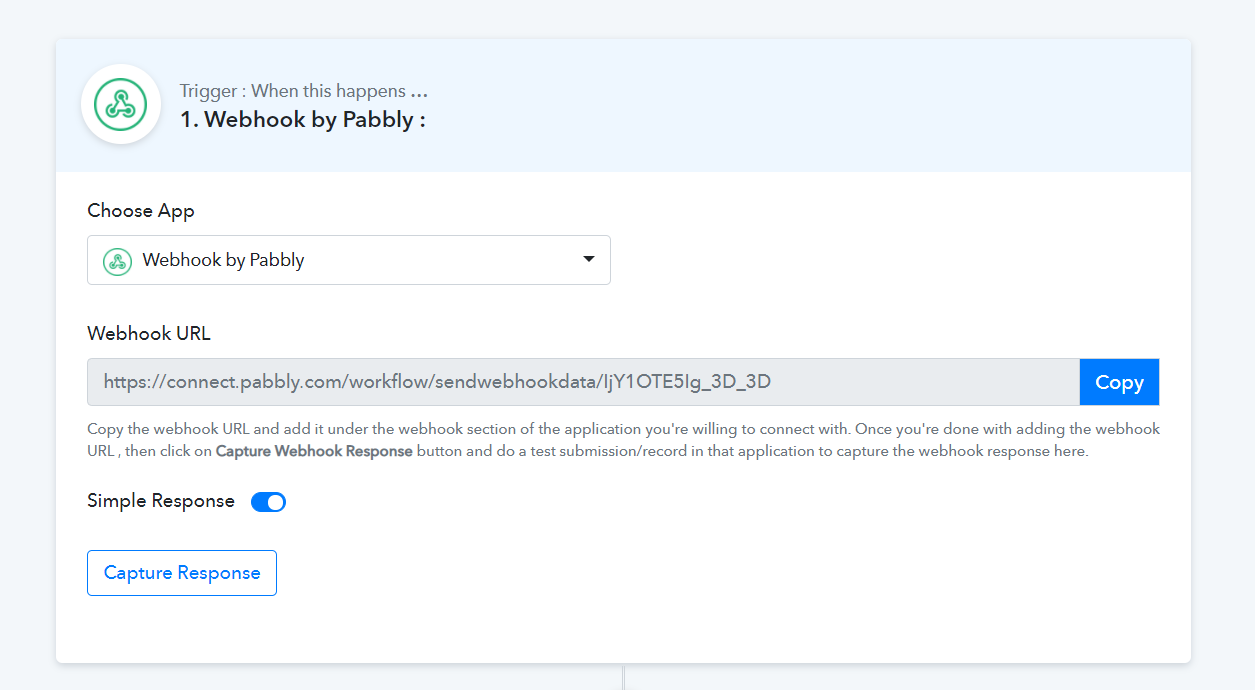
2) Then copy the Webhook URL and paste it inside the ZOHO CRM.
To create a webhook in ZOHO - https://www.zoho.com/developer/help/extensions/automation/webhooks.html#Set_Up_Webhooks
1. Log in to the Zoho Developer Console and click Extensions for Zoho CRM.
2. Select the extension you'd like to modify and click Edit.
3. Click Automate in the left pane of the Extension Details page and click Workflow.
4. Click the Webhooks tab at the top of the page and click Configure Webhook.
5. In the Configure Webhook page, specify all necessary parameters.
6. Click Save.
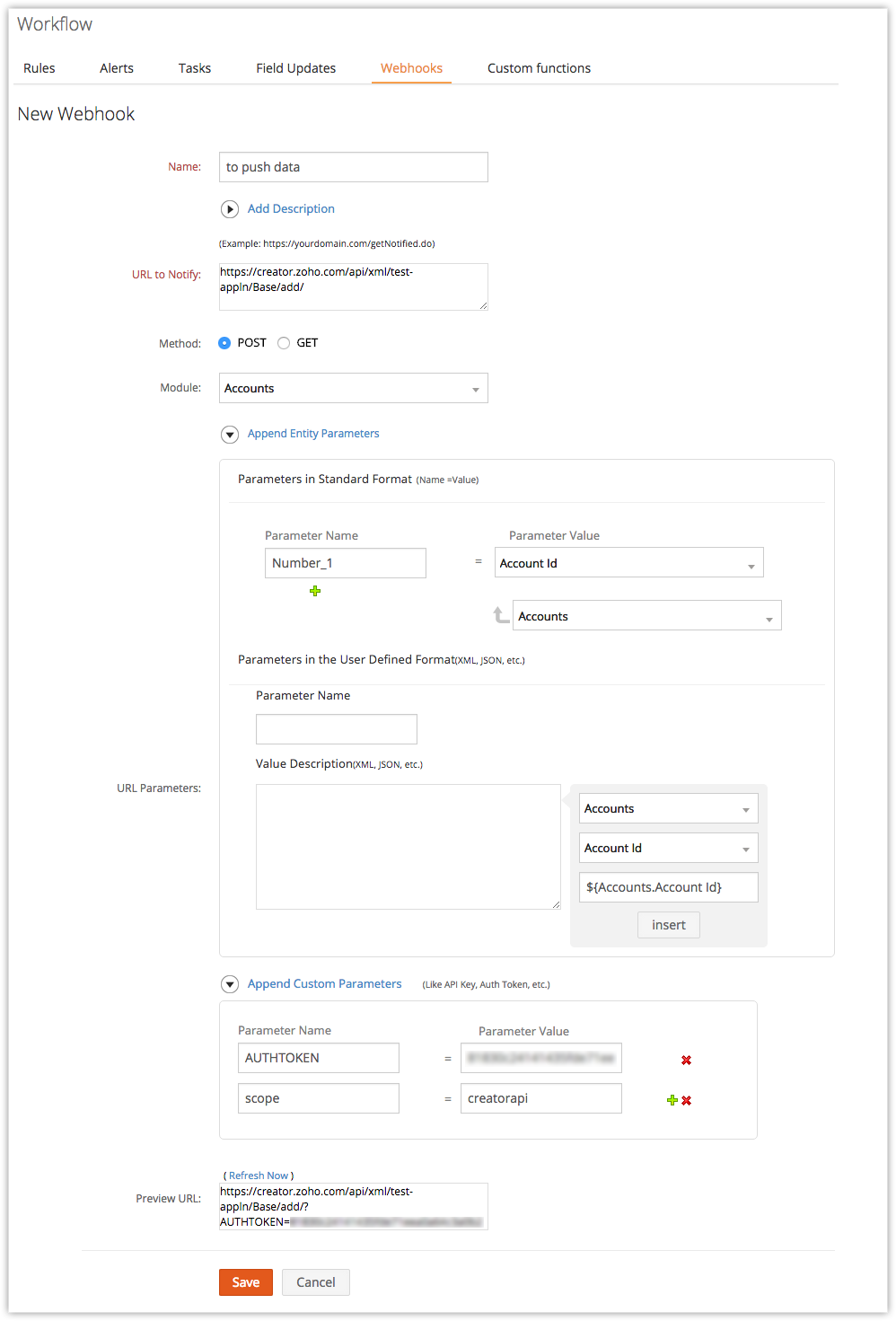
3) After setting up the Webhook, click on capture Webhook Response and then send the data from ZOHO CRM.
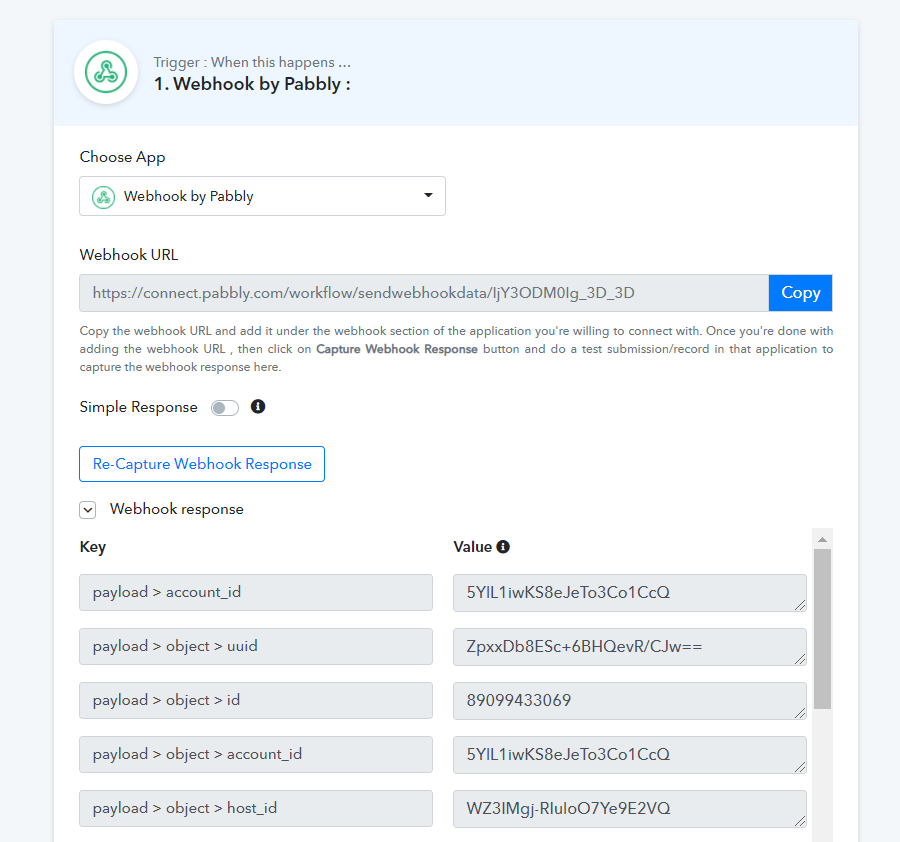
- Later you can see in the API Response you have captured the data from ZOHO CRM, which you can map further.
Also on the Flowlu Side - you only have options to create a record? but not to be able to change the value if the value changes in ZOHO?
Can you please confirm the option " Create a Record " means Create Contact?
Also, our team is checking the possibility to update the contact in ZOHO as you want to change the values.
Hi, did you guys managed to solve something with zoho? In the end the issue was not resolved by may 16th so I stopped using plabby for the moment.
Hi, update please?
Also on the Flowlu Side - you only have options to create a record? but not to be able to change the value if the value changes in ZOHO?
Hey @Ivan Ayala
@Ivan AyalaPlease try now. We have made some changes as suggested by the Zoho CRM team.
Let us know how it goes.
Please confirm that you have tried the above workaround which we have mentioned before.
Hey @jigarcshah
Could you please create a separate thread regarding your concern, so that we can assist you accordingly?
Here's the link to create a thread - https://forum.pabbly.com/forums/private-discussions.27/