Trouble getting Google Sheets to Trigger. Auto Send on Schedule checked
Status: Closed · Asked by reyam on · 0 views
I have been trying to get GSheets to trigger on new row added via outside source, but can't figure out why it's not working. I've read a lot of other threads with the same issue and *think* I've tried/checked all the suggestions - I've made sure that both "Send on Even" and "Auto Send on Schedule" are checked, as you can see here: https://share.getcloudapp.com/04u6xE25
I've waited the hour (and then some), but still no trigger. What other tweaks can I try to get this to work consistently? I'm almost out of my free tasks and would really like to know that this will work for me before moving to the paid plan.
Thanks.
Hey @reyam
In this case, please ensure that you have entered the correct column in the trigger column as it should be the last filled column of the sheet.
For example, if you have 3 columns A, B & C, then you have to enter the C in the trigger column to trigger the workflow.
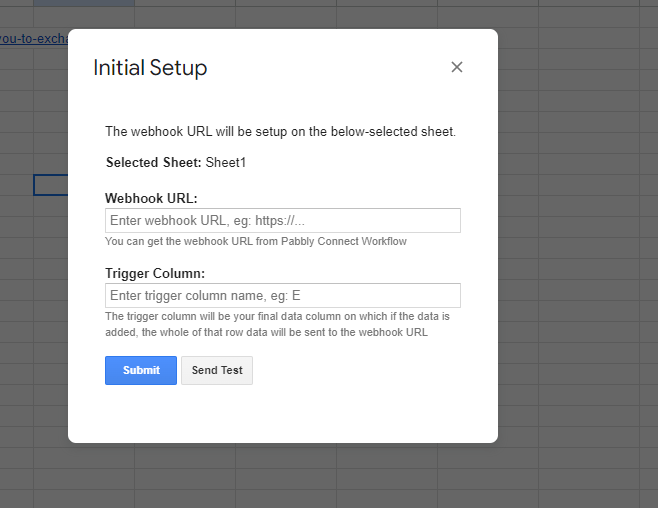
Also please try to run your workflow once in incognito mode of your browser.
Please let me know if you are still facing the same issue.
I had those things set up properly, so not sure what was going on, but it all seems to be working now, so it's all good! Thank you for your time. :)
Thank you for confirming.