Trouble in connecting MySQL with Pabbly Connect
Status: Closed · Asked by Kaustubhdixit on · 0 views
Hi,
I'm facing trouble in making connection in MySQL trigger with the available credentials.
Ive 2 things to ask -
- Is Database username and MySQL username the same (client has provided me MySql u/name) ?
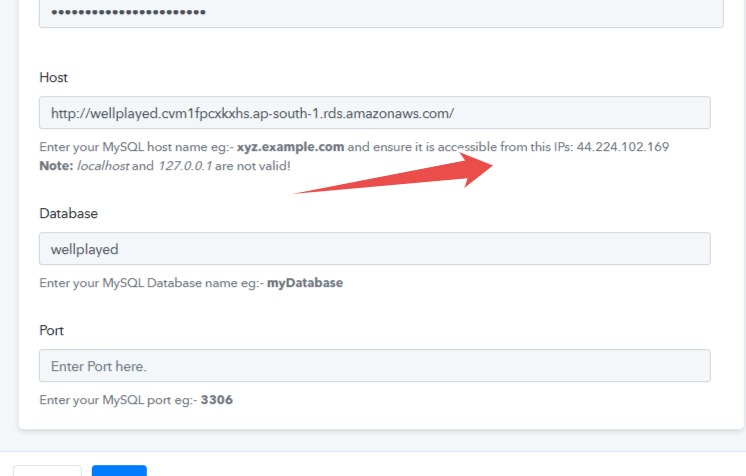
- What does accessible IP address (as written in help text) mean ? How do I do it ?
I am stuck in this step itself. Is there something which i am missing ?
Need guidance pls
Attachments
Hey @Kaustubhdixit
1. You must provide a MySql Database username and password in the field.
2. You must check if your host is accessible from the IP address mentioned in the help text. Kindly enter the hostname correctly to ensure you get a proper connection.
Hello
Iam still not being able to connect to MySql - as per your instructions above.
I downloaded Workbench , but not able to understand how to get started.
The app developer is saying all available & required credentials have already been provided to me.
When i am trying to connect Mysql with Pabbly .....error window is showing .... Invalid credentials or host or database or port
Can you please help in this ?
Hey @Kaustubhdixit
Can you please confirm that you have passed the port number correctly as mentioned in the help text on the connection page?
Also, please refer to the following video tutorial on how you can connect the MYSQL action step.
youtube.com/watch?v=FN5jANT28HU
If the issue still persists then kindly capture a short video on how you are connecting your MYSQL.