Tucalendi to Infinity - group events
Status: Closed · Asked by farraday1 on · 0 views
Hi,
I am trying to create a new item (Attendee name and information) in Infinity when a new booking in Tucalendi is made.
This works great for a new single booking and for the first of a group.
For group events the second attendee is not creating a booking but the group booking is modified. It took me a while to find out why the "Booking Created" webhook didn`t trigger anything.
With the "Booking Modified" webhook Pabbly does capture that data. But every "Booking Modified" capture contains all attendees like so:
Attendees Data 0 All Form Data Form First Name (First booking)
Attendees Data 1 All Form Data Form First Name
Attendees Data 2 All Form Data Form First Name
Attendees Data 3 All Form Data Form First Name (latest attendee)
++
What I am trying to do is to get the latest attendee and add him to my Infinity database. But I can´t map it as the number changes with every new person.
I tried different filters but it wasn´t successful.
Another way to achieve this could also be to delete all attendees and re-add them (+1). But this sound even more complicated.
How can I solve this?
Here`s one extra question concerning Infinity: it it possible to create labels from data going trough pabbly?
Thanks in advance!
Timo
Hey @farraday1
With the "Booking Modified" webhook Pabbly does capture that data. But every "Booking Modified" capture contains all attendees like so:Attendees Data 0 All Form Data Form First Name (First booking)
Attendees Data 1 All Form Data Form First Name
Attendees Data 2 All Form Data Form First Name
Attendees Data 3 All Form Data Form First Name (latest attendee)
Regarding your concern, you can use the Iterator action step which will process all your attendees one by one from your Tucalendli trigger response.
Please refer to the following video tutorial for you better understanding of the Iterator action step.
Hi Supreme,
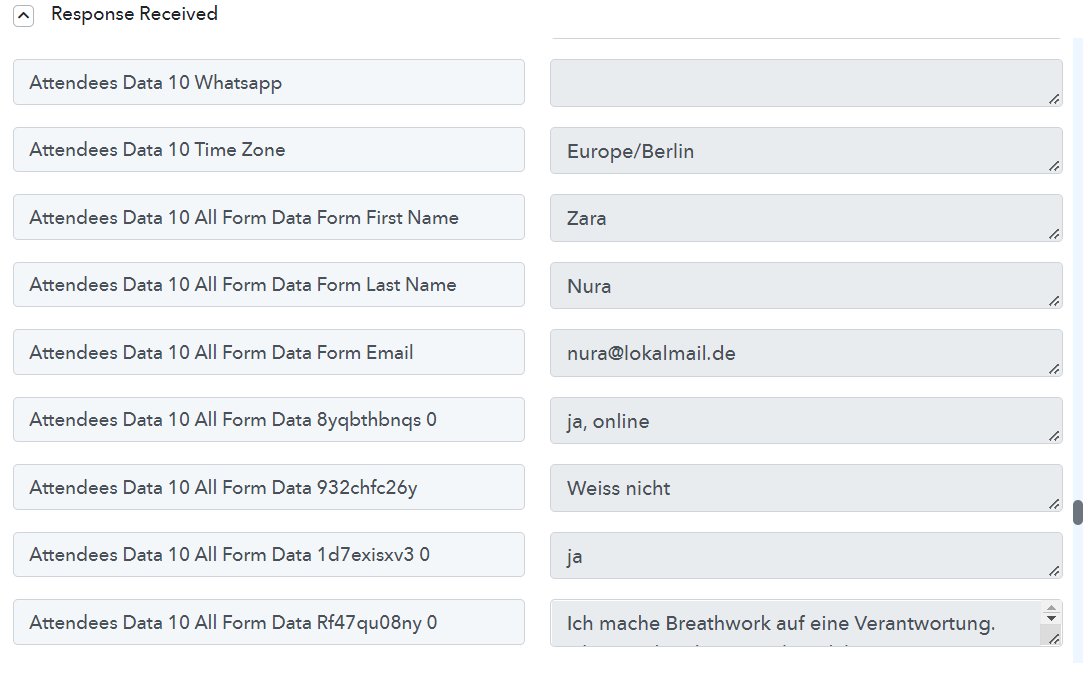
thanks a lot, this was very helpful. Unfortunatelly there's no array I can choose in the iterator. The list is blank.
It is connected to Tucalendi with a webhook response received.
It is not a jason result.
Thanks, Timo
Attachments
Hey @farraday1
If you capture the webhook response in advance response then perhapsTucalendi will send the data in JSON array format.
Kindly try "Re-Capture Webhook Response " in advance response by toggling the "Simple Response Button" and then pass the JSON in the Iterator
Please refer to the following video tutorial for you better understanding of the Iterator action step.
Hi Supreme,
thank you, that worked for the iterator. I will try and see if the collected data is assigned correctly.
Here`s one extra question concerning Infinity: it it possible to create labels from data going trough pabbly?
Thanks
Timo
Hey @farraday1
Here`s one extra question concerning Infinity: it it possible to create labels from data going trough pabbly?
Could you please show the reference on how you want to process the Label with the help of a screenshot? So that we can look into it and can assist you accordingly.
Hey Supreme,
I will try with another workflow...
In this case I am trying to use my extracted hashtags for labels in Infinity.
This array format (picture 2) is the only one so far that hasn't thrown out an "format error". But the label field stays empty.
I´ve tried mapping a word directly (without array format) but I always get an error saying it`s the wrong format.
I´ve also tried mapping an image URL to be an attachement in Infinity - same problem (see picture "pabbly-attachment-infinity")
I've only achieved to fill date and normal text fields.
See my goal in picture 3.
Attachments



Hey @farraday1
In this case I am trying to use my extracted hashtags for labels in Infinity.This array format (picture 2) is the only one so far that hasn't thrown out an "format error". But the label field stays empty.
I´ve tried mapping a word directly (without array format) but I always get an error saying it`s the wrong format.
Currently, the label attribute is not allowed to action events, as a workaround you can use the text attribute in infinity table columns.
Ok, thank you!
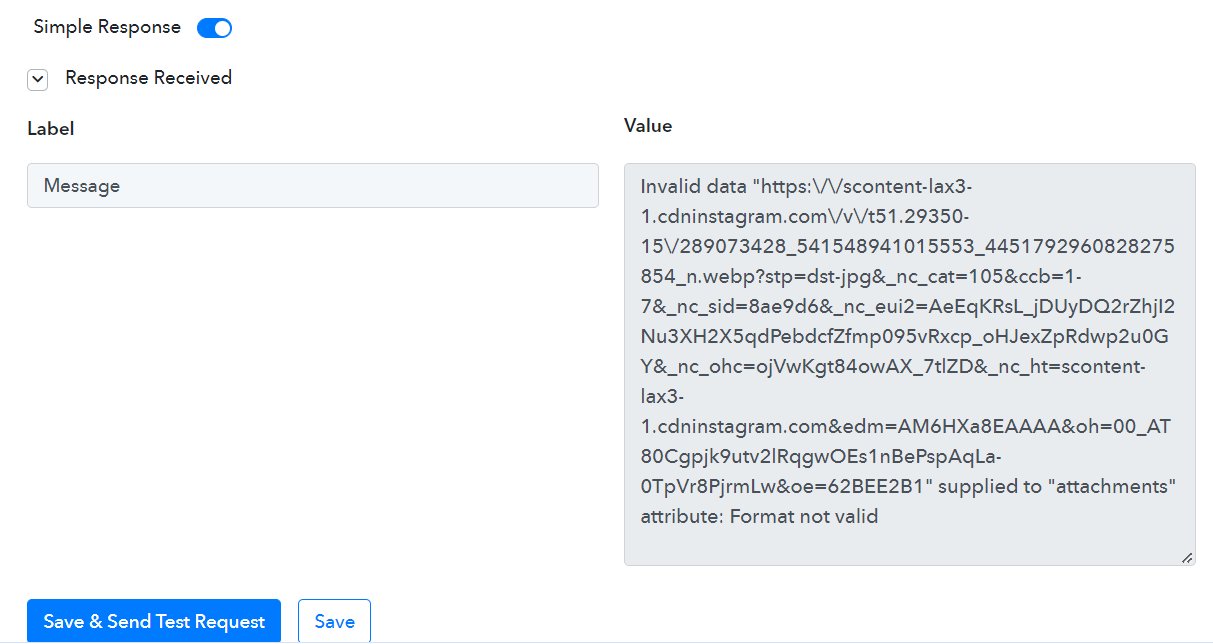
What would be the right format for a Link or Attachment? I always get this error:
Invalid data "https:\/\/scontent-lax3-1.cdninstagram.com\/v\/t51.29350-15\/289073428_541548941015553_4451792960828275854_n.webp?stp=dst-jpg&_nc_cat=105&ccb=1-7&_nc_sid=8ae9d6&_nc_eui2=AeEqKRsL_jDUyDQ2rZhjI2Nu3XH2X5qdPebdcfZfmp095vRxcp_oHJexZpRdwp2u0GY&_nc_ohc=ojVwKgt84owAX_7tlZD&_nc_ht=scontent-lax3-1.cdninstagram.com&edm=AM6HXa8EAAAA&oh=00_AT80Cgpjk9utv2lRqgwOEs1nBePspAqLa-0TpVr8PjrmLw&oe=62BEE2B1" supplied to "attachments" attribute: Format not valid
I am using text as a workaround here aswell.
Hey @farraday1
We are currently looking into it, so kindly allow us some time. We will get back to you with an update soon.
Hey @farraday1
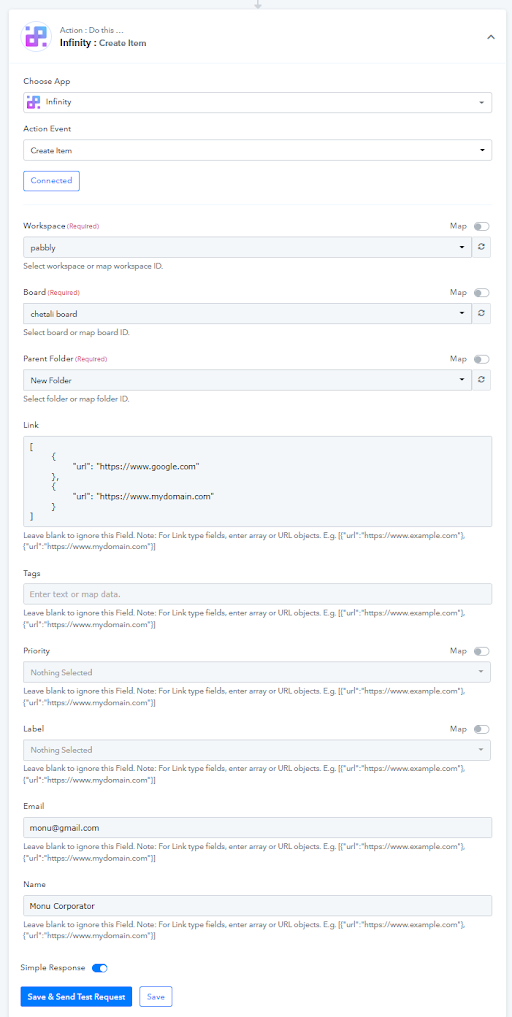
Please check out the following screenshot on how you can pass the URL in the Infinity action step.
Kindly try this at your end and let us know if that helps you out.