Twilio Appointment Reminder Change the Date/Time Format
Status: Closed · Asked by MikeC on · 0 views
I am able to successfully get the appt reminders, but not in the format like July 18, 2022 3:30pm.
Twilio just takes the Google Cal StartDateTime- is there a way to use the Pabbly DateTime Formatter inside of Twilio?
Hey @MikeC
Twilio just takes the Google Cal StartDateTime- is there a way to use the Pabbly DateTime Formatter inside of Twilio?
You can use the Date TIme formatter action step in your workflow to change the date format whcih you can pass further in the Twillio action step.
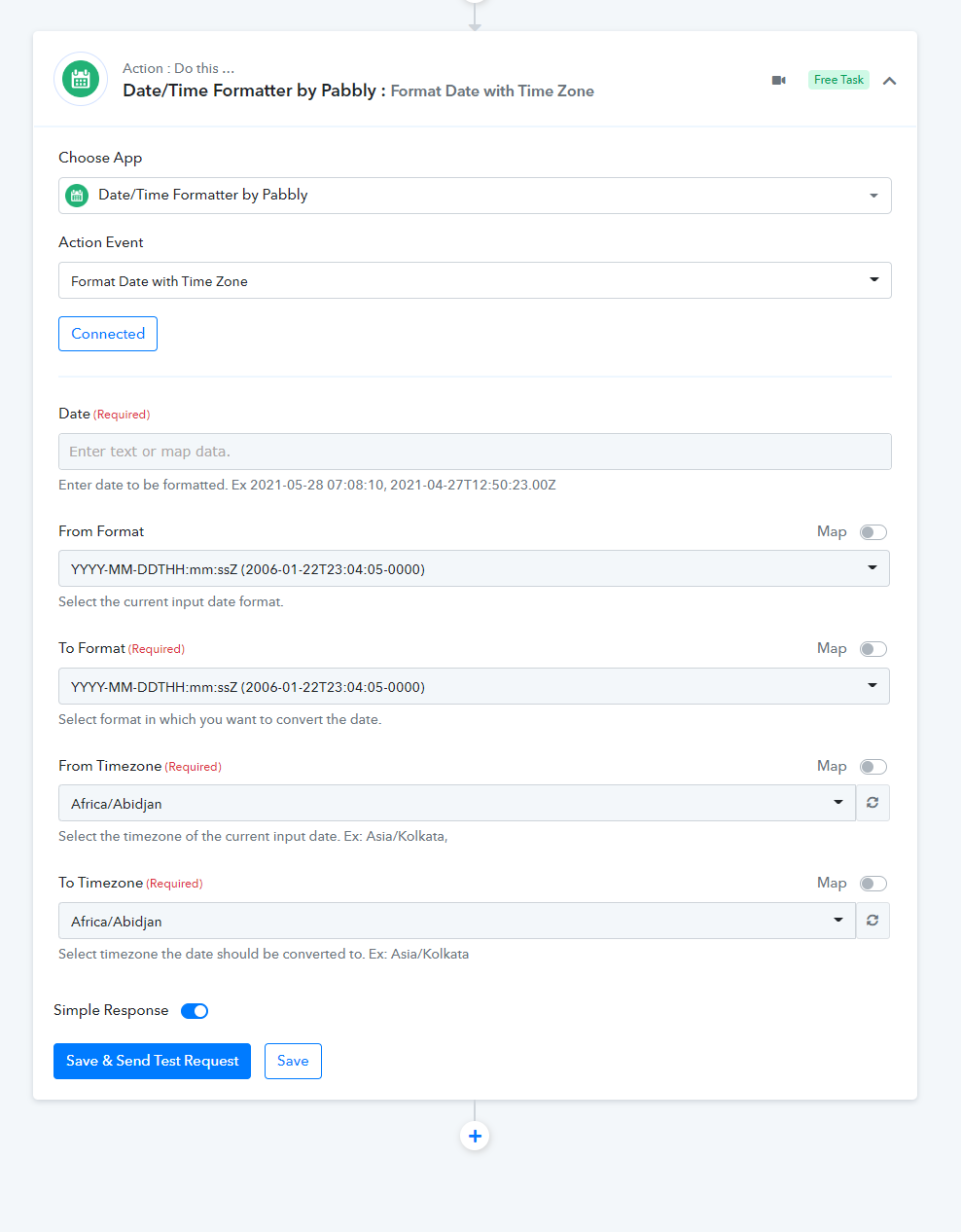
I am able to get this format now:
07/18/2022 12:26:11 PM
Is it possible to get this format: (removing the seconds)?
07/18/2022 12:26 PM
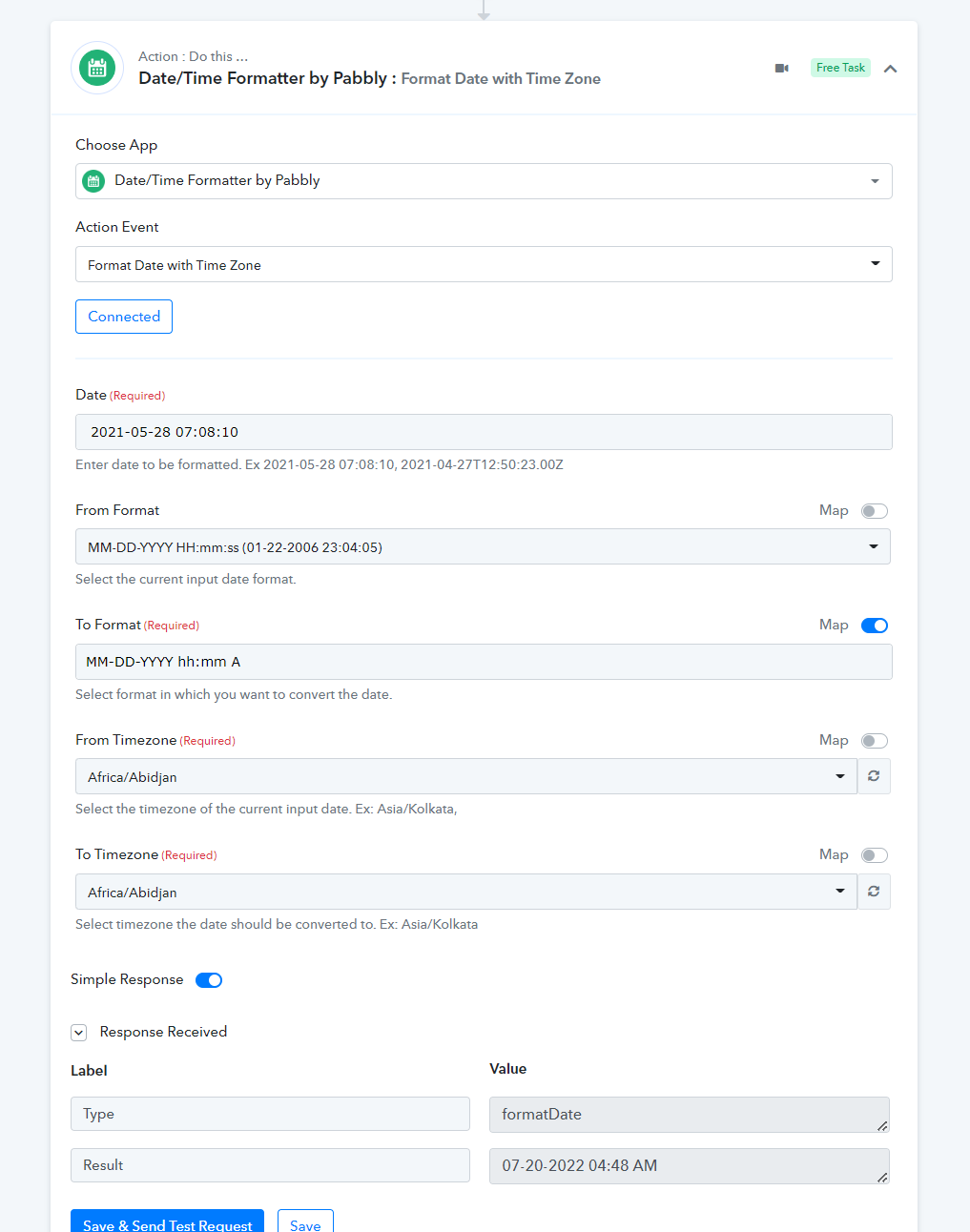
This would be MM-DD-YYYY hh:mm A
I don't see that option, is there a way to strip out the seconds?
Hey @MikeC
You can override the To Format field by toggling the map button. Please check out the following screenshot for your better understanding.
Hi,
On the workflow called Flawless Hair Stylist Trial Reminder
I am still getting this format:
Fri, Jul 22 03:11:05 +00:00 2022
So two problems:
1) The "To Format" is not working - it should be 07/22/2022 at 3:50 PM
2) It looks like the Step 4 - Subtract 1 Day might not be working right. The text is coming 24 hours before (that is good), but it is putting the current date/time in the body of the text, instead of 24 hours from the time the text goes out.
Thanks, Mike
Attachments
Hey @MikeC
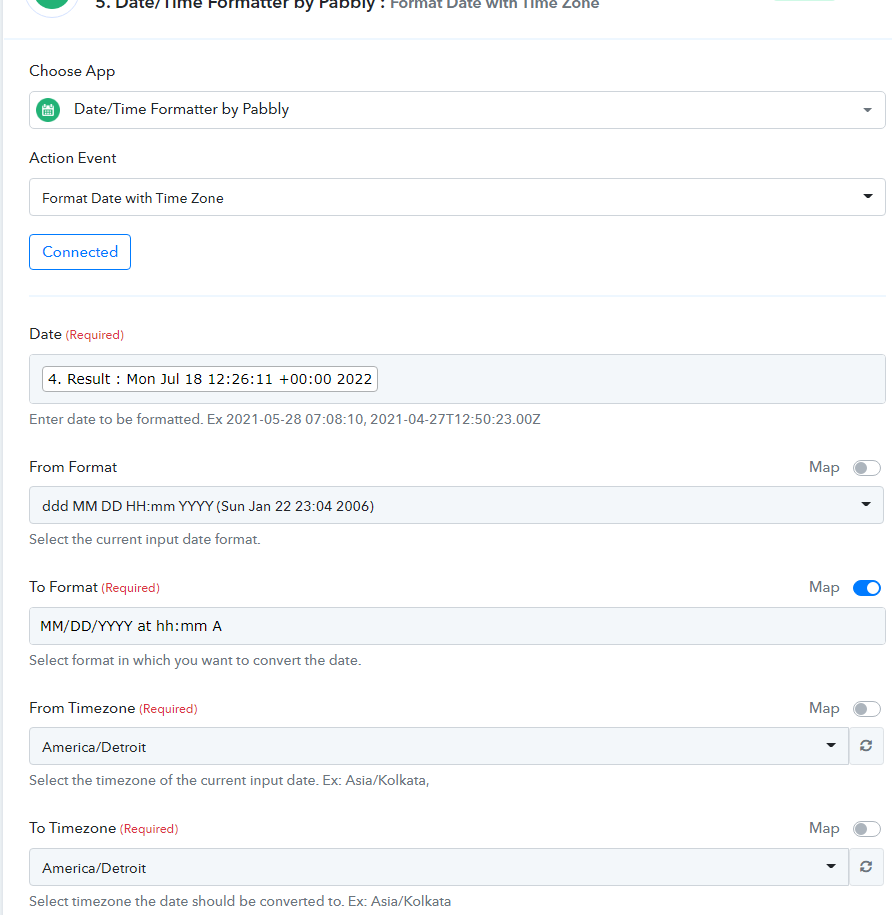
As we can see from the screenshot, it seems like the Date and the Date Format which you are using don't match.
Kindly pass the correct From Format to convert the time.
Format - ddd MM DD HH:mm:ss Z YYYY
