Twitter User is over daily status update limit.
Status: Closed · Asked by jalmj on · 0 views
Hello, I'm having this issue in twitter: User is over daily status update limit.
I only publish one a day, so must be some problem here.
Hey @jalmj
The error "User has exceeded daily status update limit" usually indicates that you have exceeded Twitter's daily limit of tweets. To prevent spam and abuse of the platform, Twitter has set a limit on the number of tweets a user can post in a 24-hour period.
If you receive this error message, you must wait until the following day to post more tweets. You could also try to reduce the frequency of your tweets to stay within Twitter's limit.
It's also worth noting that Twitter's daily tweet limit isn't publicly disclosed and can vary depending on a variety of factors such as the age and activity of your account, the quality of your tweets, and other factors.
So, as a solution, kindly try using the Delay action step before the Twitter step.
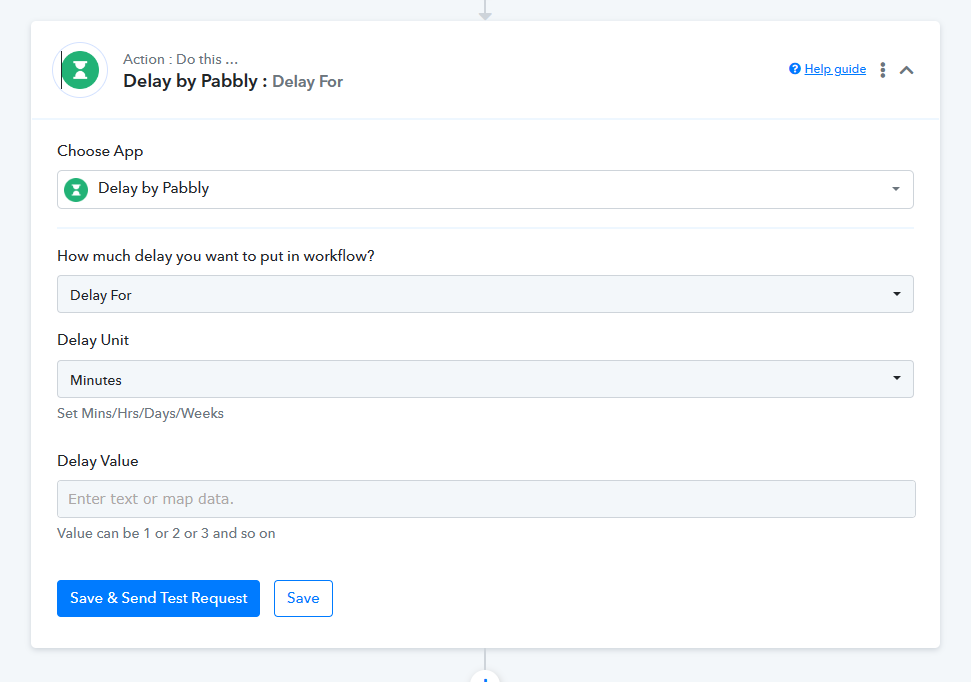
Hello,
as I told you, I have only published one tweet today.
This is not the reason for this problem, it should be something related to Pabbly API.
The API which we have implemented is from the public API only. So, we recommend you contact the Twitter support team.
We have the exact same issue. We publish about 10-20 tweets per day, also far below Twitter's daily limit of 1000/day.
Funnily enough, we have the exact same automation running via Zapier and we are not getting this issue. I do think it's a Pabbly problem.
Task History ID: IjU3NjAwNTZkMDYzMDA0Mzc1MjZhNTUzMDUxM2I1MTYzNTQzOCI_3D_pc
Step Name: Twitter > Create Tweet
Connection Name: Twitter (whencyclopedia)
Task Error Detail:
{
"errors > 0 > code": 185,
"errors > 0 > message": "User is over daily status update limit."
}
Hey @jvdc
Is your overall tweet made from the API and your Twitter dashboard, right?
Sorry, I don't understand your question. Our Tweets are made via Pabbly/Zapier and the Twitter API.
Our Tweets are made via Pabbly/Zapier and the Twitter API.
So, how many tweets you are posting on daily basis from your overall API and Pabbly/Zapier etc?
No more than 15. You can verify it here: https://twitter.com/whencyclopedia
As far as we can check the API integration of Twitter, the action step is set up accordingly. Also, we have tested the same at our end by posting Twitter in bulk but we didn't get any error message from the API.
So, recommend you once to contact Twitter's support team, perhaps they might help you with the issue.
I'm having the same issue. As you can see in this screenshot, it failed, then it worked 2 hours later, and then it failed again, then it worked again... I'm also not posting very much, so it seems odd.
https://share.getcloudapp.com/X6uKb2K8
Hey @MexiKen
Kindly contact Twitter's support team once, since the rate limit error is coming from their server.