Unable to execute a mailerlite campaign
Status: Closed · Asked by samex4rill on · 0 views
Hi there,
I just integrated mailerlite with Pabbly with the developer API however Pabbly has a field requesting for campaign ID.
I believe it's supposed to get all the campaigns in my mailerlite account automatically but it doesn't.
The error I'm getting is "Endpoint not found"
Attachments
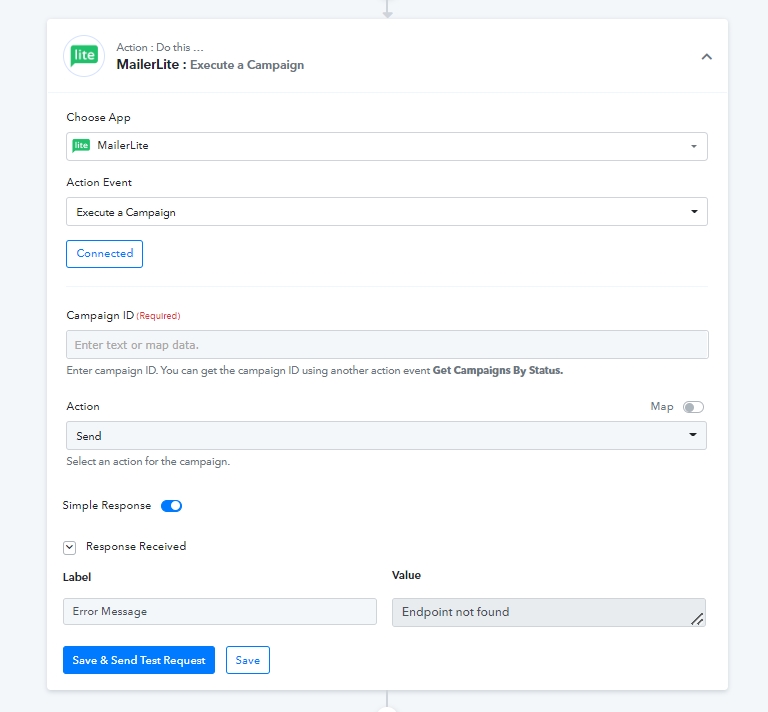
You can't leave Required field blank.
Use the recommended action before this action to get Campaign ID and then map it in this step.
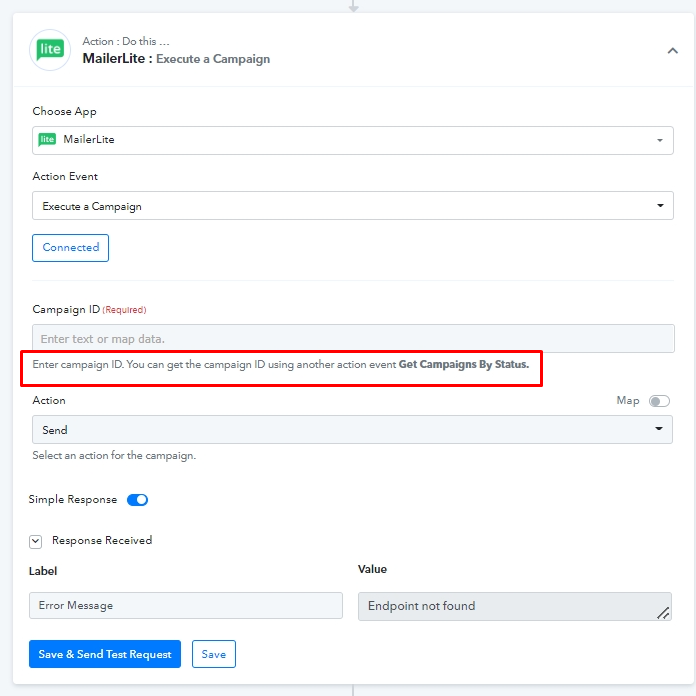
I tried to use the action but even the action brought the same error.
Perhaps I'm not doing it right, is it possible to work me through the steps so I can get it right?
Thank you
You can message me FB and we can do a zoom call, No charges. - https://www.facebook.com/fagun.shah.7
Thank you. I'll donthat right away
I just sent you a message on Facebook https://facebook.com/samex4rill (Akinola Badmus)
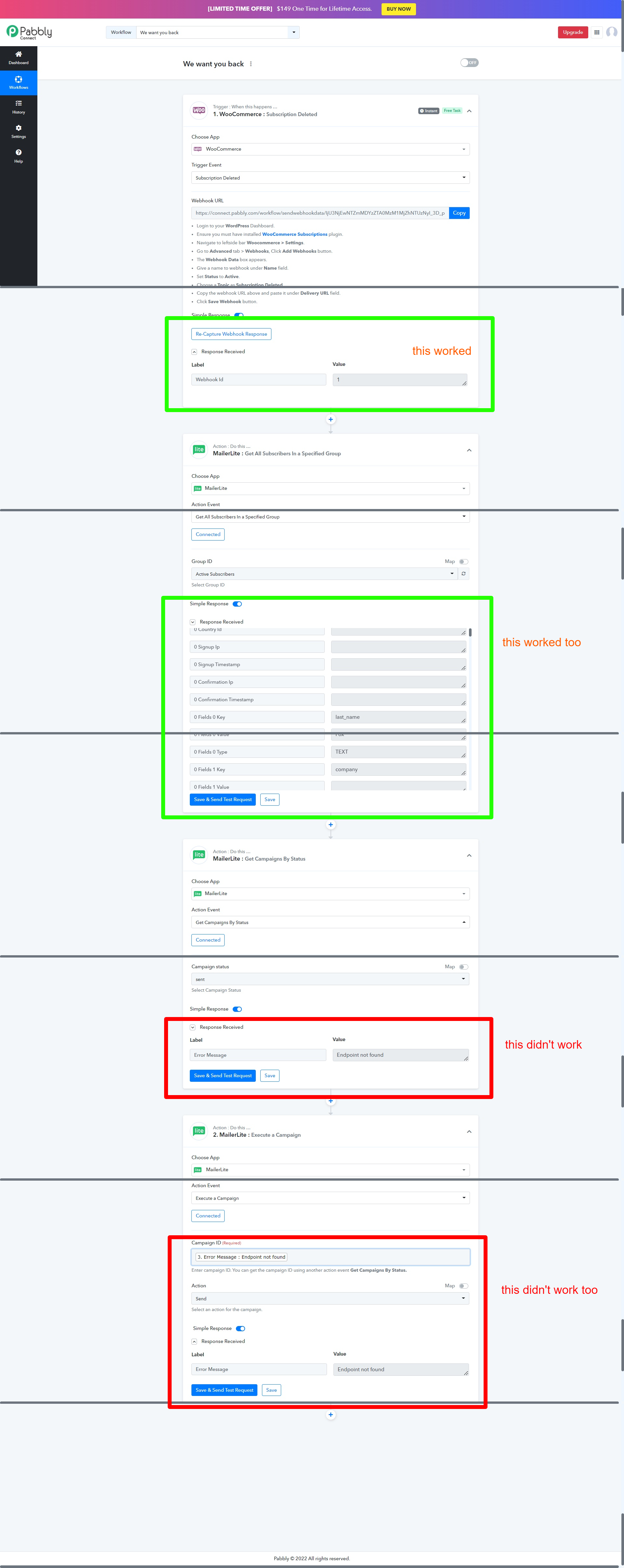
As seen above, I can't get the get campaign and execute campaign to work
@Supreme please check this
@Supreme are you there?
Hey @samex4rill
Seems like the Campaign ID which you have passed might not be the valid one or the account which you are using doesn't contain any campaign.
Kindly check the same from your and then try again. Since, we have tried the same action event of MailerLite at our end and it is working fine.
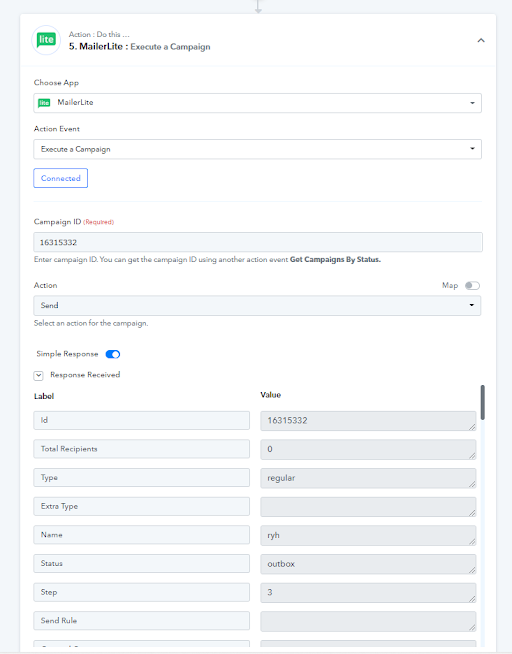
Thanks for checking this out for me @Supreme
However I didn't input a campaign ID, I expected it to automatically list out campaigns from my account since the API has been connected which it didn't
if it doesn't work that way and I have to enter a campaign ID manually, how do I get the campaign ID from Mailerlite? Because there are enough active campaigns in the mailer lite account
@Supreme can you please take a look into this again?
If you are busy can @Mahesh P or @Kunal Valuskar take a look please
Hey @samex4rill
You need to manually pass the Campaign ID in the action step to execute the complete workflow.
Or you can set the Lookup Table action step for your individual Campaigns which you are available.
Thanks @Supreme unfortunately I couldn't manually get the campaign ID from mailerlite. I reached out to them and they said the issue is from their end.
so I went with sendinblue.
However, I'm still having troubles configuring automation to send Emails to A Single User when they cancel their woocommerce subscription.
What I am trying to do is; to make a woocommerce subscriber get an email whenever they cancel their subscription.
The way that I have done it now is to setup an automation with pabbly to get sendinblue to send a campaign when "subscription status gets deleted" but the campaign is getting sent to all the contacts in the list instead of just that one person that stopped their subscription.
What is the proper way to set this up please?
I reached out to Sendinblue support and I was told to change the email type to transactional which I have done and now I am faced with the attached error.
I reached out to them again and it was confirmed to me that the issue is with Pabbly.
Because even after selecting the right sendinblue transaction template from my pabbly automation, it's still asking for more fields that even the sendinblue support doesn't understand.
Can someone help me get out of this mystery I've been in for days?
"All this trouble is because I am trying to get a specific customer to get an email whenever they cancel their woocommerce subscription"
Attachments
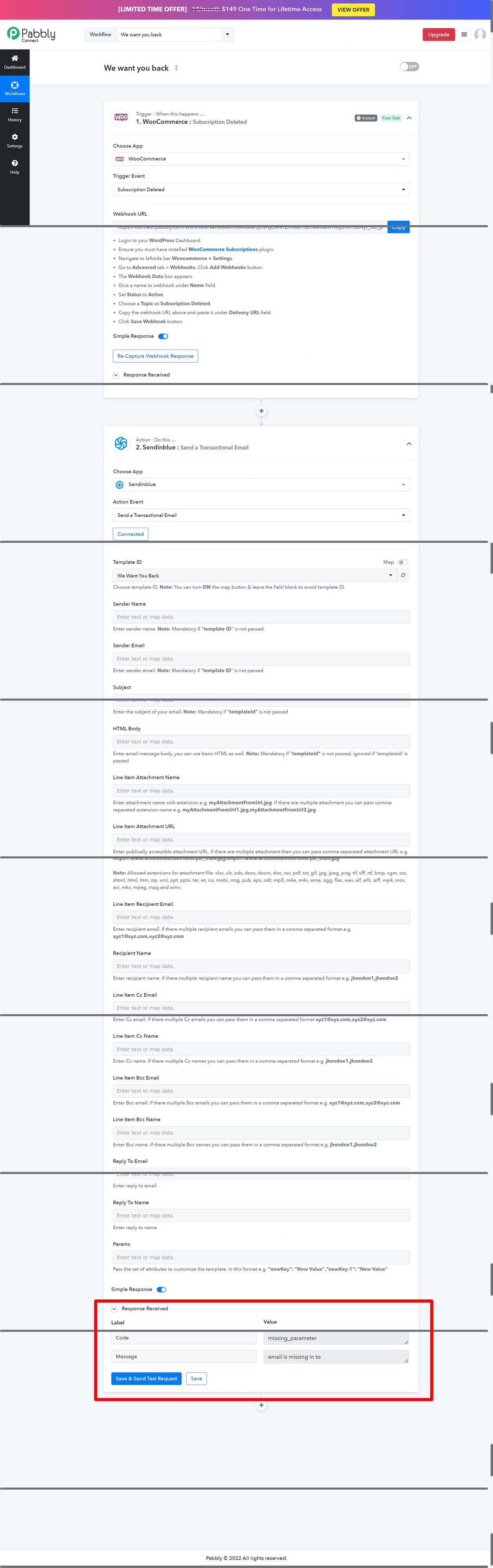
Hey @samex4rill
Seems like you havent capture the webhook response yet and because of that your automation is incomplete. Kindly first recapture the webhook response once and then map the second action step's required fields.
You can refer to the following video tutorial on how you can capture the webhook response from WooCommerce.
(Watch the first part of the video and in similar way you can capture the webhook response)
Worked like charm!
Thank you @Supreme
However, it's sending the emails twice. How can I get it to send only once
The transactional email is getting sent twice to the user that canceled their subscription.
I guess this is because the Trigger Event I chose is when "Subscription Updated" and WooCommerce first change a subscription to "Pending cancellation" before actually canceling the subscription after its cycle.
So my guess is that this is a 2 subscription update.
How can I make it send to the user only when it actually gets canceled?
@Supreme Attached is my workflow for reference
Attachments
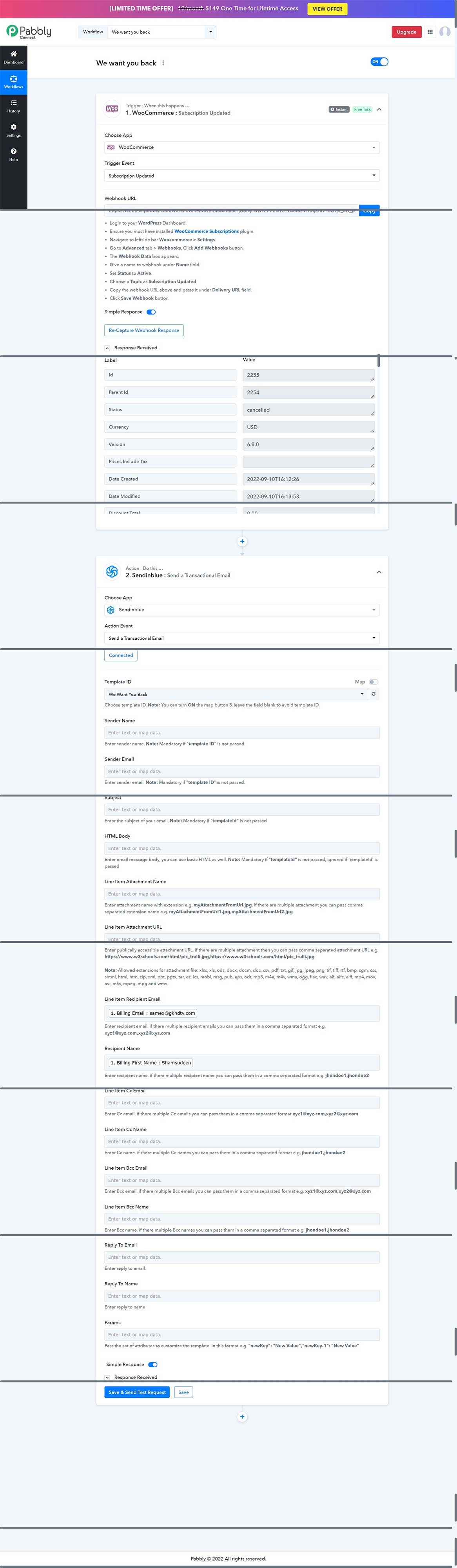
I also just found out it's sending out to new subscribers too.
Please how do I make it send only when the subscription has been canceled?
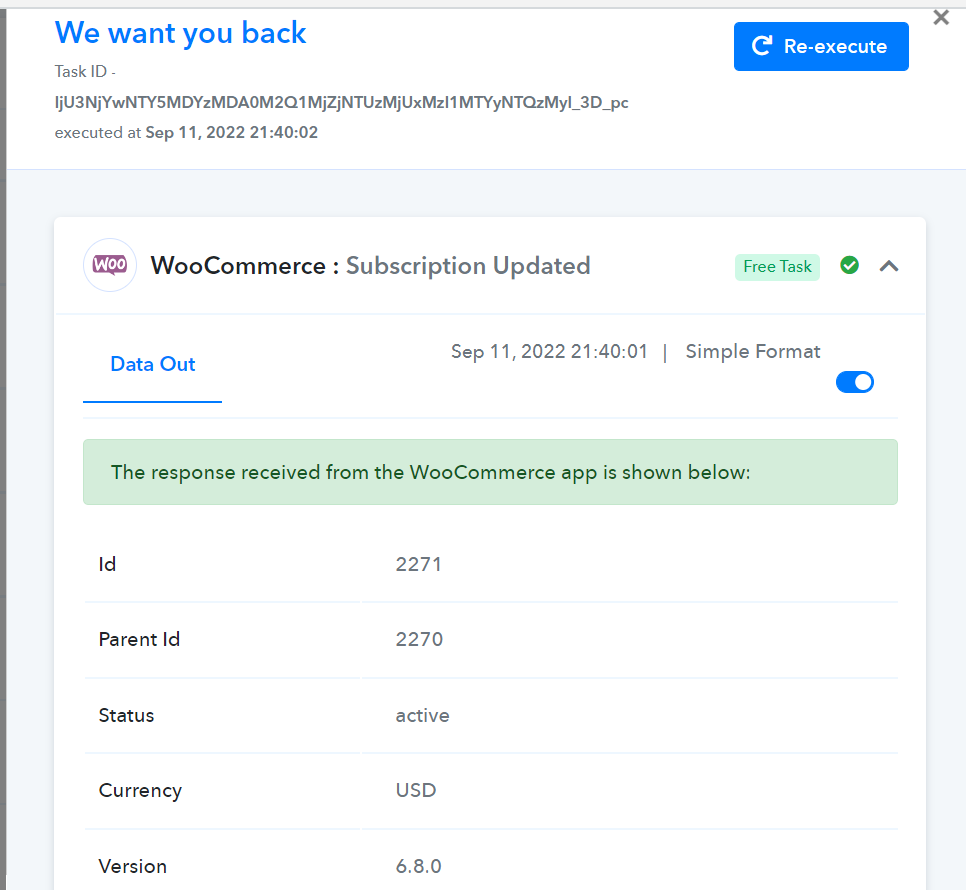
I triggered the workflow webhook by canceling a subscription, it shouldn't be sending out all the time a subscription makes a slight changes.
Hey @samex4rill
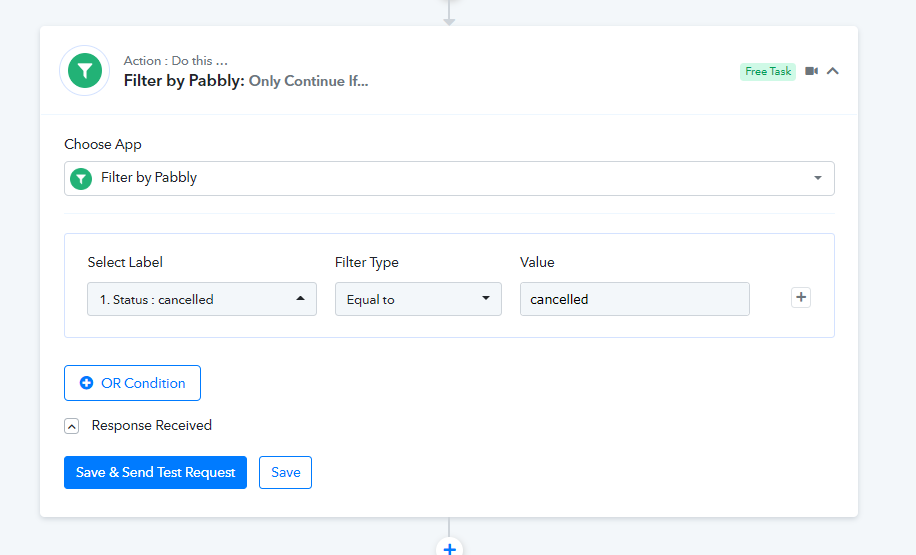
In your case, we would recommend you to use the filter action step and can select the "Cancelled" status type to make your workflow run for the cancelled ones.
Worked like charm.
Thank you man