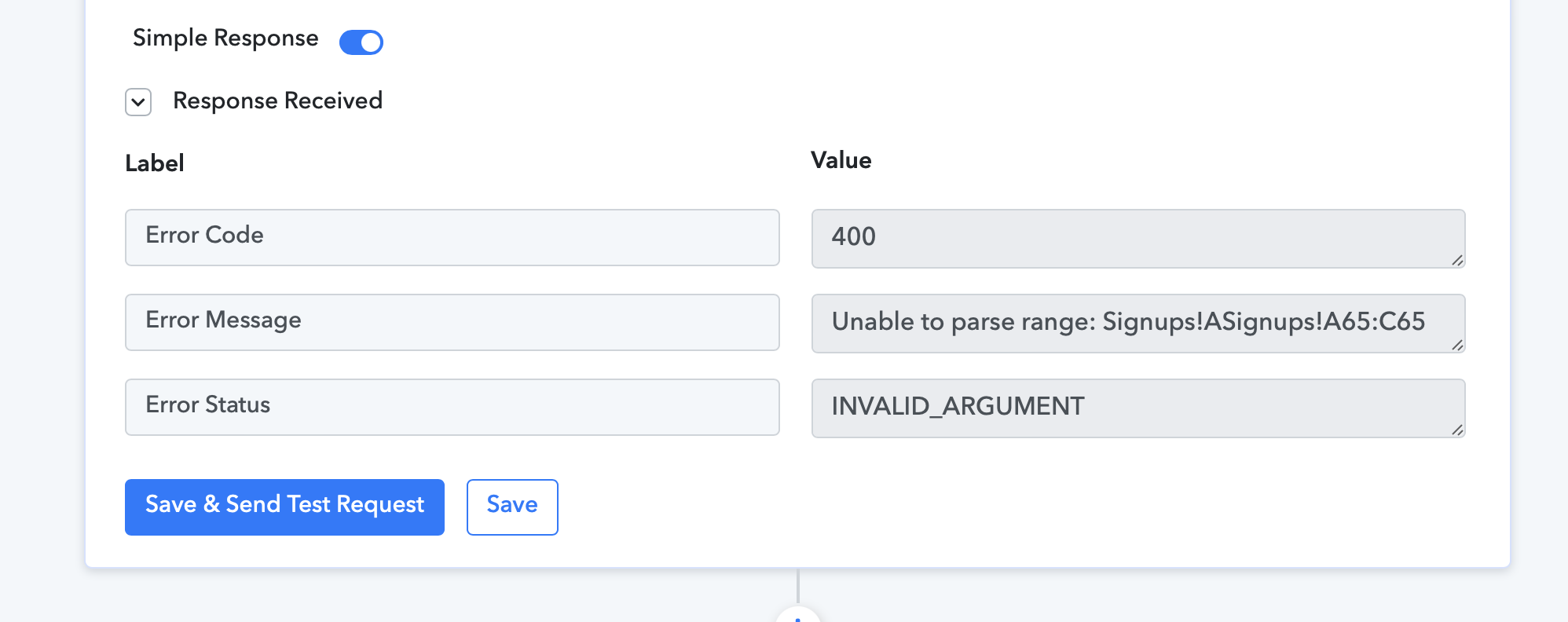
Unable to parse range: error
Status: Closed · Asked by Chrisbrowniee on · 0 views
Hello, I am trying to update a row following on from a Row lookup but keep getting this 400 error message when trying to run the update row task on my work flow "FLS Signup: stripe" workflow
What is causing this error and how to I solve it? I have not renamed sheets and I have checked that everything is updated, saved and refreshed but still not working
Thanks
Chris
Attachments
Hey @Chrisbrowniee
It appears that in the Google Sheets: Update Row action step you are not passing the index number to update the row as mentioned in the help text.
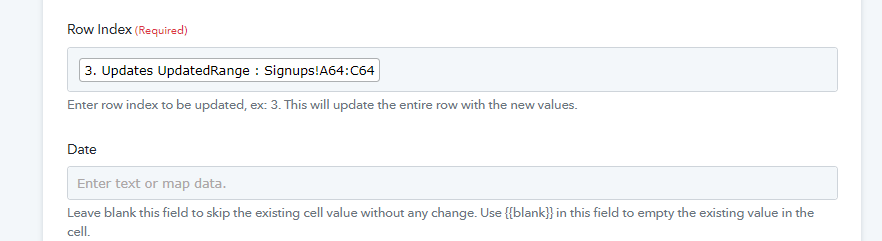
How do I add this index though?... there is no option to add the index for the row that needs updating?
Please check your workflow now, we have mapped the row index from the Google Sheets and it should update your row now.