unable to send template message along with flow embedded in it.
Status: Closed · Asked by gaganarora063 on · 0 views
i am trying to send a template message using whatsapp cloud api.
template message is approved and it contains a form to fill and submit.
but i getting an error message of
Please specify a flow button component within template['components']
please help to rectify.
Attachments
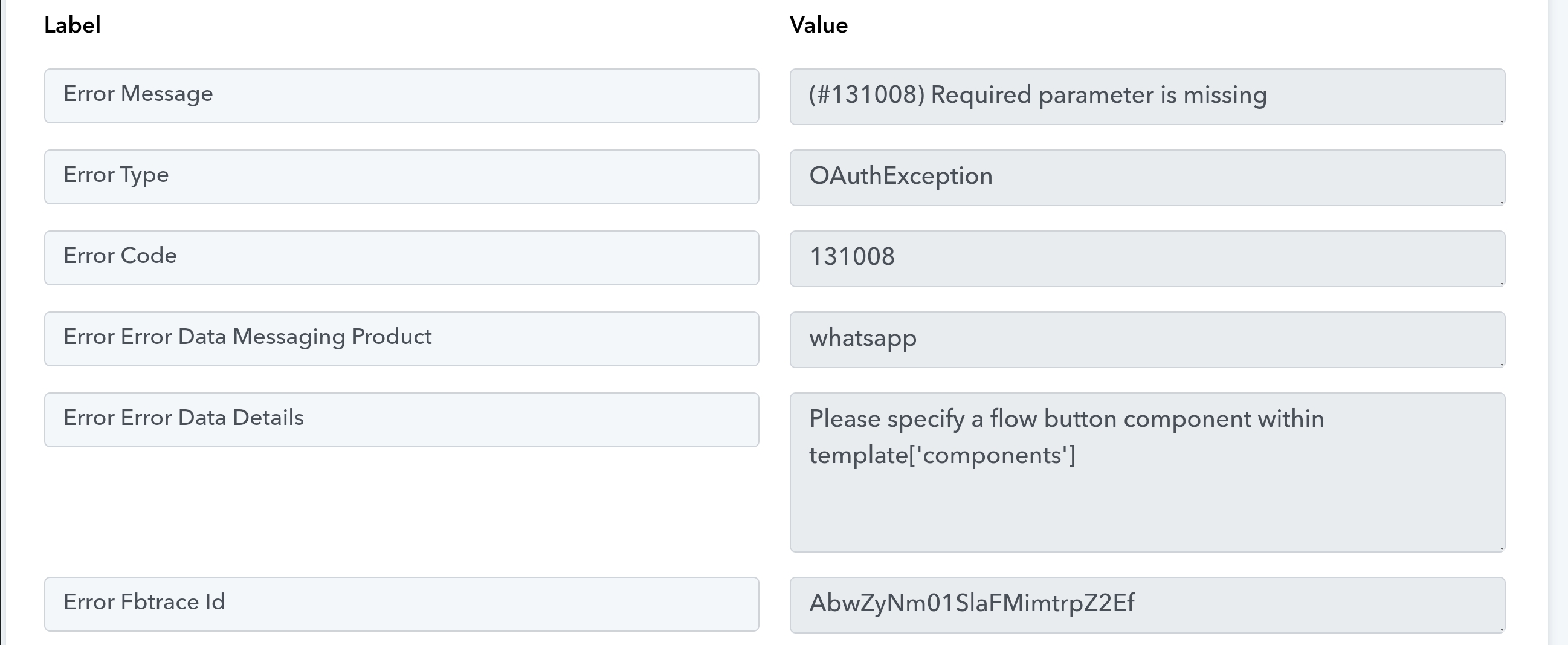
Hey @gaganarora063
Can you please check your WhatsApp Template once whether you have added any templates or not?
Hello,
I have created a template under marketing category. this template contains body text along with a button for update preferences for contact the customer as in flow. The template has also get approved from meta.
but i am unable to send the template to my customers and getting the same message again and again:
Please specify a flow button component within template['components']
Please specify a flow button component within template?
How it is asking to specify? i am using pabbly to send whatsapp template using cloud api.
i am not setting any parameters or headers manually. Since template message is approved so pabbly is automatically is fetching the tempate id and allowing me to send to the targeted customer by just mentioning the phone number manually. Pleas tell me where is the fault.
Hey @gaganarora063Can you please check your WhatsApp Template once whether you have added any templates or not?
kindly check this thread and reply
It appears that you might have made some changes to your WhatsApp Cloud API account or your connection needs to be updated.
So, can you please make a new connection and share the screenshot of the template dashboard if the issue still persists?
kindly check this thread and reply
i have the approved template messages. Message includes body text and a form embedded in it. but it is not getting sent to anyone using pabbly.
Attachments

It appears that you might have made some changes to your WhatsApp Cloud API account or your connection needs to be updated.So, can you please make a new connection and share the screenshot of the template dashboard if the issue still persists?
permanent token is not an issue. i know how to get permanent token. i want to know how to send whatsapp flow to users.
permanent token is not an issue. i know how to get permanent token. i want to know how to send whatsapp flow to users.
hello supereme
i have resloved the above issue.
i am using below mentioned payload:
{ "messaging_product": "whatsapp", "recipient_type": "individual", "to": "91XXXXXXXXXX", "type": "template", "template": {
"name": "testapply_job_button",
"language": "en",
"category": "MARKETING",
"components": [
{
"type": "body",
"text": "hello apply job"
},
{
"type": "BUTTONS",
"buttons": [
{
"type": "FLOW",
"text": "Apply job",
"flow_id": "136736281725XXXX",
"navigate_screen": "Update Preferences",
"flow_action": "navigate"
}
]
}
]
}
but i am getting an error message of
(#100) The parameter messaging_product is required.
kindly help to correct it.
i am using below mentioned payload:{ "messaging_product": "whatsapp", "recipient_type": "individual", "to": "91XXXXXXXXXX", "type": "template", "template": {
"name": "testapply_job_button",
"language": "en",
"category": "MARKETING",
"components": [
{
"type": "body",
"text": "hello apply job"
},
{
"type": "BUTTONS",
"buttons": [
{
"type": "FLOW",
"text": "Apply job",
"flow_id": "136736281725XXXX",
"navigate_screen": "Update Preferences",
"flow_action": "navigate"
}
]
}
]
}but i am getting an error message of
(#100) The parameter messaging_product is required.kindly help to correct it.
Thanks for the update, can you please tell us where you are using this API request in which workflow?
Thanks for the update, can you please tell us where you are using this API request in which workflo
hello supreme,
"messaging product": "whatsapp" was resolved by adding it in header.
now i am getting 400 error.
my payload structure is not correct. I am using custom request in API method:
{
"recipient_type": "individual",
"to": "917458245896",
"type": "template",
"template": {
"name": "testapply_job_button",
"language": "en_US",
"components": [
{
"type": "body",
"text": "hello apply job"
},
{
"type": "BUTTONS",
"buttons": [
{
"type": "FLOW",
"text": "Apply job",
"flow_id": "136736281725XXXX",
"navigate_screen": "Update Preferences",
"flow_action": "navigate"
}
]
}
]
}
}
kindly help me to get it correct
We've examined the JSON payload, but it's not functioning as expected. We've also tested it in Postman with the same result.
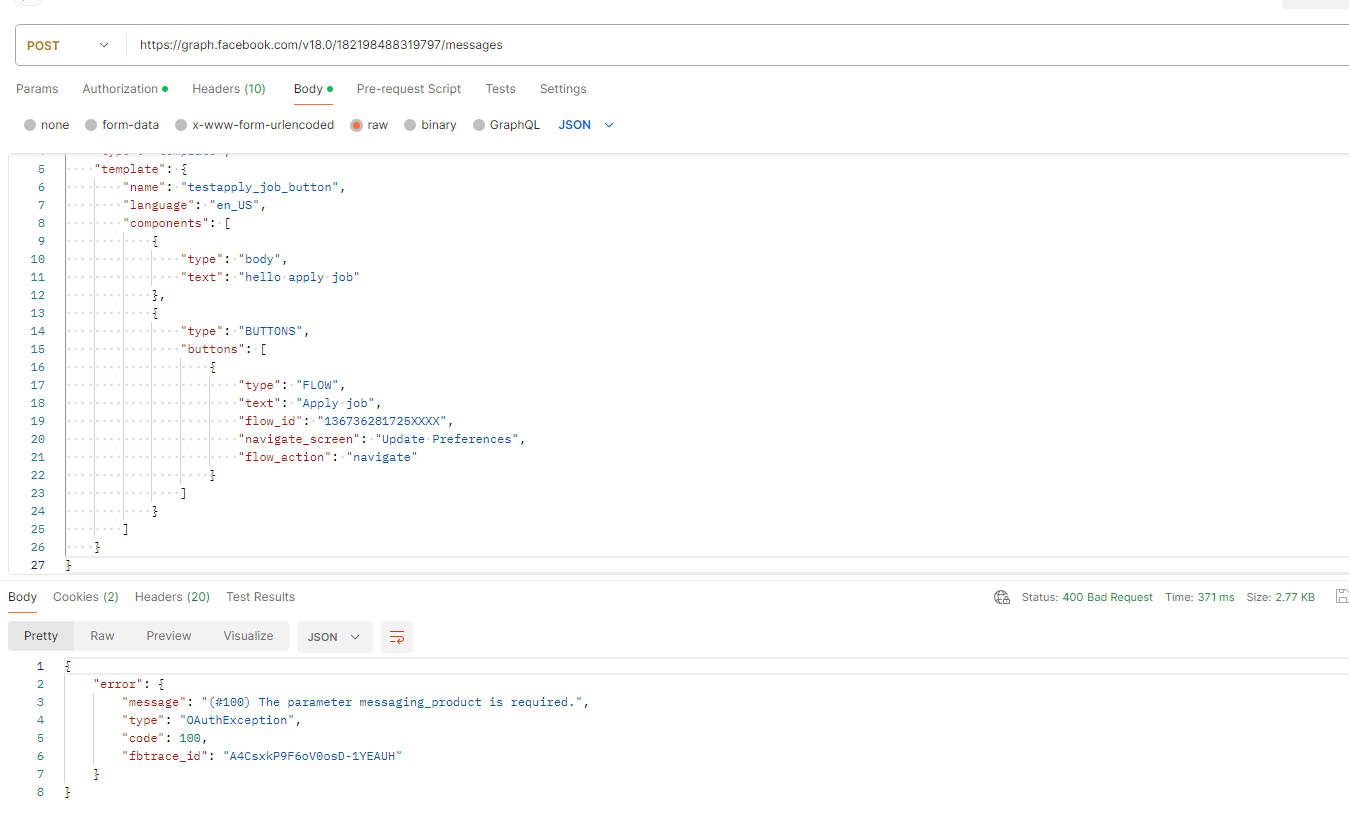
Further, you can try using the same payload on Facebook Exploerer for a better understanding.
https://developers.facebook.com/tools/explorer
If any request runs on it then please do share the CURL request.