Unable to update Leadsquared custom field. Please help
Status: Closed · Asked by ganeshkumar on · 0 views
I am getting this error when i update custom field from pabbly connect.
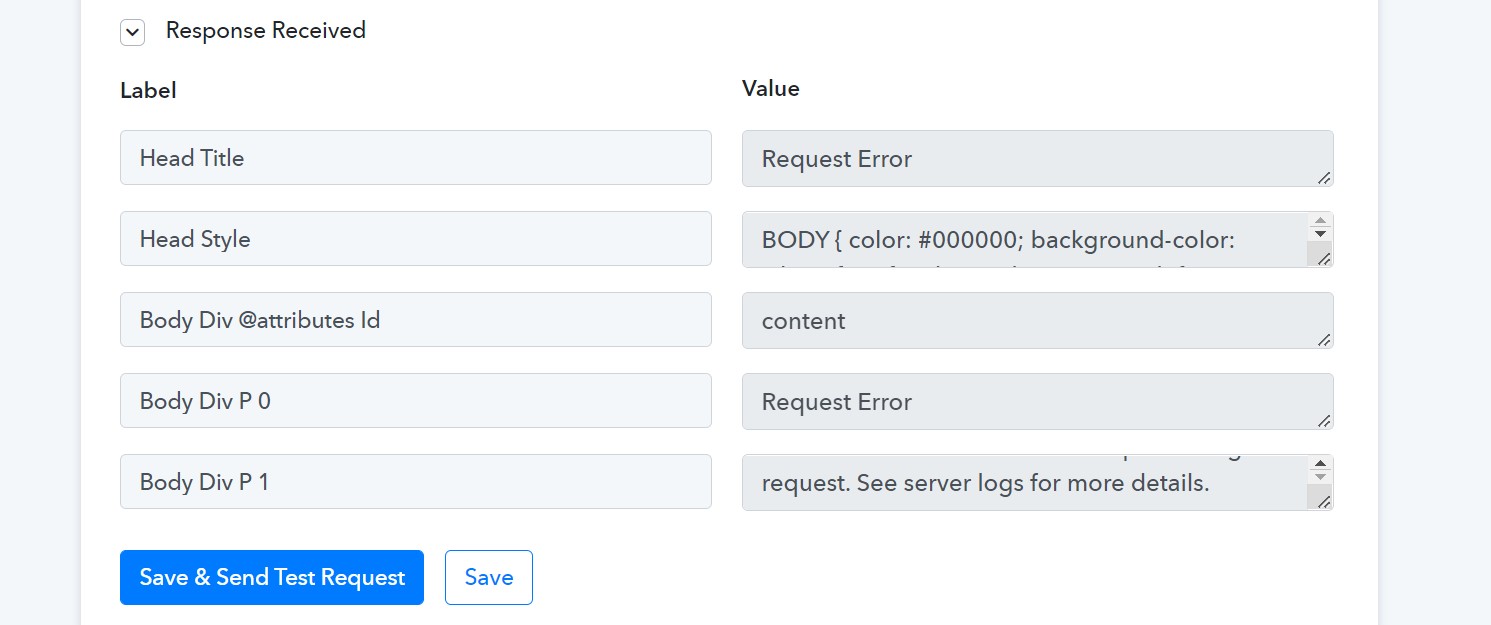
Hey @ganeshkumar
Could you please share the name of the workflow in which you are facing trouble?
The name is "Facebook leads | Teachers day | Leadsqaured"
I have removed that block since custom fields were not getting updated. In case you maintain history, plz check Saturday - 3rd September activity. @Supreme
Hey @ganeshkumar
As we can see from your workflow, we couldn't find any action step in which you are having such error.
Kindly let us know if the issue has been resolved, and if not tell us the action step in which you are updating the custom field.
Hey @ganeshkumarAs we can see from your workflow, we couldn't find any action step in which you are having such error.
Kindly let us know if the issue has been resolved, and if not tell us the action step in which you are updating the custom field.
Hi @Supreme
No it is not resolved. I have built the flow again and I have recorded loom video for you. Please watch the video.
Hey @ganeshkumar
In the" Leadsquared : Create or Update Lead with Custom Fields" action step, you need to select either 'True" or "False" value for boolean data type fields. E.g. "Do Not Call" field value can either be "True" or "False" instead of "None".
In the Array type field, please try passing the blank if you do not intent to pass anything to the field. Though, we have mapped the desired data in your workflow and it should work now.
Hey @ganeshkumarIn the" Leadsquared : Create or Update Lead with Custom Fields" action step, you need to select either 'True" or "False" value for boolean data type fields. E.g. "Do Not Call" field value can either be "True" or "False" instead of "None".
In the Array type field, please try passing the blank if you do not intent to pass anything to the field. Though, we have mapped the desired data in your workflow and it should work now.
ok @Supreme .. Noted.
Thank you Supreme, much appreciated.