Unable to use Pabbly Chatflow app on mobile
Status: Open · Asked by Anishek Kumar on · 0 views
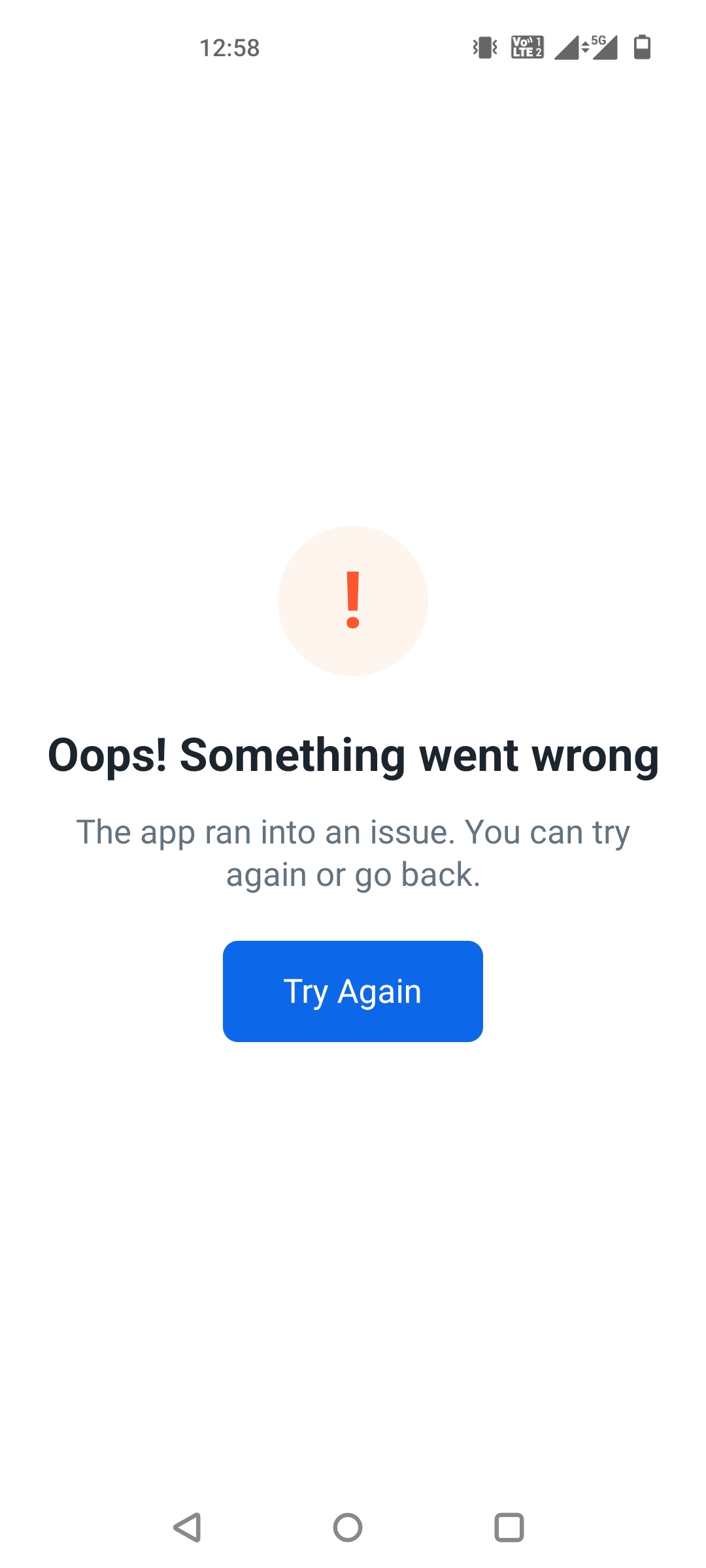
Since a last few days, I haven't been able to use Pabbly Chatflow on my mobile. I tried uninstalling the app and installed it again, but it's still not working. I'm not able to login into the app and being redirected to this error 'Try again' screen.
Kindly look into it and help me resolve the issue.
Regards
Anishek
Hello Anishek,
Thank you for reaching out.
We're sorry to hear that you're facing this issue.
To help us investigate further, could you please confirm the following:
Are you using the Android app or the iOS app?
What is the make and model of your mobile device?
Are you using the latest upgraded version of the Pabbly Chatflow app?
Once we have these details, we'll be able to investigate the issue further and assist you accordingly.
We look forward to your response.
Hi Pabbly Chatflow team,
Since a last few days, I haven't been able to use Pabbly Chatflow on my mobile. I tried uninstalling the app and installed it again, but it's still not working. I'm not able to login into the app and being redirected to this error 'Try again' screen.
Kindly look into it and help me resolve the issue.
Regards
Anishek
Thanks and Regards,
Preeti Paryani
Customer Success Associate,
Pabbly.com
Hello Preeti,
1. I'm using Android phone.
2. My mobile mode is One Plus Nord and it's almost 4-5 years old. The android version running on this device is 12.
3. Yes, I uninstalled and then downloaded the latest version and then installed it, to test it out. But still it didn't worked out.
I hope that answers your query. And hopefully you can help me resolving the issue.
Regards
Anishek
Hello Anishek,
Thank you for providing the requested details.
We have escalated this issue to our technical team for further investigation. They will analyze why the Pabbly Chatflow Android app is redirecting you to the "Try Again" screen despite using the latest version of the app.
We will keep you updated as soon as we receive any findings from the team. We appreciate your patience and understanding in the meantime.
Thanks and Regards,Preeti Paryani
Customer Success Associate,
Pabbly.com
Hello Anishek,
Thank you for your patience.
We're happy to let you know that the issue has now been fixed.
Could you please try the following steps?
Fully close the Pabbly Chatflow app (remove it from the Recent Apps list).
Reopen the app.
Repeat this 2–3 times so the app can pick up the latest update.
After that, the login screen should appear normally, and you should be able to sign in as usual. There is no need to uninstall or reinstall the app.
Please let us know if the issue is resolved after trying the above steps.
Thanks and Regards,Preeti Paryani
Customer Success Associate,
Pabbly.com
Thanks a lot for your help and now the app is working fine on my mobile.
Regards
Anishek
Hello Anishek,
Thank you for your patience.
We're happy to let you know that the issue has now been fixed.
Could you please try the following steps?
Fully close the Pabbly Chatflow app (remove it from the Recent Apps list).
Reopen the app.
Repeat this 2–3 times so the app can pick up the latest update.
After that, the login screen should appear normally, and you should be able to sign in as usual. There is no need to uninstall or reinstall the app.
Please let us know if the issue is resolved after trying the above steps.
Thanks and Regards,
Hello Anishek,
Thank you for the update! We are glad to hear that the app is working smoothly for you now.
If you encounter any other issues or need further assistance in the future, please feel free to reach out to us anytime. Have a great day!
Thanks & Regards,
Hrishabh
Customer Support Associate
🌐 Pabbly.com
👉 Rate your support