Unsub a contact in Vbout from Google Sheet data
Status: Closed · Asked by kidd on · 0 views
Hey Pabbly Connect support team,
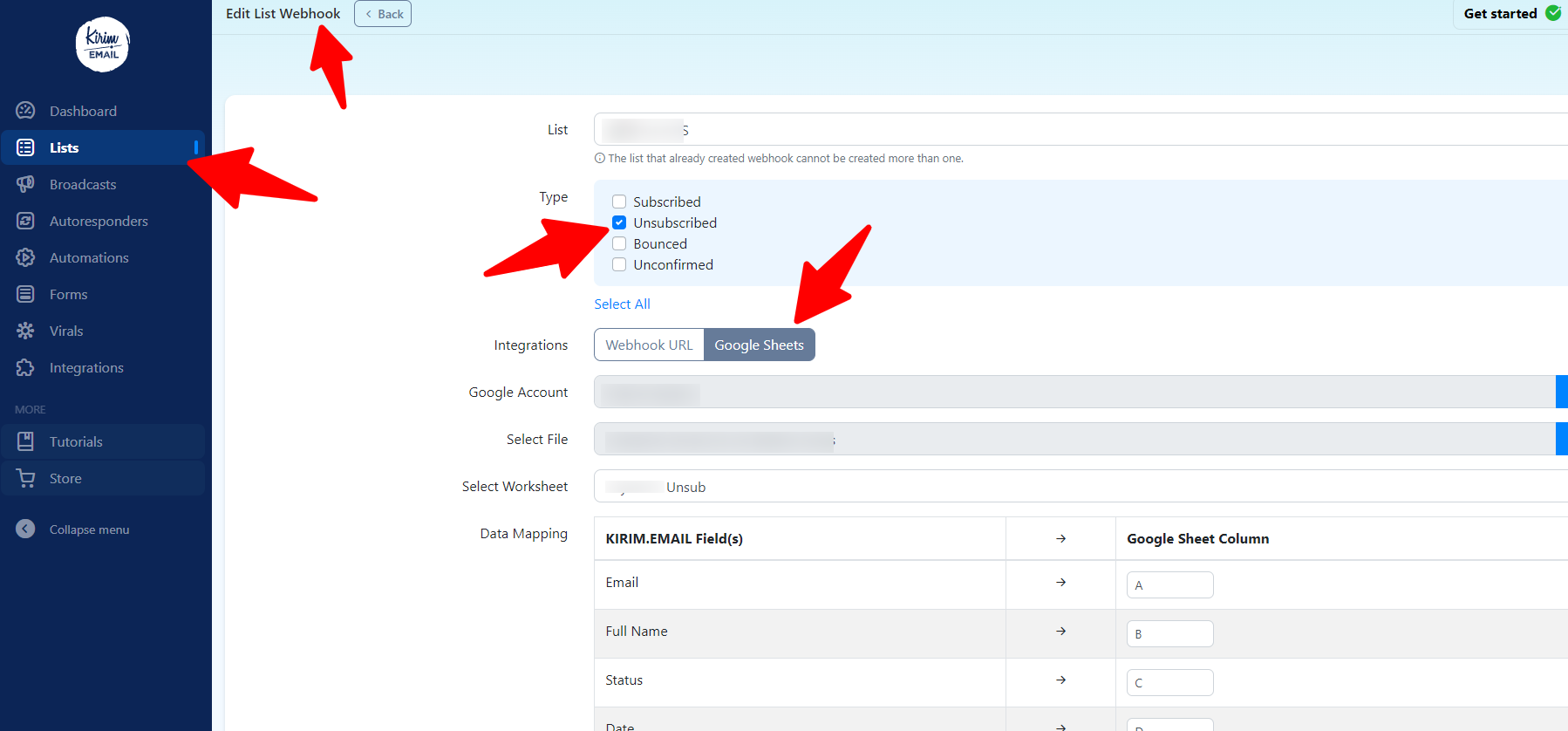
I have a list in Kirim.Email that I've integrated with google sheet on which when someone unsubscribes the sheet is being updated (screenshot below)
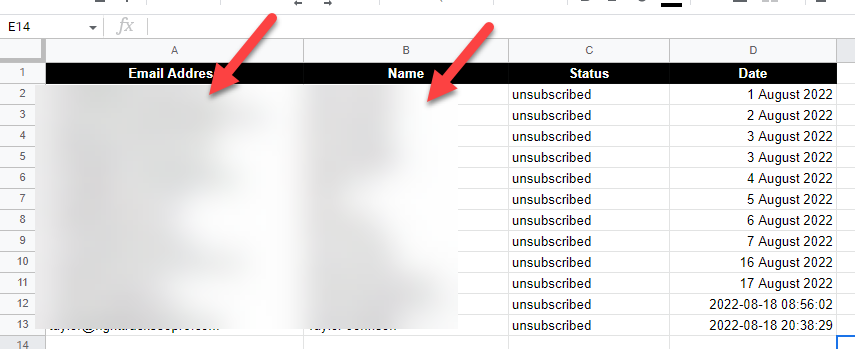
Now what I'm having issue with is...
What's the best flow in Pabbly Connect to also unsubscribe those unsubscribers on my Vbout's list? (which is an exact duplicate of my Kirim.Email list on which they're unsubscribing from)
In short, I want the Kirim.Email list unsubscibers to automatically unsubscribe from the same list on Vbout.
Hey @kidd
For your concern, we would recommend you to use the "Unsubscribe Contact" action step.
Kindly try this at your end and let us know if that works for you.
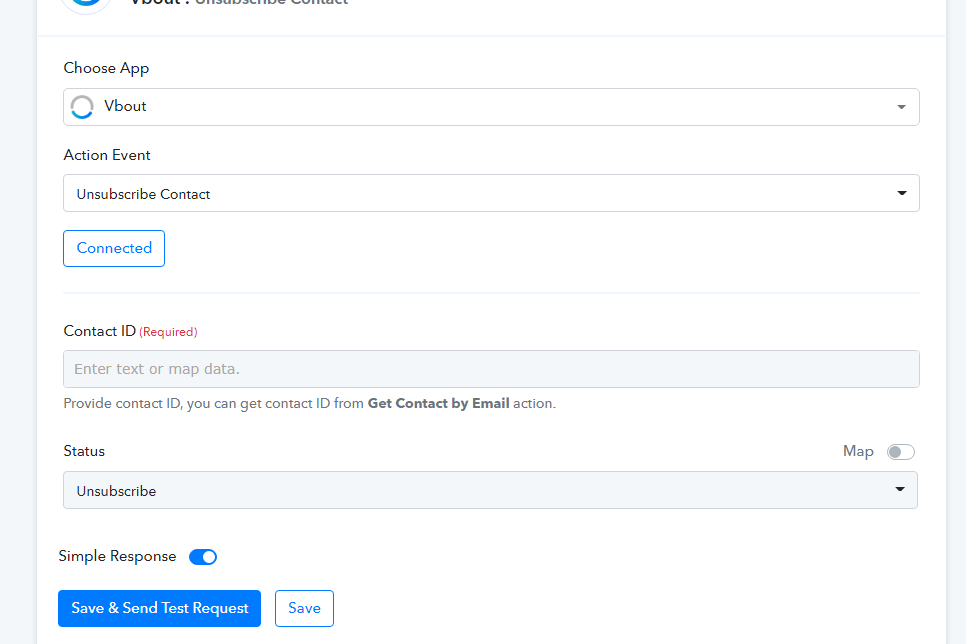
@Supreme sorry I think we're not on the same page...
I mean the data is from Kirim.Email unsubscribers, which are then transferred to that Google Sheet above (as per my screenshot those are via Kirim's google sheet native integration)
How can I also unsubscribe them from its Vbout's list via Pabbly Connect? so I don't have to manually unsubscribe them inside vbout
lmao my bad @Supreme actually you're correct! hahah
I got it now and just so simple lol what was I thinking the other day?♂️
Thanks again!
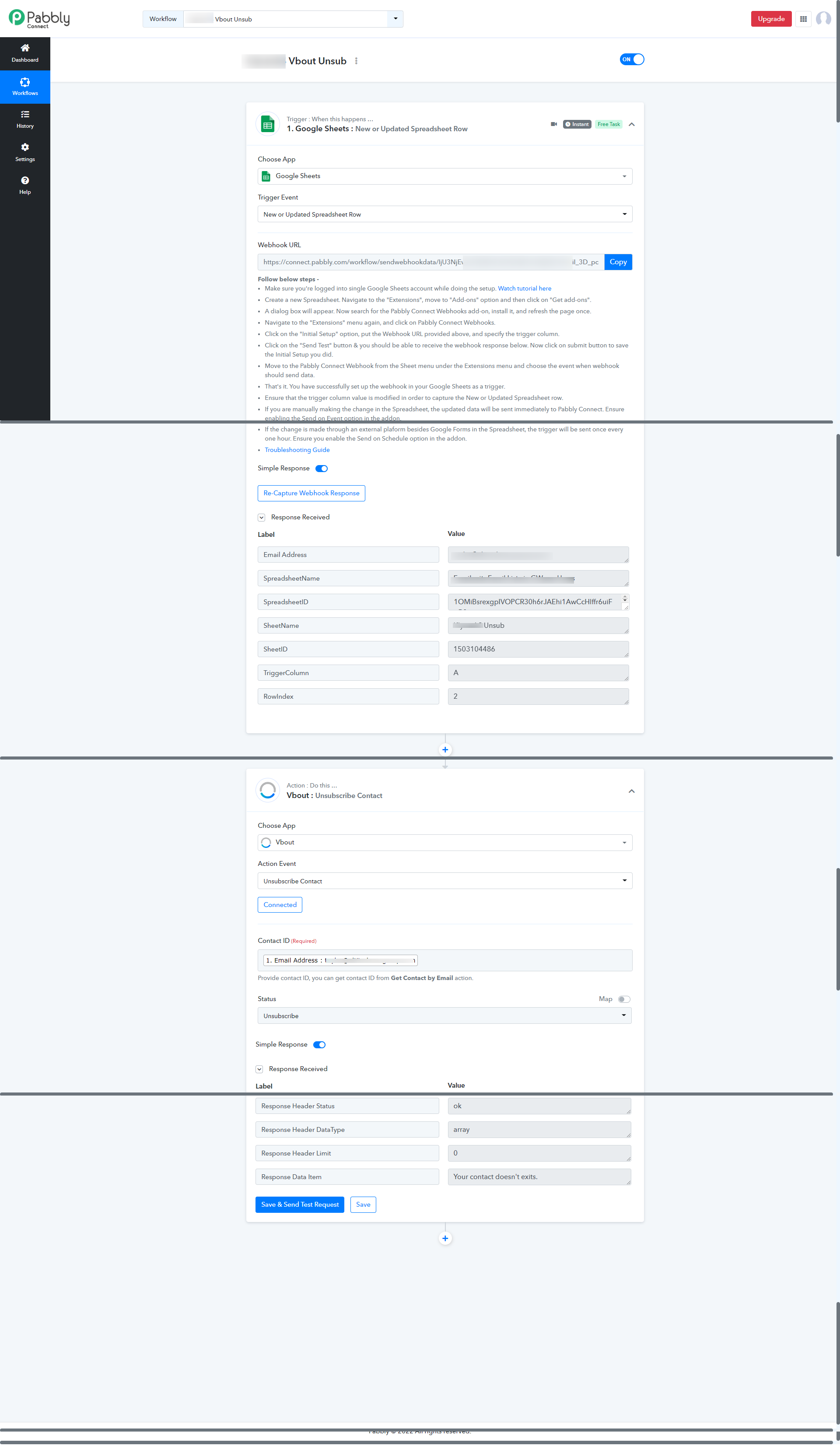
Just realized the flow above didn't worked as the Contact ID is needed via Get Contact by Email step which is on the second after the Trigger
Hopefully this time it will be 100% working... what do you think @Supreme ?
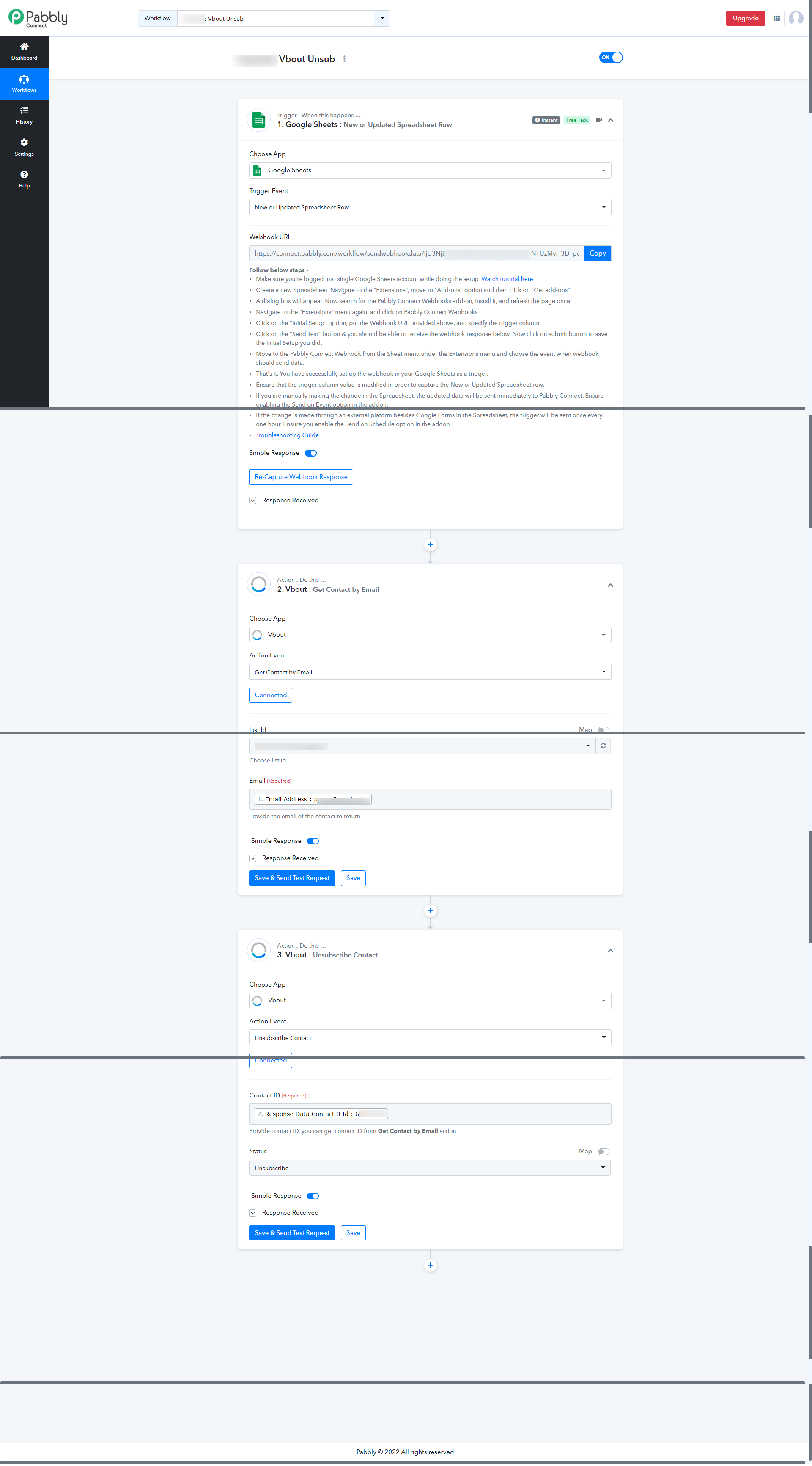
@Supreme apparently my latest flow seems to not be working as I just checked it and didn't consume any task on my account the latest unsubscribers aren't removed from Vbout's list... what seems to be the issue here? thanks
Attachments

Hey @kidd !
Can you let us know how you are adding data inside the Google Sheet?
It is added manually or added through a third-party application?
So accordingly we can guide you on this.
Hope, to hear from you soon.
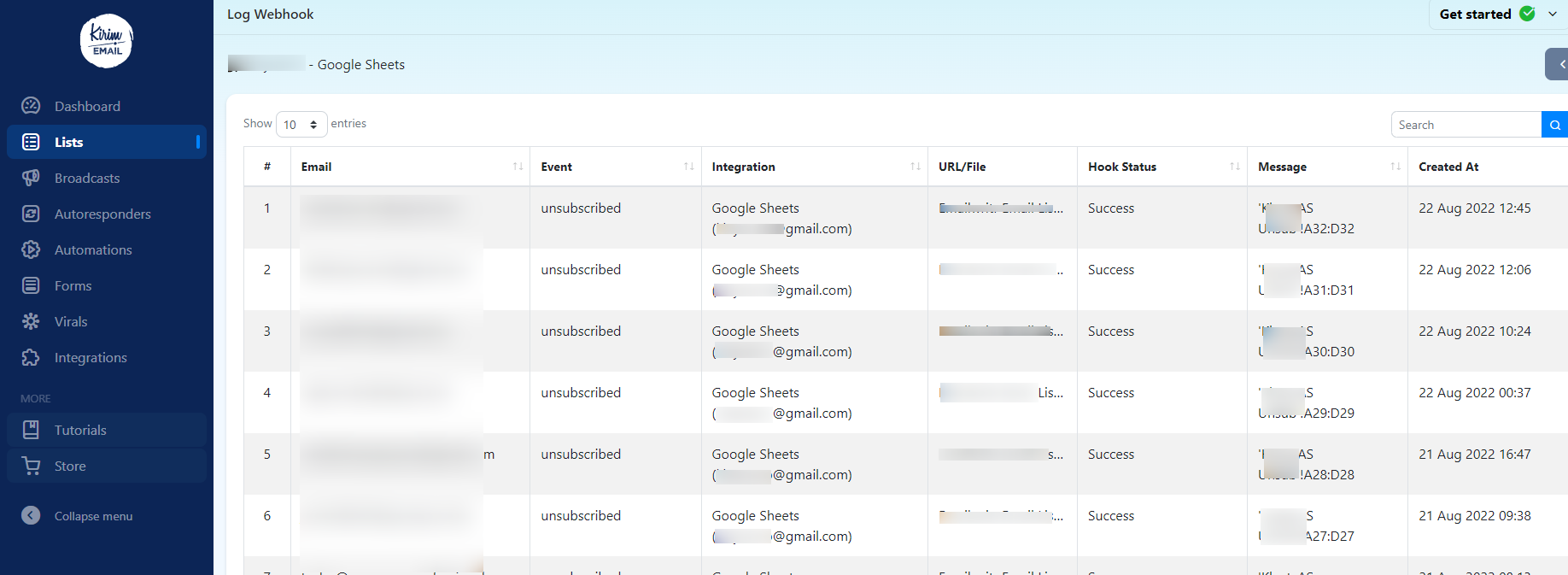
@Subin it's via google sheet native integration on my Kirim's list webhook.. every time someone unsubscribe it directly update/add a new row on that gsheet as reflecting on these screenshots below...
Hey @kidd
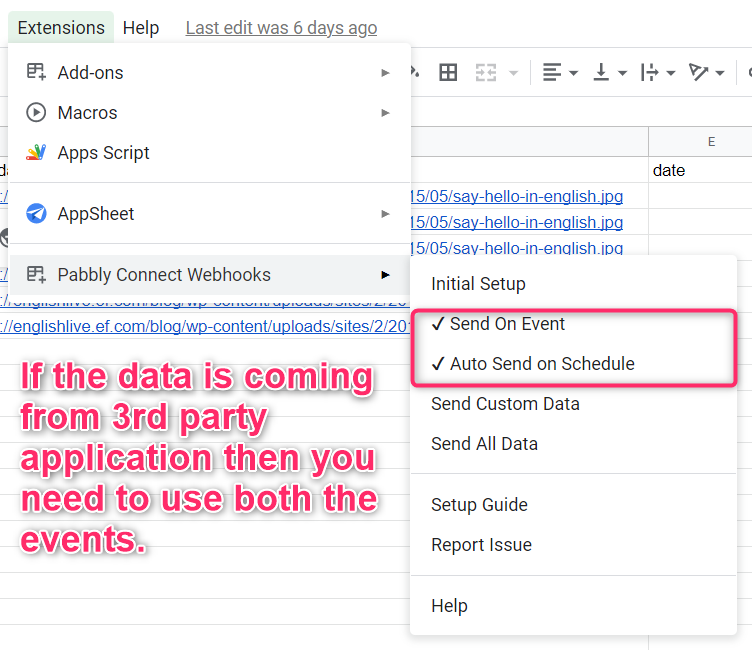
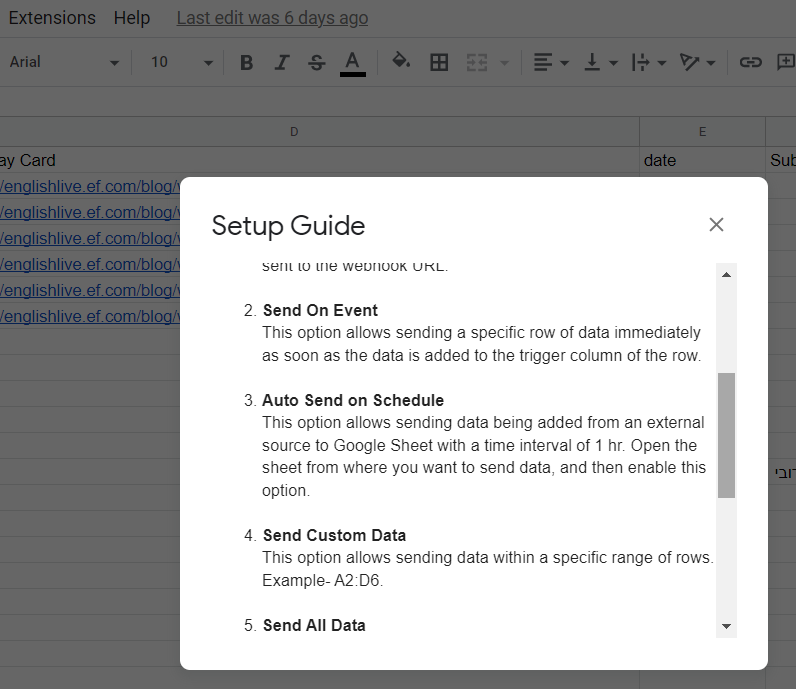
It seems like your data is coming into your Google Sheets from 3rd party application, so in that case, you need to check both the options of "Send On Event" and "Auto Send on Schedule" and by enabling both the options then the data can be forwarded in 1hr. Else, you can simply use "Send On Event" to send the row data when you are adding the data manually to the sheet.