Update records from Clickup to Kartra
Status: Open · Asked by jtboswell on · 0 views
I have Clickup and Kartra connected.
When I add a tag in Clickup to an individuals task, I would like to have a similar tag added to their account in Kartra.
For example, if I have Bob Smith as a task in Clickup and also as a contact record in Kartra. If I add "closed sale" tag in ClickUp, I'd like to assign them a new tag in Kartra that indicates "closed sale",
And I would like the reverse to happen so that Bob Smith's records are synced on both platforms.
Can I do that?
If so, what are the steps to make it happen?
Hi @jtboswell,
You can set up your workflow in the manner suggested below to update tags from ClickUp tasks to Kartra leads.
https://connect.pabbly.com/workflow/share/WBAENl8ICGtTGQFrUgEBJgkdUVUEXgQ4XUQDEVZZBX0DTghdB0ZbMQBMWXtQE1U0Vh9QOgdbBTgBFQcDVAIIewQdAS1RUgJ4WxYFNlEUDj1YBgQsXz4#
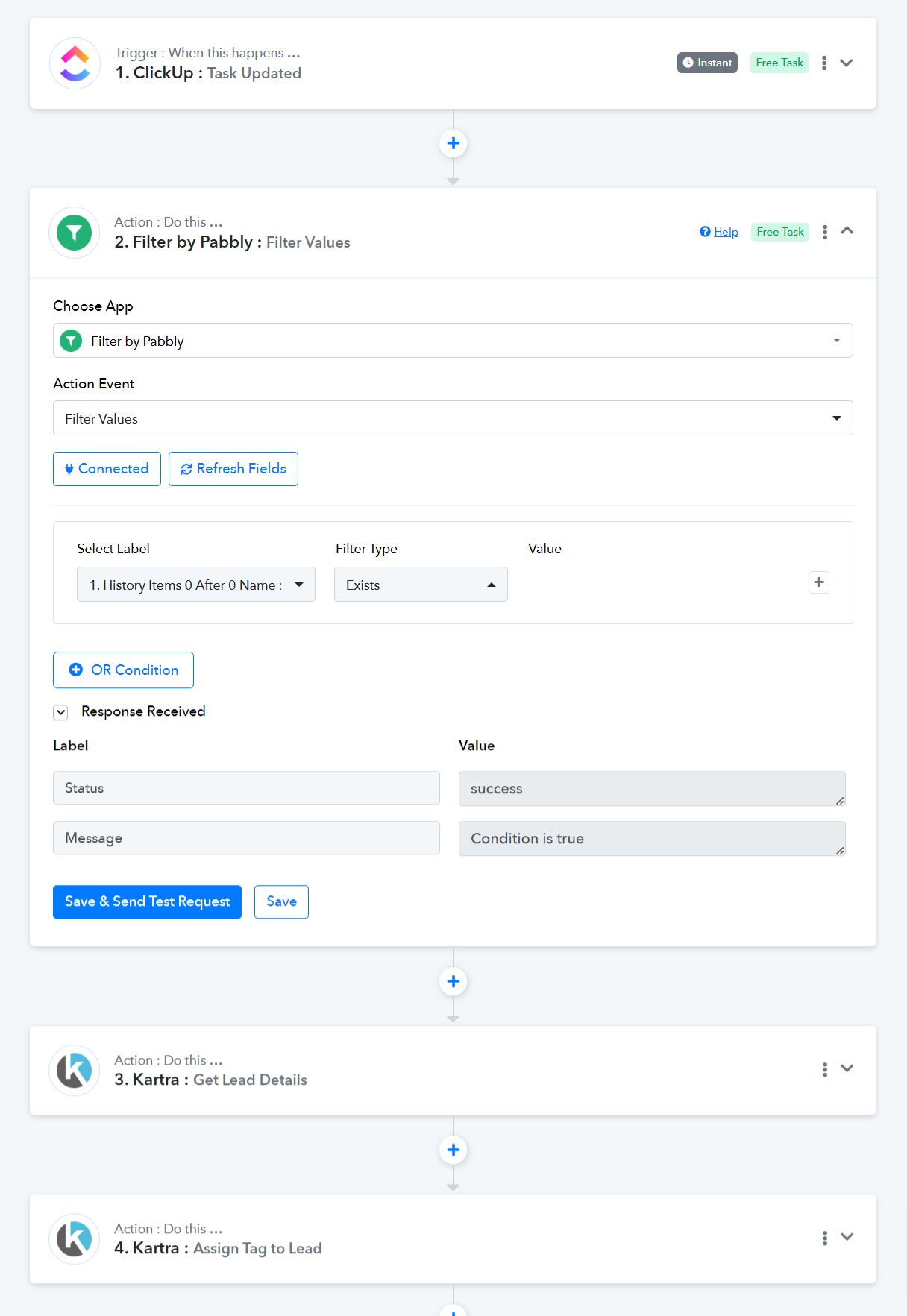
Watch this to setup ClickUp as your trigger application. Ignore the action application.
youtube.com/watch?v=LnZwSmfm8NY
youtube.com/watch?v=RVoCVvcdk4I
Watch this video to understand the correct procedure for connecting with your Kartra account. In the video, the 'Create Lead' action event is used, but you should use the 'Get Lead Details' and 'Assign Tag to Lead' action events instead.
Thank you! I'll let you know how it goes!