Update rows
Status: Closed · Asked by Imm on · 0 views
I need the data in my spreadsheet to overlap through pabbly, for example in these yellow rows I need the bottom one to update the top one. 
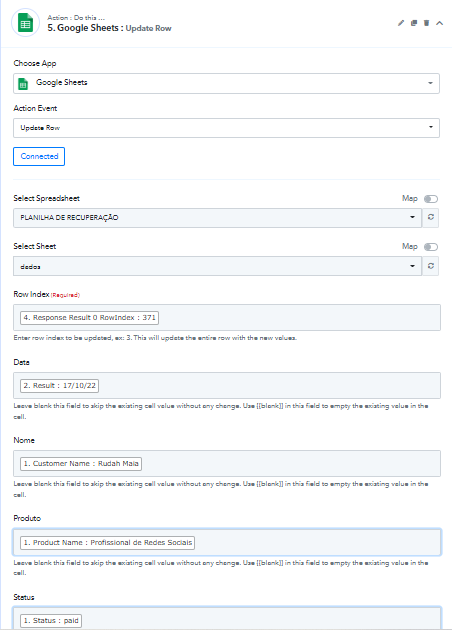
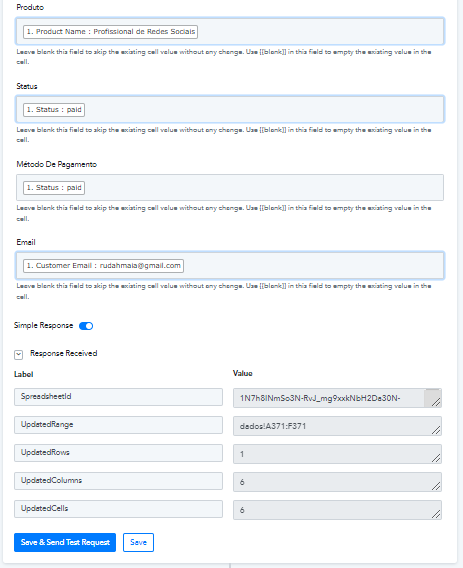
These last two pictures show how my pabbly configuration looks like.
Hey @Imm
Could you please share the name of the workflow, so that we can look into the possibility and can guide you accordingly?
Of course, "Recuperação" the name of the workflow
Of course, "Recuperação" the name of the workflow
For your concern, you would be required a router action step where you can create a condition to update/add an incoming row if it exists or doesn't respectively.
Though we have set the router action step in your workflow and it should work now. Now kindly review that and select the Add New Row and Update Row accordingly.
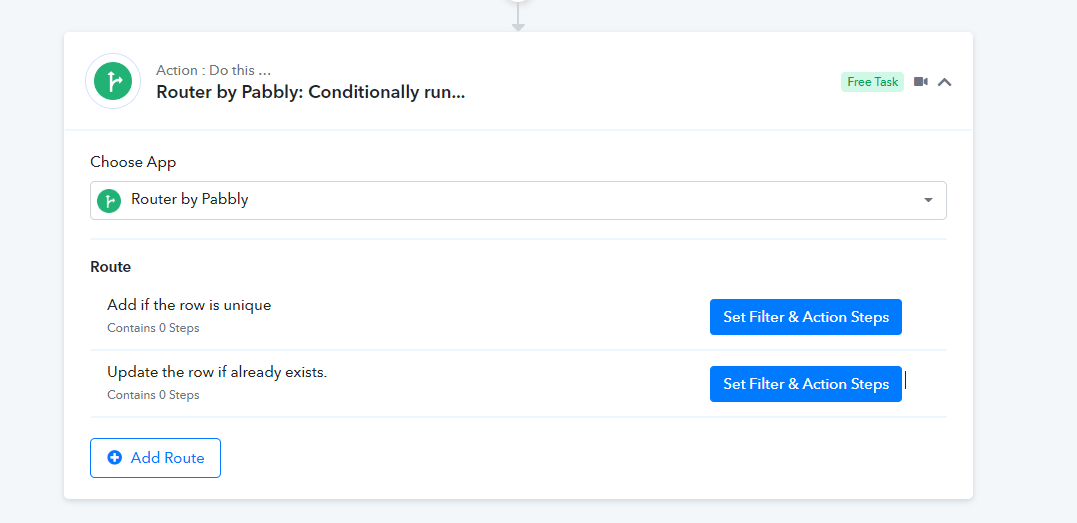
But what do I put in each of the steps, because it still does not update the lines. Maybe it was not so clear what I need, via webhook I pull the data from card declined, waiting for payment and cart abandoned, the problem is that the marking of waiting for payment sometimes ends up in payment and the spreadsheet marks in two lines and what I need is that the confirmation of payment replaces the waiting for payment. Another situation that happens is that a customer tries to buy several times with the same card and is refused several times and each action marks on a row in the spreadsheet.
Hey @Imm
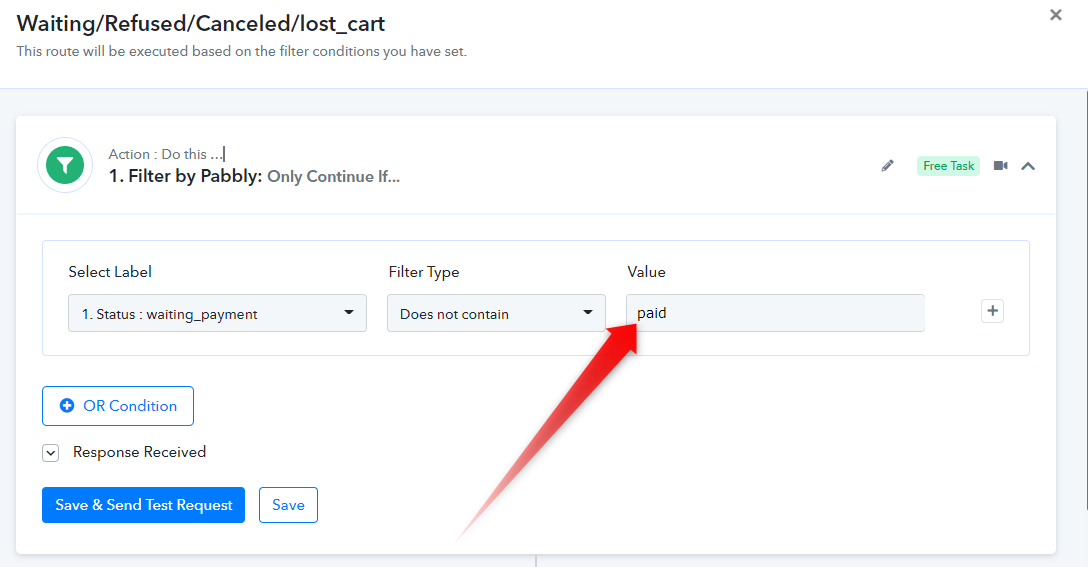
Kindly type the exact "Transaction Payment Status" in the filter value to make the router work exactly for paid ones and for Waiting/Refused/Canceled/lost_cart from the application where you are getting the payment application.
Type the Payment Status - 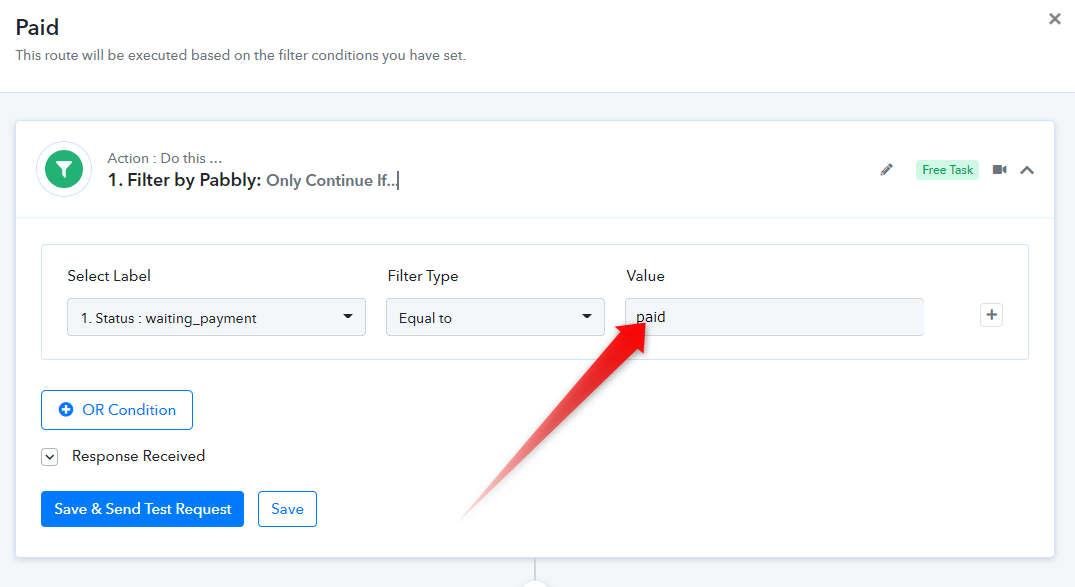
In a similar way type, the status for Waiting/Refused/Canceled/lost_cart
and after that, i put the google sheets update row?