Updates on ClickUp not reflected on Google Calendar
Status: Open · Asked by JaredL on · 0 views
Hello,
I have a Workflow that creates an event in a Google Calendar when a ClickUp Task in a specific list is created. This workflow is working well.
However, I want the flexibility to make updates to these ClickUp tasks that will then be reflected in the associated Google Calendar event.
For example:
-I create Task A in ClickUp which includes several custom fields.
-This triggers Event A to be created in Google Calendar, displaying several of these custom fields.
-I make a change to a custom field in Task A.
-I would like for that change in the custom field to be reflected in Event A.
Please let me know if I'm able to achieve this.
Best,
Jared
Hey @JaredL,
The use case you are describing is possible, and this is how it will work:
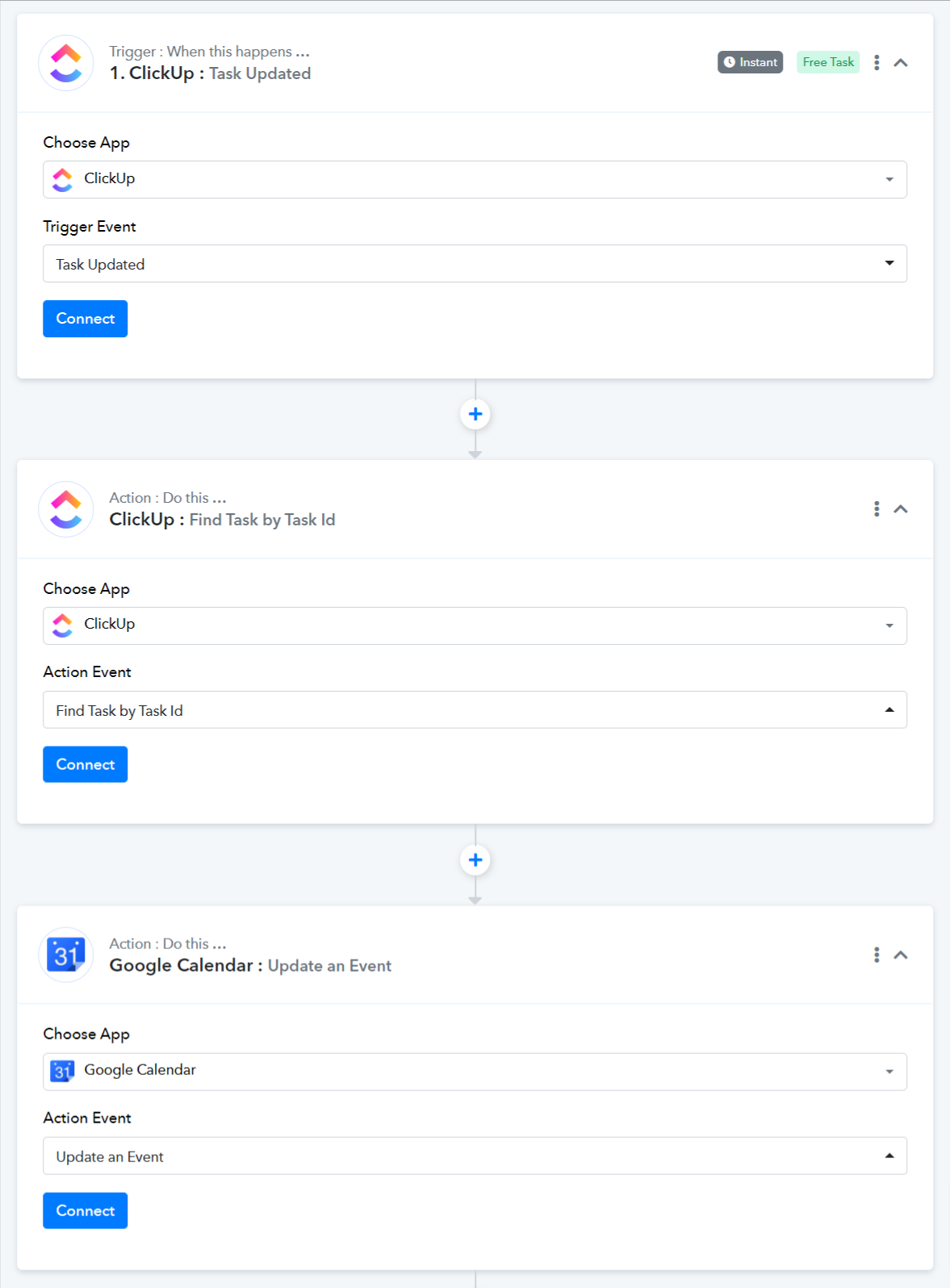
- Use ClickUp: Task Updated to trigger your workflow whenever you make updates to your task.
- Use ClickUp: Find Task by Task ID as the action event to capture task details.
- Update your Google Calendar event using the captured details.
Thanks so much! One remaining question: what is the Event ID that I need to grab from the Google calendar Event to tell Pabbly which event to update?
OK I have it set up as follows:
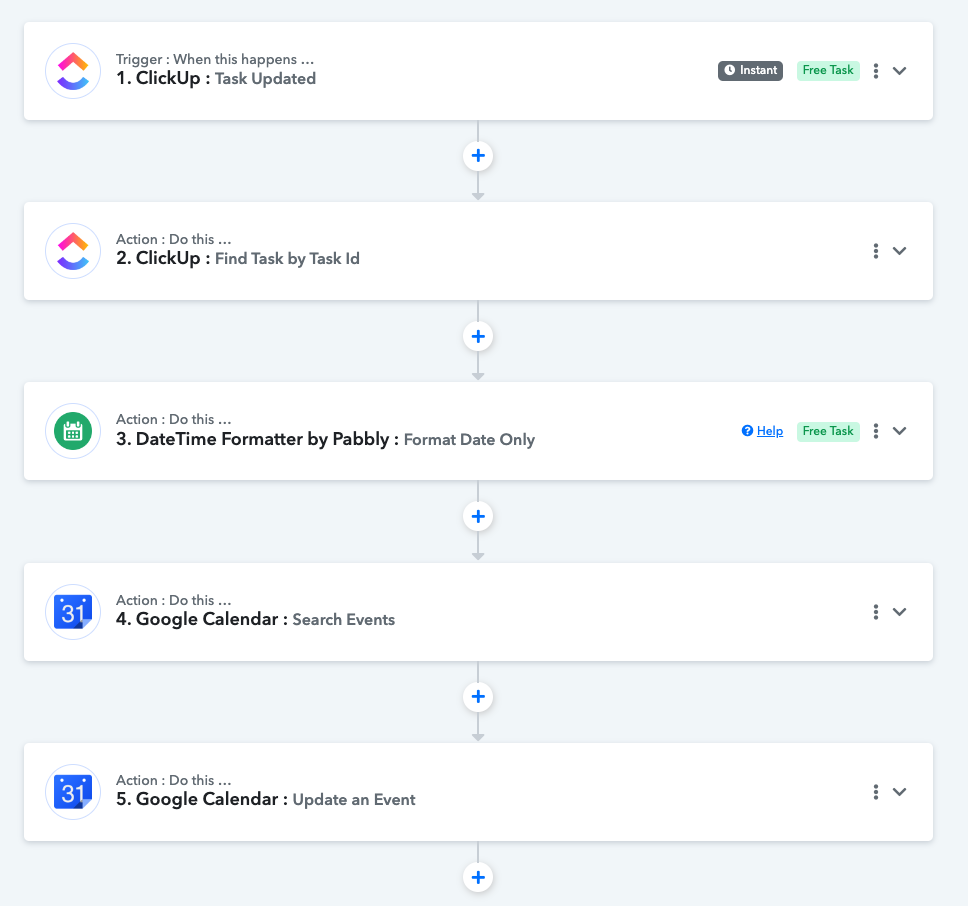
So a task is updated, I find that task to get all the details, format the date properly, search for the Google Calendar event using the event name from the corresponding clickup task, and then update the Google Calendar event.
Where I'm getting hung up on is what information from Step 4 to add into the "Event" field in step 5. I have tried every different mappable field but it doesn't seem to be working.
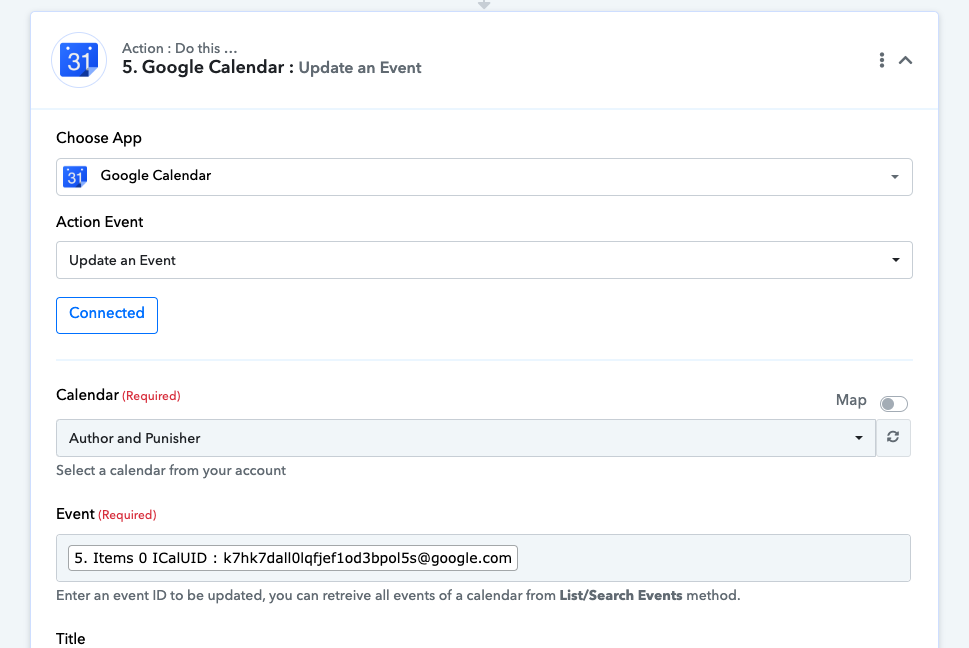
Please map the correct Event ID from the previous step.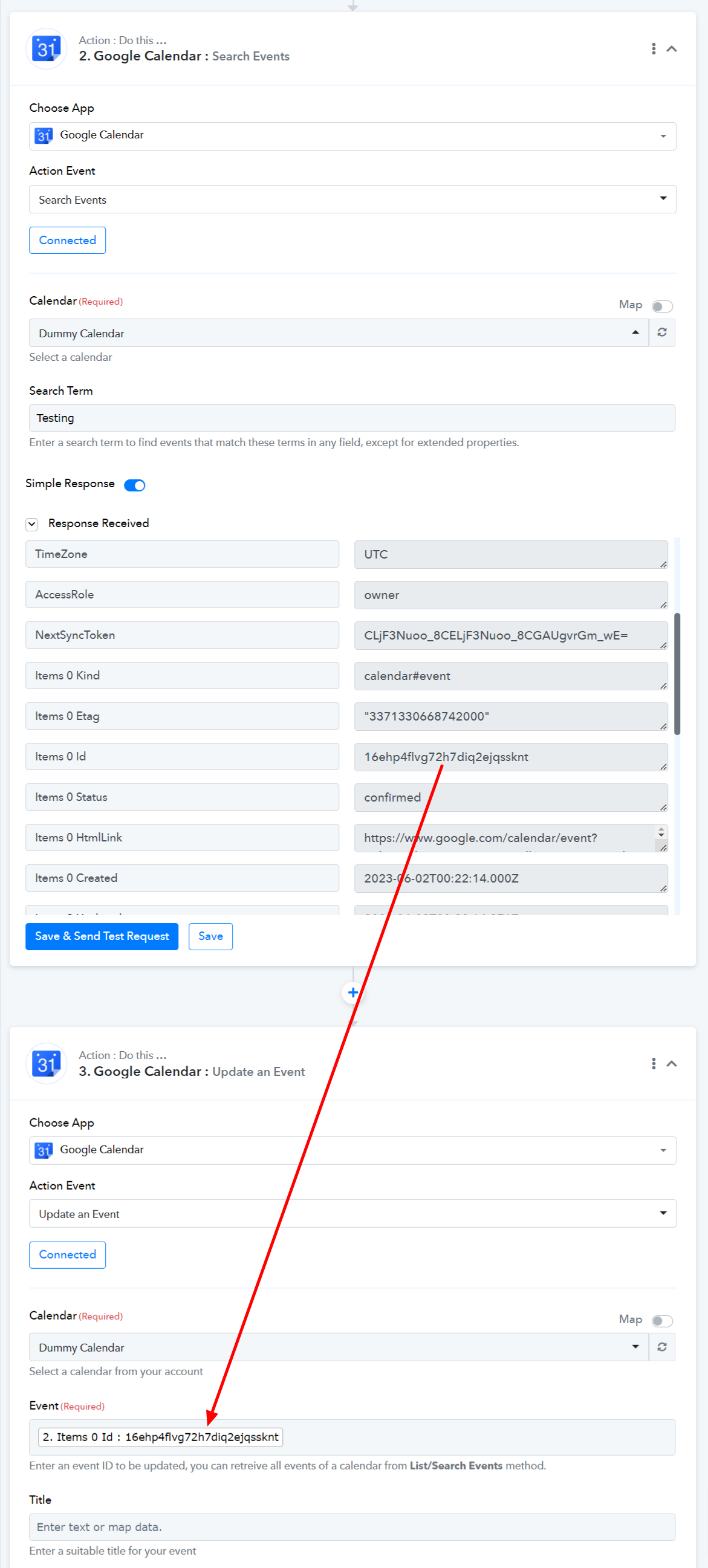
When I do that I get this response: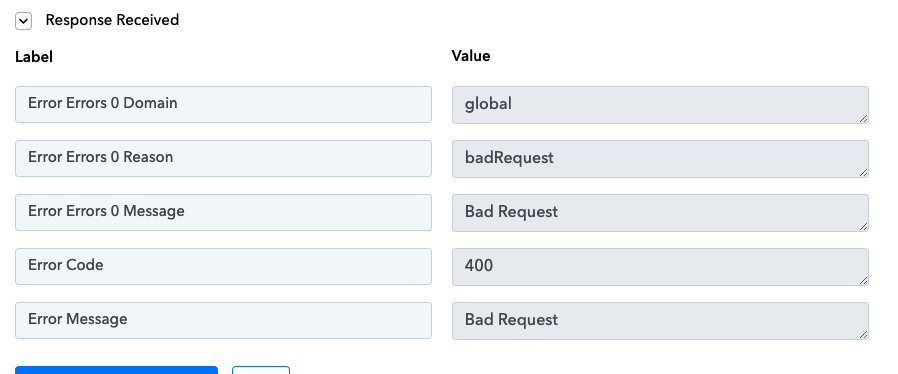
URL for this workflow is: https://connect.pabbly.com/workflow/mapping/IjU3NjUwNTZkMDYzNDA0M2Q1MjZmNTUzMTUxMzAi_pc
When I do that I get this response:
Seems like you haven't passed the DateTime in the correct format and because of that it is not working.
Though we have corrected the date and time as mentioned in the help and the action step is working now.
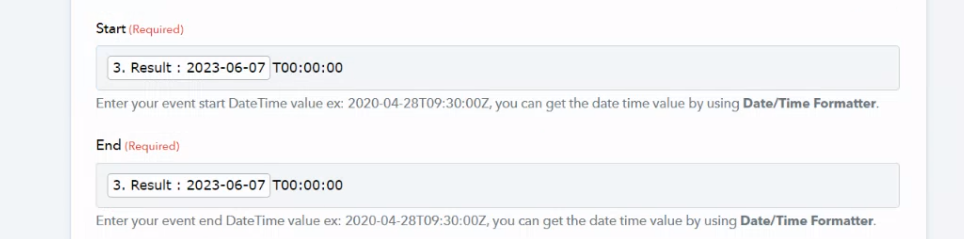
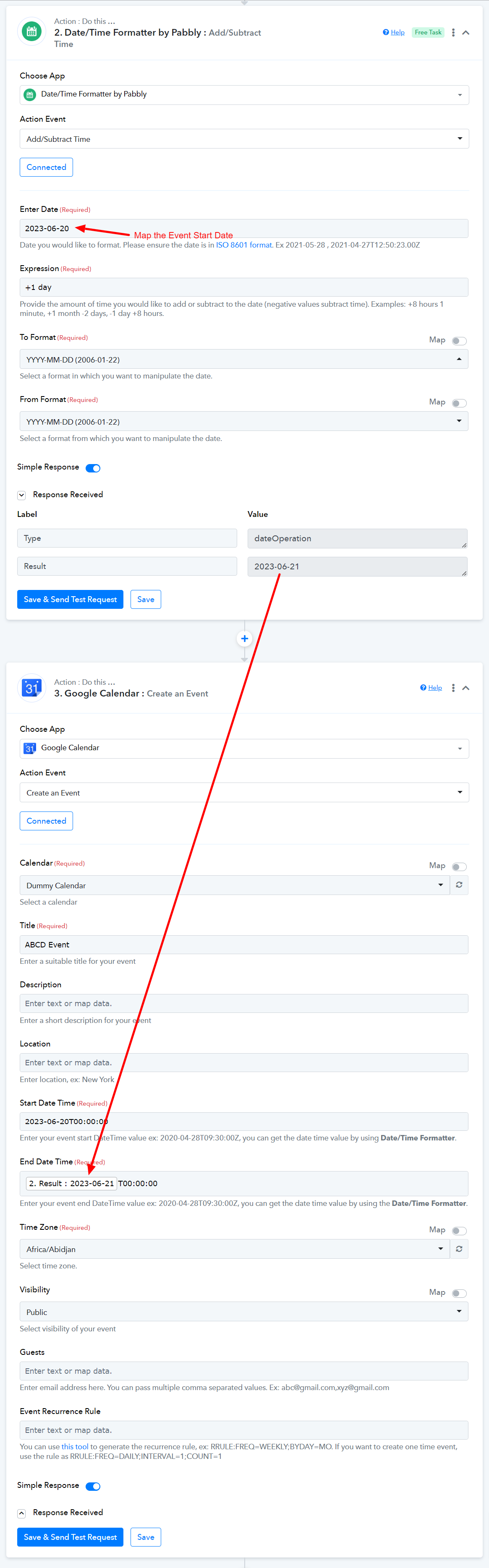
That works - but I need the resultant event in Google Calendar to be an all-day event.
To create an all-day event, you can set the End Date as one day ahead of your Start Date using the Date/Time Formatter: Add/Subtract Time.