Updating Issue in Github to Update Task in ClickUp
Status: Closed · Asked by Pio Jericho on · 0 views
So I made a new workflow for when an issue is being updated in github it will also update the task in clickup. I re-captured the response and mapped the correct data. Now when I click Save & Test on the update task, it works but its not updating the task in clickup. I saw the response received but its still showing the old data not the new ones even though I mapped them.
Hey @lalakingcaaath
Can you please record a short video on why the fields and the tasks are not getting updated?
As we can see from your recent history logs the tasks are getting updated accordingly.
Sorry for the late reply. Here is the link for the short video: https://drive.google.com/file/d/1yziS5kB91MYRPu0-mBmcblG3AoGCEON2/view?usp=sharing
As per the API documentation of Clickup, there is no action event or feature available that can get a specific task from your ClickUp account to update the task dynamically.
https://clickup.com/api/clickupreference/operation/GetTasks/
So, updating the task in a dynamic nature cannot be possible but if you are getting the Clickups' task ID from your GitHub then it can be possible to update the task in the automation.
Is it possible to get the clickup task ID from github? I tried mapping the issue ID but it did not work and resulted in an error. Is there some way to convert that ID to the clickup task ID?
I tried mapping the issue ID but it did not work and resulted in an error. Is there some way to convert that ID to the clickup task ID?
The Task ID of Clickup has to be passed in the Update Task action step in a dynamic nature from the trigger response for the possibility.
So, if you can pass the task ID in your GitHub then that can happen.
The Task ID of Clickup has to be passed in the Update Task action step in a dynamic nature from the trigger response for the possibility.So, if you can pass the task ID in your GitHub then that can happen.
How can I do this if you don't mind?
You will get the task id from the CLickup dashboard which you can feed to your GitHub manually.
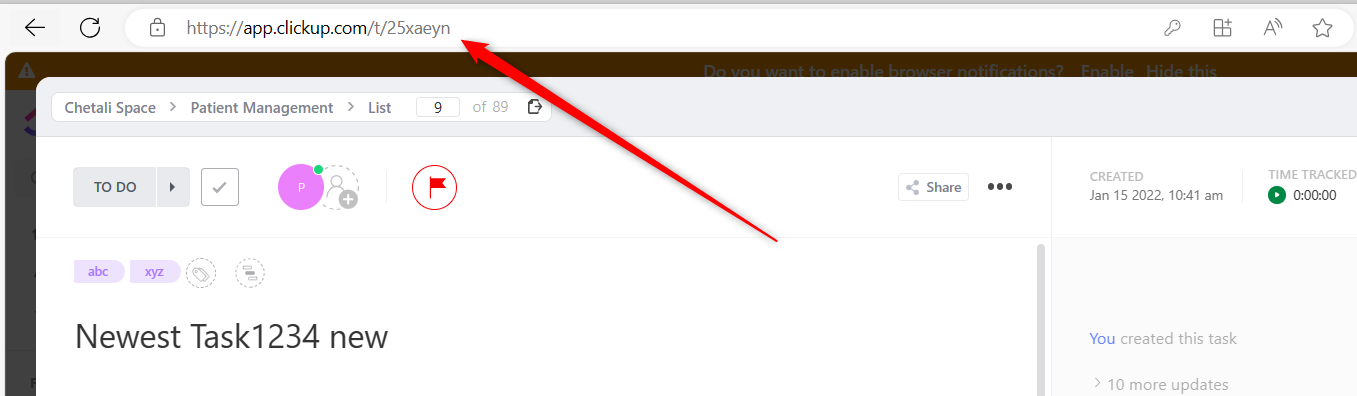
How do I feed it to my GitHub issues? Do I need to put it in a comment or the title? I don't quite understand sorry.
How do I feed it to my GitHub issues? Do I need to put it in a comment or the title? I don't quite understand sorry.
You can manually feed the task ID from the URL bar of the Clickup Task to the Gitbub.