Updating pabbly integration with zoho after adding new fields to unbounce form
Status: Closed · Asked by Steve111 on · 0 views
Hi there,
We recently added in some new fields into our unbounce form. I've re-captured the webhook response to include the new fields.
I was able to map out all the new fields by using the 'Test Formatter --> Text Parser', but I'm getting the following error message for the email mapping. Please see the following pics showing the mapping and error message. Can you let me know what I am doing wrong?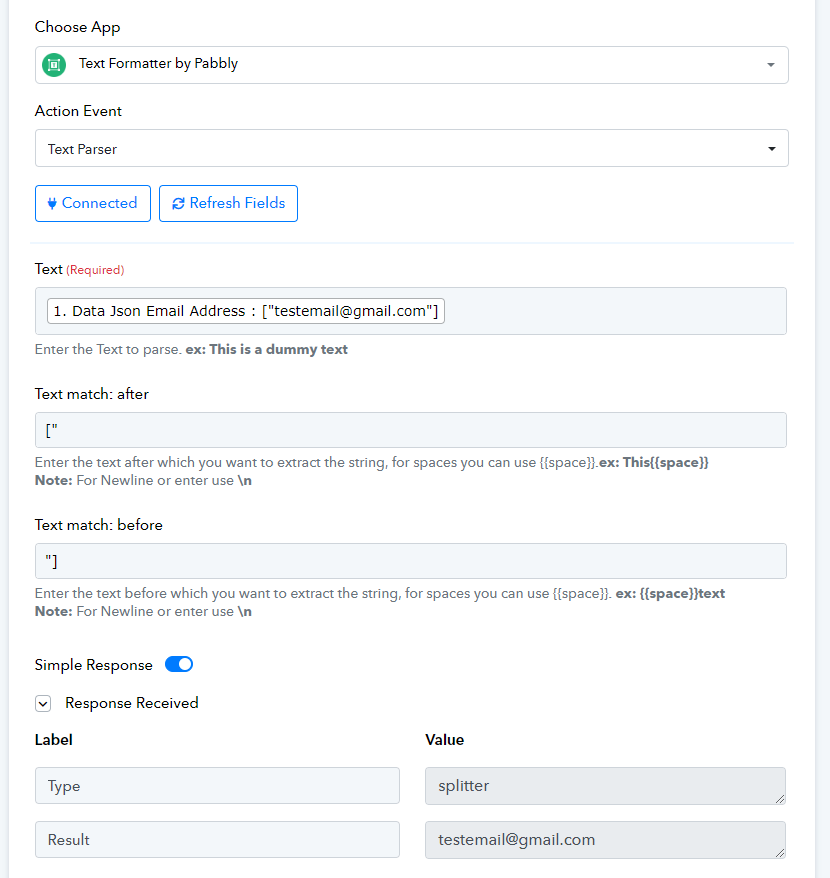
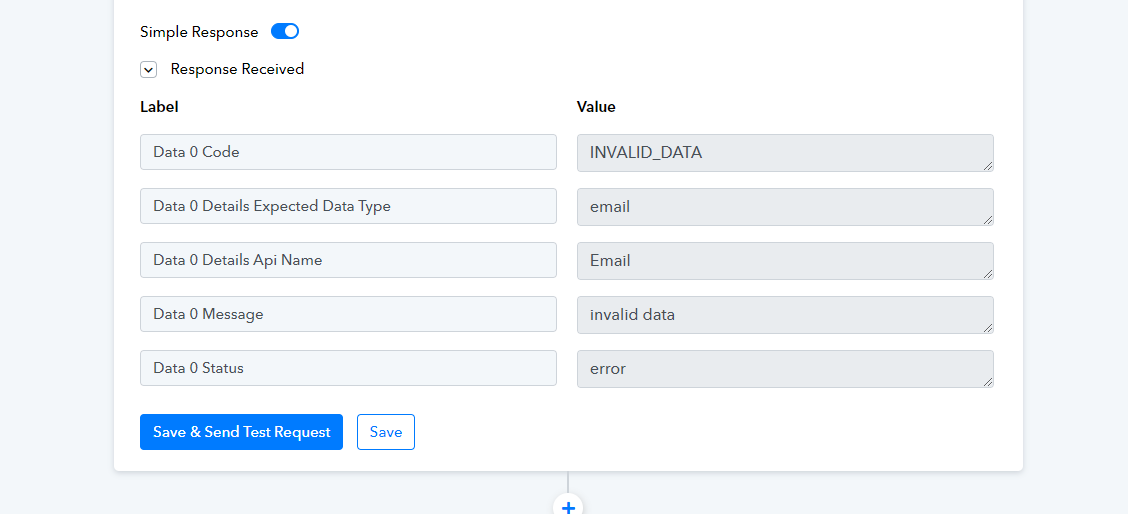
Hi @Steve111,
Please follow the steps given in the video shared below to capture the data as a Simple Response (skip to 5:26). After this, you won't have to add text formatters to your workflow, and you can simply map the data as shown in the video.
Hi Arshil,
Thanks for the video!
I had removed all the text formatters and followed the video. The result was a success however I noticed that the fields I added in unbounce and zoho are not showing up on pabbly for me to map the data.
Can you please help with this? 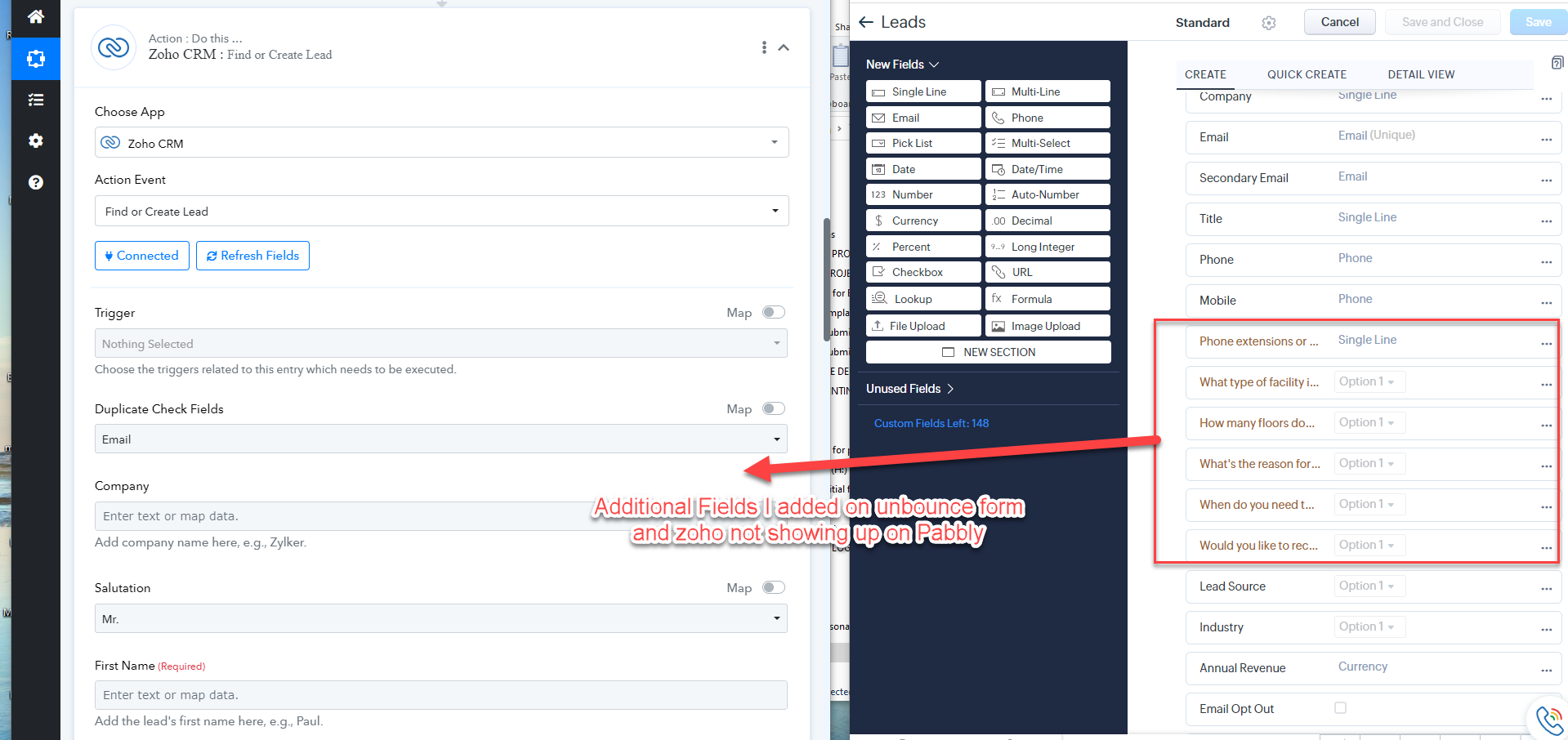
Please try using 'Zoho CRM: Insert Record' action event to achieve your use case.
This video is about using google sheet to add in the new fields, Do I have to create a google sheet and add in the custom fields that I added to unbounce, in order for the new fields from unbounce to map to zoho (when creating a new lead?)
Is there a way to map those custom fields directly from unbounce to zoho (when creating a new lead).
No, you just need to use the 'Insert Record' action event instead of the 'Find or Create Lead' action event. The video I shared is just to demonstrate how you can set up the 'Insert Record' action event. Please ignore the trigger step used in that video.
Hi Arshil,
Thank you for the clarification!
I've created an integration linking unbounce to zoho to insert/update record. I sent a test form from unbounce, and mapped out all the fields that we want to be added to a new lead file in zoho. I received an error message.
Can you please help us look into this and see what is the error?
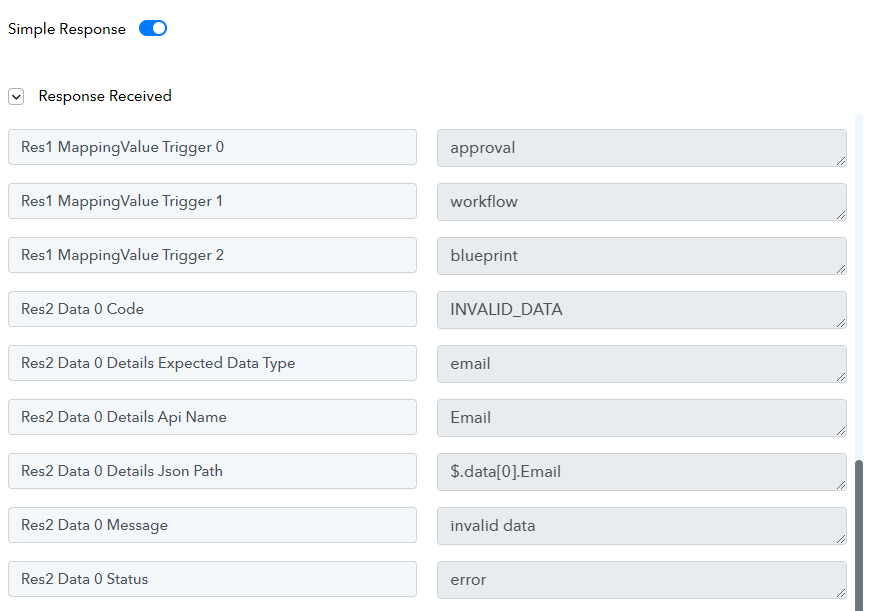
The issue was related to the email address that you were trying to map. I made some changes to enter the email in its correct format (you can remove the text), which seems to have fixed your issue.
Thank you so much it seems to be working now!! Appreciate your help! :D(y)(y)(y)(y)