Upload a .xlsx file from URL ,but get a .html file finally
Status: Closed · Asked by Leo wolf on · 0 views
Hello,
I use Pabbly Connect for the Amazon report collection.
But when I uploaded the .xlsx report to Google Drive by URL, finally I got a .html file in my Google Drive.
The same method I do with Zapier could get the .xlsx file correct.
Is there any solution?
Hey @Leo wolf
But when I uploaded the .xlsx report to Google Drive by URL, finally I got a .html file in my Google Drive.The same method I do with Zapier could get the .xlsx file correct.
Can you please send the reference of the same with the help of a short recorded video and picture, so that we can look into it and check the possibility?
Hello,
The method I used below, the same setting both in pabbly and zapier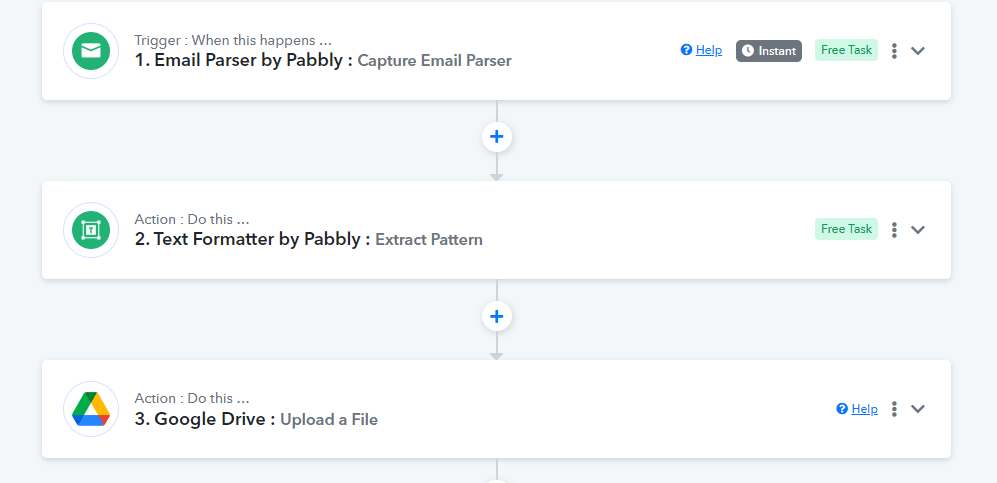
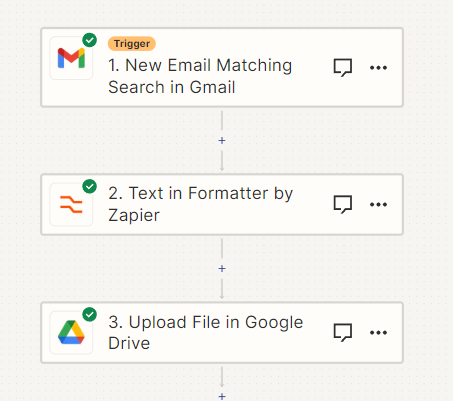
After run these two workflow,I got 2 files in my Google drive below:
The pabbly get the first file which is a .html file and I can't open it by Google Sheets. After downloading this html file and changing the file name to .xlsx, it has all the correct data inside.
The Zapier workflow got the second file which is .xlsx and can open directly in Google Drive.
Can you please try using the AWS downloadable file URL once to upload the file in xlsx.
Hi, I already use AWS downloadable file URL from Amazon Email
Regrettably, I must inform you that uploading the .xlsx file to Google Drive in this manner does not appear to be feasible, making your specific use case unattainable.