Upload Image to Wordpress from url in pabbly connect
Status: Closed · Asked by JasonS on · 0 views
Can you provide a way of uploading an image file from a url into wordpress as a media item?
Hey @JasonS
Kindly let us know in which action event of WordPress you are willing to post the Image?
Thank you.
Currently I cant find a way of uploading a Featured Image withing wordpress as part of the posting process, you can only seem to select an ID for the featured Image, and I want to be able to use one from a url at the time. In this case facebook post to wordpress.
Thank you.Currently I cant find a way of uploading a Featured Image withing wordpress as part of the posting process, you can only seem to select an ID for the featured Image, and I want to be able to use one from a url at the time. In this case facebook post to wordpress.
Featured Images cannot be uploaded via the action event of WordPress dynamically, you need to upload directly on the account and then you can use the Featured image field in the action step.
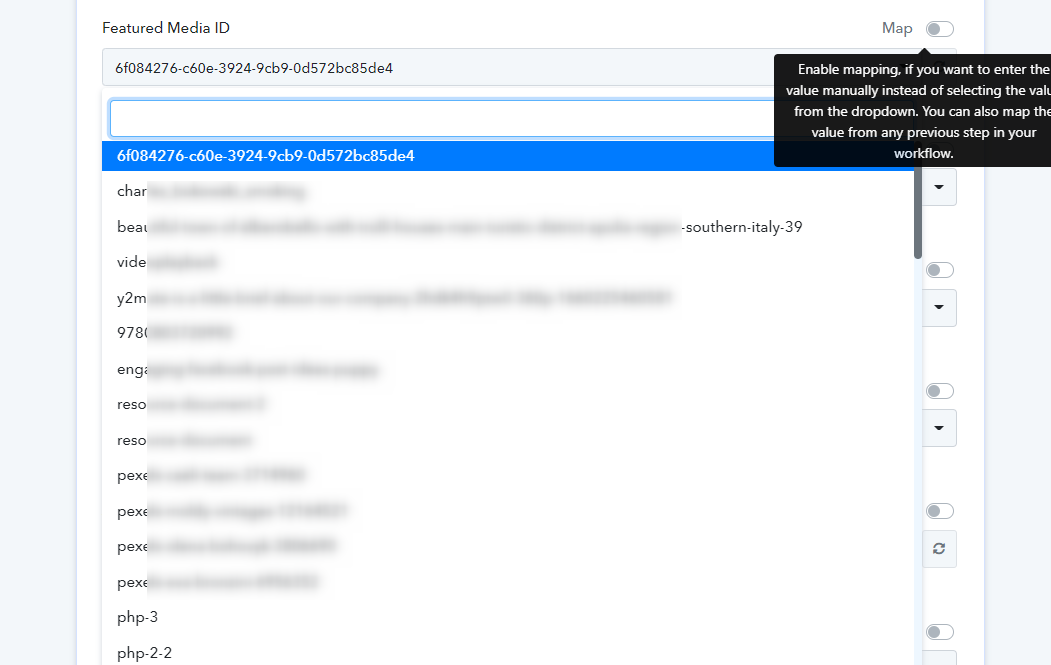
This is exactly my point and why I made a request for new feature!!
You moved it to General Discussion, please place the question back in Features Requests as that is the whole point of the post.
Thanks
Hey @JasonS
The feature which you are looking for is not available on the WordPress API documentation which cannot be managed by Pabbly.
You need to contact their support team for the same. Since WordPress asks users to upload the Image first on the account and then can select the image from the dropdown of the "Featured Media Id" field.
any update on this Image upload on WordPress website
Did WP update the API
any update on this Image upload on WordPress website?
You can refer to the following video tutorial once regarding the workaround.
Thanks.
I checked this already, but not use for the websites without WooCommerce.
I tried using the below but no success
Can you please check this
https://rudrastyh.com/wordpress/upload-featured-image-rest-api.html
Unfortunately, there are no other options available to pass the featured image.
Unfortunately, there are no other options available to pass the featured image.
Did you check the above 2 options
Lot of people are able to upload featured image through REST API from Flutter, Python etc.
So I think there should be a way for that.
Yes, we did check your API reference but it doesn't help to pass the featured image.
Ok Thanks