Upload WSForm image upload to Google Drive Folder
Status: Closed · Asked by Chris Baird on · 0 views
I followed the steps and was sure it was to work - but I can't get it to work. Any help appreciated.
I get Error Code 3, ScriptError, [{"@type":"type.googleapis.com\/google.apps.script.v1.ExecutionError","scriptStackTraceElements":[{"function":"uploadToDrive"}],"errorMessage":"Exception: DNS error: http:\/\/filename.jpeg","errorType":"ScriptError"}]
I thought I had set everything up correctly - but then i get
ERror 3, Script Error and
[{"@type":"type.googleapis.com\/google.apps.script.v1.ExecutionError","scriptStackTraceElements":[{"function":"uploadToDrive"}],"errorMessage":"Exception: DNS error: http:\/\/imgagetitle.jpeg","errorType":"ScriptError"}]
Not sure what I am doing wrong - thought it would just work.
Hey @chris baird
We looked into your recent workflows history logs and it seems like in your last execution, you didn't get any Image URL to upload on Google Drive.
And because of that Google Drive threw an error.
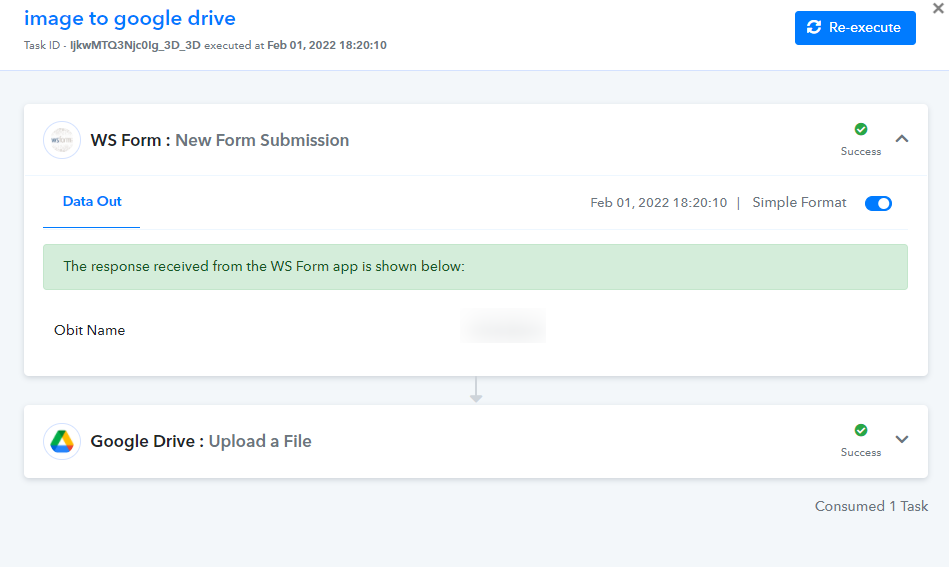
thanks - i looked closer and seen the url for the image - got it working.
Thanks