Urgent: Seeking Assistance for MessageAutoSender - Google Sheet Workflow Issue (HTTP Status Code 403)
Status: Open · Asked by Harshit Sharma on · 0 views
Hello Team,
I hope you're all well. I'm currently working on integrating MessageAutoSender with Google Sheets to create an automated workflow. However, I've hit a roadblock, and I'm in need of your expertise to move forward.
The main objective is to send automated messages to specific phone numbers when new rows are added or existing ones are updated in Google Sheets. I've been diligently setting up the workflow, but unfortunately, I've encountered the following error:
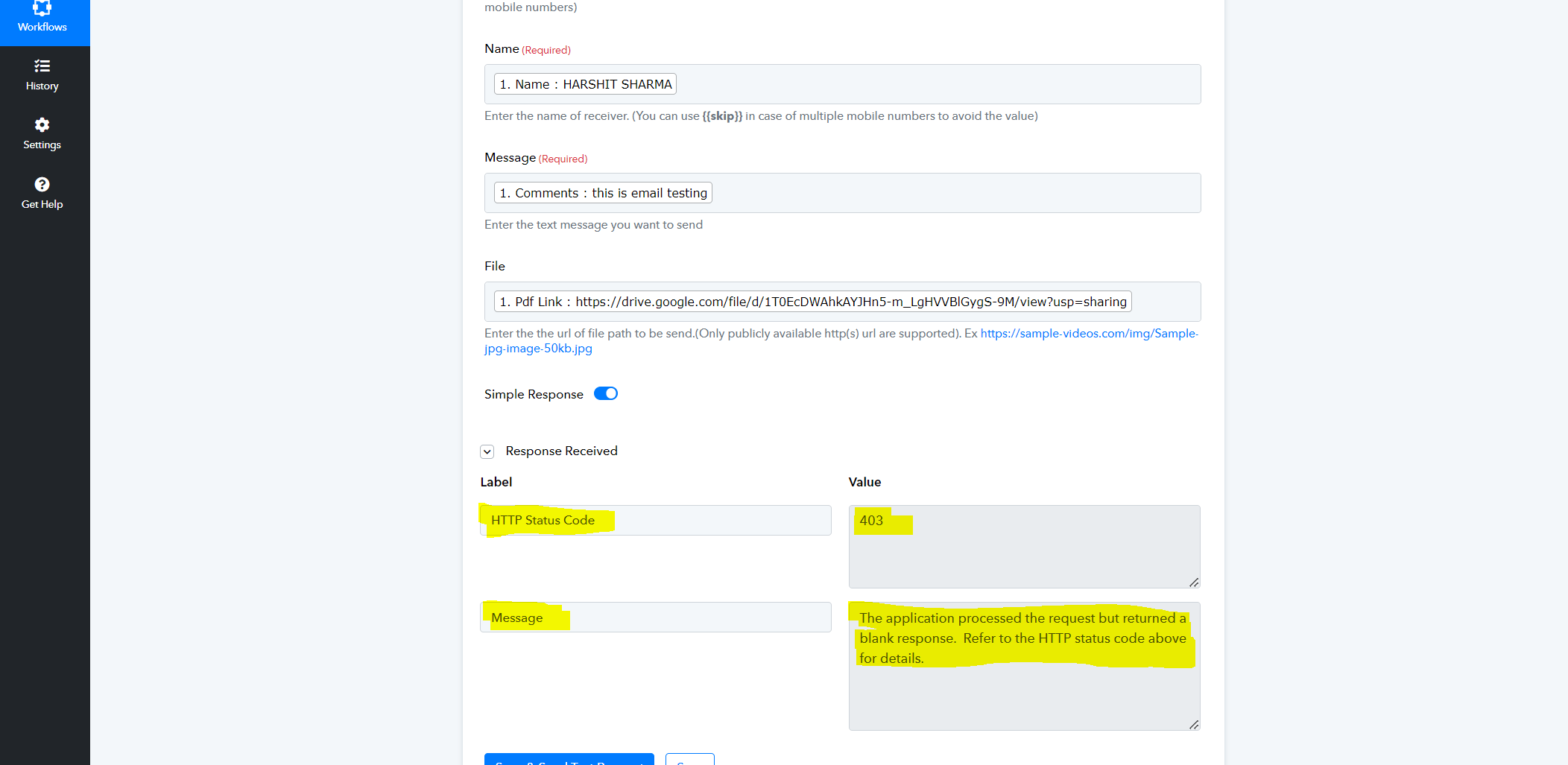
HTTP Status Code: 403
Message: The application processed the request but returned a blank response. Please refer to the provided HTTP status code for more information.
This error message has me stumped, and despite my efforts, I haven't been able to resolve it.
I'm reaching out to the team in the hopes that someone might have encountered this before or could offer insights into what might be causing it. Your assistance would be invaluable in getting past this obstacle and getting the workflow functioning smoothly.
Thank you for your time and support. Looking forward to your guidance.
Attachments
Hey @Harshit Sharma
Kindly share the workflow URL in which you have tried the same so that we can look into it.
Hey @Harshit SharmaKindly share the workflow URL in which you have tried the same so that we can look into it.
Thank you for your response
Workflow link https://connect.pabbly.com/workflow/mapping/IjU3NjUwNTZmMDYzNzA0MzY1MjY5NTUzMDUxMzAi_pc
Hey @Harshit SharmaKindly share the workflow URL in which you have tried the same so that we can look into it.
Any suggestions!!!
Please allow us some time to look into this concern. We will get back to you with an update soon.
Please allow us some time to look into this concern. We will get back to you with an update soon.
Hello, sir. okay sir. I greatly appreciate your expertise and would be grateful for your valuable insights and suggestions. Your feedback is highly anticipated, so please do reply when you can.
Thank you.
Hi sir. Good morning
Make sure your gdrive file has anyone with link can view permission and also try to pass it in this format in File field - https://drive.google.com/uc export=download&id={{fileid}} , replace {{fileid}} with actual gdrive file id.
Contact me - https://www.facebook.com/himeshsoni07
Email - [EMAIL][email hidden][/EMAIL]
Make sure your gdrive file has anyone with link can view permission and also try to pass it in this format in File field - https://drive.google.com/uc?export=download&id={{fileid}} , replace {{fileid}} with actual gdrive file id.
Thank you for your reply. I've removed the file link from the work flow. still issue facing.. please help!! @Himesh @ArshilAhmad
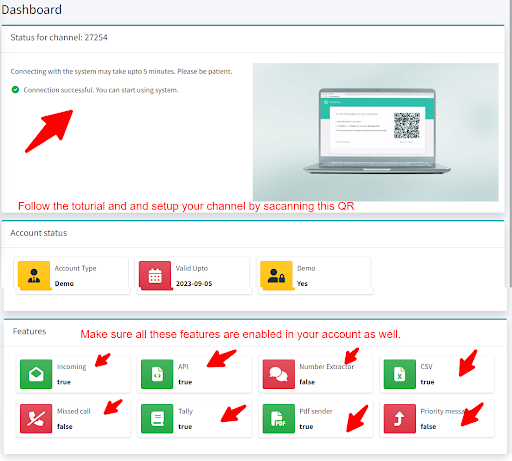
The issue appears to be related to the incorrect setup of your MessageAutoSender application. Please go to the dashboard of your application, scan the QR code, and set up the application as shown in the tutorial. Additionally, ensure that you have enabled all the features of your account.