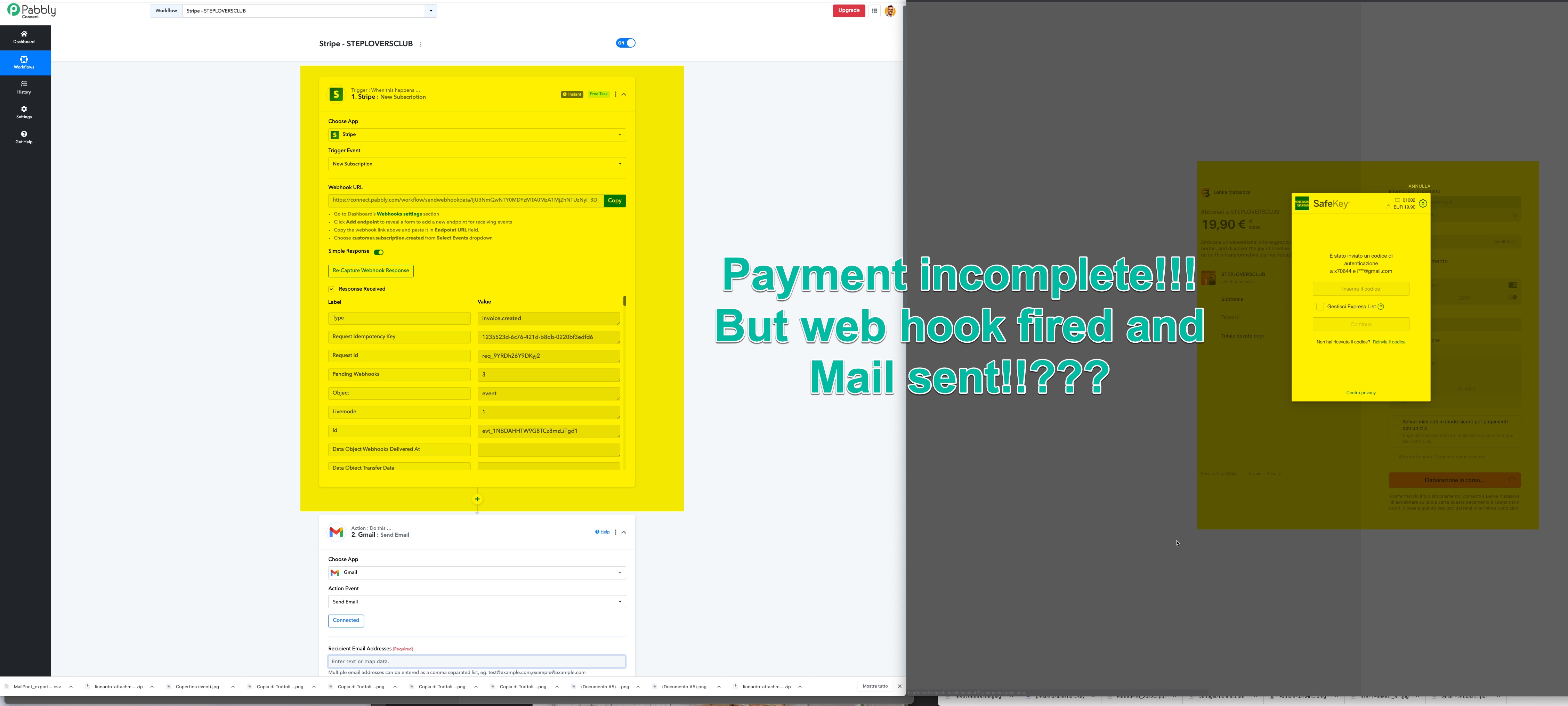
Urgent: STRIPE CONNECTION... MAIL Sent for INCOMPLETE OREDER too!!???
Status: Closed · Asked by Best Startup srl on · 0 views
URGENT
Hi... I have an issue with Pabbly CONNECT + STRIPE Commerction!!!
Client Receive the Confirmation Email from PABBLY... with magic link to access the Product... ALSO if PAYMENT is INCOMPLETE?!?!?
I need to find a way... to send the email if the PAYMENT is processed correctly ... only!!!
Awaiting your kind help
Valerio
Attachments
Hey @Valerio
Seems like you have opted for multiple webhook events from your Stipe for the respective webhook URL and because of that you are getting responses for various trigger events.
So, to avoid such a situation, we recommend you use the Filter action step and can pass the specific event to only run the automation for that trigger event.
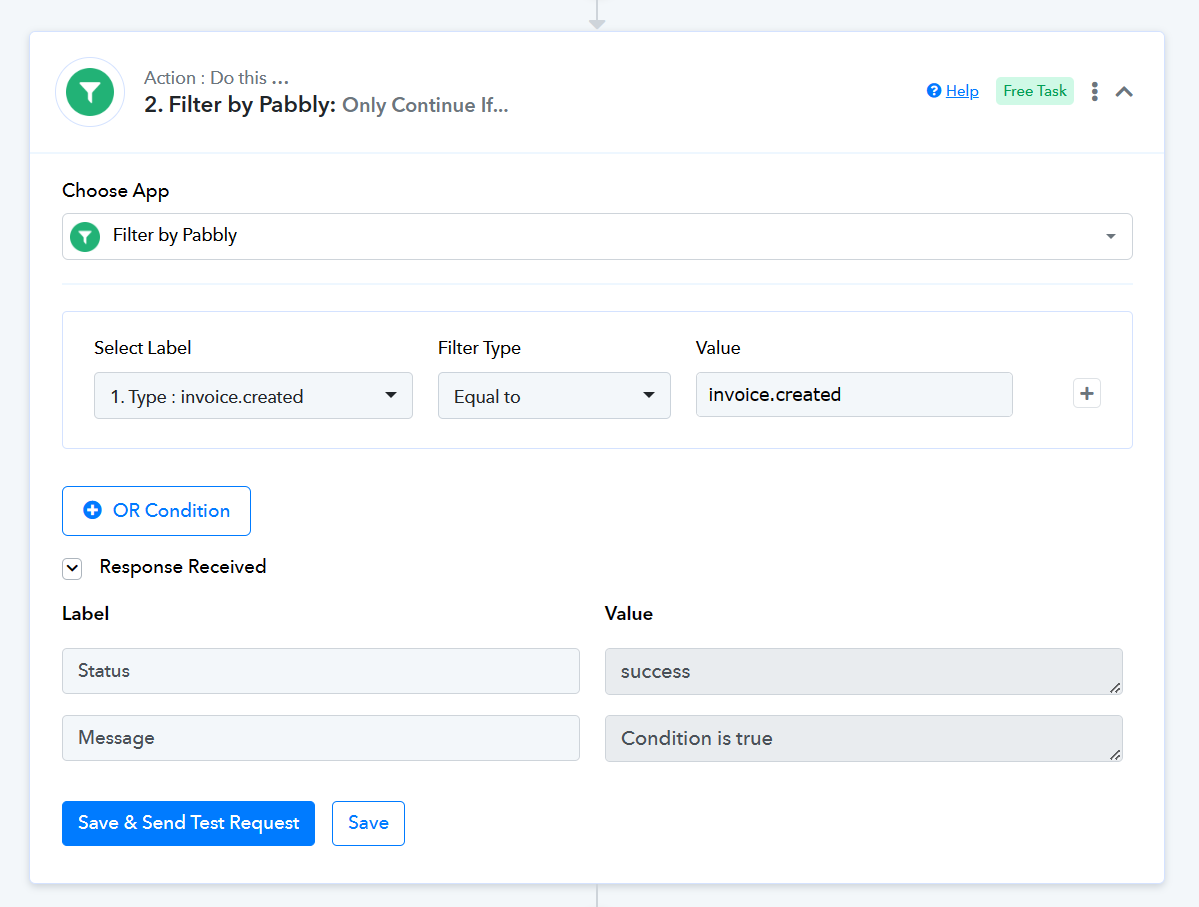
So... you have set it for me?!?!?!
If so... THANKS... only let me know... ;) confirm it...
...
Another Question too...
I have 2 Different Product On Stripe for this Client...
https://app.screencast.com/Aj0ymbYtT6pz5
1) First Product... A Stripe Subscription (BECREATIV VIP) ... for ITALIAN CUSTOMER Product... named BeCreative Fitness Club with second step after payment >>> GMAIL >>> in ITalian with magic link to access a space into MightyNtwk Community...
2) Second Product ... A Stripe Subscription (STEPLOVERS)... for ENGLISH CUSTOMER Product... named Steplovers with second step after payment >>> GMAIL >>> in English with magic link to access a space into a DIFFERENT MightyNtwk Community...
So... I would like to set with a UNIQUE Pabbly WORKOUT... maybe with a ROUTER but I can't find a right way...
I have already tried BUT... when also the English take Steplovers... start Italian gmail too?!?!?! :O
PLEASE help... pretty desperate!
Awaiting
Valerio
So... you have set it for me?!?!?!
If so... THANKS... only let me know... ;) confirm it...
We have shared the filter step so that you can set the action step after the trigger event which we can see you have already added.
So... I would like to set with a UNIQUE Pabbly WORKOUT... maybe with a ROUTER but I can't find a right way...
I have already tried BUT... when also the English take Steplovers... start Italian gmail too?!?!?! :O
Yes, you are right with the help of the router action step where you can create individual routes for different products to send the email.
For a better understanding of the router action step, we recommend you to refer the following tutorial lesson on the same.
Other question ...
I have Set... "Checkout Completed Trigger"
https://connect.pabbly.com/workflow/sendwebhookdata/IjU3NmQwNTY0MDYzMDA0MzY1MjZkNTUzNyI_3D_pc
and see... Data Object Payment Link...
Can you confirm that DIFFERENT Product... have been identofied by Pabbly with Different Object Payment Link ?
screenshot...
https://app.screencast.com/txL4ZrUz7hGDO ???
CORRECT???
If so... should I ROUTERS THEM?! and send different email to different Payment Link ...
Awaiting
Please help...
Valerio
If you only want to share the payment Link in the mail with the same email content then the current workflow seems fine if you want to send the email with different email content with the product link then you should use the "Router" action step.
OK... But ... If I have 2 STRIPE differend Subscription PRODUCT.... how can I ROUTE them?!?!?!
Explain me this please... I watched the video several times... in order to sort itout But do not find the way!!!
I need your help...
Can I filter per EVENT ID ?!?!!?!?
or???
Explain me PLEASE...
Attachments
Hi have Created the Router... Task
https://connect.pabbly.com/workflow/mapping/IjU3NjUwNTZkMDYzMDA0MzA1MjZjNTUzNzUxMzci_pc
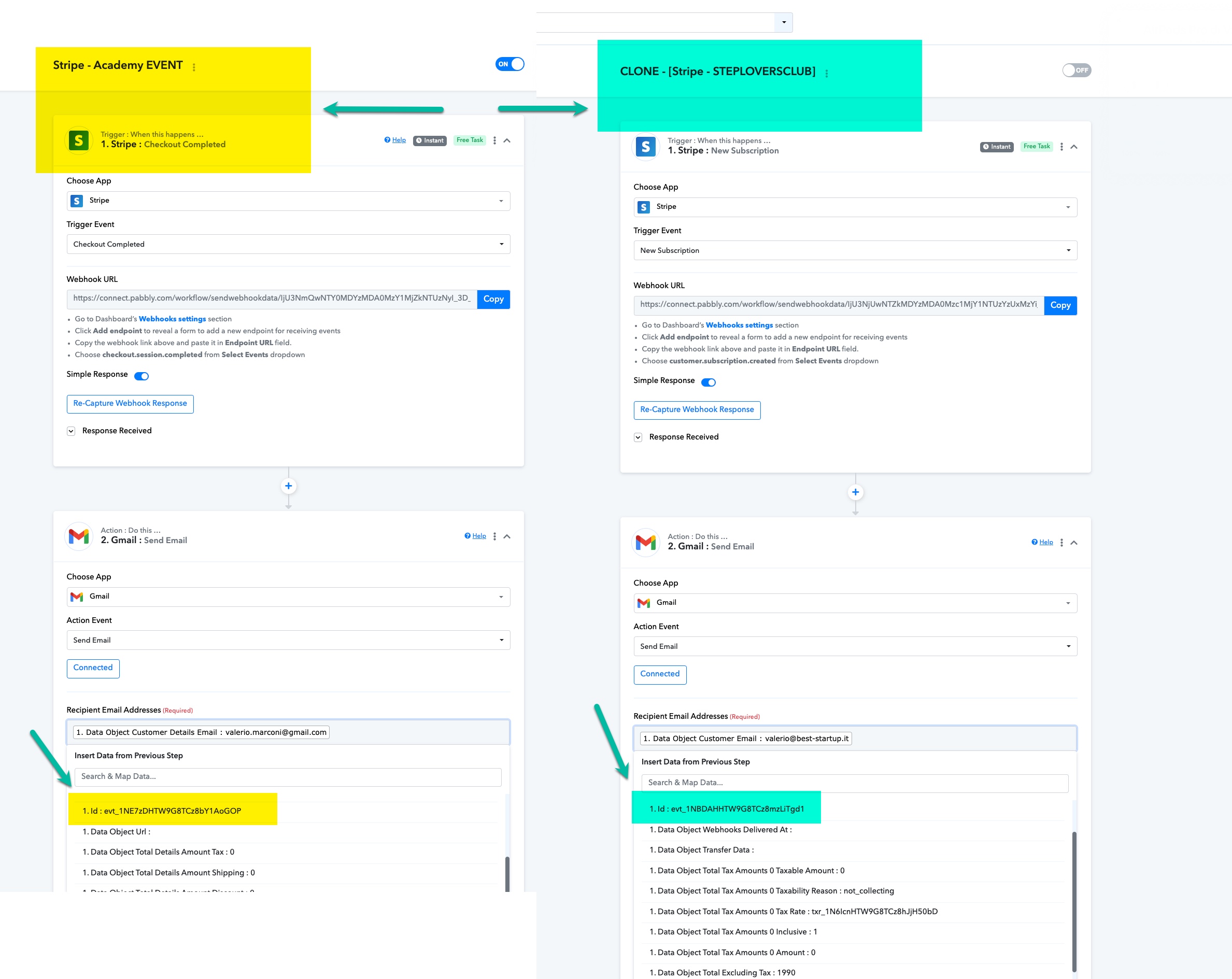
BUT fired up ALWAYS the WRONG Product?!?!?!
Always BECREATIVE ACADEMY also if I buy the STEPLOVERS Product?!?!?!
Why?!?!?
These are the Route I set...
ROUTE 1...
https://app.screencast.com/CoSLtObvuPNCD
Route 2
https://app.screencast.com/tFbCKplDEYH4r
But also If I buy Route 2 Product... I receive Route 1 email!?!?!?!?
Why Please HELP!!!
Video of the issue
https://video.best-startup.it/PeRO8EEQ
Difefrend Data Captured...
Attachments
OK... But ... If I have 2 STRIPE differend Subscription PRODUCT.... how can I ROUTE them?!?!?!
Explain me this please... I watched the video several times... in order to sort itout But do not find the way!!!
If you have more than 1 products to process the workflow then you can use the Router action step.
youtube.com/watch?v=6XDASZVv3tw
Further, you can also refer to the following video where we have shown how you can use the Stripe payment with the Router action step.