• Instructions to Ask a Question

    For any assistance, please click the "Ask a Question" button and select the Pabbly product for which you require support.

    We offer seven comprehensive applications designed to help you efficiently manage and grow your business:

    Our support team endeavors to respond within 24 business hours (Monday to Friday, 10:00 AM to 6:00 PM IST). We appreciate your understanding and patience.

  • Due to Holi celebrations, our team will have limited availability. While we’ll continue to monitor threads, responses may be slightly delayed. Normal operations will resume on Thursday, 5th March 2026.

Use Pabbly to send Woocommerce order to Google Sheets with VARIABLE product

Status
Not open for further replies.

robi93

Member
Hi I am trying to send woocommerce order data to Google Sheets. This works easily with simple products as shown in your tutorial here:

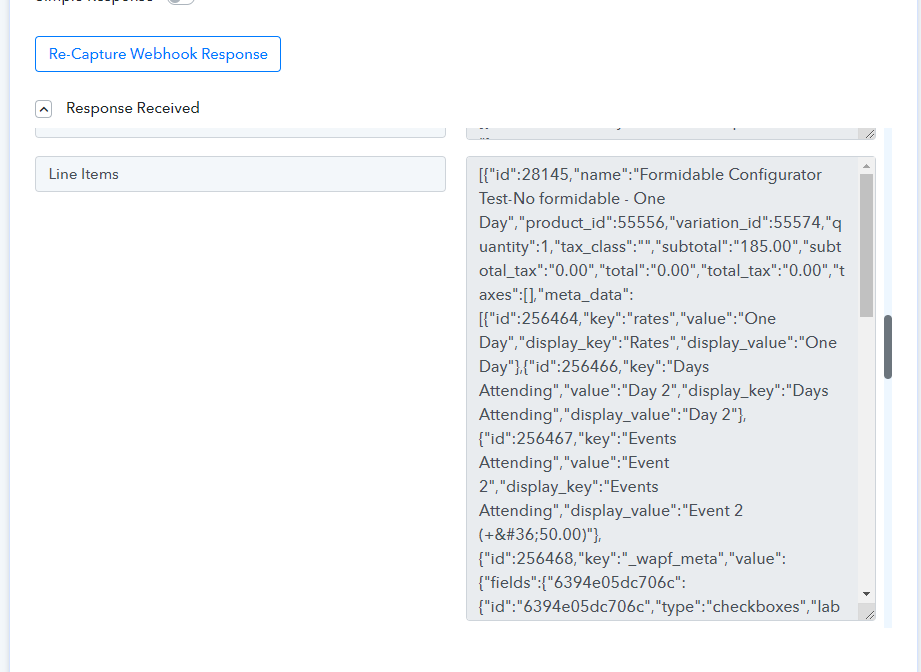
BUT I need to map the data in a variable product under "Line Items" to a Google Sheet column. This data is presented in key/value pairs with extra formatting.

Can I grab the line items of a variable product and send that to Sheets? How?

Here is a screencapture of how the variable product data looks in the webhook:
 

Attachments

  • Screenshot_154.jpg
    Screenshot_154.jpg
    96.5 KB · Views: 149
P

Pabblymember11

Guest
Can I grab the line items of a variable product and send that to Sheets?
You can simply use the "Line Itemizer" action step after the trigger event and can pass its comma-separated values in the "Google Sheets: Add Multiple Rows".


1670917609419.png
 
Status
Not open for further replies.
Top