Use with matching fields in action event
Status: Closed · Asked by quepreonpay on · 0 views
Applications = Fluent CRM And Begin CRM
Work Flow Name = Free Webinar - #03 - 15Jan2022 - [Create Contact And Deal] Fluent CRM To ZOHO BIGIN CRM
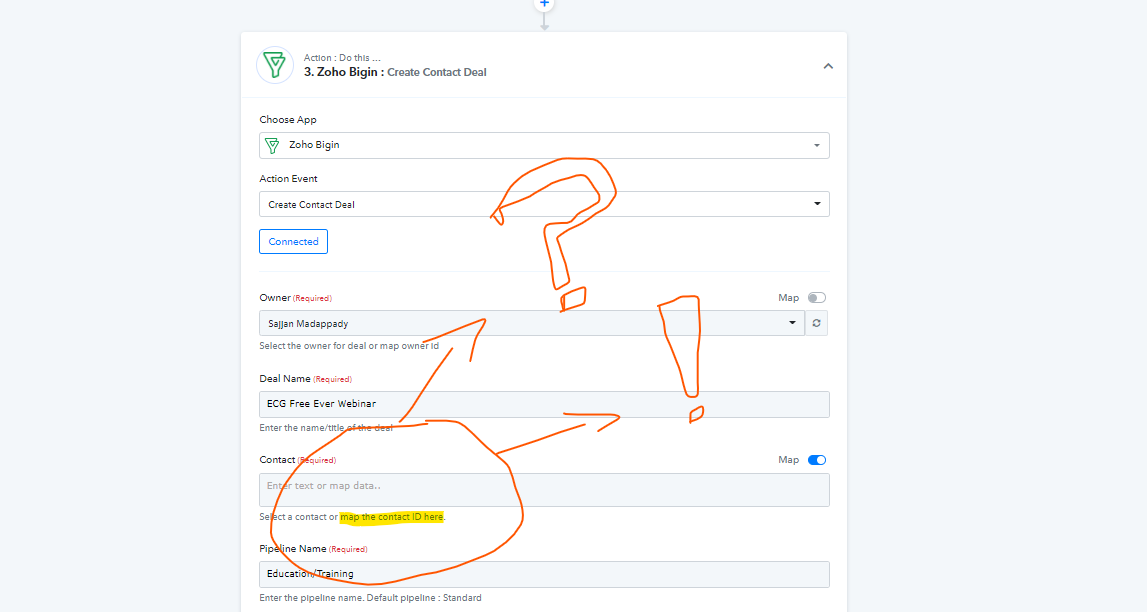
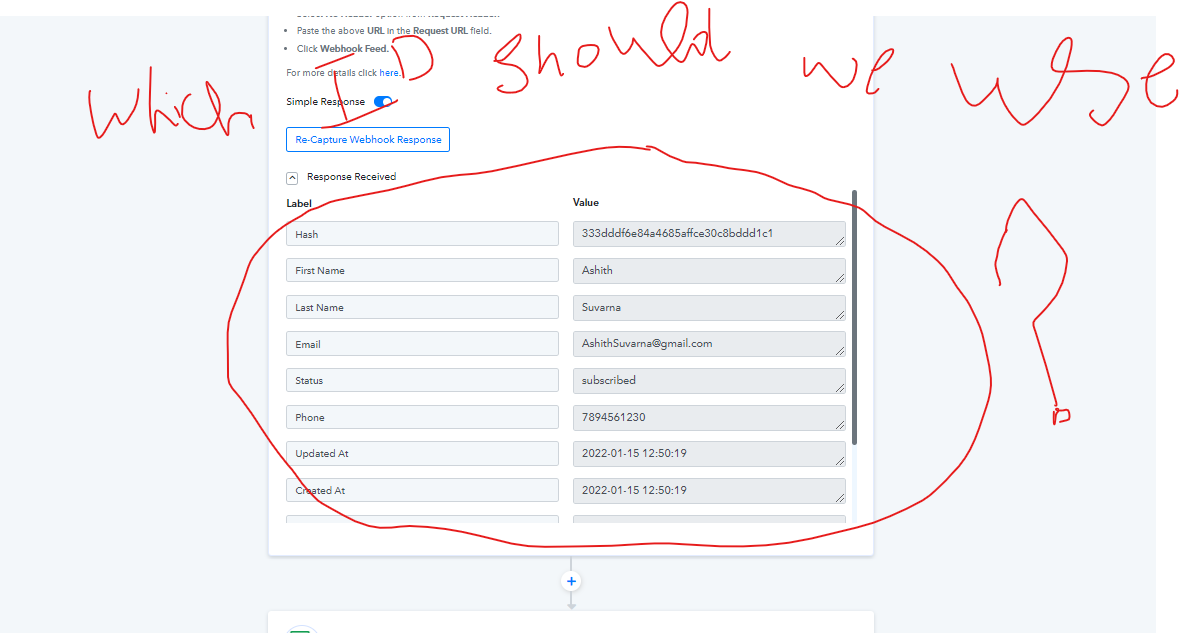
we have got the successful response from the fluent CRM and that data we need to transfer to begin CRM but we have an issue with matching that contact ID to that field. please refer to the images that we have attached.
Attachments
Hey @quepreonpay
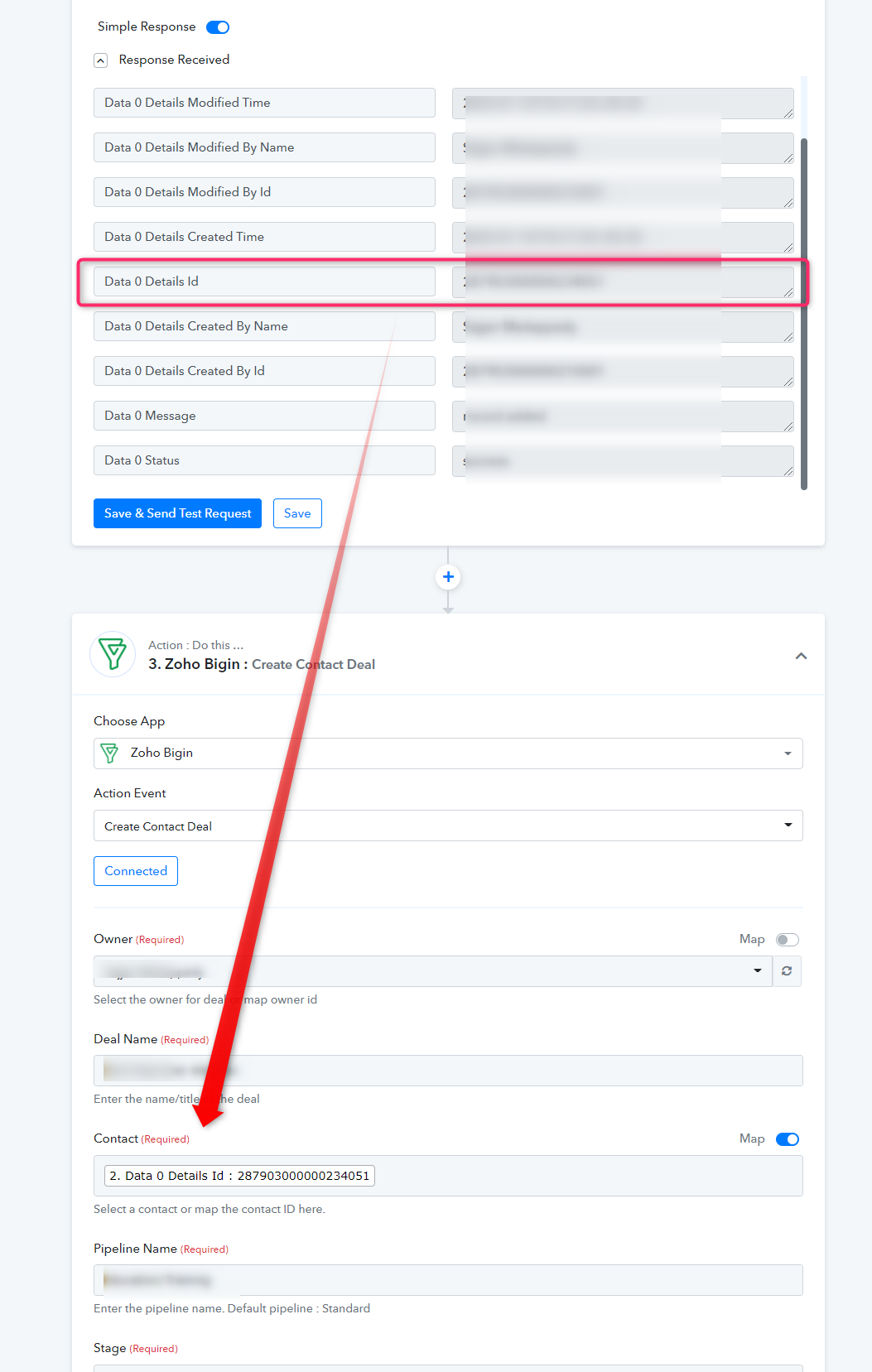
You can map the Details Id from the "Create Contact" action event's API response.
Applications = Fluent CRM And Begin CRM
Work Flow Name = Free Webinar - #03 - 15Jan2022 - [Create Contact And Deal] Fluent CRM To ZOHO BIGIN CRM
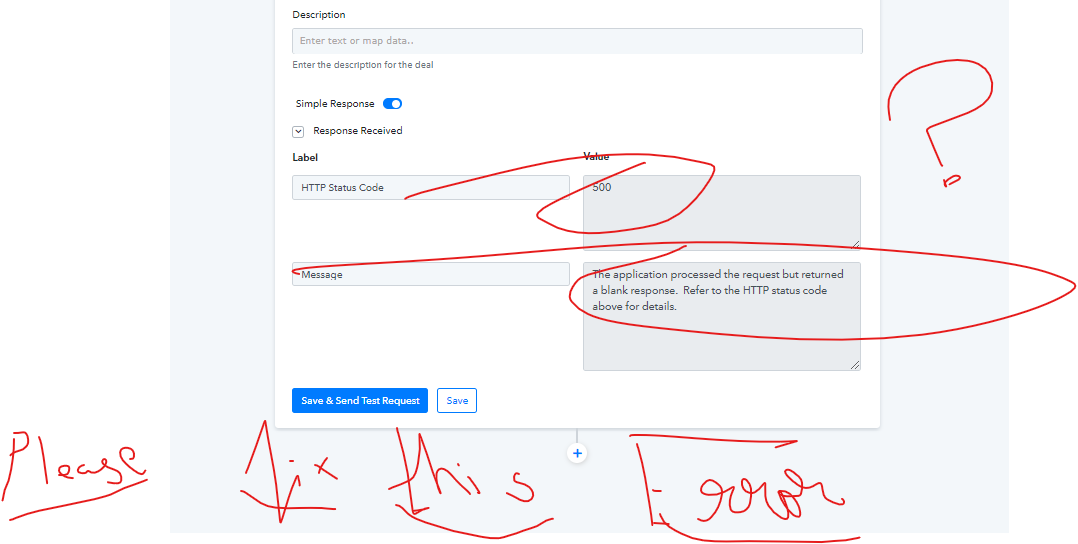
Question 1 = please refer to the error and guide us to fix it.
Attachments
Applications = Fluent CRM And Begin CRM
Work Flow Name = Free Webinar - #03 - 15Jan2022 - [Create Contact And Deal] Fluent CRM To ZOHO BIGIN CRM
Question 2 = we made automation that whenever the new contact created in fluent CRM, data as to automated to Bigin CRM as 1.
Create contact and 2. create contact deal [ this automation working fine]
But whenever we make any changes in fluent CRM those changes should also impact in Bigin CRM how to achieve this??
Hey @quepreonpay
Question 1 = please refer to the error and guide us to fix it.
It seems like it is working now in your workflow, further the error first which you have shared appeared because at that point in time the API didn't respond to the API call.
Question 2 = we made automation that whenever the new contact created in fluent CRM, data as to automated to Bigin CRM as 1.
Create contact and 2. create contact deal [ this automation working fine]
But whenever we make any changes in fluent CRM those changes should also impact in Bigin CRM how to achieve this??
As we can see in your current workflow mapping the contact and the deal is created accordingly. And what type of changes you are trying to make from your Fluent CRM?
Hey @quepreonpayIt seems like it is working now in your workflow, further the error first which you have shared appeared because at that point in time the API didn't respond to the API call.
As we can see in your current workflow mapping the contact and the deal is created accordingly. And what type of changes you are trying to make from your Fluent CRM?
If we want to make any changes like the mail ID or phone number of a particular contact in fluent CRM. So that change can also be changed in Begin CRM simultaneously???
Hey @quepreonpay
If we want to make any changes like the mail ID or phone number of a particular contact in fluent CRM. So that change can also be changed in Begin CRM simultaneously???
Do you mean to say if you update the Mail Id and phone number of the in Fluent CRM's contact, it also updates in Begin CRM?