userID variable not being passed into POST API calls
Status: Closed · Asked by botbuilders_tech on · 0 views
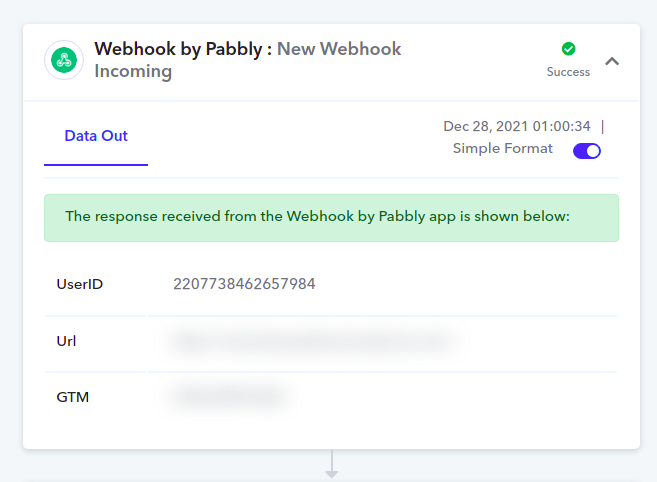
I am getting data via webhook and one of the values is userID from my chatbot.
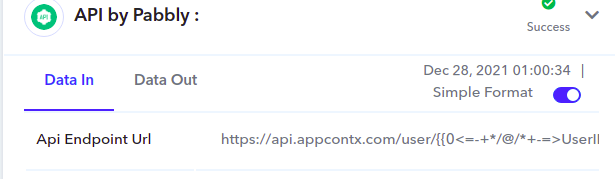
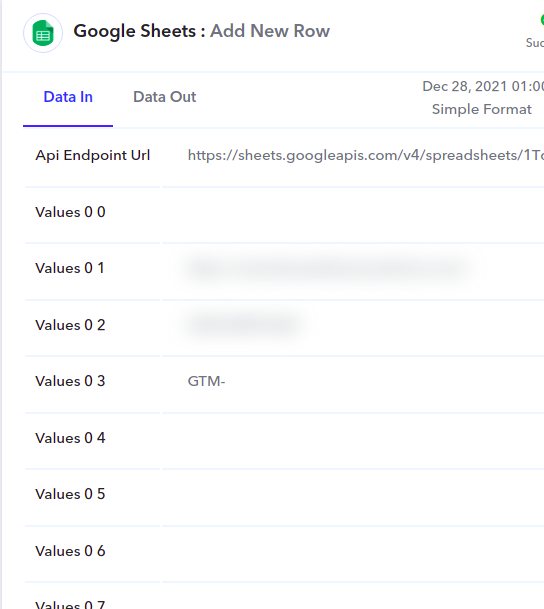
I am sending this variable to Google Sheets along with other info. I am also initiating API calls where userID is a dynamic value, which I am mapping correctly.
However, in random cases, the userID doesn't populate in both the action blocks .i.e GS action and even when sending out the API call.
In GS, the relevant value shows up as blank in GS.
During the API call, the actual value isn't replaced at all and cos of this the API call breaks.
Can you please look into this and suggest what am I doing wrong?
Attachments
Hey @botbuilders_tech
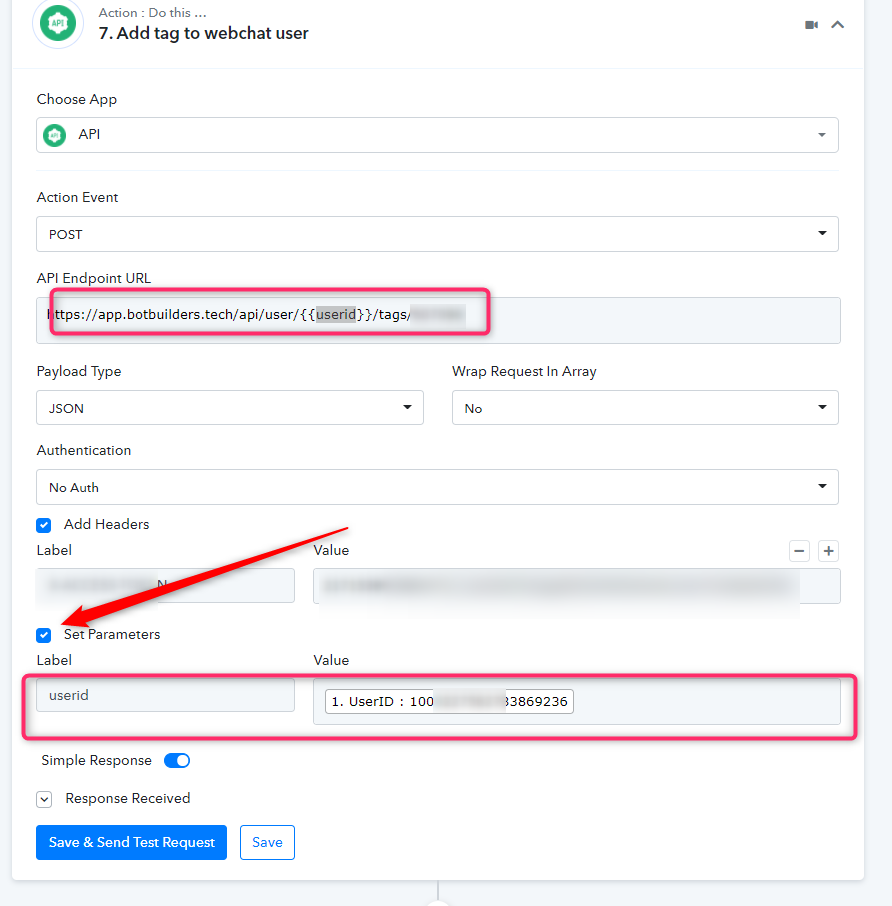
For your concern, kindly use the "userId field" in the set parameters and map the value further in the respective field. Kindly check out the following screenshot for a better understanding.
Though we have re-executed your recent execution and it is working fine.
Thanks
Thanks for your inputs @Supreme ...
However, there are a couple of points I would like to highlight here.
1) the userID doesn't insert even for Google Sheet action.
2) i am using custom API call with JSON payload being sent. So, I can't set the Parameters like you showed. I tried adding a userid in the JSON body, but it didn't work. Can you give me the correct format?
I have recorded a detailed video for your reference. Do check it out for more details.
https://www.loom.com/share/3d63a508a8f249a0a38cbcd31ff8f9be
Hey @botbuilders_tech
Else you can add a delay action step so that API by Pabbly gets the Id/Value which is mapped onto it.
Though we have tried that too and it is working too.
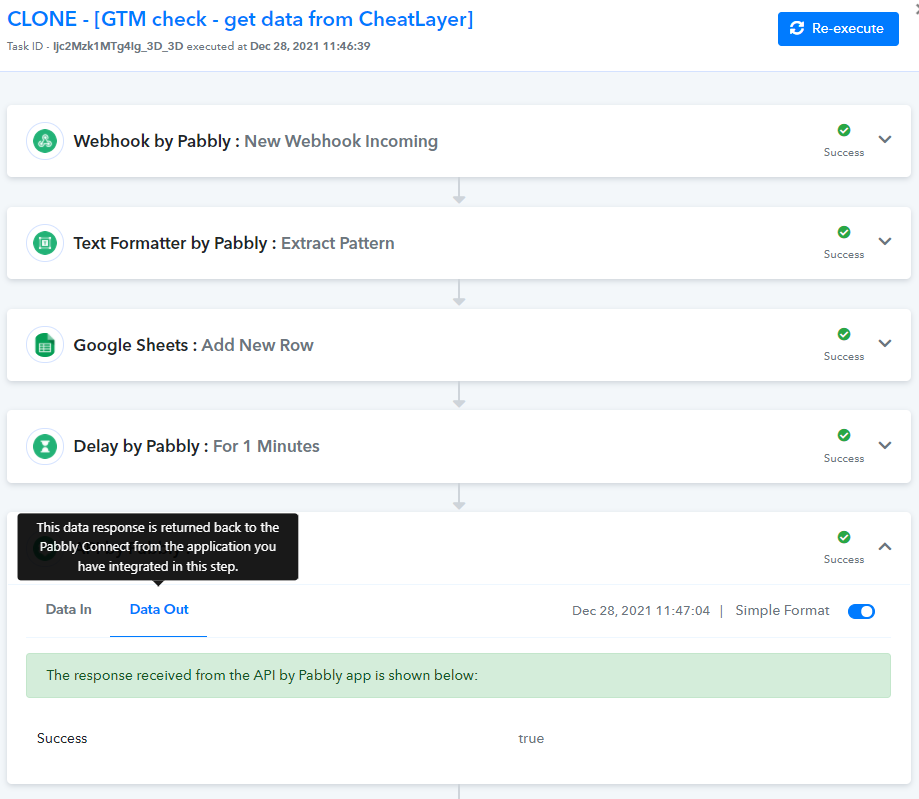
unfortunately this doesn't explain why the userID isn't being sent to Google sheets.
Can you look into that as well, please?
The userID should be mapped to values 0 0 in the google sheet action.
Attachments
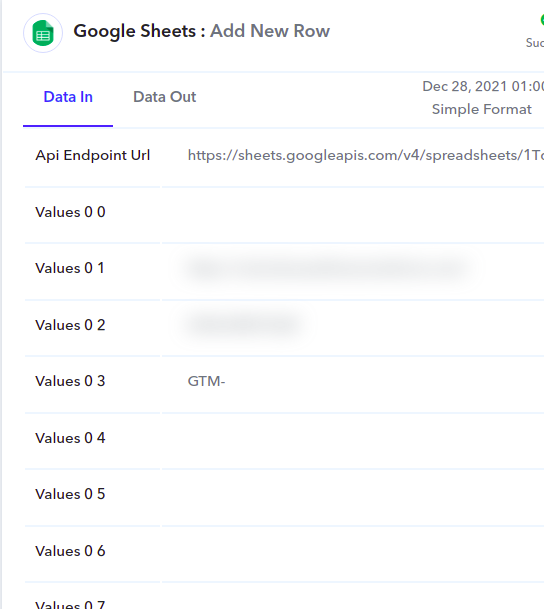
Hey @botbuilders_techElse you can add a delay action step so that API by Pabbly gets the Id/Value which is mapped onto it.
Though we have tried that too and it is working too.
i added 1 min delay before the Google sheets block and the API block, but the calls aren't still being made...
Hey @botbuilders_tech
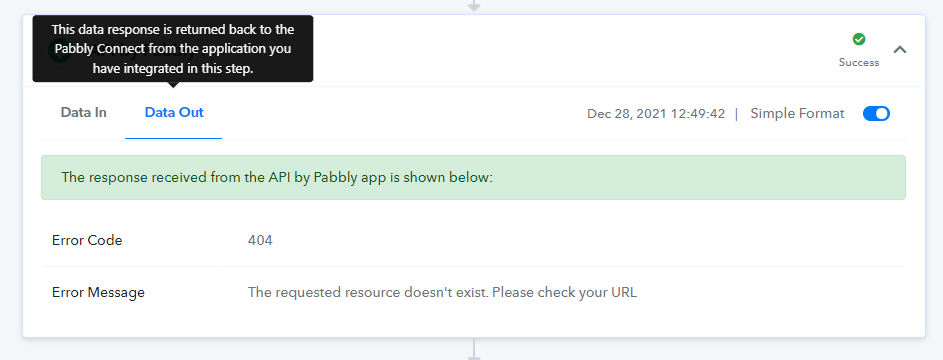
As we can see in your recent execution the API's response is coming directly from their end(Date Out) and since the Data In which the data is being sent from our end is fine.
So, kindly contact the applciation's support team as the message is showing that the resource which you called upon doesn't exist.
You still haven't responded to my query about userID not being inserted into Google sheet.
And you had shared another screenshot earlier where you said the API call worked after adding 1min delay.
Can you please share the Data In for this?
By the way, the API call works fine within swagger and other tools. It doesn't fire from within Pabbly only as i believe the userID isn't being inserted properly
Hey @botbuilders_tech
unfortunately this doesn't explain why the userID isn't being sent to Google sheets.
Can you look into that as well, please?
The userID should be mapped to values 0 0 in the google sheet action.
As we can see in your cloned workflow the UserID field is passing perfectly in the respective action fields of your workflow.
Further, if you are still not getting the mapped values passed then kindly re-authorize your Google Sheets action step and try again.
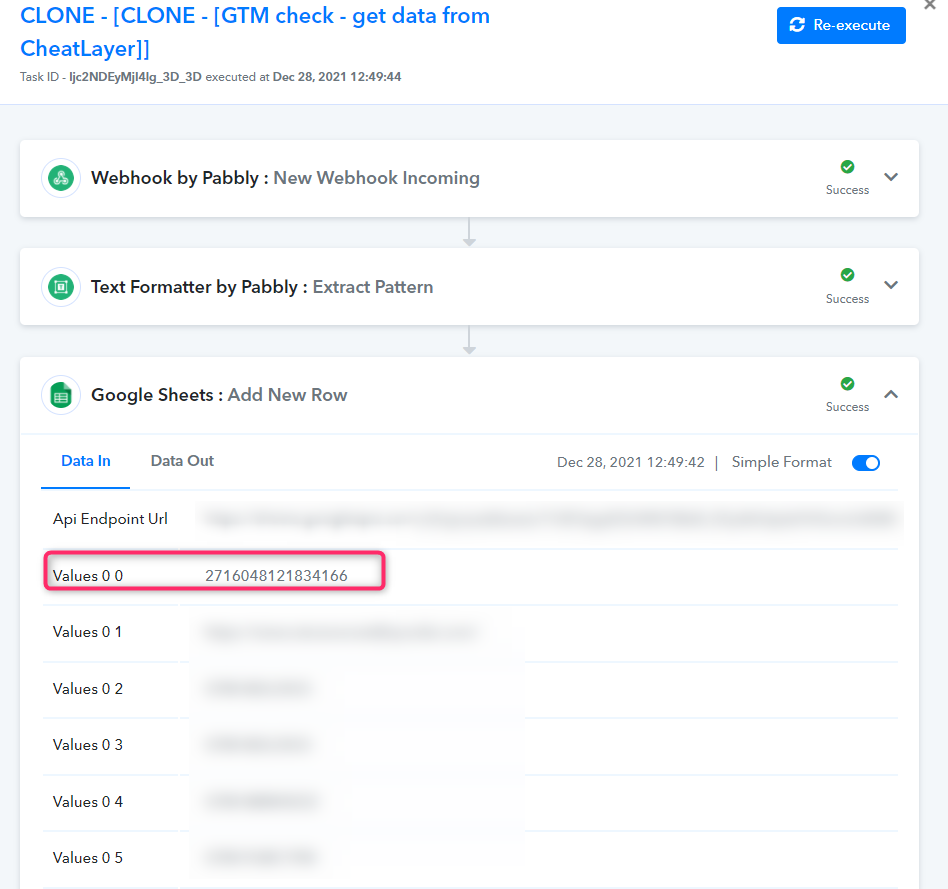
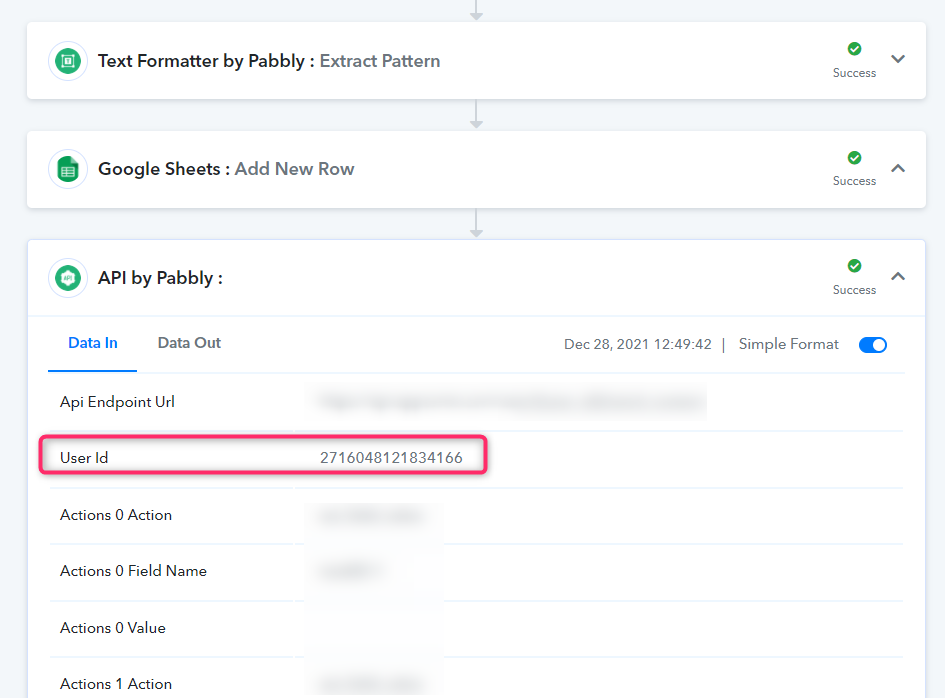
@Supreme this issue is now resolved.
I found out that in one of the first set of code, the userID was in lowercase and this was causing the problem...
Thank you for your help...