Using Send Mail in Gmail connection doesn't format
Status: Open · Asked by Raul de Heer on · 0 views
We’ve updated one of our workflows to use the new Send Mail action inside the Gmail connector. However, the output now appears all on a single line — even when we include HTML formatting.
In every preview, the content displays correctly (with line breaks), but in the actual email everything is shown as one continuous line.
When I check the original content of the email, it’s all base64-encoded. I suspect that might be the issue — because when I decode it manually, the formatting looks correct (with the text displayed on separate lines).
Hi @raulbooqi,
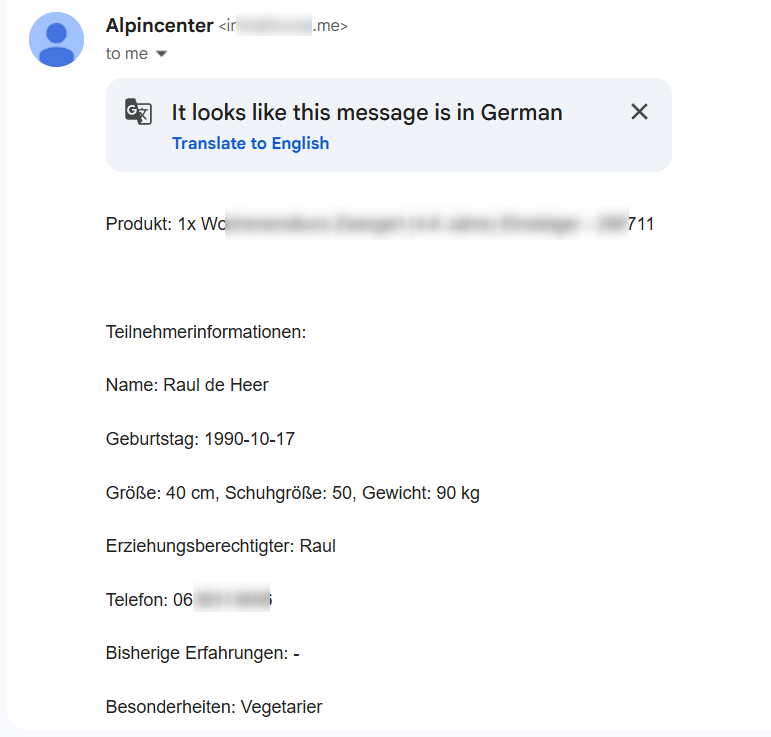
We changed the Email Content Type to 'Plain' and then sent a test email to our address. It seems to retain the correct formatting — the email no longer appears in a single line.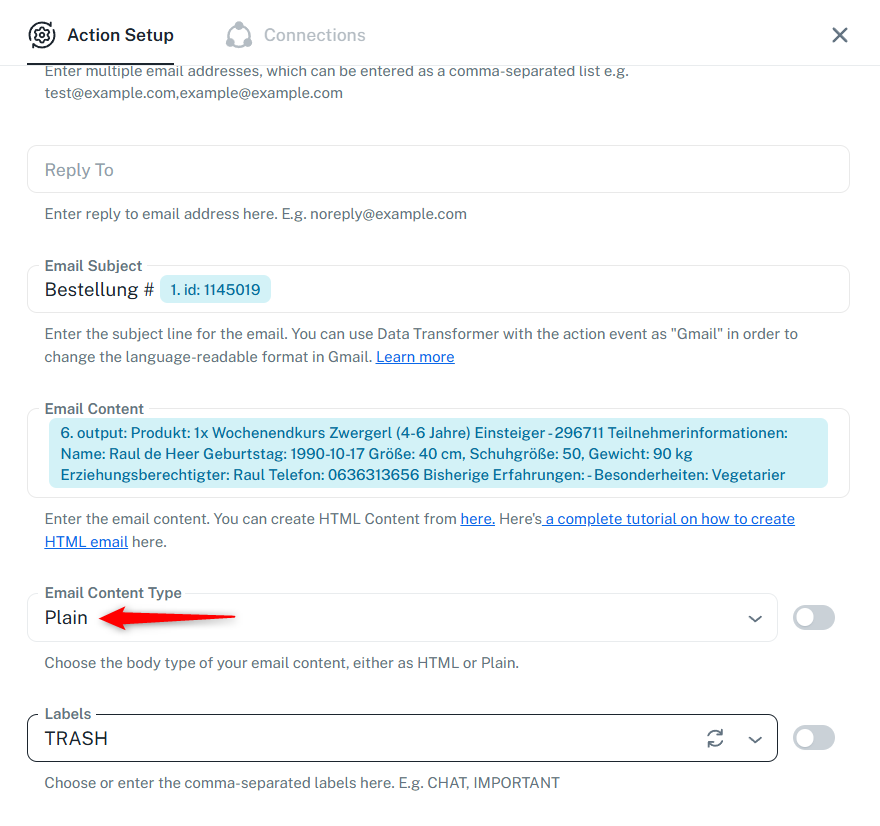
Thanks & Regards,
Arshil Ahmad
Customer Support Associate
Pabbly.com
?Rate your support
Hi @raulbooqi,We changed the Email Content Type to 'Plain' and then sent a test email to our address. It seems to retain the correct formatting — the email no longer appears in a single line.
Thanks & Regards,
Arshil Ahmad
Customer Support Associate
Pabbly.com
?Rate your support
Hi. The issue is indeed resolved, but it doesn't work on all mail clients. We still see it in a wrong format.
Thank you for the update. Could you please share the Task History ID where the email was sent in an incorrect format? Also, please share a screenshot of the email that was received in the incorrect format.