VAT reg. number - Stripe (metadati) to QBO
Status: Closed · Asked by Assunta on · 0 views
Hi all,
I collect payments by card (stripe) and also I need to collect the VAT number of my italian customers to issue the invoice correctly.
I connected Stripe to Quickbooks to create a new customer, but Pabbly worksflow does not have the field "VAT Registration" to fill the relative field in QBO.
How can I resolve? Any idea?
Thanks! Assunta
Attachments
Hello @Assunta
I apologize for the inconvenience, but currently, Quickbooks Online does not have a specific field for entering the VAT number of a customer. However, you can refer to the API documentation for a better understanding of the available fields.
If you still wish to enter the VAT number of the customer, you can create a custom field for it and enter the details there.
Hello @AssuntaI apologize for the inconvenience, but currently, Quickbooks Online does not have a specific field for entering the VAT number of a customer. However, you can refer to the API documentation for a better understanding of the available fields.
If you still wish to enter the VAT number of the customer, you can create a custom field for it and enter the details there.
Hi Arshita,
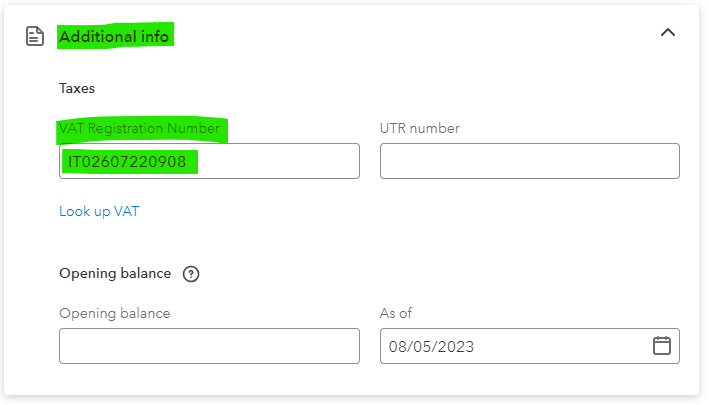
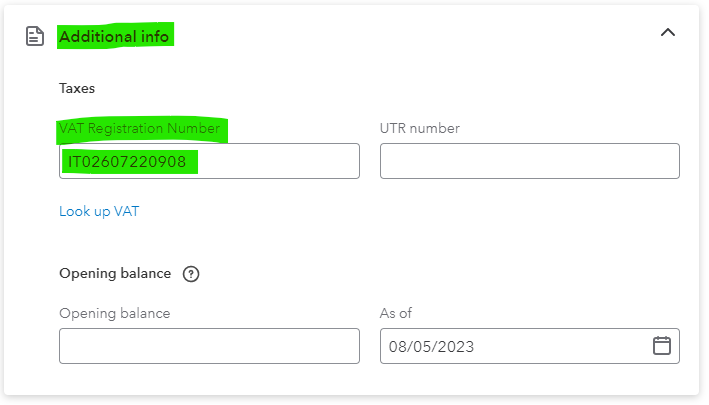
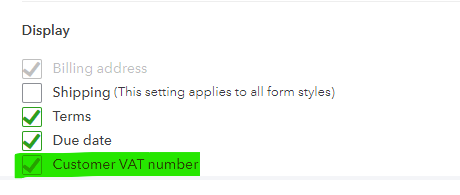
no, QBO has a field for the VAT number, see attached files!
Attachments
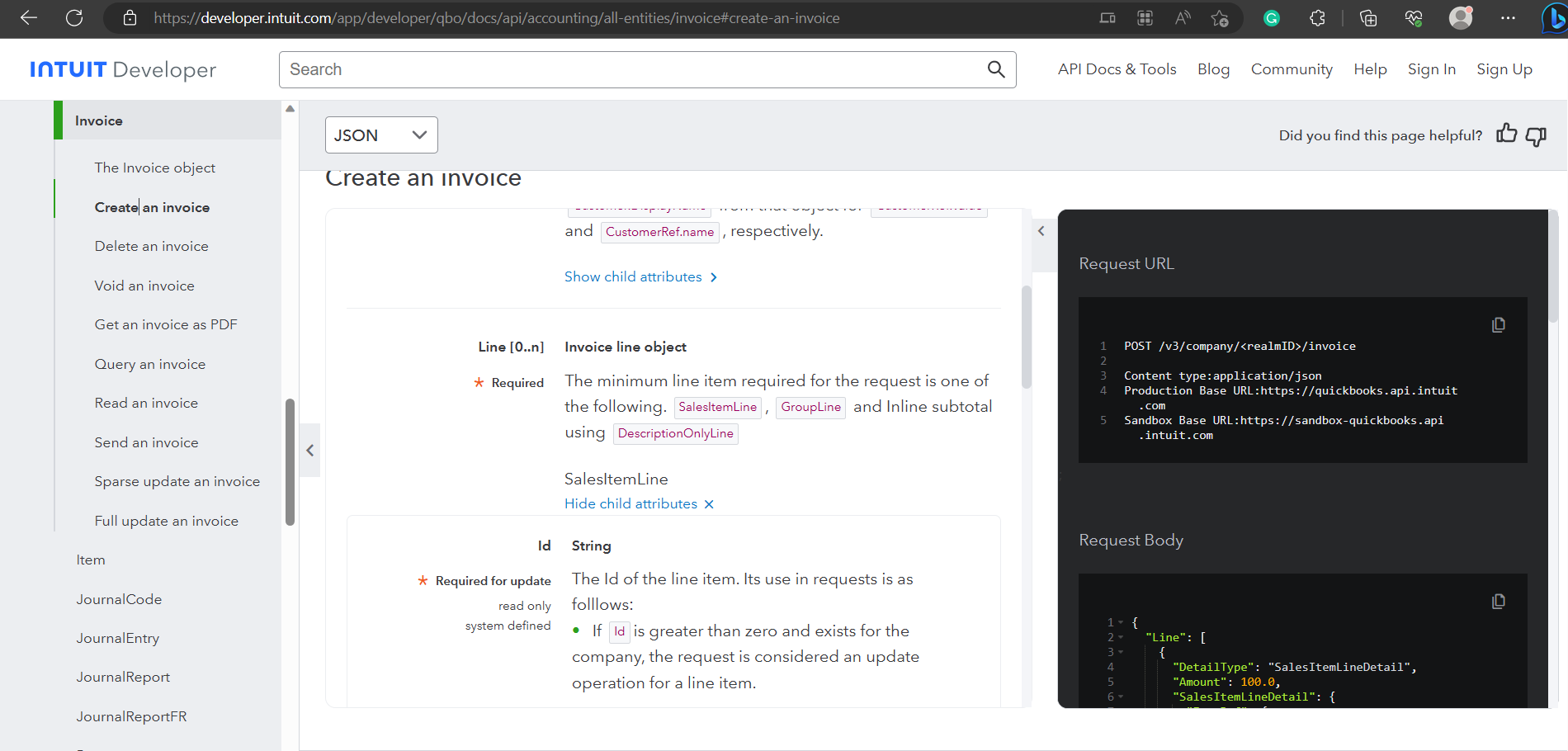
I understand your concern, but I want to inform you that after checking the API documentation of QuickBooks Online, we couldn't find any such fields mentioned.
However, if you are still able to find the field in the API documentation, please provide us with a screenshot of the same so that we can investigate it further.
I understand your concern, but I want to inform you that after checking the API documentation of QuickBooks Online, we couldn't find any such fields mentioned.However, if you are still able to find the field in the API documentation, please provide us with a screenshot of the same so that we can investigate it further.
Hi Arshita,
the action I requested in Pabbly is "create a customer in QBO (from Stripe data)", not "Create an invoice" :-)
Hey @Assunta
I am afraid that for the "Create a Customer" action step they haven't mentioned any Vat field in their API documentation.
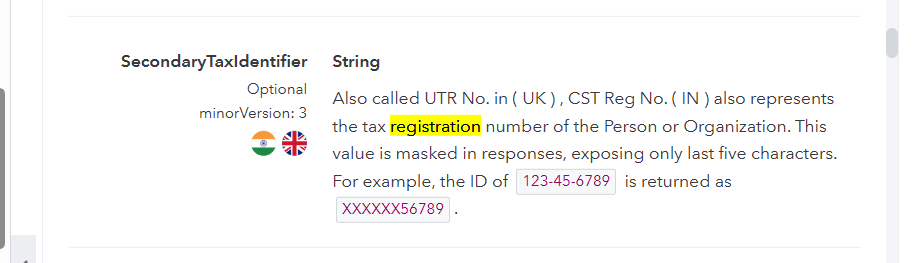
Though we found the following 2 fields in the documentation related to registration number, kindly have a look and let us know if you want any of them.
https://developer.intuit.com/app/developer/qbo/docs/api/accounting/all-entities/customer
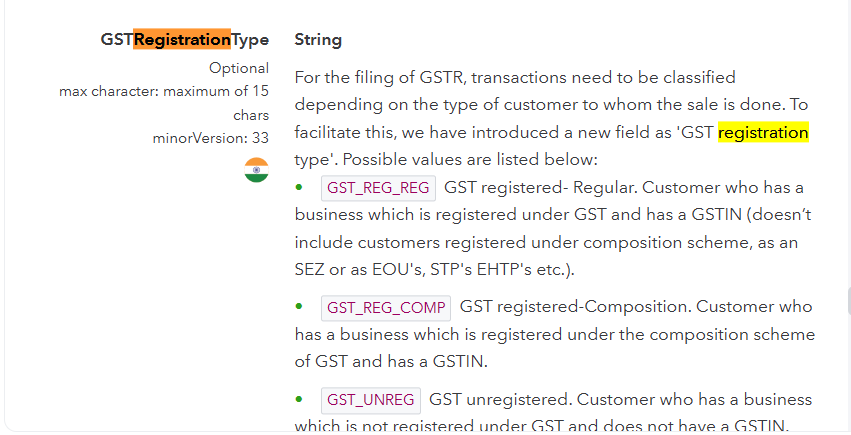
Hey @AssuntaI am afraid that for the "Create a Customer" action step they haven't mentioned any Vat field in their API documentation.
Though we found the following 2 fields in the documentation related to registration number, kindly have a look and let us know if you want any of them.
https://developer.intuit.com/app/developer/qbo/docs/api/accounting/all-entities/customer
Hi,
unfortunately they aren't good, because I need that the VAT number of the customer appears in the invoice.
I checked the template of the invoice, and there is no possibility to mention UTR or other fields.
So, even if I connect the VAT number (by Stripe) and any field in the customer data (in QBO), the problem is it won't appear in the invoice.
I can try to import the VAT number in a manual procedure Excel to QBO, in which I will issue the invoices massively.
Do you see any other solutions?
Thanks
Assunta
Attachments
Hey @Assunta
After reviewing the API documentation, I could not find the VAT fields mentioned in your query under the "Create a Customer" action step. Until those fields are added to the API document, we are unable to add them from our end.
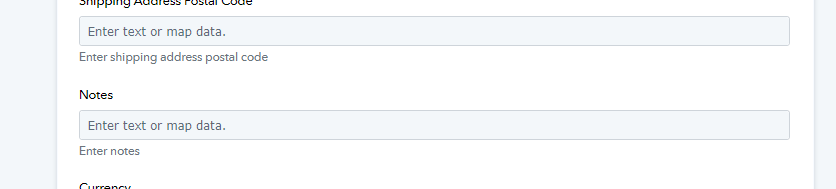
However, to resolve the issue, you can manually enter the VAT number in the "Notes" field of the "Create a Customer" action step. This seems to be the only solution available at the moment.
Hi Arshita,
good idea! At least I can track the data.
I will update the workflow.
Many thanks
Assunta