Warning Authorize this App...
Status: Closed · Asked by Grant Haberkorn on · 0 views
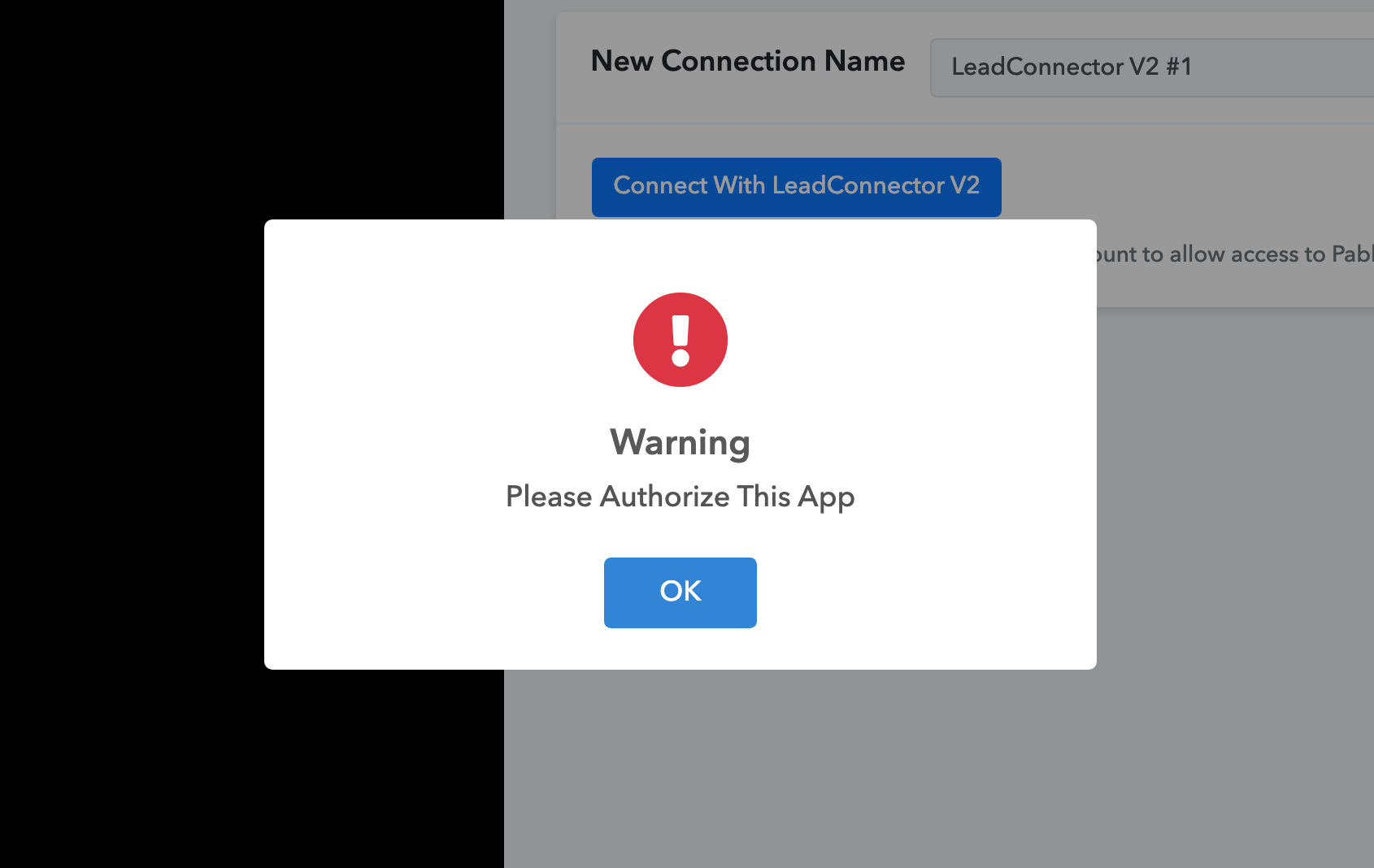
I am getting this Waning Message after I was able to connect Lead Connector with Pabbly. What do I need to do from here in order to "save" the connection? Do I just need to authorize and if so how can I authorize the app?
Hey @gjhabs
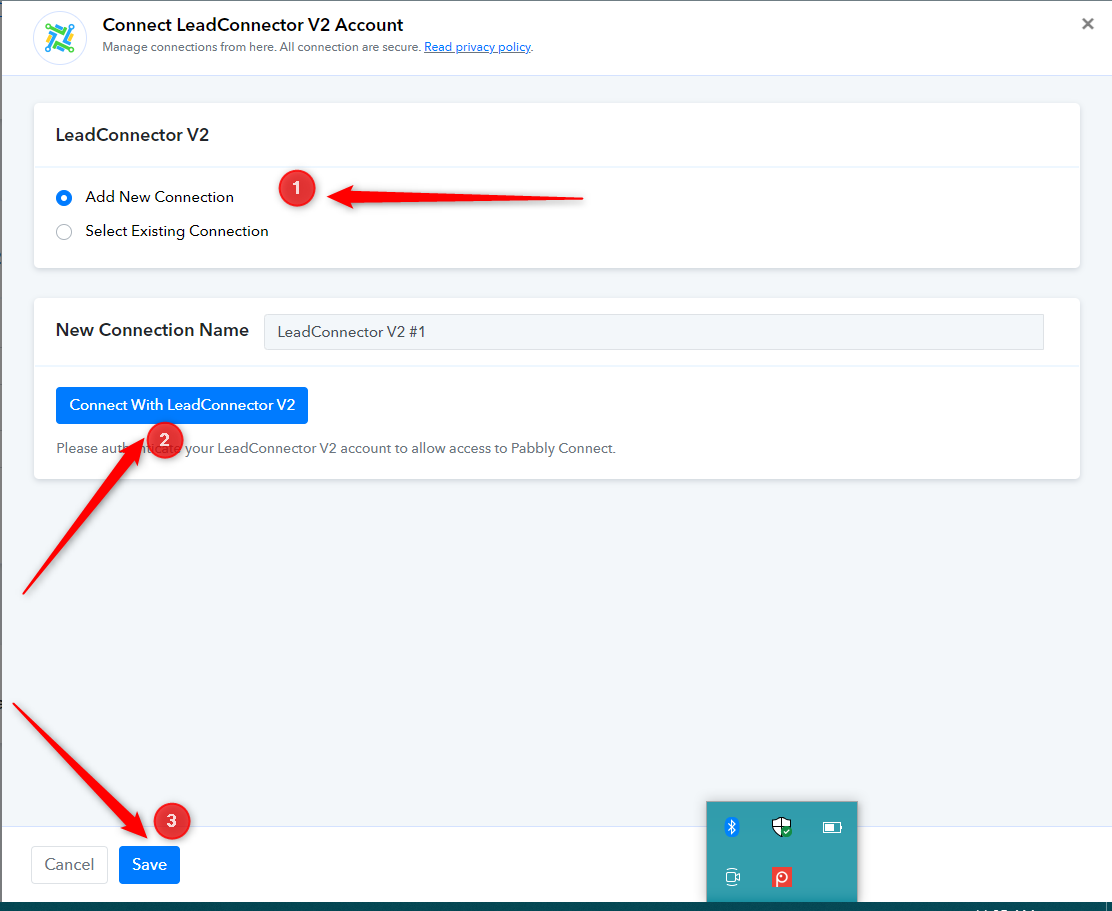
In order to connect LeadConnector in your workflow, you need to create a new connection with the LeadConnector application.
Please refer to the screenshot below and follow the steps provided.
Please let me know if you are still facing the issue